
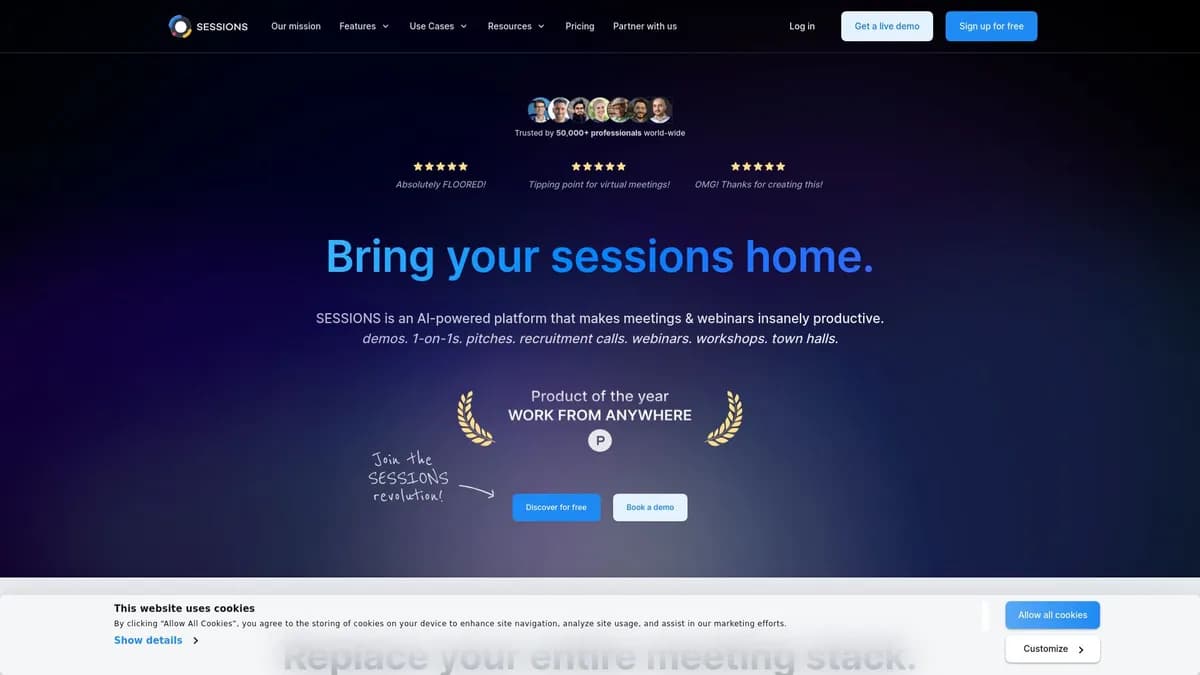

Sessions replaces standard screen sharing by embedding apps like Figma and Miro directly into the video call window. It serves teams hosting interactive webinars and structured meetings for up to 3,000 participants. The platform includes an AI Copilot for automated summaries, though the mobile application lacks the full functionality of the desktop version.
What is Sessions?
Sessions embeds applications like Miro and Google Docs directly into the video interface rather than forcing users to rely on passive screen sharing. Developed by Sessions Technologies Inc., this video conferencing and webinar software consolidates meeting agendas, scheduling, and event management into a single platform. It targets professionals who host interactive sessions and need to keep discussions strictly on track.
The result: participants interact with shared files directly inside the browser window.
- Primary Use Case: Hosting interactive webinars and structured meetings with embedded collaboration tools.
- Ideal For: Mid-sized teams and event managers who need integrated scheduling and interactive agendas.
- Pricing: Starts at $19 (freemium). A competitive entry point that replaces separate subscriptions for scheduling and video software.
Key Features and How Sessions Works
Interactive Collaboration and App Embedding
- Native embedding of 50 plus apps including Miro, Figma, and Google Workspace allows teams to work together in real time.
- Participants interact with tools without leaving the call window, eliminating the need to juggle multiple tabs.
- Breakout Rooms split large groups into smaller discussion units during live calls to encourage participation.
Meeting Management and AI Documentation
- Worth separating out: the Agenda Builder sets pre-defined meeting structures with strict time limits for each segment.
- AI Copilot generates automated transcripts and summaries for sessions lasting up to 12 hours, capturing key action items.
- Memory Vault provides cloud storage for all recordings, transcripts, and shared files from past sessions in one central location.
Event Registration and Audience Engagement
- Built-in booking system functions like Calendly for setting up appointments and managing availability.
- The other piece: custom branding options allow white-labeling for landing pages and email reminders on higher tiers.
- Interactive elements include built-in polls, Q&A modules, and reactions to engage live audiences during presentations.
Sessions Pros and Cons
Pros
- Replaces multiple tools like Zoom, Calendly, and Miro in a single subscription.
- Maintains high-quality video and audio performance even with large participant counts on the Business plan.
- Allows participants to interact with embedded apps directly within the call window.
- Provides permanent access to core features on the free tier for small teams without time limits.
- Features a modern user interface requiring minimal training for first-time attendees.
Cons
- Mobile application experience lacks the full feature set found in the desktop web version.
- Significant price jump between the Solo plan and the Business plan creates friction for growing organizations.
- Occasional lag occurs when multiple heavy embedded tools like Miro run simultaneously.
- Lower-tier plans restrict customization options for automated email templates.
Who Should Use Sessions?
- Freelance consultants: The Solo plan provides scheduling, video calls, and AI summaries for client meetings at a low cost.
- Design teams: Embedding Figma directly into the call window allows multiple stakeholders to edit files simultaneously without sharing screens.
- Webinar hosts: The platform supports up to 3,000 attendees with built-in polls and Q&A features to maintain audience engagement.
- Project managers: The Agenda Builder enforces time limits on meeting segments to prevent discussions from running over their allotted time.
- Sales professionals: Custom landing pages and automated email reminders help manage prospect registration and improve attendance rates.
- Not for mobile-first users: Where it falls short: the mobile app lacks the full collaboration features of the desktop version, making it a poor fit for teams that primarily join calls from phones.
Sessions Pricing and Plans
The Free plan costs $0 per month. It provides permanent access to core features for small teams, though it restricts participant numbers and basic session length. This tier functions well for brief one-on-one meetings but requires an upgrade for extended team collaboration.
The Solo plan starts at $19 per month when billed annually. It extends sessions up to 8 hours and allows 100 participants. And it includes the AI Copilot for automated transcripts and meeting summaries.
That changes when you look at the Business tier. The Business plan costs $899 per month billed annually. It supports up to 12 hours per session and 3,000 participants. It also unlocks custom branding and advanced event management tools. (The $880 gap between Solo and Business is massive, forcing growing teams to make a hard choice once they exceed 100 participants.)
The Enterprise plan uses custom pricing. It offers unlimited participants, dedicated support, and full white-labeling solutions for large organizations.
How Sessions Compares to Alternatives
Similar to Zoom, Sessions handles standard video conferencing and large webinars. Yet Sessions differentiates itself by embedding interactive applications directly into the meeting interface rather than relying on passive screen sharing. Zoom remains the better choice for organizations that require extensive mobile app functionality or massive enterprise deployments.
Unlike Demio, which focuses almost entirely on marketing webinars and automated replays, Sessions provides a broader set of tools for daily team collaboration. Demio offers more advanced marketing integrations and analytics for sales funnels, while Sessions excels at interactive workshops and internal planning.
Livestorm competes closely with Sessions in the browser-based webinar space. Both tools offer custom registration pages and automated emails. Sessions holds an advantage for internal team meetings due to its built-in Agenda Builder and native scheduling tool, whereas Livestorm leans heavier into external event hosting.
Is Sessions Worth It for Collaborative Teams?
Sessions provides excellent value for mid-sized teams and consultants who run interactive workshops. Consolidating scheduling, video calls, and AI summaries into one platform reduces software bloat and lowers monthly expenses. The Solo plan offers significant utility for a low monthly cost, making it highly accessible for independent professionals.
The massive price jump to the Business tier requires careful budget planning for growing organizations.
If you host interactive workshops and want participants to edit documents during the call, Sessions is the pick. If you primarily host massive marketing webinars and need deep CRM integrations, Demio is the better call.
User Reviews
No reviews yet. Be the first to share your experience!
Sign in to write a review.
Related articles
Guides and articles related to Sessions.

The Personal AI Productivity Stack (2026): One Tool Per Job, Nothing Extra

Turn Any AI Agent Into a Superagent: The 12-Integration Stack (2026)
AI User Testing in 2026: The Tools That Test Your Product While You Sleep

AI SDR vs Human SDR: The Real Cost, Performance, and What Nobody Tells You

Claude Plus Notion: Turn Meeting Transcripts Into Tasks Automatically (2026)
