

What is SlideTeam AI Presentation Generator?
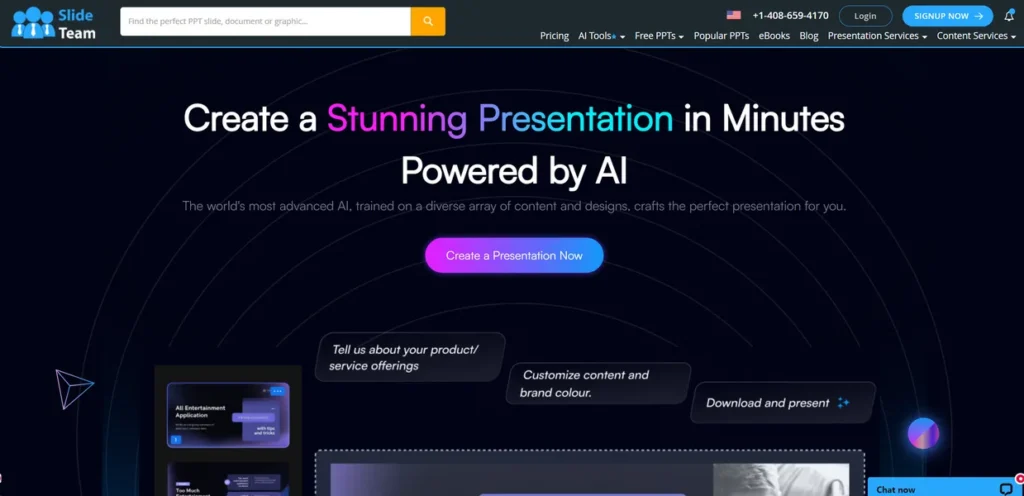
SlideTeam AI Presentation Generator is a tool designed to address a common business bottleneck: the time and resources spent creating professional presentations. For small business owners, this translates directly to labor costs and time away from core operations. The platform uses artificial intelligence to automate the design process, allowing users to input their content and receive a visually coherent, well-structured presentation in a fraction of the time it would take manually. It aims to eliminate the need for specialized design skills or expensive software, positioning itself as a practical solution for producing everything from internal reports to client-facing pitch decks efficiently.
Key Features and How It Works
The functionality of SlideTeam AI centers on streamlining the creation process. From a business perspective, each feature is a potential time-saver and quality enhancer.
- AI-Powered Design Automation: This is the core engine of the tool. You provide the raw text and data, and the AI selects layouts, fonts, and color schemes from its library. This reduces the man-hours required for manual design, allowing employees to focus on the content’s substance.
- Extensive Template Library: The platform provides access to a large repository of pre-designed templates tailored for specific business needs, such as marketing plans, financial reports, or project proposals. This serves as a reliable starting point, ensuring a professional look without starting from scratch.
- Customization and Branding Controls: While the AI automates design, the tool allows for manual overrides. Users can adjust colors, fonts, and logos to align with company branding guidelines. This is crucial for maintaining brand consistency across all external communications.
- Real-Time Collaboration: This feature enables multiple team members to work on the same presentation simultaneously. It reduces version control issues and streamlines the feedback process, which is a tangible efficiency gain for team-based projects.
- Data Integration: The tool can import data from various sources, including cloud storage services like Google Drive and Dropbox. This direct integration minimizes manual data entry and reduces the risk of errors when creating data-heavy slides.
Pros and Cons
Evaluating the tool requires a clear-eyed look at its practical benefits and potential drawbacks for a business.
Pros
- Significant Time Savings: The primary ROI comes from reducing the time spent on slide creation. Automating design tasks allows staff to produce presentations faster, freeing them up for other responsibilities.
- Professional Quality Output: The tool helps maintain a high standard of visual quality, even if you don’t have a graphic designer on staff. This improves the perception of your brand in front of clients and stakeholders.
- Ease of Use: The interface is designed to be intuitive, lowering the barrier to entry. This means minimal training time is required for your team to become proficient.
- Cost-Effectiveness: Compared to the cost of hiring a freelance designer or subscribing to multiple complex design software suites, a single subscription can offer a more predictable and lower-cost solution.
Cons
- Recurring Subscription Cost: Unlike a one-time software purchase, this is a recurring operational expense that must be justified by regular use and tangible productivity gains.
- Internet Dependency: The platform requires a stable internet connection to function. This can be a limitation for team members who need to work while traveling or in areas with poor connectivity.
- Potential for Generic Designs: While the template library is vast, heavy reliance on AI suggestions without customization could lead to presentations that lack a unique creative touch.
Who Should Consider SlideTeam AI Presentation Generator?
SlideTeam AI is not for every business, but it offers clear advantages for specific roles and organizations where presentation volume and speed are critical.
- Startups and Small Businesses: For teams needing to create investor pitch decks, sales presentations, and internal reports quickly and without a dedicated design budget, this tool is a strong contender.
- Marketing and Sales Teams: These departments frequently create presentations for campaigns, client pitches, and performance reviews. SlideTeam can standardize the quality and reduce the production time for these essential materials.
- Consultants: Professionals who deliver findings and strategies to clients can use the tool to quickly generate polished, data-driven reports, improving their workflow and client deliverables.
- Educators and Trainers: For those developing instructional materials, the generator can accelerate the process of creating engaging and informative lesson slides.
Pricing and Plans
SlideTeam AI Presentation Generator operates on a subscription-based model. It is a paid tool, and its advanced features are locked behind a paywall. This financial commitment should be weighed against the potential time savings and quality improvements for your team.
- Pricing Model: Paid Subscription
- Starting Price: The service begins at $29 per month.
- Available Plans: Subscriptions are available starting from the $29/month tier, with pricing potentially varying based on features, number of users, and billing cycle.
For the most accurate and detailed pricing, it is always best to consult the official SlideTeam website directly.
What makes SlideTeam AI Presentation Generator great?
The single most powerful feature of SlideTeam AI Presentation Generator is its ability to automate the entire design process by intelligently applying its vast template library to your specific content. This direct conversion of raw text into a polished presentation is its core value proposition. While other tools offer templates, SlideTeam’s AI-driven approach removes the guesswork and manual adjustments, fundamentally changing the workflow from ‘designing’ a presentation to simply ‘generating’ one. This efficiency is what makes it a compelling tool for businesses looking to maximize productivity without compromising on the quality of their visual communications.
Frequently Asked Questions
- Is SlideTeam AI genuinely faster than using a PowerPoint template?
- Yes, for most users. While a PowerPoint template provides a starting point, SlideTeam’s AI actively designs the layout of each slide based on the content you add. This eliminates the manual process of formatting text boxes, aligning images, and ensuring consistency, which typically accounts for a significant portion of creation time.
- Can I enforce my company’s specific branding guidelines?
- Yes, the platform includes customization options that allow you to upload your company logo and set specific brand colors and fonts. This ensures that the AI-generated presentations remain consistent with your established brand identity.
- What is the learning curve like for a team with no design experience?
- The learning curve is minimal. The user interface is designed to be intuitive, guiding the user through the process of inputting text and generating slides. Most users can become proficient within a single session, making it easy to adopt across a team.
- How does the real-time collaboration work?
- Similar to tools like Google Slides, it allows multiple users with access to the presentation to edit and comment simultaneously. Changes are reflected in real-time, preventing version conflicts and creating a more efficient review cycle for team projects.