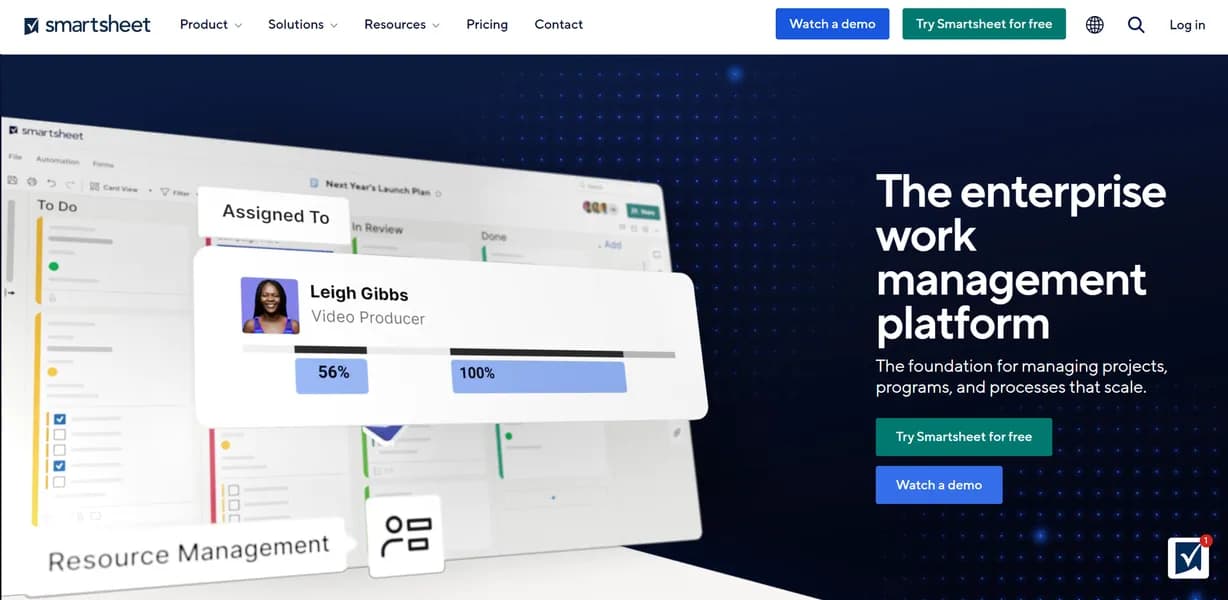

Smartsheet is an enterprise work management platform built for project managers who need spreadsheet familiarity combined with automated workflows. It handles up to 20,000 rows per sheet for complex data tracking. However, it lacks true real-time co-authoring, requiring users to save manually to see edits from others.
What is Smartsheet?
Over 90 percent of Fortune 100 companies use Smartsheet to manage their operations. This cloud-based enterprise work management platform handles up to 20,000 rows per sheet. It replaces scattered Excel files with centralized data tracking.
Developed by Smartsheet Inc., this software targets project managers and operations teams. It solves the problem of disconnected data by combining spreadsheet interfaces with automated workflows. Users build Gantt charts, collect data via forms, and track project health on live dashboards.
- Primary Use Case: Managing complex project schedules using Gantt charts and automated approval workflows.
- Ideal For: Enterprise operations teams managing cross-departmental projects.
- Pricing: Starts at $9 per month (Pro plan) and requires a minimum of one user license.
Key Features and How Smartsheet Works
Data Visualization and Dashboards
- Dashboards: Users build real-time executive views using chart and metric widgets. Limit: Formatting options remain basic compared to Tableau.
- Gantt Charts: Interactive timelines highlight critical paths and map dependencies. Limit: Complex dependency chains slow down sheet load times.
Automation and AI Tools
- Automated Workflows: A visual designer sets up alerts and multi-step approvals. Limit: Triggers only fire based on specific date or cell changes.
- AI Formula Assistant: Generates sheet formulas from natural language text. Limit: Syntax differs from Excel, requiring manual adjustments.
Enterprise Data Management
- Data Shuttle: Moves data between Smartsheet and external ERPs like Salesforce. Limit: This feature requires an expensive premium add-on.
- Dynamic View: Restricts sharing so users only see specific relevant rows. Limit: Available only on Business and Enterprise tiers.
Smartsheet Pros and Cons
Pros
- Supports massive datasets with a strict limit of 20,000 rows per sheet.
- Provides SOC2, HIPAA, and FedRAMP compliance for sensitive government data.
- Reduces training time for new users familiar with Microsoft Excel interfaces.
- Triggers automated actions without requiring any custom code.
Cons
- Lacks true real-time co-authoring, causing save conflicts when multiple users edit simultaneously.
- Charges steep premium fees for essential add-ons like Data Shuttle and Pivot App.
- Restricts dashboard design with limited visual formatting options.
Who Should Use Smartsheet?
- Enterprise Project Managers: Teams needing strict access controls and large data capacity.
- Operations Directors: Leaders who require high-level dashboard rollups across multiple departments.
- Agile Software Teams: This tool is a poor fit for sprint planning. Jira handles agile workflows much better.
Smartsheet Pricing and Plans
The Pro plan costs $9 per user per month. It includes essential features and AI form filling. Smartsheet offers a 30-day free trial, but no permanent free tier exists.
The Business plan costs $19 per user per month. It unlocks Dynamic View, Data Shuttle, and advanced reporting tools.
The Enterprise plan uses custom pricing. It adds role-based sharing, Collections, and advanced security controls.
How Smartsheet Compares to Alternatives
Similar to Monday.com, Smartsheet offers multiple project views and automated alerts. Unlike Monday.com, Smartsheet relies on a traditional spreadsheet layout. Monday.com provides a more colorful, intuitive interface for marketing teams.
Smartsheet wins on raw data capacity and enterprise security certifications.
Asana competes with Smartsheet for task management. Asana focuses on list and board views for daily task tracking. Smartsheet handles complex numerical data and cross-sheet formulas much better.
Choose Asana for simple task delegation.
The Final Verdict for Enterprise Teams
Smartsheet delivers massive value for operations teams managing complex numerical data. The spreadsheet interface feels familiar (even if the formulas require manual tweaks).
It fails to support fast-paced creative teams. The lack of real-time co-authoring creates friction during collaborative brainstorming (which often causes frustrating save conflicts).
If you need simple task tracking, look elsewhere. Asana provides a better experience for basic project management.
User Reviews
No reviews yet. Be the first to share your experience!
Sign in to write a review.
Related articles
Guides and articles related to Smartsheet.

Project Planning With Claude: Dependency Math and the Critical Path (2026)

Set Up Claude as a Google Sheets Coworker: Pivots, Joins, and Cleanups Without the Slop (2026)

Perplexity AI Tutorial: Maximize Your Research Workflows

Auto-Build Weekly Client Status Reports From Slack, Asana, GitHub & Stripe (2026)

The Personal AI Productivity Stack (2026): One Tool Per Job, Nothing Extra