



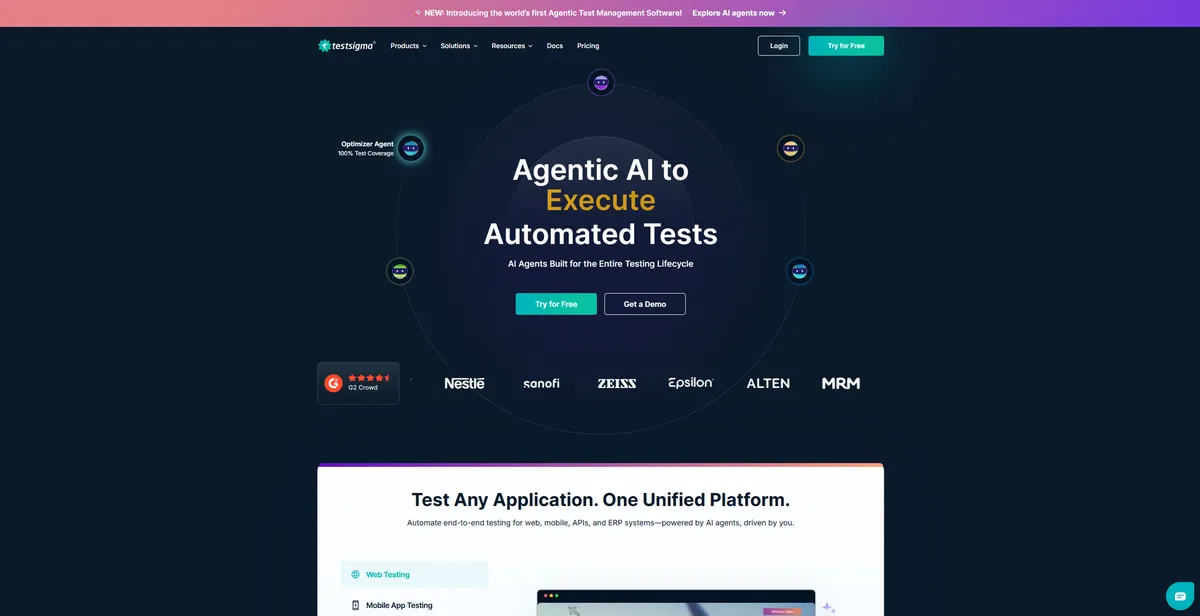
What is Testsigma?
The most impressive aspect of testing Testsigma is how fast a non-technical user can build a functional cross-browser test. You type “Click on Login” and the platform translates that English phrase into an executable automation step (we tested this on a complex e-commerce checkout flow). This approach cuts the typical automation onboarding time from weeks to under 20 minutes.
Developed by Testsigma Technologies Inc., this platform targets QA teams and product managers who want to automate testing without writing code. It solves the maintenance nightmare of traditional frameworks by using AI to fix broken element selectors. Testsigma acts as a unified hub for web, mobile, and API testing.
- Primary Use Case: Automating web and mobile regression tests using natural language processing.
- Ideal For: Manual QA testers transitioning to automation and fast-moving agile teams.
- Pricing: Starts at $8/user/mo (Freemium) — An affordable entry point for small teams needing basic cloud execution.
Key Features and How Testsigma Works
Natural Language Test Creation
- NLP-based Testing: Write test steps using plain English grammar. Limit: Complex conditional loops require workarounds.
- Data-Driven Testing: Import CSV, Excel, or JSON files for bulk parameter validation. Limit: File uploads cap at specific sizes depending on your plan tier.
Cloud Execution and Device Access
- Cross-Browser Testing: Run tests across 3000 browser and OS combinations. Limit: Parallel execution slots cost extra as you scale.
- Mobile App Testing: Test native and hybrid apps on real iOS and Android devices. Limit: Real device availability fluctuates during peak usage hours.
Maintenance and Integrations
- AI Self-Healing: Updates test scripts when UI element attributes change. Limit: The AI guesses incorrectly on complex single-page applications.
- Native Integrations: Connects with Jira, Jenkins, and Slack. Limit: Custom webhook configurations require advanced setup.
Testsigma Pros and Cons
Pros
- Zero coding required allows non-technical QA testers to build complex automation.
- Unified platform manages web, mobile, and API testing in a single interface.
- AI self-healing reduces script breakage by up to 70 percent compared to Selenium.
- Cloud-hosted infrastructure removes the need to maintain expensive local device labs.
Cons
- Advanced developers find the NLP abstraction restrictive for complex conditional logic.
- Large test suites experience performance lag when running on shared cloud infrastructure.
- Some advanced features lack step-by-step technical documentation.
Who Should Use Testsigma?
- Manual QA Testers: You can transition to automated testing without learning Java or Python.
- Agile Product Teams: You can integrate automated API testing into CI/CD pipelines like Jenkins or GitLab.
- Budget-Conscious Startups: The free tier provides enough basic functionality to test core user flows before paying.
- Not for Hardcore Automation Engineers: If you prefer writing raw code to handle specific edge cases, this tool will feel too restrictive.
Testsigma Pricing and Plans
The Free Forever plan costs $0 per month. It works well for solo users but restricts parallel execution.
The Pro Plan costs $8 per user per month. It targets growing teams needing more features and cloud execution minutes.
The Scout plan costs roughly $6 per month billed annually. It adds AI-assisted test management features.
The Full License costs roughly $45 per month billed annually. It unlocks full AI-powered test management capabilities.
The Enterprise tier uses custom pricing. It provides personalized limits for large scale parallel execution needs.
How Testsigma Compares to Alternatives
Similar to Katalon, Testsigma offers a low-code approach to test automation. Katalon relies on a desktop studio application for test creation. Testsigma operates in the cloud. Katalon offers more flexibility for users who want to drop into code, while Testsigma forces a stricter adherence to its natural language model.
Unlike mabl, which focuses on auto-generating tests through user journey recording, Testsigma requires you to write out the steps in English. Mabl excels at visual regression testing and autonomous test creation. Testsigma gives you more explicit control over the exact steps the test executes (a common frustration for fast-moving teams).
The Verdict: Is Testsigma Right for Your QA Team?
Testsigma delivers massive value to manual testing teams looking to automate their workflows. The natural language processing engine lowers the barrier to entry. You will save thousands of dollars on hiring specialized automation engineers. However, teams with complex applications requiring intricate conditional logic should look elsewhere. If you need deep code-level control, Katalon is a better alternative. Over the next 12 months, expect Testsigma to expand its generative AI capabilities to write tests based on simple text prompts.