



What is Tome?
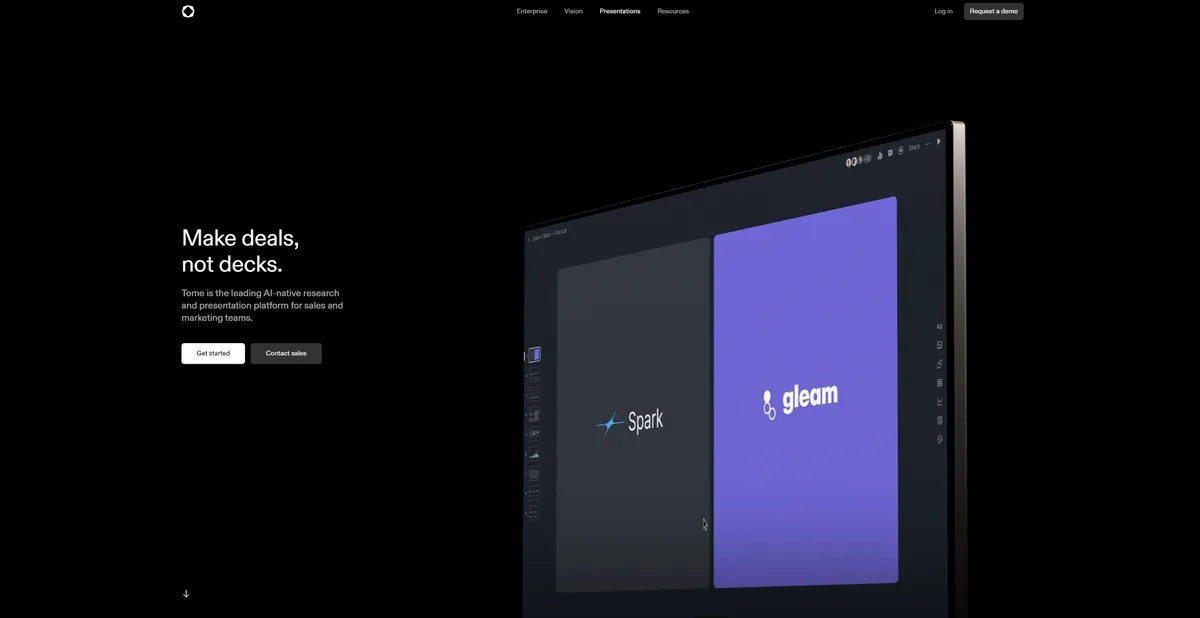
Generating an eight-page venture capital pitch deck takes 45 seconds. You type a single product description prompt. The software builds a structured presentation complete with text, layouts, and custom DALL-E 3 images.
Magical Tome, Inc. built this AI storytelling platform to replace static slide decks. Tome targets business professionals who need to convert strategy documents into visual narratives. The tool forces a responsive tile layout. Your presentation looks like a native mobile app on a smartphone.
The rigid design system prevents you from dragging elements into custom positions.
- Primary Use Case: Generating responsive pitch decks and sales proposals from text prompts.
- Ideal For: Founders and sales teams who prioritize speed over pixel-perfect design control.
- Pricing: Starts at $16/mo (freemium) – The free tier offers 500 lifetime credits but restricts PDF exports.
Key Features and How Tome Works
AI Content Generation
- Narrative Generation: Creates full presentation outlines from a single text prompt. Limit: Outputs max out at 10 pages per initial prompt.
- Document-to-Presentation: Imports text files or PDFs to structure them into visual slides. Limit: Complex PDF formatting breaks during import.
- AI Rewrite: Refines text length or changes tone within the editor. Limit: Consumes AI credits for every minor adjustment.
Visual Design and Layout
- DALL-E 3 Integration: Generates custom AI images directly within the canvas at 1024×1024 resolution. Limit: You cannot edit the generated images beyond basic cropping.
- Responsive Tiles: Content adjusts to fit mobile, tablet, or desktop screens. Limit: Users cannot overlap elements or break the grid system.
- Custom Branding: Allows Pro users to upload logos and specific brand color palettes. Limit: Free users must use standard templates and Tome branding.
Interactive Elements
- Live Embeds: Supports interactive content from Figma, Airtable, and Miro. Limit: Viewers need accounts on external platforms to interact with private embeds.
- Video Narration: Records video clips directly on slides for asynchronous walkthroughs. Limit: Video recording requires a fast internet connection and lacks editing tools.
Tome Pros and Cons
Pros
- Rapid Generation: Creates a structured eight-page presentation in under 60 seconds from a single prompt.
- Mobile Optimization: Presentations are natively responsive, looking like a mobile app on smartphones.
- Interactive Content: Live embeds allow real-time data visualization from external tools like Airtable and Miro.
- Design Consistency: The tile-based system prevents users from breaking layout rules.
Cons
- Export Restrictions: The free tier blocks PDF exports, forcing users to share via web links.
- Credit Limitations: The 500 lifetime credits on the free plan do not renew.
- Limited Layout Control: The rigid tile system prevents granular pixel-perfect positioning of elements.
- Offline Limitations: No native offline editing mode exists.
Who Should Use Tome?
- Startup Founders: You can generate initial pitch decks in minutes to test narrative flow before hiring a designer.
- Sales Teams: Reps can build personalized sales proposals with dynamic content blocks and embedded live Figma prototypes.
- Traditional Graphic Designers: This tool is a poor fit. The lack of free-form canvas control will frustrate anyone used to Adobe Illustrator.
Tome Pricing and Plans
The pricing structure relies on a strict credit system. The free tier acts as a trial (you will burn through 500 credits in two days) rather than a permanent workspace.
- Free: $0/mo. Includes 500 lifetime AI credits, standard templates, and Tome branding on exports. These credits do not reset.
- Pro: $16/mo (billed annually) or $20/mo (billed monthly). Provides unlimited AI creation, custom branding, advanced analytics, and PDF export capabilities.
- Enterprise: Custom Pricing. Adds SSO, admin controls, brand templates, and priority support.
How Tome Compares to Alternatives
Similar to Gamma, Tome focuses on rapid AI generation and responsive web-based layouts. Gamma offers a flexible block system that feels closer to Notion. Tome forces a stricter tile grid. Gamma provides a monthly credit reset on its free tier. Tome limits free users to 500 lifetime credits.
Unlike Beautiful.ai, Tome prioritizes text-to-deck generation over strict data visualization. Beautiful.ai excels at building complex charts and graphs that align to brand guidelines. Tome handles narrative storytelling and image generation better (thanks to the native DALL-E 3 integration). Beautiful.ai remains the better choice for financial reporting.
The Verdict for Fast-Moving Sales Teams
Tome delivers massive value to professionals who need to build visual narratives in minutes. The mobile-responsive output ensures your pitch looks great on a client smartphone.
You will hit a wall if you need precise control over every pixel.
Users who require strict offline access or traditional slide formatting should look elsewhere. We recommend Beautiful.ai for teams that need rigid brand compliance and complex charting. The honest limit remains the layout engine. We still do not know if Tome will ever introduce a free-form canvas for advanced users.