



What is Trello?
Over 50 million registered users rely on Trello to organize their daily tasks. Atlassian acquired this visual project management tool in 2017. It uses boards, lists, and cards to help teams track workflows. The platform targets everyone from solo freelancers to enterprise software development teams.
It replaces messy spreadsheets with a simple drag-and-drop interface.
- Primary Use Case: Managing software development sprints using Kanban boards with automated card movements.
- Ideal For: Small to medium teams needing visual task tracking.
- Pricing: Starts at $5 (freemium) : A cheap entry point for growing teams.
Key Features and How Trello Works
Visual Task Management
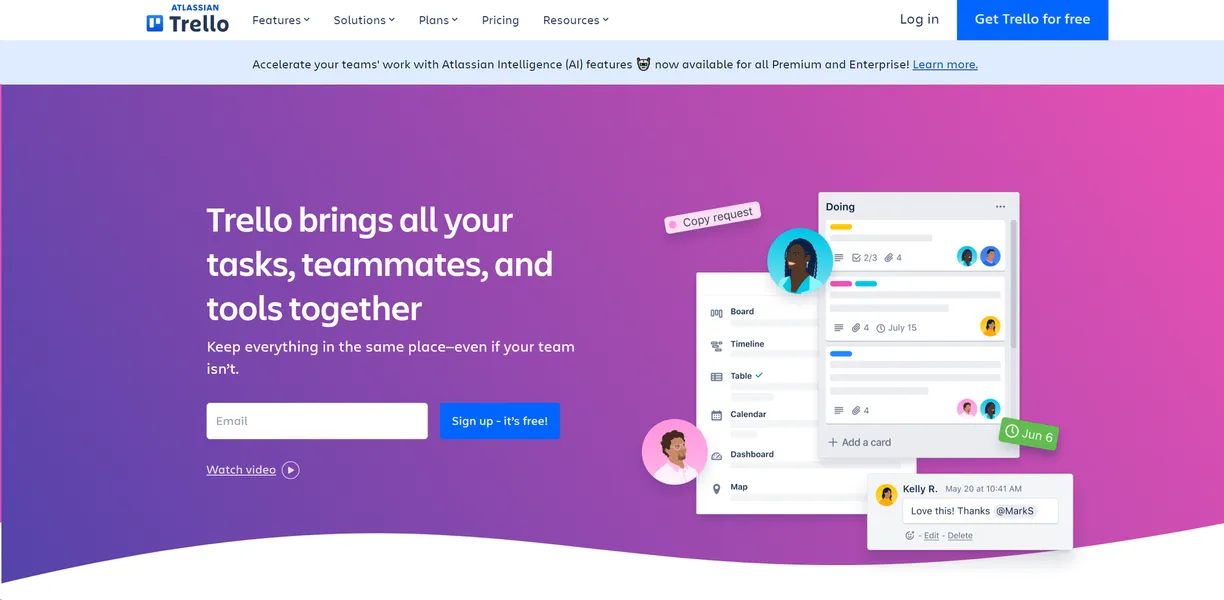
- Project Views: Displays tasks in Board, Timeline, Table, Calendar, Dashboard, and Map formats. Timeline and Table require the $10 Premium plan.
- Card Covers: Customizes cards using images or colors for better visual organization. This feature has no usage limits.
- Advanced Checklists: Assigns specific members and due dates to subtasks. This requires the $5 Standard plan.
Workflow Automation
- Butler Automation: Handles repetitive rules and commands without code. The Free tier limits this to 250 runs per month.
- Atlassian Intelligence: Generates task summaries and content using AI. This feature requires a Premium subscription.
Integrations and Extensions
- Power-Ups: Connects boards to over 200 external tools like Slack and Google Drive. Users get unlimited Power-Ups on all plans.
- Data Export: Downloads board data for reporting and backups. Users can export in JSON or CSV formats.
Trello Pros and Cons
Pros
- The intuitive Kanban interface allows new users to start managing tasks in under two minutes.
- An extensive Power-Up ecosystem connects boards to specialized tools like GitHub and Salesforce.
- The generous free tier provides unlimited cards and members for small teams.
- Native mobile applications sync offline for remote task management.
Cons
- Reporting requires third-party Power-Ups or expensive Premium plans.
- Interface lag occurs on boards containing hundreds of active cards and attachments.
- Built-in time tracking does not exist without external integrations like Harvest.
- Butler automation limits restrict complex workflows on lower pricing tiers.
Who Should Use Trello?
- Solo freelancers: Track personal projects and client deliverables for free.
- Content marketing teams: Organize editorial calendars using due dates and attachments.
- Sales professionals: Track pipelines by moving lead cards through custom stages from contact to close.
- Large enterprise teams: This is not a good fit. Teams needing complex resource allocation should look elsewhere.
Trello Pricing and Plans
The free tier is a real, usable plan for small teams.
It is not a disguised trial.
- Free: $0 per month. Includes 10 boards per workspace, 250 command runs, and unlimited cards.
- Standard: $5 per month billed annually. Adds unlimited boards, 1,000 command runs, and advanced checklists.
- Premium: $10 per month billed annually. Includes AI features, Calendar views, and unlimited command runs.
- Enterprise: $17.50 per month billed annually. Adds organization-wide permissions, SSO, and 24/7 support.
How Trello Compares to Alternatives
Similar to Asana, Trello organizes team tasks. Trello focuses on a simple Kanban board interface. Asana offers better native list and timeline views for complex project dependencies. (I found Asana handles multi-phase projects better than Trello).
Unlike Monday.com, Trello keeps its core interface simple. Monday.com provides extensive custom database capabilities that Trello lacks. Monday.com works better for teams that need strict data validation.
The Best Visual Task Manager for Small Teams
Small teams get the most value from this platform. The visual interface makes onboarding rapid and simple. Large organizations needing advanced reporting should look elsewhere. (Users hit the 250-run limit early if they automate every task).
ClickUp offers a better alternative for complex resource management. Over the next 12 months, expect Atlassian to integrate deeper AI features to automate card creation.