

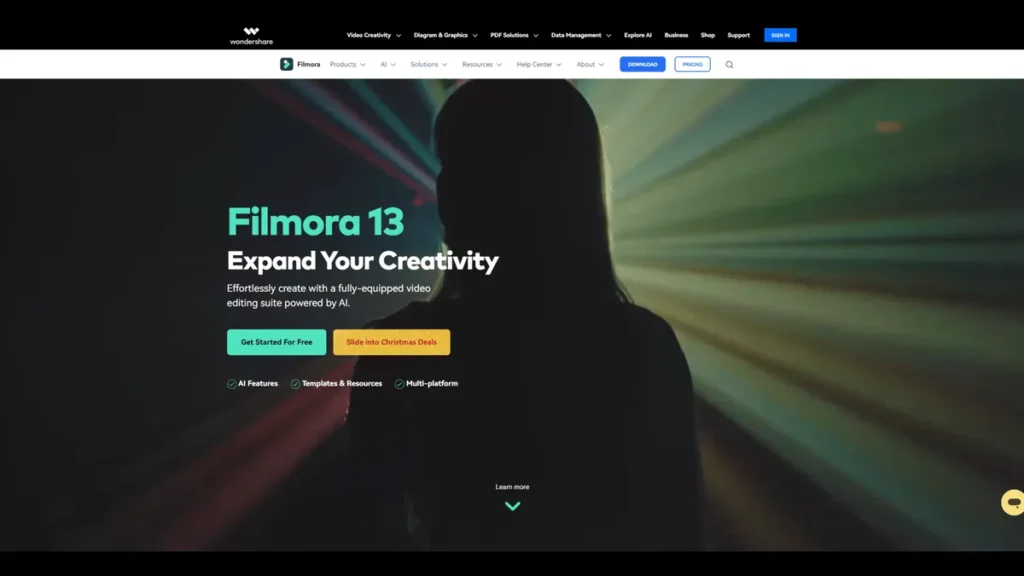
What is Wondershare Filmora?
For small business owners, the demand for high-quality video content often clashes with the reality of limited budgets and a lack of specialized staff. Professional-grade software like Adobe Premiere Pro requires significant investment in both cost and training. Wondershare Filmora positions itself as a practical solution to this dilemma. It is an AI-enhanced video editing platform designed for efficiency and accessibility, running on both Windows and Mac. Filmora empowers businesses to produce polished marketing videos, product demonstrations, and social media content in-house, effectively bridging the gap between ambition and resources. It provides a robust set of tools that are powerful enough for professional results yet intuitive enough for users without a background in video production.
Key Features and How It Works
Filmora’s value proposition for a business owner lies in features that directly save time and reduce costs. It streamlines workflows through a combination of user-friendly design and intelligent automation.
- AI Copilot Editing: This feature acts as a virtual editing assistant. Instead of navigating complex menus, you simply type commands in plain language, such as ‘add a zoom-in effect to this clip’ or ‘remove the silence at the beginning.’ Think of it as having a junior video editor on standby; you give it a direct instruction, and it executes the task instantly, dramatically speeding up the editing process.
- AI Text-to-Video: A significant time-saver, this tool converts written content into a video. A business can repurpose a blog post, a customer testimonial, or a product description by simply pasting the text. Filmora’s AI then analyzes the script and assembles a video draft using relevant stock footage, background music, and a computer-generated voiceover, which can then be fine-tuned.
- Text-Based Editing: This innovative feature generates a transcript of your video’s audio. To edit the video, you simply edit the text document. Deleting a sentence in the transcript automatically removes the corresponding video segment, making it incredibly fast to refine interviews, presentations, or testimonials.
- AI Music Generator: Sourcing and licensing music is a common bottleneck. This feature generates custom, royalty-free background tracks based on your specified mood, theme, and duration, eliminating concerns about copyright infringement and the cost of music subscription services.
- Drag-and-Drop Interface: At its core, Filmora is built for simplicity. Its clean interface and drag-and-drop functionality mean that new users can start creating projects within minutes, minimizing the non-billable time spent on training and software orientation.
Pros and Cons
From a business perspective, here is a balanced look at what Filmora offers:
Pros:
- Rapid ROI on Training: The intuitive interface and AI-driven features mean employees can become proficient quickly, minimizing downtime and maximizing productivity without a steep learning curve.
- Cost-Effective Asset Management: The integrated library of effects, transitions, and royalty-free music reduces the need for separate, costly subscriptions to stock asset websites.
- Versatile AI Toolkit: Features like Text-to-Video and AI Music Generation are not just novelties; they are powerful tools that directly reduce the manual labor required to produce content, translating into tangible cost savings.
Cons:
- Ceiling for Advanced Post-Production: While excellent for most business needs, Filmora is not designed to replace high-end software for complex color grading, custom visual effects, or intricate motion graphics work.
- Performance on Older Hardware: The AI features, while powerful, can be resource-intensive. For the smoothest experience, the software performs best on modern computer systems with adequate processing power and RAM.
Who Should Consider Wondershare Filmora?
Filmora is a strategic asset for a variety of professionals and organizations that need to create video content efficiently:
- Small Business Owners & Marketers: Ideal for creating social media ads, website videos, product demos, and promotional content without outsourcing to an expensive agency.
- Solo Entrepreneurs & Consultants: Empowers individuals who manage their own marketing to produce professional-grade videos that enhance their brand credibility.
- HR and Corporate Training Teams: A simple tool for developing internal training modules, onboarding videos, and company-wide announcements.
- Content Creators: For YouTubers, podcasters, and course creators who require a fast and reliable editing workflow to maintain a consistent publishing schedule.
Pricing and Plans
Wondershare Filmora operates on a paid subscription model. The pricing is designed to be accessible for individuals and small teams, with an annual plan starting at approximately $39.99 per year. This entry-level price typically provides access to the full suite of editing features, ongoing updates, and removes the watermark present in the free trial version. For the most accurate and current information on features included in different tiers, prospective buyers should consult the official Wondershare Filmora website.
What makes Wondershare Filmora great?
How do you produce a steady stream of professional video content when you don’t have a dedicated video department or an agency-level budget? This is the fundamental challenge Filmora addresses. Its greatness lies not in being the most feature-packed editor on the market, but in being the most accessible and efficient one for its target user. It effectively democratizes video production by balancing powerful AI-driven capabilities with an intuitive user experience. For a business, this translates into a tangible return on investment: the ability to bring video creation in-house, control the brand message, and rapidly produce content at a fraction of the traditional cost.
Frequently Asked Questions
- Can I use videos made with Filmora for commercial purposes?
- Yes, purchasing any of the paid subscription plans grants you a license to use the videos you create for commercial projects, including for marketing, sales, and monetization on platforms like YouTube.
- Does the free version of Filmora add a watermark?
- Yes, videos exported using the free trial version of Filmora will have a prominent watermark. To export videos without the watermark, you must upgrade to a paid plan.
- How much technical skill is required to use Filmora?
- Filmora is specifically designed for beginners and users with intermediate skills. Its drag-and-drop interface and AI-powered features significantly lower the technical barrier to creating high-quality videos.
- Is Filmora a one-time purchase or a subscription?
- Wondershare Filmora primarily operates on an annual subscription model, which ensures users receive all the latest feature updates and support. They have occasionally offered a perpetual license, so it is best to check their website for current purchasing options.