
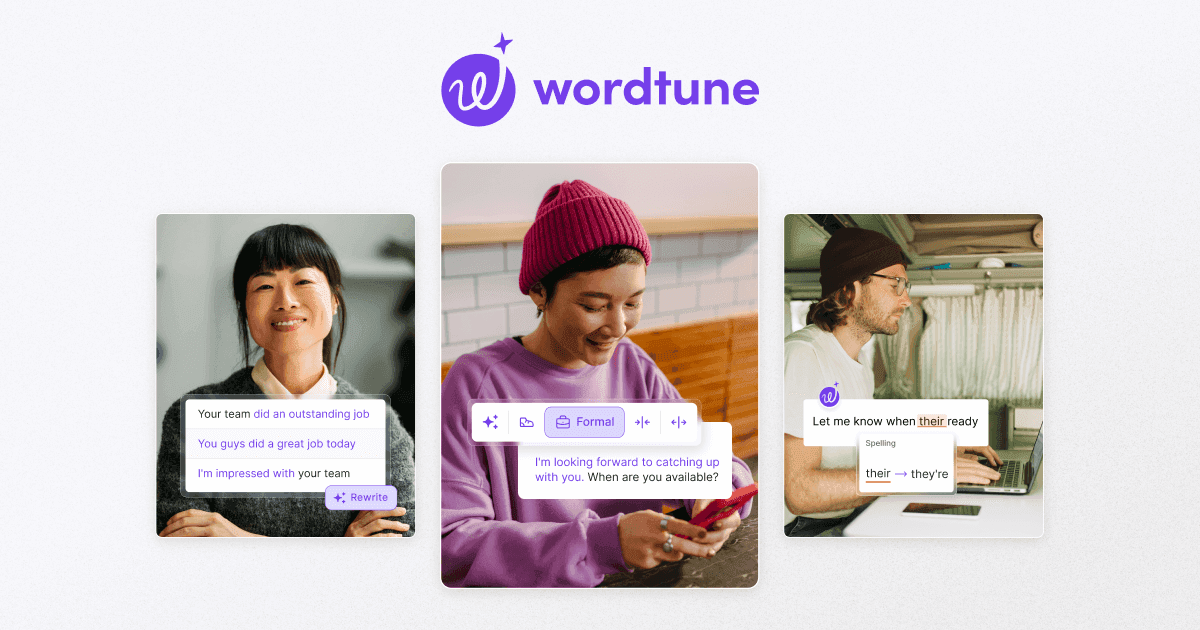

Wordtune is an AI writing assistant by AI21 Labs that rewrites your sentences in real time inside Gmail, Google Docs, and LinkedIn. It offers tone control, article summarization, and the Spices feature for adding sourced statistics and examples to drafts.
Wordtune is an AI-powered writing assistant developed by AI21 Labs, an Israeli AI research company that launched the product publicly on October 27, 2020 when it emerged from stealth. Rather than checking your work for errors, Wordtune reads the semantic meaning of a sentence and proposes 5-10 alternative phrasings that preserve your intent while adjusting tone, length, or register. It runs as a Chrome extension and Microsoft Edge add-on, embedding itself directly into Gmail, Google Docs, LinkedIn, and most browser-based text fields so rewrites happen without copy-pasting into a separate editor.
The core rewriting engine supports four modes: Formal, Casual, Shorten, and Expand. Beyond rewrites, Wordtune now includes a Spices feature for injecting AI-sourced statistics, analogies, counterarguments, and examples with inline citations; a document and YouTube summarizer; a grammar and spelling checker; an AI Humanizer for making generated text sound natural; and Smart Translate from 10 languages into English. An API is available for developers. The free tier allows 10 rewrites per day; paid plans start at $9.99/month (annual) for unlimited rewrites.
What Wordtune writes in April 2026
Wordtune operates as a sentence-level rewriting layer rather than a full content generator. Select any sentence in a supported text field, click the Wordtune icon, and the tool returns a panel of alternative phrasings within a second or two. Each variation restructures the sentence differently, not just swapping synonyms, which is the core technical claim AI21 Labs makes about the underlying Jurassic LLM architecture powering the product.
The four rewriting modes change the character of the output. Formal tightens language for professional contexts; Casual loosens it for conversational writing; Shorten strips filler words; Expand pads a thin sentence with supporting detail. Alongside these modes, the Spices feature, launched January 17, 2023, is meaningfully different from anything Grammarly or QuillBot offer: it lets you prompt the tool to insert a statistic, a relevant quote, a counterargument, a joke, or an analogy, and it returns that addition with a hyperlinked source citation. At launch, AI21 Labs positioned Spices as "the first generative AI writing tool to attribute its sources," a direct response to the hallucination concerns that dominated the early LLM conversation.
In April 2023, AI21 Labs embedded Wordtune directly into Google Docs, extending the Chrome extension's reach inside Docs itself without requiring a separate interface. The product also summarizes full articles and YouTube videos through the Wordtune Read module, and Smart Translate handles input from 10 languages into English, useful for non-native writers who think in their first language and need the English rendered properly.
Wordtune reports 10 million users globally as of 2026 and holds a 4.7/5 rating on the Chrome Web Store. Google named it one of its favorite Chrome extensions of 2021 in the "Communicate and Collaborate" category.
Where Wordtune sits versus Grammarly and QuillBot
Grammarly is the market-dominant tool in this category, with over 40 million daily active users as of 2026. The mechanical difference is that Grammarly's core function is error detection: it flags grammar, spelling, and punctuation mistakes across entire documents, with AI rewriting added as a secondary capability. Wordtune inverts that priority. Rewriting is the product; grammar checking is included but not the reason people install it. Grammarly also offers plagiarism detection, a feature Wordtune does not have, which matters for academic and editorial use cases. Grammarly Premium costs around $12/month on annual billing and integrates with a wider set of applications. For users who primarily want to catch mistakes and improve formal correctness, Grammarly is the more complete toolkit. For users who write accurately but want more expressive variation in their sentences, Wordtune covers ground Grammarly does not.
QuillBot targets the same paraphrasing niche but with different mechanics. It offers 8 distinct rewriting modes, including a Creative mode and an Academic mode, and processes full paragraphs in one pass. A synonym density slider and "freeze words" setting let users control how aggressively QuillBot substitutes vocabulary. QuillBot also includes a citation generator and plagiarism checker, making it more complete for students. The tradeoff: QuillBot generates a single output variant per run, while Wordtune gives you 5-10 alternatives simultaneously. QuillBot is also cheaper at roughly $6.66/month annual, versus Wordtune Unlimited at $9.99/month annual. QuillBot is the better value pick for high-volume paraphrasing; Wordtune produces more naturally-sounding output at the sentence level and adds the Spices sourced-content feature QuillBot lacks entirely.
Neither competitor does what the Spices feature does. Jasper and Copy.ai both generate long-form content from prompts, which is a different job. Writesonic similarly focuses on generating articles rather than refining existing sentences. Wordtune sits between the grammar-checker tier (Grammarly) and the full content generation tier (Jasper, Writesonic): it improves what you wrote rather than writing for you.
"With Chrome extension one can use it across various platforms such as Gmail, web outlook, G sheets etc." - Nishant T., Sr. Analyst, Financial Services, Capterra, June 2025
What real users keep hitting
The free plan's 10-rewrite daily cap is the most consistent complaint across Capterra, Trustpilot, and Product Hunt reviews. Heavy users hit it before noon. The Advanced plan's 30 rewrites per day is still not unlimited, and writers doing high-volume editing sessions find themselves watching the counter instead of focusing on their work.
Chrome extension reliability is the second pattern. Multiple users report being logged out unprompted, the extension crashing mid-session, or the editor going blank with no recovery option. One Capterra reviewer, Sean C. (June 2025), described a data-loss bug: "Pages go blank, and there's no way to retrieve the information." He reported that support was unable to resolve the issue after months. A Product Hunt reviewer named Mahtab Mofidi described a different variant: "It has bad integration with Chrome, constantly coming in and out of my account."
The ChatGPT pricing objection is real and common. A Product Hunt reviewer identified as Invict framed it plainly: "Way too expensive considering that with a little bit more effort, ChatGPT is a viable alternative." This became the dominant counter-argument after ChatGPT's mass adoption in 2023. Wordtune's reply is that its browser-native integration removes friction ChatGPT requires, but for users comfortable switching tabs, the price-to-value equation is genuinely harder to justify.
The Spices feature, which is one of Wordtune's strongest differentiators, also appears in complaints. Invict's review noted the Spices feature "doesn't work more times than it works," suggesting inconsistent availability, possibly tied to plan tier or regional availability.
Finally, users who come expecting full-article generation are disappointed. Wordtune does not write 1,000-word blog posts from a prompt. It refines what you give it. This is a positioning problem as much as a product limitation: people arriving with content-generation expectations encounter a sentence enhancer.
"Way too expensive considering that with a little bit more effort, ChatGPT is a viable alternative. The spices feature doesn't work more times than it works." - Invict, Product Hunt, 2023-2024
Where Wordtune earns its place
The case for Wordtune is strongest in three situations. First, non-native English speakers drafting professional communications. The combination of contextual rewriting and tone adjustment, running natively in Gmail and LinkedIn without a copy-paste step, is a genuine productivity gain for someone writing in their second language. The tool generates phrasings that sound natural rather than translated, which is harder to replicate with a general-purpose chatbot where you have to explicitly instruct the model to "make this sound like a native speaker."
Second, marketers and copywriters producing short-form content at volume. Abraham B., a copywriter on Capterra (April 2024), described cutting ad writing time from two hours to thirty minutes by cycling through Wordtune's sentence variations to find the strongest phrasings. At the sentence and paragraph level, reviewing ten alternatives is faster than prompting a chatbot and reformatting the output.
Third, anyone doing in-browser writing who wants improvements without leaving the page. The Chrome extension's integration with Gmail, Google Docs, LinkedIn, and most standard text fields means the tool stays out of your workflow rather than adding to it. For professionals who live in their browser and write dozens of messages daily, that zero-context-switch design has real value.
The Spices feature earns Wordtune a mention in research-oriented writing workflows too. Inserting a sourced statistic or counterargument with a citation, directly into a draft paragraph, is a different kind of tool than anything Grammarly or QuillBot offer. For writers who regularly need to back up claims with data, Spices reduces one specific research task.
Who should and shouldn't use Wordtune
Use Wordtune if: you write professional English as a second language and need sentence-level polish; you produce high-volume short-form copy (emails, ads, social posts) and want rapid phrasings to choose from; you work primarily in Gmail and Google Docs and want in-app rewriting without switching contexts; you draft with your own voice but want to smooth rough sentences before sending.
Skip Wordtune if: you need to generate full articles or long-form content from scratch (Wordtune is an enhancer, not a generator); you need plagiarism detection for academic or editorial submissions; your budget is tight and ChatGPT's free tier covers enough of what you need; you're a developer building an integration and need a reliable, well-documented API without consumer-tier daily limits; you need team features like shared brand voice libraries or multi-seat collaboration tools. For long-form generation, Jasper or Writesonic are the cleaner choice. For strict error checking with broader integration, Grammarly covers more ground.
One broader context worth noting: AI21 Labs pivoted away from consumer products in April 2024, redirecting engineering resources toward enterprise AI. Wordtune remains live and updated with active pricing as of April 2026, but the parent company's strategic focus has shifted. Users making a multi-year commitment to a writing workflow should factor in that uncertainty alongside the tool's genuine day-to-day strengths.
User Reviews
No reviews yet. Be the first to share your experience!
Sign in to write a review.
Related articles
Guides and articles related to Wordtune.

Undetectable AI Review (2026): What It Does, What It Costs, and 7 Alternatives

Google Vision AI Explained (2026): Pricing Per 1,000 Units, Free Tier, and Alternatives

The Personal AI Productivity Stack (2026): One Tool Per Job, Nothing Extra

Amazon Translate Review (2026): Pricing, Accuracy, and When to Pick an Alternative

Claude vs Microsoft Copilot in Word, Excel and Outlook: Which Should You Actually Use (2026)
