



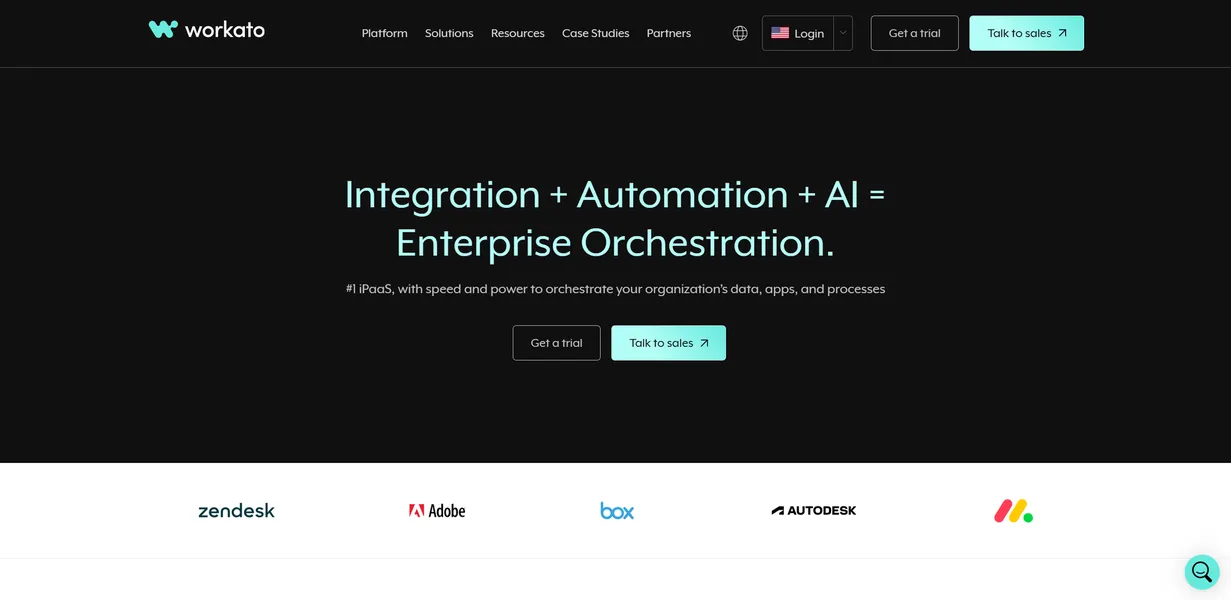
What is Workato?
Workato is an enterprise integration platform that connects disparate software systems and automates complex business processes. It replaces manual data entry with triggered actions across thousands of applications. This tool targets large organizations dealing with fragmented data ecosystems.
Developed by Workato, Inc., this iPaaS product targets large IT departments and operations teams. It solves the problem of isolated data silos. Users build automated sequences called recipes to move data between tools like Salesforce, NetSuite, and Slack. The platform eliminates the need for custom engineering work for every new software integration.
- Primary Use Case: Syncing enterprise data across CRM and ERP systems in real time.
- Ideal For: Enterprise IT teams and operations managers.
- Pricing: Starts at $25 (freemium). Entry plans offer basic limits.
Key Features and How Workato Works
The platform divides its functionality into integration management, logic building, and enterprise administration. Users navigate a visual interface to construct their workflows.
Integration Connectors and APIs
- 1,000+ Pre-built Connectors: Links native enterprise apps like SAP and Snowflake. Limit: Niche tools require custom SDK builds.
- API Management: Creates and publishes internal endpoints. Limit: Requires advanced technical knowledge to secure access.
- On-premise Agents: Connects local databases behind corporate firewalls. Limit: Setup involves complex network configurations.
Automation and Logic Building
- Low-code Recipe Builder: Uses drag-and-drop actions for multi-step logic. Limit: Advanced transformations require Ruby syntax knowledge.
- Recipe IQ: Suggests field mapping steps during the build process. Limit: AI suggestions sometimes misalign with custom data fields.
- Workbot for Slack/Teams: Builds interactive chat bots for internal approvals. Limit: Bot creation demands significant testing time.
Enterprise Security and Administration
- Role-Based Access Control: Manages granular permissions for large teams. Limit: Advanced controls only exist on higher tiers.
- Error Handling: Executes automatic retries for failed workflows. Limit: Automatic retries can mask underlying API failures.
- Data Hub: Stores large datasets for synchronization. Limit: Persistent storage costs increase with large datasets.
Workato Pros and Cons
Pros
- Massive connector library supports over 1,000 enterprise SaaS tools.
- Low-code interface lets business analysts build automations without writing raw code.
- Strong error recovery prevents data loss during unexpected API outages.
- Infrastructure processes millions of tasks per month for global enterprises.
Cons
- Task-based pricing creates unpredictable monthly bills during high-volume periods.
- Advanced data manipulation requires learning specific Ruby syntax.
- Documentation for niche connectors lacks sufficient technical depth.
Who Should Use Workato?
- Enterprise IT Teams: You need to connect legacy on-premise databases with modern cloud applications.
- Revenue Operations Managers: You want to automate lead routing from HubSpot to specific sales territories.
- Small Business Owners: Look elsewhere. The steep learning curve and high enterprise costs make this tool impractical for simple workflows.
Workato Pricing and Plans
The Free Plan costs $0 per month and includes 1,000 tasks, two active flows, and 200 credits. This tier functions as a testing environment rather than a production solution.
The Plus Plan costs $25 per month. It offers unlimited tasks, 10 flows, and 500 AI credits. This plan introduces AI agents for basic automation tasks.
The Business Plan costs $150 per month. Users get 50 flows, API access, and 1,000 AI credits for up to five team members.
The Team Plan costs $2,000 per month (billed annually). It includes 10,000 tasks, 10 automations, and access to 1,000+ connectors. This tier targets mid-market companies.
The Professional Plan costs $7,000 per month (billed annually). It provides 100,000 tasks, 100 automations, and premium connectors.
The Enterprise Plan uses custom pricing. It unlocks unlimited tasks, SSO, audit logs, and dedicated support.
Task volume limits create friction for fast-growing teams.
How Workato Compares to Alternatives
Similar to MuleSoft but Workato relies more on a low-code interface. MuleSoft targets developers who want to write custom code for complex integrations. Workato shifts that power to business analysts. Both platforms charge premium enterprise rates and require significant implementation time. MuleSoft offers deeper legacy system support. Workato provides a faster deployment cycle for modern cloud applications.
Unlike Zapier, this tool handles complex conditional logic and massive data transformations. Zapier suits simple triggers between two apps. Workato excels at orchestrating multi-step processes across dozens of enterprise systems. Zapier offers a much lower entry price for small businesses. Workato justifies its high cost through advanced security features and enterprise scalability.
Final Verdict: Enterprise Operations Teams
Workato delivers massive value to large organizations managing complex data ecosystems. Operations teams can sync customer records across multiple platforms without waiting for engineering resources. The platform processes millions of tasks without failure. IT departments gain visibility into all automated processes across the company.
Small teams and solo founders should avoid this platform. The steep pricing and complex setup process will waste your time and budget. The interface requires dedicated training to master.
If you need basic app connections, choose Zapier instead.