



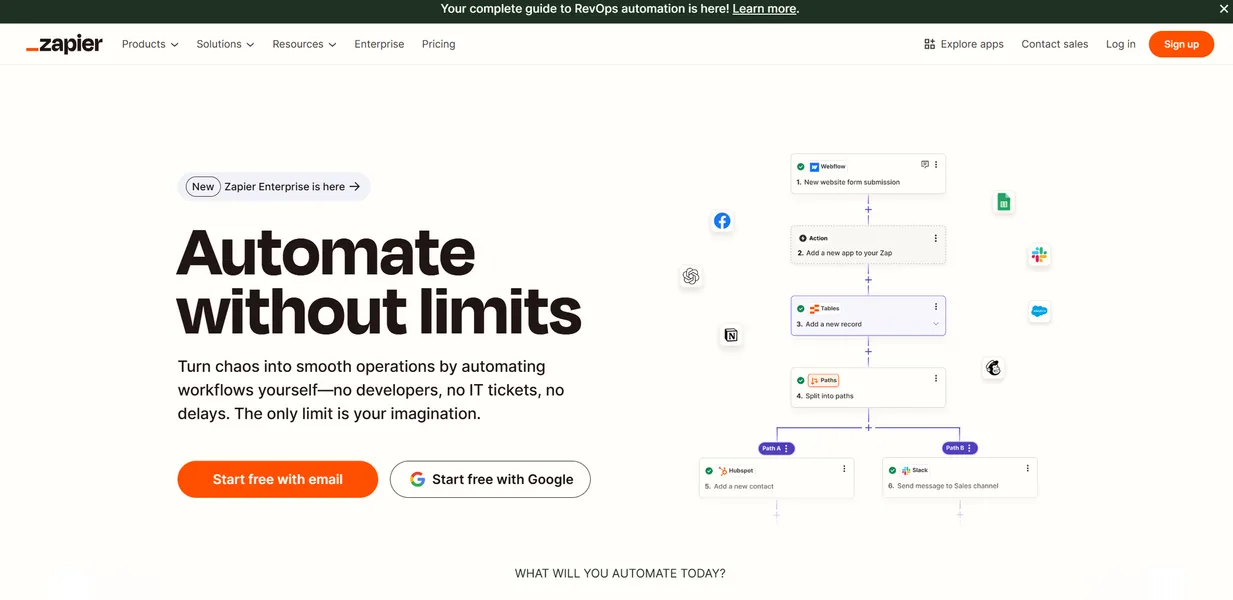
What is Zapier?
The most surprising thing about Zapier is how fast its convenience becomes a financial liability. You start by automating a simple email attachment save, and six months later, you are paying $103.50 a month for the Team plan due to background tasks you forgot existed.
Developed by Zapier Inc., this workflow automation platform connects over 7,000 web applications. It targets non-technical users who need to automate repetitive tasks through trigger-and-action sequences called Zaps. You can build complex logic without writing a single line of code.
- Primary Use Case: Connecting disparate web apps to automate repetitive data entry and notifications.
- Ideal For: Marketing teams and solo operators who lack dedicated engineering support.
- Pricing: Starts at $19.99 (freemium) – The free tier restricts you to single-step automations.
Key Features and How Zapier Works
Visual Automation Builder
- Multi-step Zaps: Chain up to 100 individual actions in a single automated workflow sequence.
- Conditional Logic: Create up to 3 branches per path to handle different data scenarios.
- AI Prompt Tool: Generate Zaps using natural language descriptions via an integrated OpenAI builder.
Data Management and Formatting
- Formatter: Transform dates, currency, and text strings using built-in utility tools before sending data.
- Zapier Tables: Store and edit data within a native database interface to trigger secondary workflows.
- Zapier Interfaces: Build custom web forms and dashboards to trigger workflows and interact with data.
Connectivity and Execution
- 7,000+ Integrations: Connect to a massive library of apps including Salesforce, Slack, and Google Workspace.
- Webhooks: Connect to any app with an API using custom POST, GET, or PUT requests.
- Polling Intervals: Check for new data every 1 to 15 minutes depending on the selected subscription plan.
Zapier Pros and Cons
Pros
- Industry-leading integration library with over 7,000 supported apps ensures compatibility with almost any software stack.
- No-code visual builder allows non-technical users to deploy complex automations in under 10 minutes.
- High reliability and uptime of 99.9% backed by detailed error logging for troubleshooting.
- Native AI features reduce the time required to build complex logic through simple text prompts.
Cons
- Task-based pricing model becomes expensive for high-volume data syncing or simple repetitive tasks.
- The free tier restricts users to single-step Zaps and excludes premium application connectors.
- Polling-based triggers on lower plans result in data delays of up to 15 minutes.
- The interface lags when building workflows with more than 15 consecutive action steps.
Who Should Use Zapier?
- Marketing Agencies: You can sync new Facebook Lead Ads contacts straight into a HubSpot CRM for automated sales follow-up.
- E-commerce Operators: Post new Shopify orders to a Slack channel for immediate team notification and fulfillment tracking.
- Enterprise IT Teams: High-volume data replication drains task quotas fast. You should use dedicated ETL tools instead.
The $19.99 base price dictates exactly how you will design your workflows.
Zapier Pricing and Plans
- Free: $0/mo – 100 tasks/month, single-step Zaps. This tier functions as a trial since it excludes premium apps.
- Professional: $29.99/mo ($19.99 billed annually) – 750 tasks/month, multi-step Zaps, premium apps, 2-minute polling.
- Team: $103.50/mo ($69 billed annually) – 2,000 tasks/month, unlimited users, 1-minute polling, shared workspace.
- Enterprise: Custom pricing – Unlimited tasks, SSO, advanced security, 1-minute polling.
How Zapier Compares to Alternatives
Similar to Make, Zapier offers a visual canvas for connecting APIs without code. Make charges per operation but offers 10,000 operations on its base $9 plan. Zapier wins on total app count, supporting 7,000 integrations compared to Make’s 1,500.
Unlike n8n, this tool operates as a hosted cloud service. n8n provides a self-hosted option that bypasses the 100-task free limit. Technical users often prefer n8n for complex data routing, while Zapier remains the standard for business users who prioritize ease of use.
The Final Verdict for Automation Builders
Zapier delivers the most value to solo founders and marketing teams who need to connect disparate apps fast. If you lack coding skills, the massive integration library of 7,000 apps saves hundreds of hours. (I once built a complete lead routing system in twenty minutes without writing a single script).
However, data engineers and high-volume e-commerce stores should look elsewhere. The task-based pricing punishes users who process thousands of rows of data daily. If you run heavy data syncs, Make provides a cheaper alternative at $9 per month.
Within 12 months, Zapier will transition from a simple connector into an autonomous AI agent platform that builds and fixes its own workflows.