



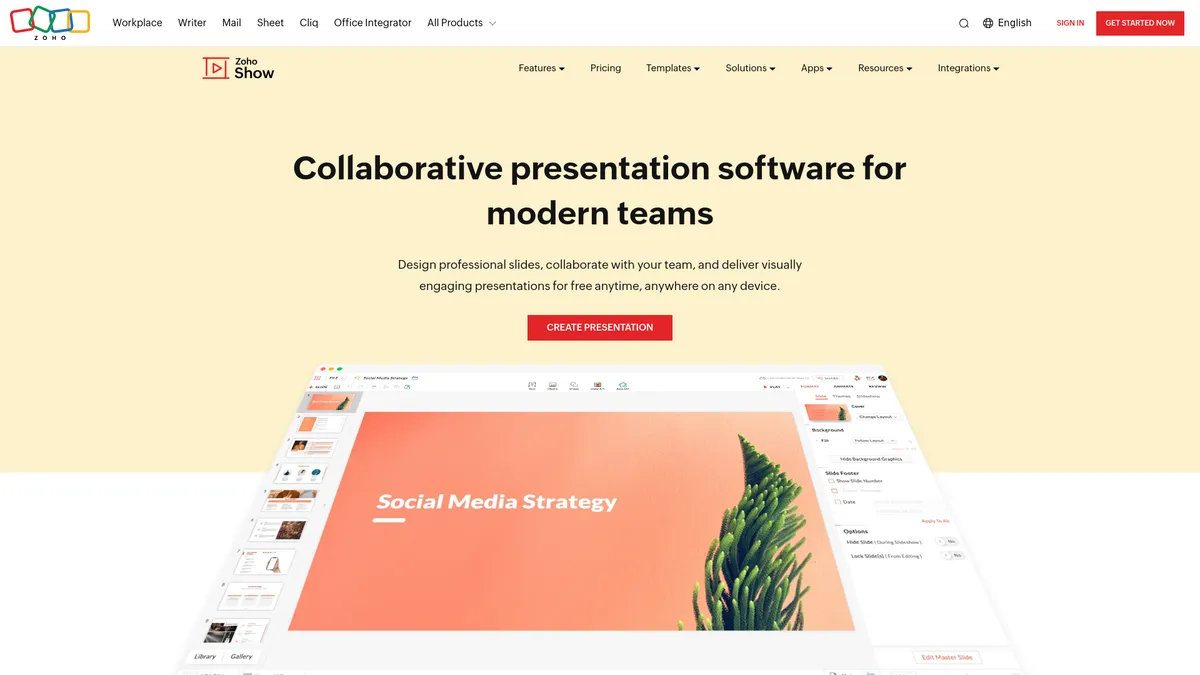
What is Zoho Show?
The most surprising detail about Zoho Show is its free tier that grants individual users unlimited cloud storage. Most competitors restrict storage limits to force paid upgrades.
Zoho Corporation developed this cloud presentation platform to fix remote team alignment. The software targets business professionals who need to co-author slide decks and broadcast pitches to large audiences. Users can import existing Microsoft PowerPoint files and present them straight to 5,000 remote viewers via a simple web link.
- Primary Use Case: Broadcasting live business pitches to remote audiences via web links.
- Ideal For: Distributed sales teams and budget-conscious solo professionals.
- Pricing: Starts at $2.50 (per user/month): The paid tiers add team storage and brand controls.
Key Features and How Zoho Show Works
Slide Design and Formatting
- Template Library: Users select from 100 pre-designed industry templates, though custom layout creation requires manual shape placement.
- Smart Elements: The editor includes 20 dynamic charts that change based on numerical input limits.
- File Compatibility: The system imports .pptx and .odp files, restricted by a 500MB upload limit on the free plan.
Team Collaboration
- Slide-Level Locking: Co-authors can lock specific slides to prevent simultaneous edit conflicts across 50 concurrent users.
- Contextual Comments: Reviewers pin feedback to individual text boxes or images rather than the whole slide.
- Version History: The platform logs a detailed audit trail to restore previous document states at any time.
Broadcasting and Delivery
- Remote Broadcasting: Presenters share a unique URL to broadcast live slides to a maximum of 5,000 participants.
- Television Apps: Native Apple TV and Android TV applications allow users to present without connecting a laptop.
- Media Embedding: Users insert YouTube and Vimeo videos via URLs, requiring an active internet connection during playback.
These delivery tools change how sales teams conduct remote meetings.
Zoho Show Pros and Cons
Pros
- Individual users get unlimited cloud storage and zero watermarks on the free plan.
- High PowerPoint compatibility keeps complex layouts intact during file migration.
- Native TV apps enable professional boardroom presentations without messy cable connections.
- Contextual commenting lets reviewers attach feedback to specific shapes or text blocks.
- The broadcasting tool features a built-in chat for audience interaction during live pitches.
Cons
- The animation library lacks the advanced motion paths found in Microsoft PowerPoint.
- Offline editing requires mobile apps and falls short of desktop applications like Keynote.
- The user interface gets cluttered when you manage slides with many overlapping elements.
Who Should Use Zoho Show?
- Solo Consultants: Independent workers benefit from the unlimited cloud storage and free PowerPoint import tools.
- Distributed Sales Teams: Remote groups use the broadcasting feature to pitch up to 5,000 viewers without software downloads.
- Corporate Trainers: Educators use slide-level locking to build training decks with multiple subject matter experts.
- Not for Offline Workers: Users who build presentations on airplanes should avoid this tool due to weak offline support.
Pricing dictates which features a team can access.
Zoho Show Pricing and Plans
The Free Plan costs $0 per month. It includes 100 templates, unlimited cloud storage for individuals, and real-time collaboration. Users face a 500MB file upload limit.
The Professional Plan costs $2.50 per user per month when billed annually. It adds 1TB of team storage, team folders, granular access controls, and a custom brand asset library. The file upload limit increases to 1GB.
Zoho Workplace Standard costs $3.00 per user per month. This tier bundles the full office suite, including Show, Mail with a 30GB inbox, and 100GB of team storage.
Zoho Workplace Professional costs $6.00 per user per month. It provides the advanced suite, a 100GB mail inbox, and 1TB of team storage.
How Zoho Show Compares to Alternatives
Similar to Google Slides, Zoho Show operates in the cloud and prioritizes real-time collaboration. Google Slides integrates better with Google Workspace apps like Sheets and Docs. Zoho Show offers superior PowerPoint file compatibility and unique television apps for boardroom displays.
Unlike Microsoft PowerPoint, this tool lacks a dedicated desktop application for heavy offline editing. Microsoft PowerPoint provides advanced 3D object support and complex animation paths. Zoho Show counters with a generous free tier and built-in remote broadcasting for 5,000 viewers.
The Best Presentation Tool for Distributed Sales Teams
Zoho Show delivers massive value for remote sales teams and solo consultants. The free tier provides unlimited storage (a rare find among cloud tools). The broadcasting feature eliminates the need for clients to download screen-sharing software. Users who need complex 3D animations or heavy offline editing should purchase Microsoft PowerPoint instead.
Expect Zoho Show to integrate generative artificial intelligence for automated slide creation within the next 12 months.