



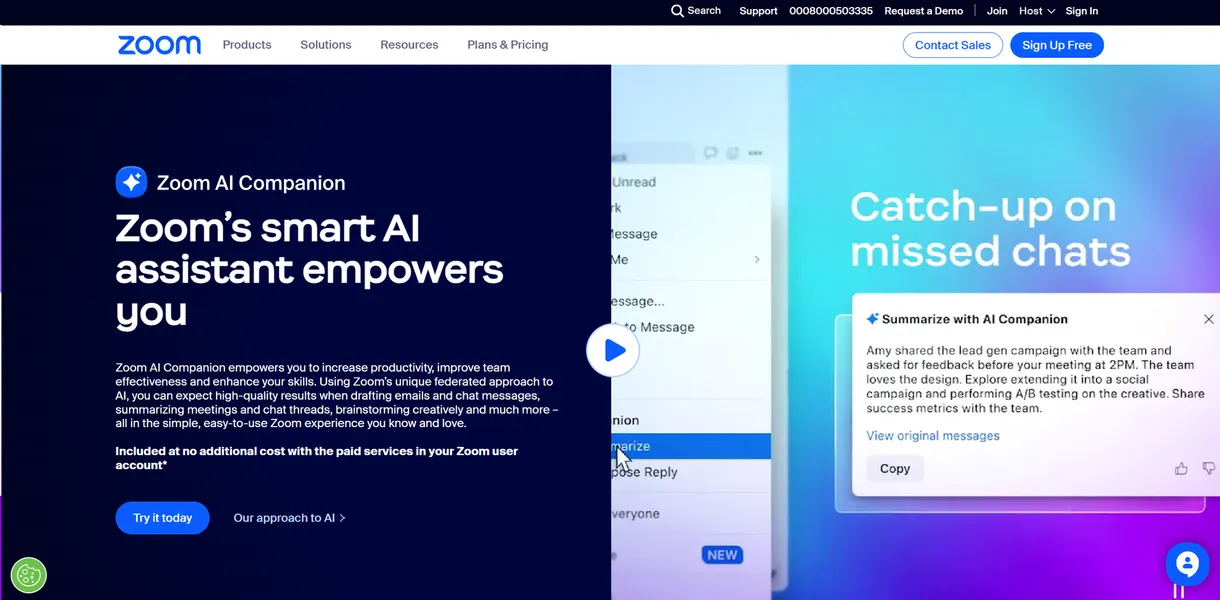
What is Zoom AI Companion?
The most surprising thing about Zoom AI Companion is its price tag. Zoom Video Communications, Inc. bundles this AI meeting assistant into most paid tiers instead of charging a separate premium.
This integrated tool solves the problem of scattered meeting notes and missed action items. It targets business professionals who spend hours each week in video calls. The software generates automated summaries, drafts emails, and answers real-time queries about live discussions.
- Primary Use Case: Generating automated meeting summaries with action items sent via email or Team Chat.
- Ideal For: Remote business teams already paying for Zoom licenses.
- Pricing: Starts at $8.33 (Freemium) : Included with paid plans but costs extra for basic users.
Key Features and How Zoom AI Companion Works
Meeting Recaps and Real-Time Queries
- Meeting Summaries: Generates structured recaps with chapters and next steps. Limit: Struggles to attribute action items in chaotic multi-speaker environments.
- In-Meeting Queries: Provides a real-time sidebar to ask questions about missed segments. Limit: Only works if the host enables the feature at the start of the meeting (a major annoyance if you join late).
- Smart Recording: Highlights key moments and provides a transcript with speaker identification. Limit: Requires cloud storage space which caps at 5GB on the Pro plan.
Text Generation and Communication
- Chat Compose: Drafts messages in Zoom Team Chat with adjustable tone and length. Limit: Only works within the Zoom ecosystem.
- Email Drafting: Writes replies based on meeting notes. Limit: Requires integration with Zoom Mail.
Visual Collaboration and Preparation
- Whiteboard Generation: Creates sticky notes and mind maps from a single text prompt. Limit: Output complexity depends on prompt specificity.
- Meeting Preparation: Aggregates previous meeting notes for upcoming calendar events. Limit: Only pulls data from past Zoom interactions.
Zoom AI Companion Pros and Cons
Pros
- Included at no extra cost for most paid Zoom accounts.
- Operates without a third-party bot joining the call.
- Delivers high accuracy in speaker attribution using native audio data.
- Connects meetings, chat, mail, and whiteboards within one ecosystem.
- Allows administrators to disable data training on specific company content.
Cons
- Hallucinates or misattributes action items during overlapping conversations.
- Requires the meeting host to hold a specific paid license.
- Forces users to rely on the host to enable real-time queries.
- Lacks customization options for summary templates compared to dedicated note tools.
Who Should Use Zoom AI Companion?
- Budget-conscious teams: Companies already paying for Zoom Pro or Business get immediate access without adding another software subscription.
- Security-focused enterprises: IT departments appreciate the native integration because it prevents external bots from joining sensitive internal calls.
- External consultants: Freelancers who join client-hosted meetings on different platforms will find this tool useless since it requires host permissions.
Zoom AI Companion Pricing and Plans
The free tier acts as a restricted trial.
Workplace Basic users get up to three AI-assisted meetings per month with a 40-minute limit and 100 participants. AI Companion Standalone costs $8.33 per month billed annually for Basic users wanting full AI features without a Workplace upgrade. Workplace Pro costs $13.33 per month billed annually and includes full AI access, a 30-hour meeting limit, and 5GB of cloud storage.
Workplace Business runs $18.33 per month billed annually for 300 participants, single sign-on, and managed domains. Custom AI Companion Add-on costs an extra $12.00 per month for advanced agents and cross-platform recording. Workplace Enterprise offers custom pricing for unlimited cloud storage and dedicated support.
How does this pricing structure affect daily users?
It forces solo users to upgrade their entire Zoom plan or pay the standalone fee just to get basic AI notes.
How Zoom AI Companion Compares to Alternatives
Similar to Microsoft Copilot for Teams, Zoom AI Companion integrates into its parent ecosystem. Microsoft Copilot costs $30 per user per month and connects with Word and Excel. Zoom includes its basic AI features in existing paid plans. This makes Zoom much cheaper for standard video call summaries.
Unlike Otter.ai, Zoom does not send a visible bot into the meeting room. Otter.ai operates as a standalone platform that joins calls across Zoom, Google Meet, and Microsoft Teams. Otter.ai offers more customization for summary templates. It costs $10 per user per month and introduces potential privacy concerns with external bots.
The Best Choice for Existing Zoom Subscribers
Zoom AI Companion delivers massive value for teams using the Zoom ecosystem. External contractors who jump between different video platforms should look elsewhere. Otter.ai remains a better choice for users who need cross-platform flexibility and custom summary templates.