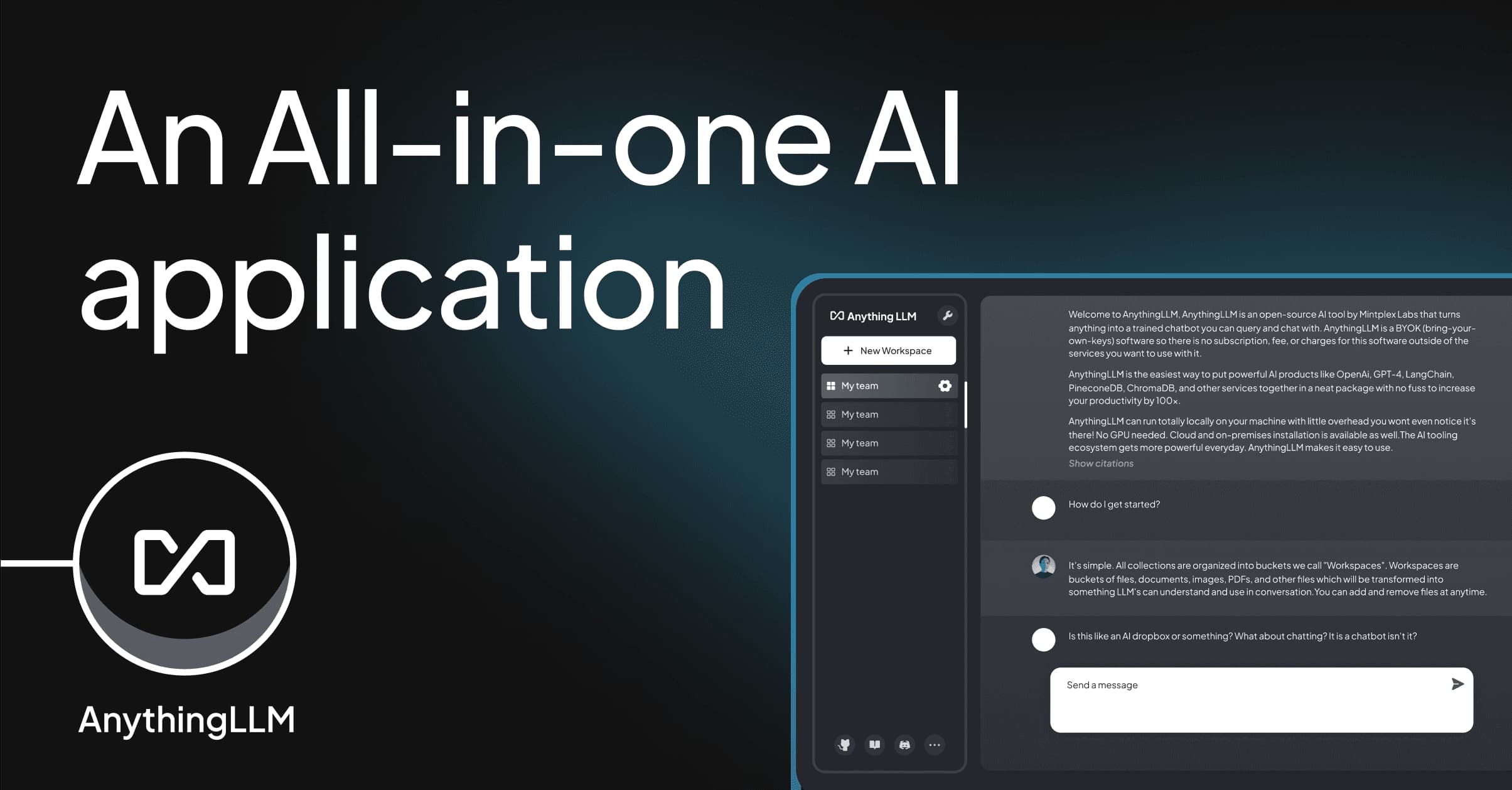
AnythingLLM by Mintplex Labs is a free, open-source application for building private AI assistants that chat with your documents, run local models, and execute multi-step agent workflows, all on your own hardware with no cloud dependency.
AnythingLLM is a full-stack, open-source AI application built around document chat, retrieval-augmented generation (RAG), and multi-agent automation. It is developed by Timothy Carambat at Mintplex Labs Inc., a four-person YC-backed startup based in Irvine, CA. The core problem it solves is straightforward: most teams that want private, document-aware AI have to stitch together a vector database, an embedding pipeline, an LLM provider, and a chat interface from scratch. AnythingLLM ships all of that as a single installable package, MIT-licensed, with no usage fees from the vendor.
The application runs as either a native Electron desktop app (Mac, Windows, Linux) or a Docker server image for team deployments. It supports 30-plus LLM providers including OpenAI, Anthropic Claude, local Ollama models, and llama.cpp inference. Documents in PDF, Word, Excel, PowerPoint, Markdown, HTML, audio, and video formats can be ingested into isolated workspaces, each with its own vector index, model config, and conversation history. The built-in agent framework supports web browsing, code execution, file generation, and custom skills downloadable from the Community Hub at hub.anythingllm.com. A REST API gives developers programmatic access to every workspace, embedding pipeline, and agent capability.
What AnythingLLM actually does in April 2026
Version 1.12.1, released April 22, 2026, is the current production build. The platform operates in two primary modes: Chat Mode, where the LLM can use both workspace documents and its general training knowledge, and Query Mode, where answers are restricted strictly to the embedded documents (useful for compliance-sensitive deployments). Workspaces function as isolated project folders: each one holds its own document corpus, vector index, system prompt, model selection, and conversation history independently from every other workspace.
The agent system as of v1.12.0 runs in "Automatic Mode" by default: tool calling is triggered without requiring the user to prefix queries with "@agent." Intelligent Tool Selection reduces token usage by up to 80% per query by routing only relevant context to the active tool rather than sending the full tool manifest. Available built-in agent skills include web browsing, Filesystem Agent (host machine file access), Document Generation Agent (multiple output formats), and a Telegram Bot integration with streaming and image understanding. MCP (Model Context Protocol) compatibility is fully implemented for both Desktop and Docker, allowing connection to any Anthropic-compatible MCP server.
The Community Hub launched November 27, 2024 alongside an NVIDIA partnership announcement highlighting RTX-accelerated local agent execution. The hub distributes user-created agent skills, system prompts, and slash commands. Example Hub skills include Microsoft Outlook email assistants, Google Calendar agents, home assistant controllers, and custom API endpoint integrations. The hub is still in beta: workspaces and data connectors are listed as forthcoming categories.
"Impressive document control; multiple model support" -- Dmitry Ivanov, aitools.xyz review, February 20, 2025
Where AnythingLLM sits versus Open WebUI and PrivateGPT
The self-hosted AI landscape has three clear architectural approaches, and AnythingLLM occupies the middle ground between them on every axis that matters.
Open WebUI (124,000+ GitHub stars) is a chat-first interface that added RAG as a secondary feature. It runs as a single Docker container and auto-detects local Ollama instances, but does not bundle Ollama the way AnythingLLM's desktop app does. Open WebUI's multi-user system is more mature: it ships with RBAC, SSO via OIDC, and usage quotas out of the box. Its agent system uses Python-based Pipelines, which requires writing code to extend, unlike AnythingLLM's no-code agent builder. Crucially, Open WebUI is not cleanly MIT-licensed: in November 2024, the project switched from BSD-3-Clause to a custom "Open WebUI License" with a Contributor License Agreement that restricts competitive forks and commercial repackaging. Community backlash was significant (tracked on Hacker News and Lobsters). A partial reversal followed with v0.6.6+ in April 2025, but the license remains more restrictive than AnythingLLM's clean MIT terms. Teams building commercial products on top of their self-hosted AI stack should treat this as a meaningful architectural risk factor.
PrivateGPT (Zylon AI) takes a narrower purpose-built approach: 100% private document Q&A using FastAPI and LlamaIndex, optimized for single-purpose, air-gapped deployments. It does not bundle a model server, requires separate model setup, and is not designed for multi-workspace or multi-agent use cases. Zylon pivoted the project toward an enterprise API gateway in 2025; community development activity is substantially lower than AnythingLLM or Open WebUI. Last major release was 0.6.2. For organizations that need the absolute minimum attack surface in a fully air-gapped environment, PrivateGPT remains relevant. For any team that needs flexibility, workspace isolation, agent workflows, or active community support, AnythingLLM has materially outpaced it.
The mechanical summary: Open WebUI wins on multi-user auth maturity and community size but carries license risk and lacks a no-code agent builder. PrivateGPT wins on deployment minimalism but has lost ground on active development. AnythingLLM wins on RAG-as-core-feature, workspace isolation, no-code agent tooling, MCP compatibility, bundled Ollama, and clean MIT licensing.
"UI feels overwhelming with excessive options" -- Marco Fiorentini, aitools.xyz review, January 21, 2025
What the daily workflow reality looks like
Desktop users get the smoothest onboarding. Download the installer, launch it, select a model provider (or use bundled Ollama for fully local inference), create a workspace, and drag documents into it. The RAG pipeline handles chunking, embedding, and vector storage automatically. Queries run immediately.
Docker users face a steeper path. The most common failure mode is networking misconfiguration: when running AnythingLLM in Docker alongside a separate Ollama instance, the correct hostname is host.docker.internal on macOS and Windows, or 172.17.0.1 on Linux, not localhost. This trips up a meaningful portion of new users and the documentation does not surface it prominently enough.
Switching vector databases or embedding models after initial setup is painful. Changing your embedder does not automatically re-embed existing documents: you must re-ingest the full corpus, which for large document sets is a multi-hour operation. Teams should treat embedder selection as a decision with migration cost attached.
Agent skills downloaded from the Community Hub should be treated with care. The official documentation explicitly notes that Hub-sourced skills execute code on your host machine and should be reviewed before deployment. The hub is in beta; vetting processes for submitted skills are not yet robust.
Who AnythingLLM is built for
The tool has the strongest fit for three groups. Privacy-first teams that need on-premises document intelligence without routing data through cloud APIs: legal firms, research institutions, healthcare operations, and enterprises under data residency requirements. Developers who want a full RAG stack with a working REST API they can integrate into other applications rather than building the pipeline from scratch. Power users running local models (especially on NVIDIA RTX hardware) who want agent automation on top of their Ollama setup without hand-coding the agent loop.
Desktop deployments work for individuals and small teams. Docker multi-user deployments with workspace permission scoping work for organizations, though the auth system (admin, manager, default user roles) is less feature-complete than enterprise SSO-backed tools.
What AnythingLLM is not
It is not the right choice if your team primarily wants a general chat interface and document chat is secondary. Open WebUI or LibreChat will be faster to set up and easier for non-technical users in that scenario. AnythingLLM's workspace model is optimized for document-centric workflows; it adds friction for teams that mostly want to swap between LLM providers in a familiar chat UI.
It is not a zero-configuration tool for non-technical users on the Docker path. The desktop app reduces friction significantly, but Docker deployment requires comfort with container networking, port mapping, and volume configuration. "Privacy ensures data isn't shared with third parties," as one reviewer noted, but that privacy is contingent on the user correctly configuring their own infrastructure.
It is not a finished enterprise product with audit trails, compliance reporting, or mature LDAP integration. Organizations that need those controls today will need to build them around the REST API or wait for the roadmap to deliver them.
User Reviews
No reviews yet. Be the first to share your experience!
Sign in to write a review.
Featured in collections
Curated lists that include AnythingLLM.
Related articles
Guides and articles related to AnythingLLM.

Turn Any AI Agent Into a Superagent: The 12-Integration Stack (2026)

Replace 6 SaaS Subscriptions With 4 n8n AI Agents (2026)

The Personal AI Productivity Stack (2026): One Tool Per Job, Nothing Extra
RFP and Proposal Auto-Fill: The Agent That Handles 80% of the Repeating Questions (2026)
Run a Company With AI Agents: The Open-Source Orchestration Setup (2026)