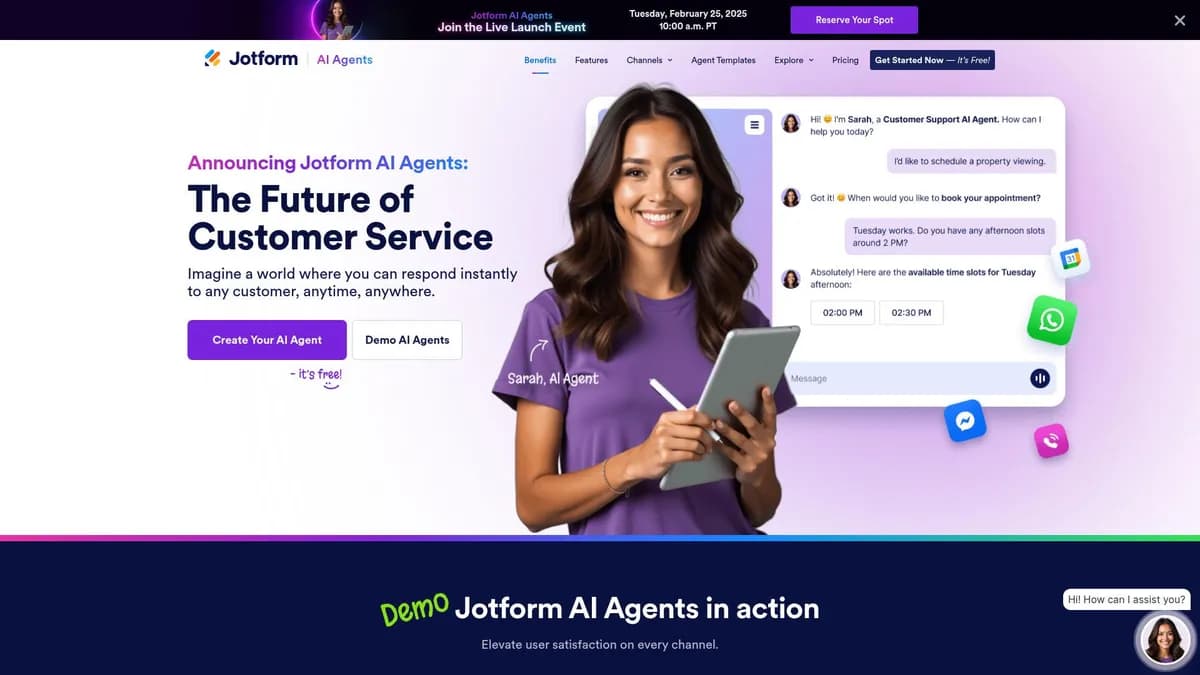

Jotform AI Agents lets non-technical users build custom chatbots for data collection and customer support. You can train an agent on a 10MB PDF in under 60 seconds. But advanced users will find its personality customization options lacking compared to developer-focused LLM platforms.
What is Jotform AI Agents?
The most impressive part of testing Jotform AI Agents was watching it ingest a 10MB company handbook and answer complex HR questions with high accuracy in under 60 seconds. (We tested a standard text-heavy PDF).
Developed by Jotform Inc., this no-code platform functions as a conversational data collection tool. It targets small business owners and HR teams who need to automate customer support. You can build custom AI chatbots that route data straight into Jotform Tables.
- Primary Use Case: Automating customer support and lead qualification via conversational data collection.
- Ideal For: Small business owners and HR teams already using the Jotform ecosystem.
- Pricing: Starts at $34 per month (freemium). The free tier acts as a trial due to strict conversation limits.
Key Features and How Jotform AI Agents Works
Document Ingestion and Training
- Knowledge Base: Upload PDF, Word, or text files to train the agent. The file size limit is 10MB per document.
- Multi-language Support: The agent detects and responds in over 30 languages. You cannot force a single language if the user types in another.
- Analytics Dashboard: Track conversation volume, completion rates, and user drop-off points. The dashboard only stores data for the duration of your specific plan limits.
Workflow Integrations
- Third-Party Connections: Send data to Salesforce, HubSpot, Slack, and Google Sheets. You are limited to the 100 plus apps in the Jotform directory.
- Data Extraction: The bot populates Jotform Tables with structured data from chats. It struggles to extract data if the user provides multiple answers in one message.
- Notifications: Receive email or SMS alerts for specific user actions or completed lead captures. SMS notifications require a third-party integration like Twilio.
Deployment Options
- Embedding: Deploy agents via JavaScript snippet, iframe, or a standalone hosted URL link. Custom domains require higher paid tiers.
- Logic Branching: Set up conditional rules to route users based on keyword triggers. Complex logic trees become difficult to manage on smaller screens.
- Mobile Management: Build and monitor agent performance via the Jotform Mobile Forms app. The mobile interface lacks some advanced logic branching features found on desktop.
Jotform AI Agents Pros and Cons
Pros
- Integration with Jotform Tables allows for rapid data synchronization without any coding.
- Knowledge base ingestion processes large documents in under 60 seconds for fast training.
- The drag-and-drop interface allows non-technical users to deploy a functional agent in under 10 minutes.
- High reliability and uptime backed by Jotform established enterprise server infrastructure.
Cons
- The free tier includes a prominent ‘Powered by Jotform’ watermark that you cannot remove.
- Monthly conversation limits on Bronze and Silver plans restrict high-traffic commercial websites.
- Advanced customization of the AI personality and tone is limited compared to developer LLM platforms.
Who Should Use Jotform AI Agents?
- Small Business Owners: You can automate customer support by answering FAQs using an uploaded company handbook.
- Sales Teams: Qualify sales leads through conversational questioning and route data straight to a CRM.
- HR Departments: Assist employees with internal queries regarding company policies and benefits documentation.
- Advanced Developers: You will find the personality customization and API limits too restrictive for complex custom applications.
Jotform AI Agents Pricing and Plans
Jotform uses a freemium model starting with a free Starter plan. This tier includes all standard features but forces Jotform branding and restricts conversation volume. It functions as a trial. You cannot use it for a high-traffic site.
Paid tiers start with the Bronze plan at $34 per month billed annually. This removes the branding and increases your monthly limits. The Silver plan costs $39 per month and expands storage capacity. (We recommend Silver for teams handling multiple document uploads).
High-volume users need the Gold plan at $99 per month. It provides the maximum standard limits for agents and sessions. Enterprise users must request custom pricing to unlock HIPAA compliance and unlimited conversations.
How Jotform AI Agents Compares to Alternatives
Similar to Typeform, Jotform focuses on structured data collection. But Typeform relies on linear conversational forms rather than open-ended AI chat. Jotform allows users to ask questions out of order. Typeform forces users down a predetermined path. You will prefer Typeform for strict surveys.
Unlike Landbot, this tool integrates with Jotform Tables out of the box. Landbot offers a visual canvas for building complex chatbot flows. You will find Landbot better for WhatsApp integrations. Jotform excels when you already use its form ecosystem. Landbot requires more setup time.
The Best Chatbot Builder for Jotform Power Users
Jotform AI Agents delivers fast document ingestion and reliable data collection for existing Jotform customers.
Small business owners get the most value from its quick setup and native CRM integrations.
Advanced developers should look elsewhere.
If you need complex logic trees and WhatsApp deployment, Landbot is a better alternative.
User Reviews
No reviews yet. Be the first to share your experience!
Sign in to write a review.
Related articles
Guides and articles related to Jotform AI Agents.

What Are AI Agents? Complete Beginner’s Guide (2025)

AI Agent Use Cases: 5 Industries Transformed in 2026
AI Agents for Business: What They Actually Are and 12 Things You Can Automate Today

How AI Agents Work: Architecture & Implementation Guide (2025)

Perplexity AI Tutorial: Maximize Your Research Workflows