Anatomy of the .claude Folder: Every File, Command, Skill & Permission (2026)
Anatomy of the .claude Folder: Every File, Command, Skill, Agent, and Permission (2026)
The .claude folder is where Claude Code keeps everything that survives a fresh context window: your memory file, settings, slash commands, skills, subagents, hooks, and permission rules. Most people only ever touch CLAUDE.md and never learn the other six. This is a complete reference to every file inside both the user-scope ~/.claude/ and the project-scope .claude/: what each does, the exact path, and the precedence rule that decides which wins when two files collide. Reviewed for Claude Code as of May 2026: verify version-specific flags against the current docs before relying on them.
TL;DR
CLAUDE.mdis loaded every session; skills load only when invoked.Project scope overrides user scope. Managed policy overrides everything.
Permission rules merge across scopes; deny always beats allow.
Custom commands and skills are now the same system.
MCP local-scope servers live in
~/.claude.json, not.claude/.
Published 2026-05-19 · 14 min read · Last reviewed 2026-05-19
What is the .claude folder in Claude Code?
The .claude folder is the configuration and extension directory Claude Code reads at startup to carry instructions, settings, and custom behavior across sessions. It exists in two places: ~/.claude/ in your home directory for personal defaults that apply to every project, and .claude/ in a project root for team-shared, version-controlled config. Claude Code merges both at launch.
Each Claude Code session begins with a fresh, empty context window. Nothing you said last session is remembered. The .claude folder is the mechanism that fixes that: it holds the files Claude reads on startup (memory, settings, rules) and the extensions it can pull in on demand (skills, subagents, commands). Anthropic's memory documentation states it plainly: "Each Claude Code session begins with a fresh context window."
There is a third location most users never see: the managed policy directory deployed by an organization's IT team. On Linux and WSL that is /etc/claude-code/, on macOS /Library/Application Support/ClaudeCode/, and on Windows C:\Program Files\ClaudeCode\. Files there cannot be overridden by user or project settings, which is the entire point of them.
What does the full .claude folder structure look like?
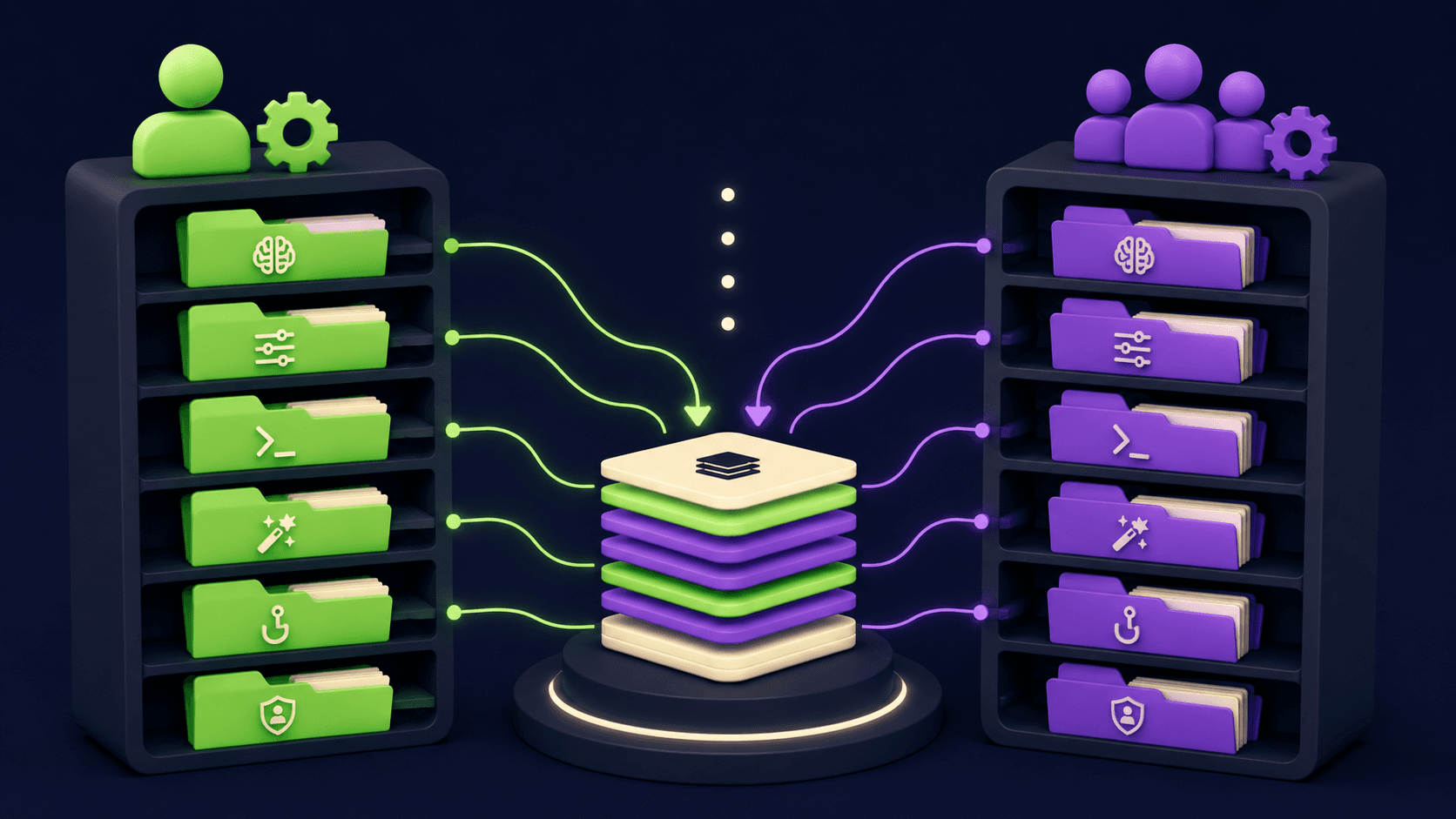
The user-scope folder lives at ~/.claude/ and holds personal defaults. The project-scope folder lives at <project-root>/.claude/ and holds team config checked into git. The two have overlapping but not identical contents. Here is the complete file and folder map with the scope each one belongs to and what it controls.
Path | Scope | Type | Purpose |
|---|---|---|---|
| User | File | Personal instructions for every project |
| User | File | Personal default settings |
| User | File | User-scope local overrides |
| User | Dir | Personal slash commands (legacy form of skills) |
| User | Dir | Personal skills, available in all projects |
| User | Dir | Personal subagents |
| User | Dir | Personal path-scoped instruction files |
| User | Dir | Auto memory written by Claude per repo |
| User | File | OAuth, MCP servers (user and local scope), per-project state |
| Project | File | Team-shared project instructions |
| Project | File | Your private project notes (gitignored) |
| Project | File | Team-shared settings, committed to git |
| Local | File | Your personal project overrides (gitignored) |
| Project | Dir | Team slash commands |
| Project | Dir | Team skills, this project only |
| Project | Dir | Team subagents |
| Project | Dir | Path-scoped instruction files |
| Project | Dir | Per-subagent persistent memory |
| Project | File | Project-scope MCP servers, committed to git |
Note that .mcp.json sits at the project root, not inside .claude/, and that user and local scope MCP servers live in ~/.claude.json (a single dotfile in your home directory), not in the ~/.claude/ folder. This split trips up a lot of people and is covered in the MCP section below.
What is CLAUDE.md and where does it go?
CLAUDE.md is a plain markdown file of persistent instructions that Claude Code loads in full at the start of every session. You write it; Claude reads it. It is the place for facts you would otherwise re-type every session: build commands, code conventions, project layout, and "always do X" rules.
CLAUDE.md can live in four locations, listed here in load order from broadest to most specific. Files lower in this list are read last, so the most specific instruction is the freshest in context:
Managed policy:
/etc/claude-code/CLAUDE.md(Linux/WSL), org-wide, cannot be excluded.User:
~/.claude/CLAUDE.md, your personal preferences across all projects.Project:
./CLAUDE.mdor./.claude/CLAUDE.md, team-shared via source control.Local:
./CLAUDE.local.mdat the project root, your private notes, add to.gitignore.
All discovered files are concatenated into context rather than overriding each other. Claude Code walks up the directory tree from your working directory and loads every CLAUDE.md and CLAUDE.local.md it finds, ordered root-down. Subdirectory CLAUDE.md files load on demand when Claude reads files in those directories, not at launch.
CLAUDE.md supports imports with @path/to/file syntax. Imported files expand into context at launch, recursively, to a maximum depth of five hops. A common pattern for sharing private instructions across git worktrees is @~/.claude/my-project-instructions.md, since a gitignored CLAUDE.local.md only exists in the one worktree where you created it.
Two practical notes from the official memory docs. Target under 200 lines per file: CLAUDE.md loads into context every session and longer files reduce how reliably Claude follows them. Block-level HTML comments (<!-- note -->) are stripped before injection, so you can leave maintainer notes for free. If your repo already uses AGENTS.md, create a CLAUDE.md that imports it with @AGENTS.md: Claude Code reads CLAUDE.md, not AGENTS.md.
What is settings.json and how does scope precedence work?
settings.json is the JSON file that configures Claude Code behavior: model, permissions, environment variables, hooks, and sandbox rules. It exists at multiple scopes, and when the same key appears in more than one, a fixed precedence order decides which value wins.
The precedence order, from highest priority (wins) to lowest:
Managed:
/etc/claude-code/managed-settings.json(Linux/WSL). Cannot be overridden by anything below.Command line arguments: temporary, this session only.
Local:
.claude/settings.local.json. Gitignored. Overrides project and user.Project:
.claude/settings.json. Committed to git. Overrides user.User:
~/.claude/settings.json. Lowest priority, your personal defaults.
There is one critical exception to this override behavior. Permission rules do not override across scopes: they merge. Deny, ask, and allow rules from every scope are combined, and the denylist always beats the allowlist when both match the same tool call. This is the single most misunderstood rule in the whole system, and the next section is dedicated to it.
A minimal settings.json looks like this:
{
  "$schema": "https://json.schemastore.org/claude-code-settings.json",
  "model": "claude-sonnet-4-6",
  "permissions": {
    "allow": ["Bash(npm run test *)"],
    "deny": ["Read(./.env)", "Read(./.env.*)"]
  },
  "env": {
    "CLAUDE_CODE_ENABLE_TELEMETRY": "1"
  }
}
The $schema line is optional but gives you autocomplete and validation in any editor that reads JSON Schema. Common keys include model, availableModels, editorMode (vim or normal), autoMemoryEnabled, cleanupPeriodDays, and env for environment variables that apply to every session. The settings reference documents the full key list. A handful of keys such as claudeMd, forceLoginMethod, and allowManagedMcpServersOnly only take effect when set in managed settings; setting them in user or project scope does nothing.
How do permissions and allowed-tools work in Claude Code?
Permissions are rules inside the permissions object in settings.json that govern whether Claude can run a tool without asking you. There are three lists: allow (run without prompting), ask (prompt every time), and deny (never run, not even with approval). Rules merge across all scopes, and deny always wins.
The structure:
{
  "permissions": {
    "allow": [
      "Bash(npm run lint)",
      "Bash(npm run test *)",
      "Read(~/.zshrc)"
    ],
    "ask": [
      "Bash(git push *)"
    ],
    "deny": [
      "Bash(curl *)",
      "Read(./.env)",
      "Read(./secrets/**)",
      "WebFetch"
    ],
    "additionalDirectories": ["../docs/"],
    "defaultMode": "acceptEdits"
  }
}
Rule syntax is Tool or Tool(specifier). Bash matches all bash; Bash(npm run *) matches a prefix; Read(./secrets/**) is a glob; WebFetch(domain:example.com) scopes to a domain; Skill(deploy *) controls a specific skill. Evaluation order is deny first, then ask, then allow, first match wins.
Skills add a second permission surface. The allowed-tools field in a skill's frontmatter grants the listed tools while that skill is active, so Claude can use them without prompting. It does not restrict anything: every tool is still callable, and your settings.json permission rules still govern everything not listed. To actually block a tool, use a deny rule in settings.json, never allowed-tools. For project skills checked into .claude/skills/, this grant only takes effect after you accept the workspace trust dialog, which is why you should review project skills before trusting a cloned repo: a skill can grant itself broad tool access.
What are slash commands and where do they live?
A slash command is a reusable prompt you trigger by typing /name. It is a markdown file with optional YAML frontmatter. As of recent Claude Code versions, custom commands have been merged into skills: a file at .claude/commands/deploy.md and a skill at .claude/skills/deploy/SKILL.md both create /deploy and work the same way.
Commands live in two places. Personal commands go in ~/.claude/commands/ and work in every project. Project commands go in <project>/.claude/commands/ and ship with the repo. Per the skills documentation, existing .claude/commands/ files keep working and support the same frontmatter as skills, but skills are recommended because they add a directory for supporting files and finer invocation control.
A command file supports argument substitution. $ARGUMENTS expands to everything typed after the command name. $1, $2 (and the longer $ARGUMENTS[0], $ARGUMENTS[1]) access individual positional arguments. So a file ~/.claude/commands/fix-issue.md containing Fix GitHub issue $ARGUMENTS following our standards turns /fix-issue 123 into "Fix GitHub issue 123 following our standards." Multi-word arguments use shell-style quoting: /cmd "hello world" two makes $1 equal hello world.
What is a skill and what goes in SKILL.md?
A skill is a folder containing a SKILL.md file with instructions Claude loads on demand. Unlike CLAUDE.md, which is always in context, a skill's body loads only when the skill is invoked, so a long reference document costs almost nothing until you need it. This is the core trade between the two systems.
Skills live at four levels, with this override order when names collide: enterprise overrides personal, personal overrides project. Plugin skills use a plugin-name:skill-name namespace and cannot conflict.
Personal:
~/.claude/skills/<skill-name>/SKILL.md, all your projects.Project:
.claude/skills/<skill-name>/SKILL.md, this project only.Plugin:
<plugin>/skills/<skill-name>/SKILL.md, where the plugin is enabled.Enterprise: deployed through managed settings, org-wide.
The directory name becomes the command you type. Only the description frontmatter field is recommended; everything else is optional. The fields that matter most:
Field | What it does |
|---|---|
| Display name. Defaults to the directory name. Lowercase, numbers, hyphens, max 64 chars. |
| What it does and when to use it. Claude reads this to decide when to auto-load. Combined with |
|
|
|
|
| Tools granted without a prompt while the skill is active. |
| Model for the duration of the skill. Accepts |
| Runs the skill in an isolated subagent. Pair with |
| Glob patterns. Claude only auto-loads the skill when working with matching files. |
A skill folder can hold more than SKILL.md: templates, example outputs, reference docs, and scripts Claude can execute. Reference them from SKILL.md so Claude knows when to load each. Keep SKILL.md under 500 lines and push detail into supporting files, because once invoked the content stays in context for the rest of the session. Skills support dynamic context injection: a !`git diff HEAD` line runs that command before Claude sees the skill and replaces the line with the output.
What is a subagent and how is it different from a skill?
A subagent is a markdown file with YAML frontmatter that defines a specialized assistant running in its own context window. It does its work in isolation and returns only a summary to the parent conversation. A skill injects expertise into the current context; a subagent keeps work out of it.
Subagents live in .claude/agents/ for the current project (priority 3) and ~/.claude/agents/ for all your projects (priority 4). When names collide the higher-priority location wins, and managed subagents take precedence over both. The directory is scanned recursively, so you can organize files into agents/review/ or agents/research/ subfolders. Identity comes only from the name frontmatter field, not the path, so keep names unique across the whole tree: if two files in one scope declare the same name, Claude Code keeps one and silently discards the other.
A subagent file:
---
name: code-reviewer
description: Reviews code for readability and best practices. Use after writing a feature.
tools: Read, Grep, Glob, Bash
model: sonnet
---

You are an expert code reviewer. Read the changed files,
flag issues, show the current code, provide an improved version.
Only name and description are required. The body becomes the subagent's system prompt: subagents receive only this, not the full Claude Code system prompt. Restrict tools with tools (an allowlist) or disallowedTools (a denylist). Other fields include model, permissionMode, mcpServers, hooks, skills (preloaded at startup), and memory for persistent per-subagent knowledge stored in .claude/agent-memory/<name>/. Subagents cannot spawn other subagents, which prevents infinite nesting. For when isolation pays off, see our guide on Claude Code subagents that save context.
What are hooks and where are they configured?
A hook is a shell command, HTTP call, or prompt that Claude Code runs automatically at a fixed point in its lifecycle. Hooks are not files in a dedicated folder: they are configured under the hooks key inside settings.json, or in skill and subagent frontmatter for hooks scoped to that skill or agent.
Hooks fire on lifecycle events. The most used are PreToolUse and PostToolUse (before and after a tool runs), UserPromptSubmit, SessionStart and SessionEnd, Stop and SubagentStop, Notification, and PreCompact. The structure in settings.json:
{
  "hooks": {
    "PreToolUse": [
      {
        "matcher": "Bash",
        "hooks": [
          {
            "type": "command",
            "command": "${CLAUDE_PROJECT_DIR}/.claude/hooks/check.sh",
            "timeout": 600
          }
        ]
      }
    ]
  }
}
The handler type can be command (a shell script that receives event JSON on stdin), http, prompt (an LLM yes/no decision), or agent. For a command hook, exit code 0 allows the action and exit code 2 blocks it. Hooks are the right tool when an instruction must run at a specific point every time, such as before every commit: a CLAUDE.md line saying "always lint before committing" is guidance Claude may or may not follow, while a PreToolUse hook is enforced by the client regardless of what Claude decides. Hook scripts themselves usually live in .claude/hooks/ by convention, but the path is whatever you put in the command field. Verify event names against the current Claude Code docs, as the lifecycle event list expands across versions.
Where is MCP server config stored in the .claude folder?
MCP server configuration is split across three locations by scope, and only one of them is inside a .claude folder. Project-scope servers go in .mcp.json at the project root. Local-scope and user-scope servers go in ~/.claude.json, a single dotfile in your home directory, not the ~/.claude/ directory.
Scope | Stored in | Available where | In git? |
|---|---|---|---|
Local (default) |
| Current project only, private to you | No |
Project |
| Current project, whole team | Yes |
User |
| All your projects, private to you | No |
You normally do not hand-edit these. The command claude mcp add writes them for you, with --scope project, --scope user, or the default local choosing the destination. The .mcp.json structure uses a top-level mcpServers object keyed by server name. The official MCP setup docs note that Claude Code prompts for approval before using project-scoped servers from a checked-in .mcp.json, a deliberate guard against a cloned repo silently connecting you to an unknown server. For a full walkthrough of wiring an MCP server into Claude Code, see our n8n MCP Claude Code setup guide.
Project scope vs user scope: which one wins?
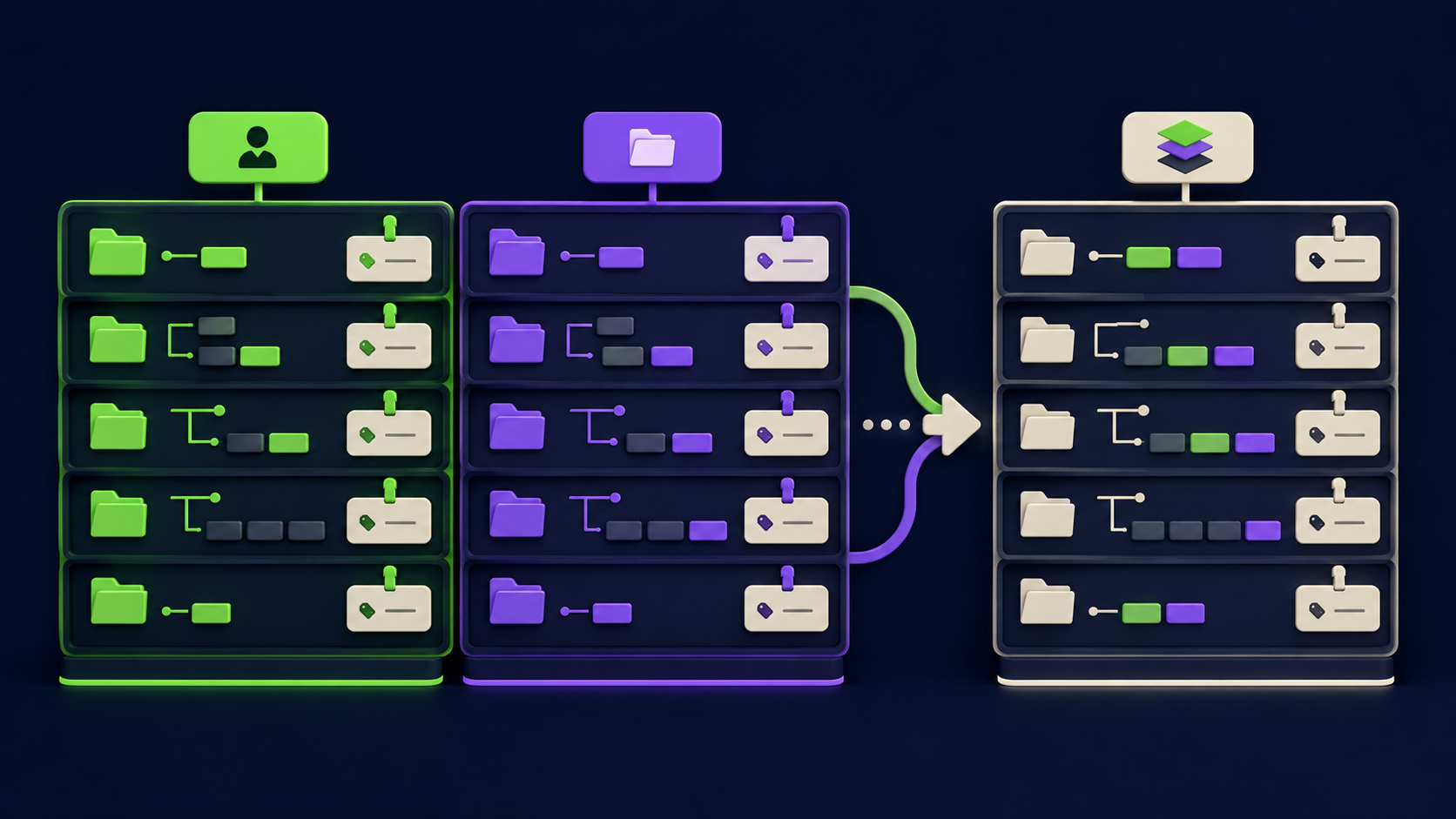
User scope (~/.claude/) holds your personal defaults across every project. Project scope (<project>/.claude/) holds team config checked into git. When the same setting appears in both, project scope wins for settings, but the rule differs by component, so memorize the four behaviors below rather than assuming one global rule.
settings.json: project overrides user. Local overrides project. Managed overrides all.
Permission rules: do not override at all. They merge across every scope, and deny beats allow.
CLAUDE.md: does not override. All files concatenate, ordered root-down, so the most specific is read last.
Skills and subagents: enterprise overrides personal overrides project, by
name.
The practical takeaway: settings replace, instructions accumulate, permissions merge with deny winning. If you expect a project skill to shadow a personal one with the same name, it will not. Personal wins for skills. This is the opposite of settings.json, where project wins, and it is the single highest-value fact in this article. The skills docs state the order explicitly: "enterprise overrides personal, and personal overrides project."
What are the most common .claude folder mistakes?
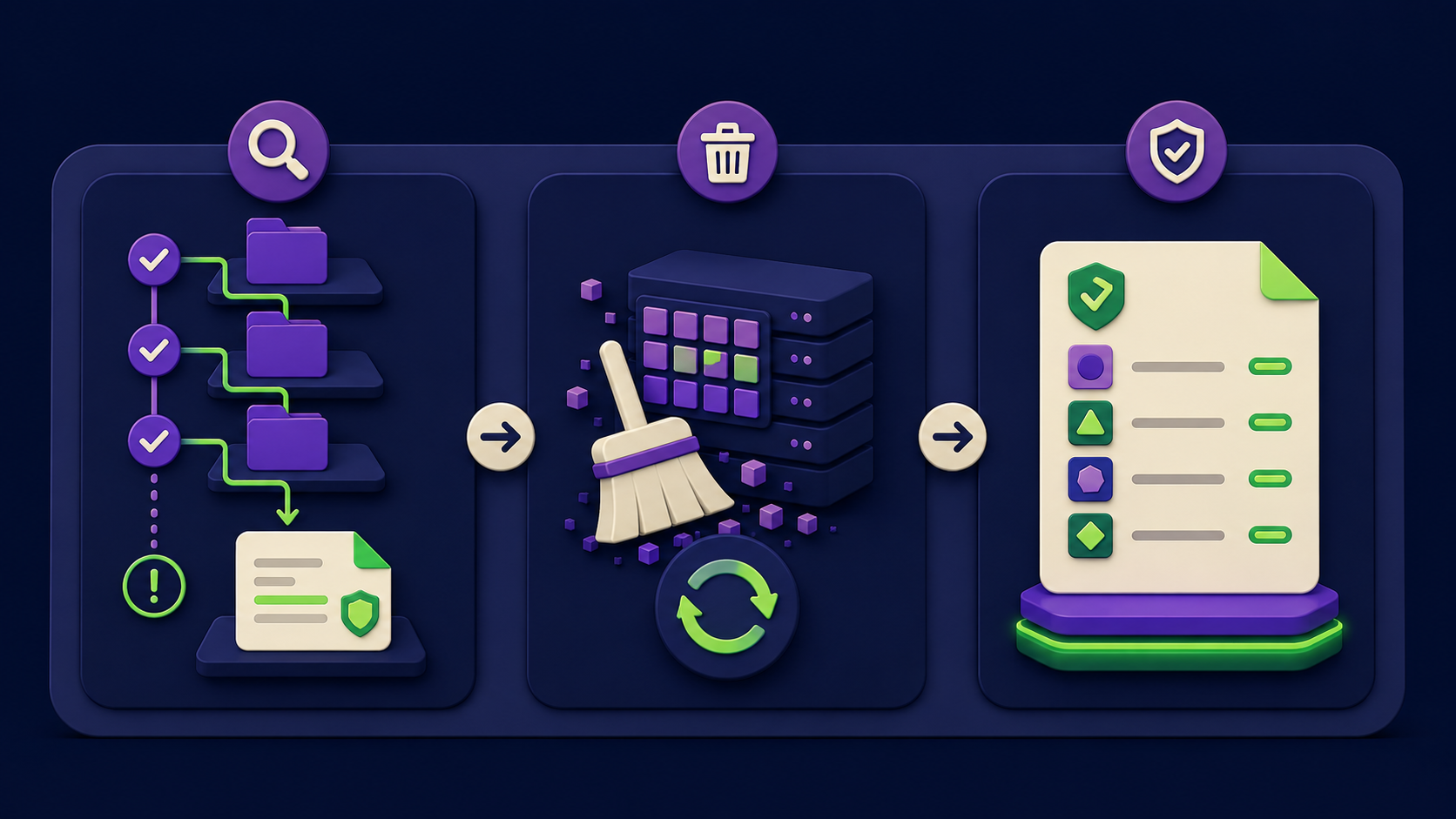
Three gotchas account for most of the time people lose to this folder. Each has a specific fix.
Gotcha 1: A deny rule you cannot find keeps blocking a command. Because permission rules merge across every scope and deny always beats allow, an allow rule in your project settings.json will not unblock a tool that a managed or user-scope deny rule already denied. The fix: check every scope, not just the one you edited. Run /permissions in-session to see the merged, effective rule set, and trace the deny back to its source file rather than adding more allow rules that will never take effect.
Gotcha 2: A skill or CLAUDE.md change does not take effect. Claude Code watches ~/.claude/skills/ and the project .claude/skills/ for live edits within a session, but creating a top-level skills directory that did not exist at session start requires a restart so it can be watched. Separately, instructions given only in chat are lost after /compact; only project-root CLAUDE.md is re-read and re-injected. The fix: restart after creating a new top-level skills folder, and write anything that must persist into CLAUDE.md rather than saying it in chat. Use /memory to confirm which files are loaded; if one is not listed, Claude cannot see it. This model is closely related to Claude Code's auto memory and consolidation.
Gotcha 3: A project skill grants itself tools you did not intend to allow. A skill's allowed-tools field grants those tools without a prompt whenever the skill is active. For a skill checked into a cloned repo's .claude/skills/, this activates the moment you accept the workspace trust dialog. The fix: review every project skill's frontmatter before trusting a repository, and remember that allowed-tools only grants, it never restricts. To actually block a tool, add a deny rule in settings.json, which always wins over any skill grant.
How do you set up the .claude folder properly from scratch?
Start minimal and add only what you re-explain twice. The fastest correct path: run /init to generate a starting CLAUDE.md from your codebase, then layer on the rest by hand.
Generate the project memory. Run
/initin the project root. It writes./CLAUDE.mdwith the build commands and conventions it discovers. Refine it with rules Claude would not infer on its own.Add a user CLAUDE.md. Create
~/.claude/CLAUDE.mdfor preferences that apply to every project, like your preferred package manager or commit style. Keep it under 200 lines.Set permissions, not prose, for hard limits. In
.claude/settings.jsonadddenyrules for anything Claude must never touch (Read(./.env),Read(./secrets/**)). Settings rules are enforced; CLAUDE.md is only guidance.Promote repeated procedures to skills. When a CLAUDE.md section becomes a multi-step procedure rather than a fact, move it to
~/.claude/skills/<name>/SKILL.mdso it loads only when needed.Add a subagent for context-heavy side work. If a task floods your main session with search output you will not reread, define a
.claude/agents/explorer.mdwith read-onlytoolsso the work happens in isolation.Gitignore the local files. Add
CLAUDE.local.mdand.claude/settings.local.jsonto.gitignoreso personal overrides never ship to the team.
Success looks like this: /memory lists your CLAUDE.md files as loaded, /permissions shows your deny rules in the merged set, and typing / shows your custom commands and skills in the menu.
Frequently asked questions
Is CLAUDE.local.md deprecated?
No. CLAUDE.local.md at the project root is still supported and loads alongside CLAUDE.md, treated the same way. It is for private project-specific preferences like sandbox URLs or test data, and you should add it to .gitignore. The one limitation is git worktrees: a gitignored CLAUDE.local.md only exists in the worktree where you created it, so to share private instructions across worktrees, import a home-directory file with @~/.claude/my-project-instructions.md instead.
What is the difference between a skill and a slash command now?
Functionally, almost nothing. Custom commands were merged into skills. A file at .claude/commands/deploy.md and a skill at .claude/skills/deploy/SKILL.md both create /deploy and support the same frontmatter. Skills add a folder for supporting files (templates, scripts, reference docs) and finer invocation control via disable-model-invocation and user-invocable. If a skill and a command share a name, the skill wins. New work should use skills.
Does the project .claude folder override my personal ~/.claude folder?
It depends on the component. For settings.json, project overrides user. For permission rules, nothing overrides: every scope merges and deny beats allow. For CLAUDE.md, files concatenate rather than override. For skills and subagents, personal overrides project when names collide, the reverse of settings. There is no single global rule, which is why this is the most common point of confusion.
Where does Claude Code store auto memory?
Auto memory, the notes Claude writes itself, lives at ~/.claude/projects/<project>/memory/, separate from the CLAUDE.md you write. The <project> path is derived from the git repo, so all worktrees of one repo share it. A MEMORY.md index file is loaded into every session (first 200 lines or 25KB); topic files load on demand. It is plain markdown you can edit or delete, and /memory opens it. Auto memory requires Claude Code v2.1.59 or later.
Why is my MCP server not in my other projects?
Because the default MCP scope is local. A local-scoped server is stored in ~/.claude.json under that one project's path, so it does not appear elsewhere by design. To make a server available everywhere, add it with claude mcp add --scope user. To share it with your team, use --scope project, which writes a checked-in .mcp.json at the project root. For deeper MCP debugging, see our note on the MCP server stdout bug that hides all tools.
How big should CLAUDE.md be?
Target under 200 lines. CLAUDE.md loads in full into context every session, and the official docs note that longer files measurably reduce how reliably Claude follows instructions. If it grows past that, move file-type-specific guidance into path-scoped .claude/rules/ files (loaded only when matching files are touched) and multi-step procedures into skills (loaded only when invoked). Splitting into @ imports helps organization but does not save context, since imports still load at launch.
Can a managed policy override my personal settings?
Yes, and that is the entire point of managed policy. Files in the managed directory (/etc/claude-code/ on Linux/WSL, the equivalent on macOS and Windows) sit at the top of the precedence order and cannot be overridden by user, project, or local settings. This applies to managed settings.json, the managed CLAUDE.md, and the inline claudeMd key. It is how organizations enforce security policy and authentication rules across every developer machine.
Related from Vantaige
References
Get the best new AI tools and guides, weekly
One short email a week. The tools worth trying, the guides worth reading, nothing else.
No spam. Unsubscribe anytime.
Aymen B
Contributing writer at Vantaige, covering the AI tools ecosystem.