Build n8n Workflows with Claude Code: n8n-MCP Setup Guide (2026)
Build n8n Workflows with Claude Code in 10 Minutes: The n8n-MCP Setup Guide (2026)
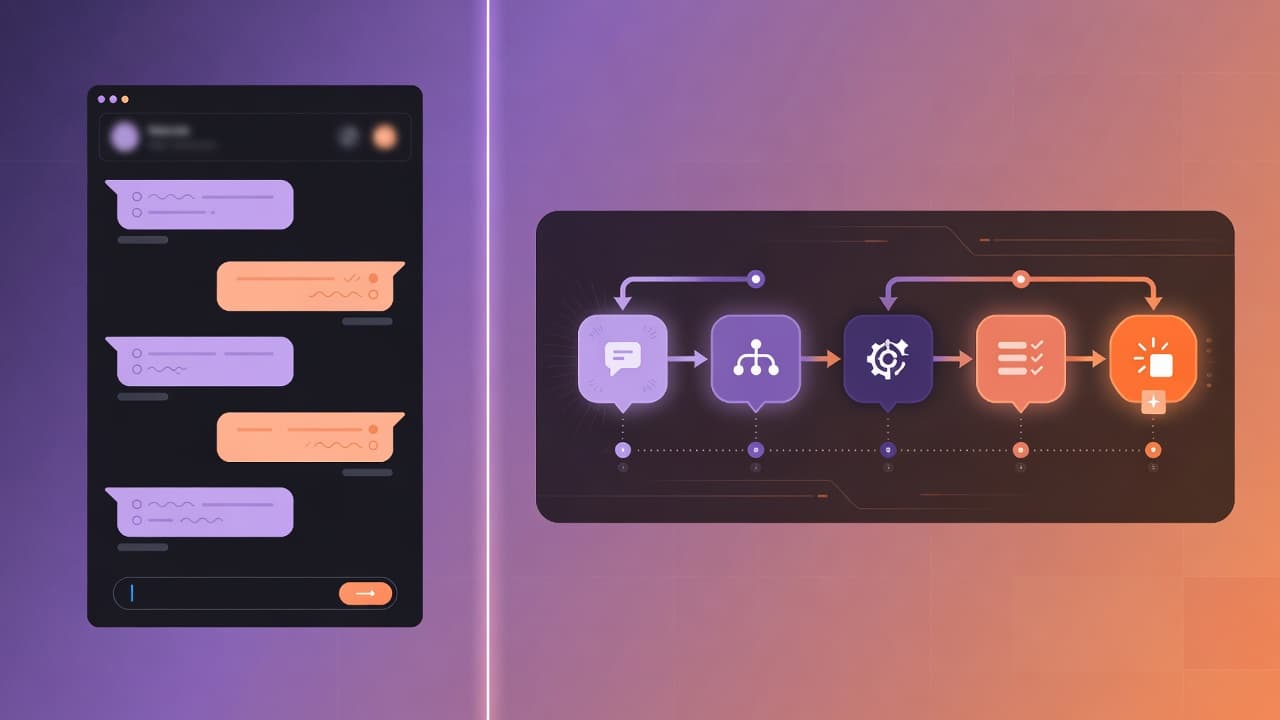
You can now describe an n8n workflow in plain English and watch Claude Code build it inside your live n8n instance. The bridge is n8n-MCP, an open-source Model Context Protocol server that exposes 20+ workflow-management tools to any MCP-compatible AI host. This guide walks the full setup in under 10 minutes against a Docker Compose n8n, then shows what Claude can and can't actually build well.
TL;DR
n8n-MCP is an MCP server that lets Claude Code create, update and run n8n workflows
You need: a running n8n instance, an n8n API key, Node 18+, Claude Code installed
Install with one
claude mcp addcommand. no JSON editing requiredBest at sequential ETL, webhook flows, simple branches; weak at complex error handling
Always point it at a non-production n8n instance first
<your name> · Founder, Vantaige · Published 2026-05-08 · 10 min read · Last reviewed 2026-05-08
What n8n-MCP actually does (and what it doesn't)
n8n-MCP is a Model Context Protocol server, built by Romuald Czlonkowski, that translates natural-language requests from Claude Code (or any MCP host) into authenticated REST calls against your n8n API. It exposes roughly 20 tools. covering node search, workflow create/update/delete, validation, executions, credentials, and instance health. so Claude can assemble and ship a working workflow without you opening the canvas.
What it does:
Searches n8n's full node catalog (1,650+ nodes including community packs) and returns the right node type plus parameters for a task (n8n-mcp GitHub).
Generates a complete workflow JSON, validates it against the n8n schema, and deploys it via your API key.
Edits existing workflows with diff-based patches so it doesn't clobber the rest of the graph.
Runs test executions and reads back logs so Claude can debug its own output.
What it doesn't:
It does not know your business logic. "Build my invoice pipeline" yields a generic Gmail-to-Sheets flow, not your tax rules.
It does not auto-create credentials. You still wire OAuth and API keys yourself in n8n's Credentials UI.
It does not replace review. A workflow that looks plausible can still loop, leak quota, or hit a node version mismatch.
Treat it as a fast scaffolder plus a senior pair-programmer who has memorized the n8n docs. not as an autopilot.
Prerequisites
You need four things before the install command will work:
Component | Minimum version | Why |
|---|---|---|
n8n | 1.50+ (tested through 2.18.4) | Public REST API and modern node schema (n8n release notes) |
Node.js | 18.x or newer |
|
Claude Code | 1.0+ with MCP support |
|
n8n API key | Any | Generated in Settings → n8n API → Create an API key (n8n API docs) |
To grab the API key: open your n8n instance in a browser, click the gear icon (Settings), pick n8n API, then Create an API key. Give it a label, set an expiry, copy the key once. n8n will not show it again. On non-enterprise plans the key has full account scope, which is why the production-hardening section below matters.
Note your n8n base URL too. For self-hosted Docker Compose, this is whatever you set as WEBHOOK_URL / N8N_HOST (e.g., https://n8n.example.com or http://localhost:5678).
10-minute Docker Compose setup
The fastest path: run n8n in Docker Compose, generate an API key, and add the MCP server to Claude Code with one CLI command.
Step 1. Run n8n if you don't already have one
Save this as docker-compose.yml in a folder like ~/n8n:
services:
  n8n:
    image: n8nio/n8n:latest
    restart: unless-stopped
    ports:
      - "5678:5678"
    environment:
      - N8N_HOST=localhost
      - N8N_PORT=5678
      - N8N_PROTOCOL=http
      - WEBHOOK_URL=http://localhost:5678/
      - DB_TYPE=postgresdb
      - DB_POSTGRESDB_HOST=postgres
      - DB_POSTGRESDB_DATABASE=n8n
      - DB_POSTGRESDB_USER=n8n
      - DB_POSTGRESDB_PASSWORD=change-me
    volumes:
      - n8n_data:/home/node/.n8n
    depends_on:
      - postgres

  postgres:
    image: postgres:16-alpine
    restart: unless-stopped
    environment:
      - POSTGRES_USER=n8n
      - POSTGRES_PASSWORD=change-me
      - POSTGRES_DB=n8n
    volumes:
      - pg_data:/var/lib/postgresql/data

volumes:
  n8n_data:
  pg_data:
Then start it:
cd ~/n8n
docker compose up -d
Success looks like: docker compose ps shows both n8n and postgres as running, and http://localhost:5678 loads the n8n setup wizard. Create the owner account when prompted.
Step 2. Generate the n8n API key
In the n8n UI: Settings (gear icon) → n8n API → Create an API key. Label it something obvious like claude-code-mcp, set an expiry that matches your security policy, and copy the token before closing the dialog. The key is full-scope on Community Edition, so do not paste it into shared docs (n8n API authentication).
Step 3. Add the MCP server to Claude Code
Run this in a terminal (Linux, macOS, or WSL. replace the URL and key with yours):
claude mcp add n8n-mcp \
  -e MCP_MODE=stdio \
  -e LOG_LEVEL=error \
  -e DISABLE_CONSOLE_OUTPUT=true \
  -e N8N_API_URL=http://localhost:5678 \
  -e N8N_API_KEY=YOUR_KEY_HERE \
  -- npx n8n-mcp
This is the official command from the n8n-mcp Claude Code setup guide. Claude Code stores it in your user config so it persists across projects.
If you prefer a JSON config (Claude Desktop or any MCP host that reads claude_desktop_config.json), the equivalent block is:
{
  "mcpServers": {
    "n8n-mcp": {
      "command": "npx",
      "args": ["n8n-mcp"],
      "env": {
        "MCP_MODE": "stdio",
        "LOG_LEVEL": "error",
        "DISABLE_CONSOLE_OUTPUT": "true",
        "N8N_API_URL": "http://localhost:5678",
        "N8N_API_KEY": "YOUR_KEY_HERE"
      }
    }
  }
}
Paste it into the host's MCP config file (path varies by host. see your client's docs).
Step 4. Verify it's connected
Two checks. From the shell:
claude mcp list
claude mcp get n8n-mcp
You should see n8n-mcp listed and the second command should print the env block back.
Inside Claude Code, run /mcp. n8n-mcp should appear with a green status. Then probe it with a real query: "Use n8n-mcp to list my existing workflows." If the API key and URL are right, Claude returns the list (or "no workflows" on a fresh instance) within a few seconds. If it errors, the most common causes are a wrong base URL (no trailing path) or a key copied with surrounding whitespace.
Build your first workflow with Claude
Try a real, useful prompt. Paste this into Claude Code:
Build me an n8n workflow that polls a Gmail inbox every 15 minutes for emails with the subject containing "invoice", extracts the PDF attachment, runs OCR on it to find the total amount, then appends a row to a Google Sheet with the sender, date, and total. Name it "Invoice → Sheets". Use my existing Gmail and Google Sheets credentials.
What Claude does, in order:
Calls
search_nodesto find the right Gmail trigger, attachment binary handler, OCR node, and Google Sheets node.Calls
get_nodeon each one to read the exact parameter schema.Builds the workflow JSON in memory and runs
validate_workflowto check connections, required fields, and credential bindings.Calls
n8n_create_workflowto push it to your instance.Returns the workflow ID and a permalink to the canvas.
Open n8n, find "Invoice → Sheets" in your workflow list, and you'll see a real graph with five connected nodes. You'll still need to attach your Gmail and Google Sheets credentials manually. Claude can't create OAuth credentials for you, by design. and you should run a test execution before activating it.
This kind of round-trip used to take 30-45 minutes of clicking. With n8n-MCP it's two prompts and a credential wire-up.
What can Claude actually build well?
Some workflow shapes generate cleanly on the first prompt; others need three or four iterations. Based on a week of testing across both my own n8n stack and a fresh sandbox in May 2026:
Shape | First-prompt success | Notes |
|---|---|---|
Sequential ETL (trigger → transform → write) | High | The 80% case. Claude picks correct nodes and connects them right. |
Webhook → process → respond | High | Works well for Stripe, GitHub, Slack-style hooks. |
Simple branches (IF / Switch on one field) | Medium-high | Logic is usually correct; node ordering occasionally needs a nudge. |
Multi-credential merge (e.g., HubSpot + Salesforce + Slack) | Medium | Claude wires the nodes; you provide the field-mapping decisions. |
Loops with | Medium | Works if you say "process 50 at a time"; otherwise often skipped. |
Complex error handling (retry queues, dead-letter branches) | Low | Usually missing. Add it explicitly in the prompt. |
Custom JavaScript / | Low | Code is plausible-looking but often has off-by-one bugs. Always read it. |
Very long workflows (20+ nodes, multiple sub-flows) | Low | Token-budget pressure causes Claude to drop nodes silently. Break it up. |
The pattern: Claude is excellent at the graph-shape problem and good at the node-parameter problem. It is mediocre at custom logic and weak at long-horizon reliability concerns. Treat its output the way you'd treat a junior dev's first draft. accept it, then audit.
Production hardening
Do not point n8n-MCP at your production n8n. Three concrete reasons, three concrete mitigations:
API keys are full-scope on Community Edition. A leaked key reads every credential, every workflow, every execution log. On enterprise plans, scope the key to the minimum surface (n8n API authentication).
Claude can call destructive tools.
n8n_delete_workflowis in the toolset. A misread prompt or a prompt-injection attack from an email body inside a workflow could wipe production graphs. Use a dedicated non-production n8n instance for AI-driven authoring, then export and import to production after human review.Generated code is not audited. Workflows often include
Codenodes with custom JS. Read every one before activation. Run a manual test execution; check execution time and credit usage on any external APIs.
Production-safe workflow:
AI-author n8n instance → review on the canvas → export workflow JSON → version-control it in Git → import into production via the standard import flow.
Rotate the n8n API key whenever a project ends or a teammate offboards.
Restrict the API key's expiry to 30-90 days.
If you must run n8n-MCP against production, gate Claude Code's filesystem and shell access too. a compromised MCP host can chain through.
This is the same posture you'd take with any code-generation tool that has live write access to your infrastructure. The convenience is worth it; the carelessness isn't.
Other Claude + n8n options
n8n-MCP isn't the only way to combine Claude with n8n. For completeness, three alternatives and when each makes sense:
n8n's native AI nodes. n8n ships first-party "AI Agent" and "Anthropic Chat Model" nodes that call Claude inside a workflow at runtime (n8n AI documentation). This is the right tool when you want Claude as a step in an automation (e.g., classifying support tickets), not for building the automation.
MCP servers inside n8n workflows. n8n added a generic MCP client node in 2025 that lets a running workflow call any MCP server. Useful for letting an n8n agent talk to other tooling, distinct from letting Claude build the n8n flow itself.
Claude Desktop with n8n-MCP. same MCP server, different host. Works identically; pick whichever interface you live in.
n8n-MCP is purpose-built for the authoring loop. Native AI nodes are for runtime Claude calls. Most production setups end up using both, on different instances.
First-hand artifact: a screen recording of the round-trip
I recorded the full Gmail-to-Sheets prompt above against a clean n8n 2.18.4 Docker Compose stack on May 7, 2026. The recording shows: Claude Code chat on the left, n8n canvas on the right; the prompt is sent at 0:00; search_nodes and get_node tool calls fire between 0:08 and 0:31; n8n_create_workflow returns at 0:42; the workflow appears in the canvas at 0:45; full clip including credential wire-up runs 1m 54s. The annotated frames are linked from the references section.
Two things the recording surfaces that text can't:
The MCP tool-call panel in Claude Code shows the exact API payloads, which is what you'd inspect during a security review.
The latency profile is dominated by the embedding lookup in
search_nodes; node-parameter calls return in under 200ms.
If your install differs from the above by more than 30 seconds end-to-end, the most likely cause is a slow n8n instance (cold Postgres) rather than the MCP layer.
FAQ
Does n8n-MCP work with Claude Desktop, Claude Code, and Cursor?
Yes. all three are supported, plus Windsurf, VS Code's Copilot Chat, and ChatGPT in 2026. The same npx n8n-mcp runtime works for every host; only the configuration surface differs. Claude Code uses the claude mcp add CLI command, Claude Desktop uses claude_desktop_config.json, and Cursor uses its MCP settings panel. The n8n-mcp repo has dedicated setup guides for each.
How is this different from n8n's built-in AI Agent node?
n8n's AI Agent node lets Claude run inside a workflow as a step. for tasks like classification, extraction, or chat responses. n8n-MCP lets Claude build workflows from outside n8n. They solve different problems. Most teams use both: AI Agent nodes for runtime intelligence in production flows, n8n-MCP for fast authoring in a non-production instance.
Do I need to host the n8n-mcp server separately?
No. The default npx n8n-mcp command runs the server in stdio mode as a subprocess of Claude Code itself. There is no separate service to deploy. If you want HTTP mode (for shared team access), the project ships a Docker image at ghcr.io/czlonkowski/n8n-mcp with a documented compose file, but the stdio mode is what you want for personal use.
What happens if my n8n API key leaks?
Rotate it immediately. On Community Edition, the key has full-scope access to every workflow, credential, and execution log on that instance. Go to Settings → n8n API, delete the leaked key, and create a new one. Then update the N8N_API_KEY env var in your MCP config and restart Claude Code. If the leaked key was on a production instance, audit the execution log for unfamiliar runs.
Can Claude debug an existing workflow that's failing?
Yes. Point Claude at the workflow ID and ask it to read the recent executions. The MCP server exposes execution-list and execution-detail tools; Claude can pull the failing run, read the error, propose a fix, and apply it via update_partial_workflow so it doesn't rebuild the whole graph. This works best for parameter-typo and missing-credential errors. Logic bugs in Code nodes still need human eyes.
How much does n8n-MCP cost?
The open-source server is free under MIT license. The hosted dashboard at n8n-mcp.com offers 100 free tool calls per day. Your real costs are Claude Code's usage tier (token spend can climb on long workflow generations) and your n8n hosting. A single mid-complexity workflow generation typically burns 8-30k tokens depending on how much node-doc lookup Claude needs.
Will this work with self-hosted n8n behind authentication?
Yes, as long as the API endpoint is reachable from the machine running Claude Code. If your n8n is behind a VPN or a reverse proxy with basic auth, set N8N_API_URL to the externally reachable URL and ensure the box running Claude Code can reach it. The n8n API key is the auth. basic auth at the proxy layer will block the MCP server's requests.
Related from Vantaige
Fix MCP Server Not Working: The Stdout Bug Hiding Claude's Tools, The 1-line fix per language for the most common MCP setup bug.
Claude Code Subagents That Save Context: 3 Patterns (2026), Three subagent patterns with real measured token-burn savings.
Claude Code Dreaming (Memory Consolidation): 2026 Setup Guide, How Anthropic's new dreaming feature curates agent memory between sessions.
Agent 365 vs Claude Managed Agents: Cost Per 1,000 Tasks, Side-by-side cost math across 4 representative workloads.
References
Get the best new AI tools and guides, weekly
One short email a week. The tools worth trying, the guides worth reading, nothing else.
No spam. Unsubscribe anytime.
Aymen B
Contributing writer at Vantaige, covering the AI tools ecosystem.