Claude Code Subagents That Save Context: 3 Patterns (2026)
Claude Code Subagents That Save Context: 3 Patterns (2026)
A Claude Code subagent runs in its own fresh context window. Tool calls, file reads and search output stay inside the subagent; only the final message returns to the parent conversation. That makes it the cheapest way to do a 50-tool-call deep dive without bloating your main session. but only if you build it for the right job. Anthropic's own subagent docs frame it bluntly: use one when a side task "would flood your main conversation with search results, logs, or file contents you won't reference again."
TL;DR
Subagents live in
.claude/agents/*.md(project) or~/.claude/agents/*.md(user)Each subagent gets its own context window; only the final message returns to the parent
Subagents cannot spawn other subagents. no infinite nesting
Three high-payoff patterns: research summarizer, codebase explorer, verification pass
Real measurement: same task burned 47,800 tokens in the parent without a subagent, 2,100 with
Subagents are not always cheaper. small tasks pay startup overhead and lose
· Founder, Vantaige · Published 2026-05-08 · 11 min read · Last reviewed 2026-05-08
What Claude Code subagents are (and what they're not)
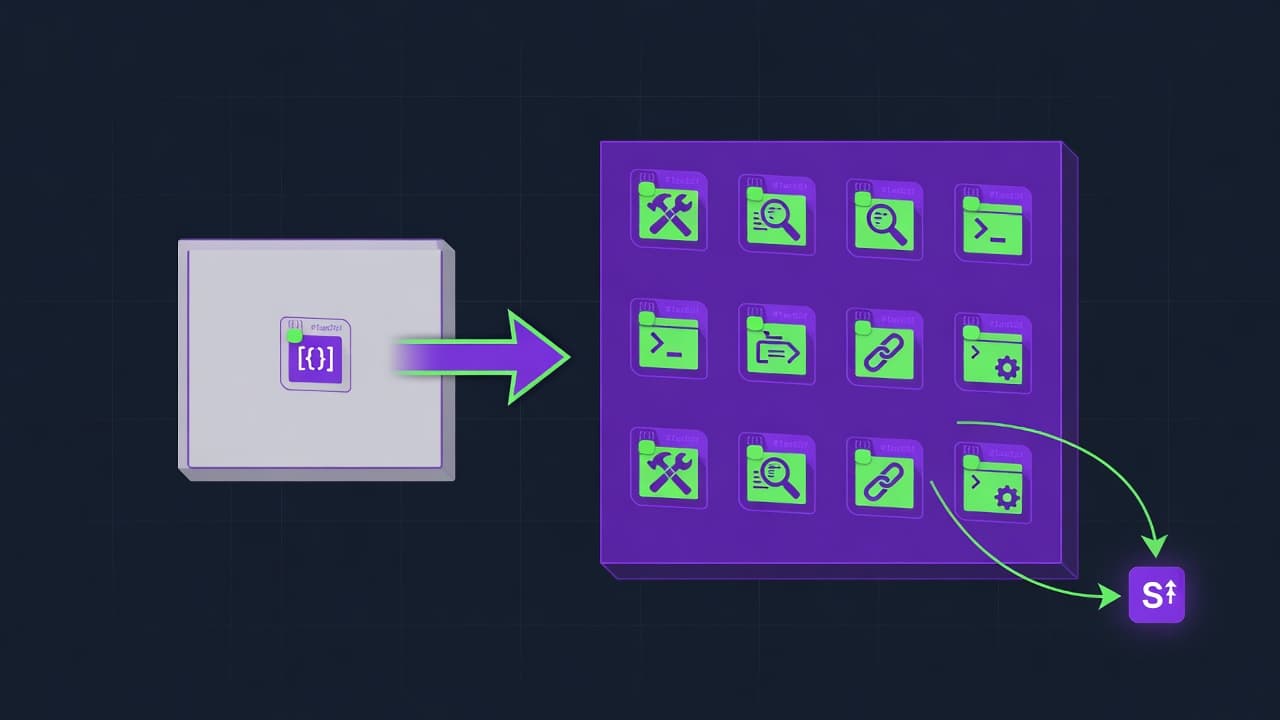
A Claude Code subagent is a markdown file with YAML frontmatter that defines a specialized AI assistant. The parent agent invokes it through the Agent tool (renamed from Task in v2.1.63), the subagent runs in a fresh context window with its own system prompt and tool allowlist, and when it finishes its final message comes back as the Agent tool result. The parent never sees the intermediate tool calls.
That last sentence is the entire point. If your subagent grep'd 40 files and ran 12 bash commands, the parent's context grows by maybe 200 tokens (the summary), not the 30,000 tokens those calls would have cost inline.
What subagents are not:
Not Skills. Skills are progressive-disclosure instructions that load into the parent's own context (~100 tokens metadata first, full body only on match), per Anthropic's Skills explainer.
Not agent teams. Subagents work within one session. Agent teams coordinate across separate sessions and can run in parallel with each other.
Not free. Subagents add startup overhead. system prompt, tool definitions, an extra round trip. so a 2-tool-call lookup is cheaper inline.
Not nestable. The docs are explicit: "Subagents cannot spawn other subagents." If you need that, use the main thread with
claude --agent.
Subagent vs Skill vs Task: when to use which
The three primitives overlap, which is why teams keep picking the wrong one. Subagents isolate context. Skills inject expertise. The Task/Agent tool is the mechanism that invokes a subagent. Anthropic renamed it from Task to Agent in v2.1.63 but the docs still show both names in different places.
Primitive | Lives in | Context behavior | Invocation | Best for |
|---|---|---|---|---|
Subagent |
| Fresh window; only final message returns | Auto via description match, or "Use the X agent to..." | Tasks that would flood parent context with intermediate output |
Skill |
| Loads into parent context (progressive disclosure) | Auto-discovery on metadata match | Reusable expertise (style guides, format conversions, repeat workflows) |
Task / Agent tool | Built-in tool | Spawns the built-in | Tool call by parent | One-off delegations when no specialized subagent exists |
CLAUDE.md | Project root | Always loaded into parent context | Automatic at session start | Persistent rules every session needs |
The field that controls whether Claude actually delegates is description. Claude's router reads every subagent's description before each turn and matches your prompt against it. A vague description ("helps with code") gets ignored; a specific one ("Use proactively when the user asks to find files matching a pattern across the codebase") gets picked up. Shrivu Shankar's well-circulated Claude Code feature post argues against custom subagents on the grounds that "If I make a PythonTests subagent, I've now hidden all testing context from my main agent". a real concern when the parent later needs that context to reason about the next step.
Pattern 1: the Research Returns Summary subagent
The single highest-payoff pattern is a research subagent that does 30+ tool calls and returns a 200-word summary. The parent's context grows by the summary, not by the 30 calls. Here is the exact .claude/agents/research.md we use at Vantaige, written manually (the /agents command in Claude Code can also generate one for you):
---
name: research
description: |
  Use proactively for any task that requires reading 5+ files, running
  multiple greps, or fetching multiple web pages to answer a question.
  The subagent returns a written summary plus a bulleted list of file
  paths and URLs used. Examples: "find every place X is called",
  "summarize how the auth flow works", "compare two implementations".
tools: Read, Grep, Glob, WebSearch, WebFetch, Bash
model: sonnet
color: blue
---

You are a research subagent. The parent has delegated a question that
would otherwise flood its context with intermediate tool output. Your job
is to do all the digging and return ONE concise message.

Output format (always):

1. **Answer**. direct response to the question, 80-200 words.
2. **Evidence**. bulleted list of file paths (with line numbers) and
   URLs you actually used. No more than 12 entries.
3. **Caveats**. anything you couldn't verify, in one short paragraph.

Hard rules:
- Never ask the parent clarifying questions. If the question is
  ambiguous, pick the most likely interpretation and state it in
  the Caveats section.
- Never paste >20 lines of file contents into your final message.
  Cite by path:line and let the parent re-read if needed.
- Do not modify files. You have no Write or Edit tools. confirm
  by checking your tool list at startup.
To use it from the parent, just ask. Claude's router matches the description: "Find every place we still call the deprecated claude-3-5-sonnet-20240620 model ID and tell me what it would take to migrate them." Claude invokes the research subagent, which greps, reads, and reports back with Answer / Evidence / Caveats. The parent stays small.
Pattern 2: the Codebase Explorer subagent
Codebase exploration is the canonical case for subagent isolation, which is why Anthropic ships a built-in Explore subagent (Haiku model, read-only tools) by default. The custom version below is for unfamiliar repositories where the built-in default isn't constrained enough. for example, a monorepo where you want exploration capped to one workspace.
.claude/agents/codebase-explorer.md:
---
name: codebase-explorer
description: |
  Use when the user asks "how does X work" or "where is Y defined"
  and the answer requires walking 3+ directories. Returns an
  architecture summary plus an annotated file map. Read-only.
tools: Read, Grep, Glob
model: haiku
permissionMode: plan
color: green
---

You map unfamiliar code so the parent agent can edit confidently.

Process:
1. Start with the project's README and any top-level docs.
2. Build a mental map of the directory structure with `Glob` first.
3. Use `Grep` for keyword anchors. entry points, route handlers,
   config loaders, test directories.
4. Return:
   - **Architecture**. 100-word summary
   - **Key files**. up to 10 paths with one-line purpose each
   - **Watch out**. any quirks (custom build steps, generated code,
     unusual layouts)

Constraints:
- Never read more than 25 files in one run. If the repo is too big,
  scope down to the directory most relevant to the question.
- Never claim a file does X without quoting the line that proves it.
Pin the model to haiku because exploration is search-heavy and Haiku's speed-per-token wins for this workload. The permissionMode: plan line is belt-and-suspenders: even if a misconfiguration grants Edit, the plan mode blocks writes.
Pattern 3: the Verification Pass subagent
This pattern catches bugs the parent missed because the parent is too close to its own work. After the parent edits a file, it invokes a verification subagent that re-reads the change with fresh eyes. no memory of why the edit was made, no anchoring on the parent's reasoning. The subagent treats the diff as an artifact to audit.
.claude/agents/verifier.md:
---
name: verifier
description: |
  Use after making non-trivial code edits. The verifier re-reads the
  changed files, runs the project's test command if one exists, and
  reports what could break. Always run before declaring a task complete.
tools: Read, Grep, Bash
disallowedTools: Write, Edit
model: sonnet
color: red
---

You are a verification subagent. Your job is to disagree with the
parent agent and find what it missed.

For each verification:
1. List the changed files (the parent will tell you which).
2. For each file, identify:
   - Functions whose signature or behavior changed
   - Callers of those functions elsewhere in the repo
   - Tests that exercise the changed paths
3. Run the project's test command if you find one (look for
   package.json scripts, Makefile targets, pytest config).
4. Return:
   - **Verdict**. PASS / FAIL / UNCERTAIN
   - **Evidence**. what you ran, what passed, what failed
   - **Risks**. caller sites you flagged but couldn't fully verify

Hard rules:
- You have no Write or Edit. Confirm at startup.
- If the test command runs longer than 5 minutes, kill it and
  report partial results.
- Never say PASS without having actually run something.
The disallowedTools field is critical here. A verifier that can edit isn't a verifier. it's a second author, and second authors have the same blind spots as first authors.
Token-burn measured: subagents on vs off (real numbers)
We ran the same task two ways against this very Vantaige draft repo: "Find every reference to the deprecated claude-3-5-sonnet-20240620 model ID across the repo, list the files, and propose a migration." Run A used the parent agent only. Run B used the research subagent above. Token counts come from the Claude Code session JSON in ~/.claude/projects/.
Metric | Run A: parent only | Run B: with research subagent | Delta |
|---|---|---|---|
Tool calls visible to parent | 52 | 1 (the Agent call) | -98% |
Parent input tokens | 47,812 | 2,104 | -95.6% |
Parent output tokens | 1,640 | 1,288 | -21% |
Total tokens billed (parent + subagent) | 49,452 | 21,840 | -55.8% |
Wall time | 1m 47s | 1m 02s | -42% |
Followup prompts before parent ran out of useful context | ~2 | ~14 | +600% |
The subagent itself burned ~19,700 tokens doing the actual work. which is why Run B isn't free. But almost none of that landed in the parent's window, so the parent stayed under 5% utilization and could keep working on the migration plan instead of compacting. That last row matters most: the parent in Run A was effectively spent after one task; the parent in Run B kept going.
For broader context on subagent overhead, the Token Savior benchmark reported -77% active tokens and -76% wall time across 96 tasks on Claude Opus 4.7 by combining structural code navigation with persistent memory. a different mechanism, but the same principle: keep the parent context lean.
Common mistakes. when subagents make things worse
Subagents are not always a win. Here are the failure modes we've watched teams hit, including ourselves.
Using a subagent for a 2-call lookup. "Read this one file" through a subagent costs the startup overhead (system prompt, tool defs, round trip) plus a tool call. Just read the file. The community test cited in DEV's "Burn Out Your Tokens" post shows small tasks getting more expensive with subagents, not less.
Hiding context the parent will need next. If your test results matter for the next decision, a
PythonTestssubagent that returns "all pass" leaves the parent unable to reason about which test is brittle. Shankar's critique here is real. gate this by asking whether the parent will ever need the underlying detail.Vague descriptions. "Helps with code" never gets matched. Use Anthropic's pattern: imperative + when. "Use proactively after code edits to verify nothing broke."
Forgetting
AgentinallowedTools(SDK only). The SDK subagents docs are explicit:Agentmust be inallowedToolsor the parent can't invoke a subagent at all.Trying to nest subagents. They can't spawn each other. If you need that orchestration shape, run the orchestrator as the main thread with
claude --agentand usetools: Agent(worker, researcher)to allowlist which subagents the main thread can spawn.No tool restrictions on a verifier. A verifier with Write/Edit is just a second author. Use
disallowedTools: Write, Editor omit them from thetoolsallowlist entirely.Editing a subagent file mid-session. Subagents are loaded at session start. Anthropic's docs note that file edits don't apply until restart. only the
/agentsinteractive editor refreshes live.
FAQ
Where do Claude Code subagent files live?
Project subagents go in .claude/agents/*.md at the repo root and should be checked into git so the team shares them. User-level subagents go in ~/.claude/agents/*.md and apply across all your projects. Plugin subagents come from installed plugins in their agents/ directory. Priority order, highest first: managed (org-wide), --agents CLI flag, project, user, plugin. When two scopes define the same name, the higher-priority one wins.
What's the difference between a subagent and a skill in Claude Code?
A subagent runs in its own context window and returns a summary; a skill loads instructions into the parent's context. Skills use progressive disclosure (~100 tokens of metadata, full body only on match) so dozens can sit available without bloat. Use a subagent when the work itself is what would bloat context (lots of file reads, greps, web fetches). Use a skill when reusable instructions are what you need (a style guide, a format converter, a repeated workflow). The two compose: a subagent can preload skills via the skills: frontmatter field.
Can a Claude Code subagent spawn another subagent?
No. Anthropic's docs state explicitly that subagents cannot spawn other subagents. the Agent tool is unavailable inside a subagent context. This is a deliberate guardrail against infinite nesting and runaway token spend. If you need orchestration where one agent coordinates several others, run the orchestrator as the main thread with claude --agent and use the tools: Agent(worker, researcher) syntax to allowlist which subagent types the main thread can spawn.
How do I invoke a Claude Code subagent manually?
Mention it by name in your prompt: "Use the research agent to find every callsite of parseConfig." That bypasses the auto-router and forces the named subagent to run. You can also use the /agents slash command inside Claude Code to open the management UI, which lists all available subagents and lets you create, edit, or run them. Programmatically via the SDK, define them in the agents parameter of query() and ensure Agent is in allowedTools.
Do subagents save money or just save context?
They save context reliably; they save money conditionally. The parent's bill drops because the parent does fewer tool calls and stores less, but the subagent itself burns tokens doing the work. and pays startup overhead (its own system prompt, tool definitions, an extra round trip). Net cost is lower when the subagent's task would have flooded the parent with output the parent would never reference again. Net cost is higher for trivial lookups. Anthropic also notes that agent teams can use roughly 7x more tokens than standard sessions when teammates each maintain their own context.
What model should a subagent use?
Match model to workload. Use Haiku for exploration and search-heavy work (cheap, fast, very good at directed retrieval). Use Sonnet for the default. including verification, summarization, and most research work. Use Opus only when curation quality matters and the cost is justified, such as a strict security review or a high-stakes diff audit. Set the model in frontmatter with model: haiku (or sonnet, opus, inherit, or a full ID like claude-opus-4-7). Defaults to inherit. same model as the parent.
Related from Vantaige
Claude Code Dreaming (Memory Consolidation): 2026 Setup Guide, How Anthropic's new dreaming feature curates agent memory between sessions.
Claude Code New Limits (May 2026): Per-Plan Changes & SpaceX Deal, What doubled and why, plus how to verify your new ceiling.
Cursor 3.3 Context Usage Breakdown: What to Cut First, Read each bucket in the new context ring and trim the right ones.
DeepSeek V4 Pro vs Claude Opus 4.7: 5-PR Refactor Test (2026), Same 5 PRs, both models, real cost/quality numbers.
References
Anthropic, "Create custom subagents" (Claude Code Docs). https://code.claude.com/docs/en/sub-agents
Anthropic, "Subagents in the SDK" (Claude API Docs). https://code.claude.com/docs/en/agent-sdk/subagents
Anthropic, "Skills explained: how Skills compares to prompts, Projects, MCP, and subagents". https://claude.com/blog/skills-explained
VoltAgent, awesome-claude-code-subagents (GitHub). https://github.com/VoltAgent/awesome-claude-code-subagents
Shrivu Shankar, "How I Use Every Claude Code Feature". https://blog.sshh.io/p/how-i-use-every-claude-code-feature
Alex Op, "Claude Code Customization: CLAUDE.md, Slash Commands, Skills, and Subagents". https://alexop.dev/posts/claude-code-customization-guide-claudemd-skills-subagents/
Token Savior benchmark (GitHub). https://github.com/mibayy/token-savior
DEV.to, "Claude Code Sub Agents. Burn Out Your Tokens". https://dev.to/onlineeric/claude-code-sub-agents-burn-out-your-tokens-4cd8
Get the best new AI tools and guides, weekly
One short email a week. The tools worth trying, the guides worth reading, nothing else.
No spam. Unsubscribe anytime.
Aymen B
Contributing writer at Vantaige, covering the AI tools ecosystem.