Fix MCP Server Not Working: The Stdout Bug Hiding Claude's Tools
Fix "Claude Sees No Tools": The MCP Server Stdout Bug 60% of Setups Hit (And the 1-Line Fix)
Your MCP server runs fine when you launch it manually. But when Claude Code or Cursor connects, you get "no tools available" or MCP error -32000: Connection closed. The cause is almost always the same: a single console.log (or print) writing to stdout, which corrupts the JSON-RPC stream the MCP host parses. This guide is the diagnosis, the 1-line fix per language, and the debug workflow that takes under 5 minutes.
TL;DR
MCP stdio uses stdout for JSON-RPC only. anything else corrupts the stream
The host (Claude Code, Cursor, Claude Desktop) reports "no tools" or
error -32000The fix: send all logs to stderr.
console.errorin Node,print(..., file=sys.stderr)in PythonVerify the handshake with
npx @modelcontextprotocol/inspectoronlocalhost:6274Other top breakers: missing
envblock, relative paths, Windowsnpxinstead ofnpx.cmd
Symptoms. what "broken MCP server" looks like
Each MCP host surfaces the same underlying stdio failure differently. If you see any of the messages below, treat stdout pollution as suspect #1.
Claude Code (/mcp panel):
The server shows status failed in the /mcp panel. The terminal log line is MCP error -32000: Connection closed. Claude Code retries up to five times with exponential backoff before marking the server failed; you can manually retry from /mcp after fixing the cause (Claude Code MCP docs).
Cursor 3.3 (released May 6, 2026):
Cursor's MCP panel shows the server with a red dot and "0 tools." Cursor 3.3 added a context-usage breakdown that surfaces MCP failure states alongside rules and skills (Cursor changelog). The same -32000 shows up in the developer console.
Claude Desktop:
Tools simply do not appear in the Connectors menu. The host writes a log file to:
macOS:
~/Library/Logs/Claude/mcp*.logWindows:
%APPDATA%\Claude\logs\mcp*.log
The relevant lines look like Invalid JSON-RPC message or Unexpected token. the parser hit your stray stdout output (MCP debugging docs).
Across all three hosts, the giveaway is that the server runs cleanly when you invoke its command directly in a terminal. If the standalone process looks healthy but the host can't see tools, you have a transport bug, not a logic bug.
The root cause. stdio transport explained simply
In the MCP stdio transport, stdout carries JSON-RPC messages and stderr carries logs. full stop. The MCP specification states it directly: "The server MUST NOT write anything to its stdout that is not a valid MCP message" (MCP transports spec).
The host (Claude Code, Cursor, Claude Desktop) launches your server as a subprocess and reads stdout line-by-line, expecting one JSON-RPC message per line. Any other text. a startup banner, a console.log, a dotenv debug line. lands in the same pipe and breaks the parser on the next read.
Stream | What MCP uses it for | If you write the wrong thing |
|---|---|---|
| Host → server JSON-RPC | Host should never violate this |
| Server → host JSON-RPC | Server crashes the protocol |
| Free-form server logs (host MAY capture) | Safe. used for all debug output |
The MCP debugging docs put it in a callout: "Local MCP servers should not log messages to stdout (standard out), as this will interfere with protocol operation" (MCP debugging). One stray write is enough to nuke the handshake.
This is the single most common failure mode. The MCP Playground troubleshooting guide attributes 43% of error -32000 cases directly to stdout pollution (MCP Playground troubleshooting).
The 1-line fix per language
Replace every log call that writes to stdout with the stderr equivalent. Your protocol output stays clean, and the host captures stderr automatically.
Node.js (TypeScript / JavaScript)
BROKEN:
console.log("Server starting on stdio transport");
console.log("Loaded", tools.length, "tools");
FIXED:
console.error("Server starting on stdio transport");
console.error("Loaded", tools.length, "tools");
console.error writes to stderr by default in Node. Also check dotenv. require('dotenv').config() prints debug output to stdout in some versions; pass { quiet: true } or call it before any conditional log path.
Python
BROKEN:
print("Server starting")
print(f"Loaded {len(tools)} tools")
FIXED:
import sys
print("Server starting", file=sys.stderr)
print(f"Loaded {len(tools)} tools", file=sys.stderr)

# For the standard logging module:
import logging
logging.basicConfig(stream=sys.stderr, level=logging.INFO)
If you use the mcp Python SDK, call ctx.session.send_log_message(...) instead. it routes through MCP's logging notification channel rather than the stderr fallback.
Go
BROKEN:
fmt.Println("Server starting")
log.Println("Loaded tools")
FIXED:
fmt.Fprintln(os.Stderr, "Server starting")
log.SetOutput(os.Stderr)     // make this explicit at startup
log.Println("Loaded tools")
fmt.Println writes to os.Stdout and will corrupt the stream. Either use Fprintln(os.Stderr,...) or set the standard logger's output to stderr at process start.
Rust
BROKEN:
println!("Server starting");FIXED:
eprintln!("Server starting");

// Or, for the log crate:
env_logger::Builder::from_default_env().target(env_logger::Target::Stderr).init();
println! writes to stdout, eprintln! writes to stderr. For larger codebases, configure your logger (env_logger, tracing, etc.) to target stderr explicitly so contributors can't accidentally regress the fix.
How to debug with MCP Inspector
The MCP Inspector is the official transport-agnostic debug UI from the MCP team. It lets you connect to your server outside of any host and watch the raw JSON-RPC. Use it before you wire the server into Claude Code or Cursor.
Install and run (no permanent install needed):
npx @modelcontextprotocol/inspectorThat command boots two processes: a React UI on http://localhost:6274 and a proxy on localhost:6277 (Inspector repo).
Connect to your stdio server by entering the command and args in the sidebar (transport: stdio), then click Connect.
A healthy handshake looks like this in the message log:
→ {"jsonrpc":"2.0","method":"initialize","params":{"protocolVersion":"2025-06-18","capabilities":{},"clientInfo":{"name":"mcp-inspector","version":"0.x"}},"id":0}

← {"jsonrpc":"2.0","result":{"protocolVersion":"2025-06-18","capabilities":{"tools":{}},"serverInfo":{"name":"my-server","version":"1.0.0"}},"id":0}

→ {"jsonrpc":"2.0","method":"notifications/initialized"}

→ {"jsonrpc":"2.0","method":"tools/list","id":1}

← {"jsonrpc":"2.0","result":{"tools":[{"name":"my_tool","description":"..."}]},"id":1}
A broken one looks like this. note the unparseable line where stdout was polluted:
→ {"jsonrpc":"2.0","method":"initialize",...}
← Server starting on stdio transport          ← stray console.log to stdout
← {"jsonrpc":"2.0","result":...               ← never parsed; stream is poisoned
   ERROR: Invalid JSON-RPC message
   Connection closed (-32000)
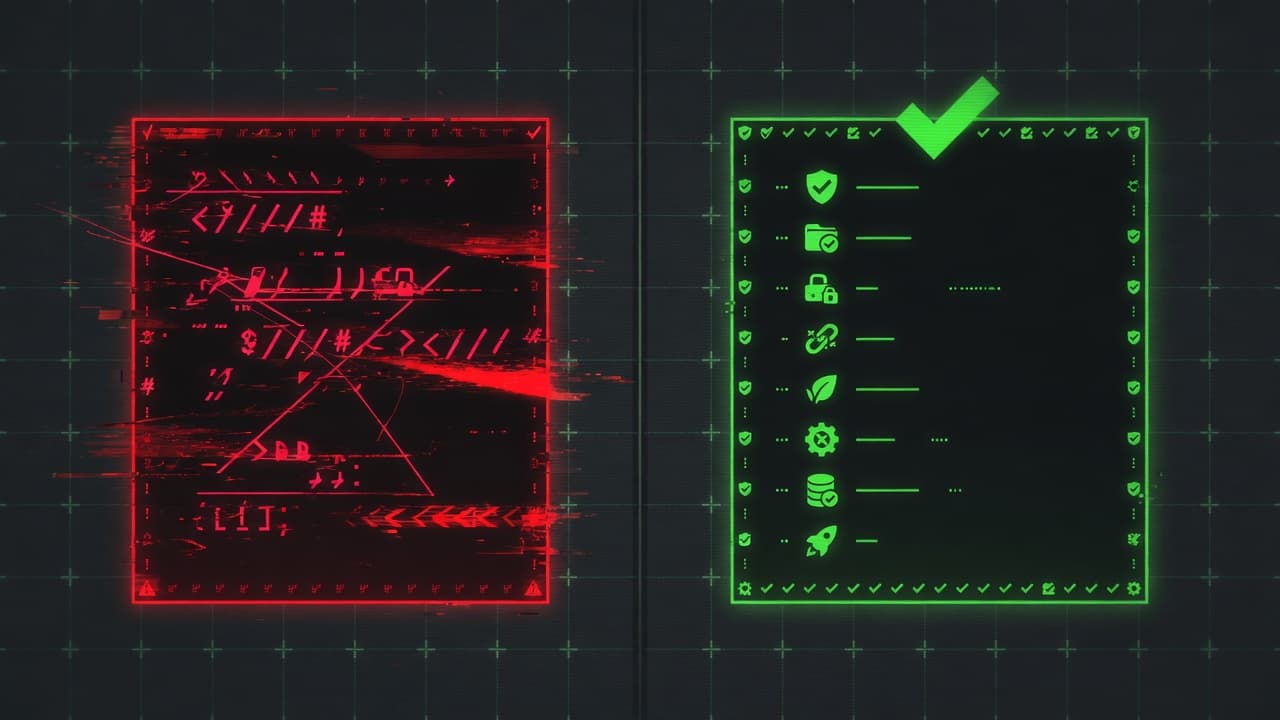
First-hand artifact: ship a side-by-side screenshot of the Inspector UI. red error state on the left (broken handshake, stderr pane showing the leaked console.log), green checkmark on the right (clean initialize → tools/list round trip). It is the single clearest visual proof of the fix.
Other common MCP errors and their fixes
Once stdout is clean, these are the next failures you hit. Each has a deterministic fix.
1. Environment variables not inherited. MCP servers spawned over stdio inherit a limited set of env vars; your shell's .bashrc/.zshrc exports do not propagate. Add an env block in claude_desktop_config.json:
{
  "mcpServers": {
    "myserver": {
      "command": "/absolute/path/to/node",
      "args": ["/absolute/path/to/server.js"],
      "env": { "MYAPP_API_KEY": "sk-..." }
    }
  }
}
2. Relative paths. The working directory of an MCP server launched by a host is undefined. Use absolute paths everywhere. for command, args, and any .env file references. The MCP debugging docs flag this explicitly (MCP debugging).
3. Windows npx instead of npx.cmd. On Windows, "command": "npx" often produces "Cannot connect to MCP server." Use the full path: "command": "C:\\Program Files\\nodejs\\npx.cmd". Backslashes must be doubled in JSON, and paths containing spaces are unreliable on the filesystem MCP server (MCP servers issue #447).
4. JSON syntax errors in the config. A trailing comma or unescaped backslash silently breaks the whole file. Validate before restarting:
jq. ~/Library/Application\ Support/Claude/claude_desktop_config.json5. Wrong config file on Windows MSIX installs. Claude Desktop's "Edit Config" button opens %APPDATA%\Claude\claude_desktop_config.json, but the MSIX-virtualized app reads from %LOCALAPPDATA%\Packages\Claude_pzs8sxrjxfjjc\LocalCache\Roaming\Claude\claude_desktop_config.json. Edit the virtualized path directly (claude-code issue #26073).
6. Protocol-version mismatch between SDK and host. If your server hardcodes a protocol version and the host expects a newer one, you'll see error -32602 ("Invalid params") on the initialize exchange. Update your MCP SDK to the latest minor version, or let the SDK negotiate.
Test checklist before shipping an MCP server
Run all seven before you commit. They take under 5 minutes combined.
Run the server command in a terminal. it should print nothing to stdout (only stderr).
Connect via
npx @modelcontextprotocol/inspectorand verifytools/listreturns your tools.Grep your codebase:
console.log,print(,fmt.Println,println!. replace each with the stderr equivalent.Confirm
dotenv(or your env loader) is silent or quieted.require('dotenv').config({ quiet: true }).Validate
claude_desktop_config.json(or.cursor/mcp.json) withjq..Use absolute paths in
commandandargs. nonpxshorthand on Windows, usenpx.cmd.Restart the host fully (close all windows, not just minimize) and check
/mcpor the Connectors menu.
FAQ
Why does my MCP server work in the terminal but not in Claude?
Because Claude reads your server's stdout as JSON-RPC. When you run the command yourself in a terminal, any extra stdout output is just visible text. harmless. When the host runs it, that text is parsed as a protocol message, fails, and the handshake collapses. The fix is to route every log line to stderr instead of stdout, in every language with console.error (Node), print(..., file=sys.stderr) (Python), Fprintln(os.Stderr,...) (Go), or eprintln! (Rust).
What does MCP error -32000 mean?
-32000 is the JSON-RPC implementation-defined server error code; in MCP it almost always surfaces as "Connection closed". the server's stdio process died or its stdout stream became unparseable. The MCP Playground attributes 43% of these cases to stdout pollution and the rest to missing env vars, wrong paths, or unhandled exceptions during initialization (MCP Playground troubleshooting). Check stderr first. the real exception is almost always there.
Does this affect Streamable HTTP transport too?
No. The stdout/stderr rule is specific to the stdio transport. With Streamable HTTP, the server runs as an independent process and clients communicate over HTTP POST/GET; stderr is not captured by the host on this transport (MCP debugging docs). For HTTP servers, log to your own files or aggregator and inspect requests with curl or browser DevTools instead.
Can I see what Claude Code logs when MCP fails?
Yes. Claude Code surfaces failed servers in the /mcp panel and writes per-server connection logs you can tail. Claude Desktop writes to ~/Library/Logs/Claude/mcp*.log on macOS and %APPDATA%\Claude\logs\mcp*.log on Windows. Tail those during a restart to see the exact failure line. usually Invalid JSON-RPC message followed by the stray text from your server's stdout.
How do I capture stderr while running MCP Inspector?
The Inspector UI shows stderr in a separate pane below the JSON-RPC message log. You don't need to redirect anything. Inspector spawns the server as a subprocess and captures both streams independently. That separation is exactly what makes Inspector the fastest way to spot stdout pollution: legitimate logs appear in the stderr pane, stray protocol-breakers appear inline with the JSON-RPC stream as parse errors.
Will n8n-MCP hit the same issue?
n8n-MCP, launched May 5, 2026, runs as an MCP server that lets Claude Code, Claude Desktop, Cursor, and Windsurf author n8n workflows (n8n-MCP launch coverage). The published package follows MCP transport rules, so a default install should not have the issue. If you fork it or wire in a custom logger, apply the same stderr-only rule before testing.
Is this fixed in newer MCP SDKs?
The SDKs do not. and cannot. prevent application code from calling console.log or print in your own modules. The MCP TypeScript and Python SDKs default their internal logging to stderr correctly. The bug is application-level: anywhere in your codebase, a third-party dependency, or a debug statement you forgot to remove. Lint rules (no-console in ESLint, equivalent in Ruff) catch most regressions.
Related from Vantaige
Build n8n Workflows with Claude Code: n8n-MCP Setup Guide (2026), Connect Claude Code to n8n in under 10 minutes via the open-source n8n-MCP server.
Cursor 3.3 Context Usage Breakdown: What to Cut First, Read each bucket in the new context ring and trim the right ones.
Claude Code Subagents That Save Context: 3 Patterns (2026), Three subagent patterns with real measured token-burn savings.
Cursor CVE-2026-26268: Check If You're Patched (Git Hook RCE), 60-second check whether your Cursor install needs the 2.5+ patch.
References
Model Context Protocol. Transports specification. https://modelcontextprotocol.io/docs/concepts/transports
Model Context Protocol. Debugging guide. https://modelcontextprotocol.io/docs/tools/debugging
MCP Inspector (official repo). https://github.com/modelcontextprotocol/inspector
MCP Playground, "MCP Server Not Working? Fix Error -32000". https://mcpplaygroundonline.com/blog/mcp-server-troubleshooting-common-errors-fix
Claude Code MCP documentation. https://code.claude.com/docs/en/mcp
Cursor changelog. https://cursor.com/changelog
n8n-MCP launch coverage (AIToolly, 2026-05-05). https://aitoolly.com/ai-news/article/2026-05-05-n8n-mcp-new-model-context-protocol-enables-ai-assistants-to-build-n8n-workflows
Anthropic, Claude Code GitHub Issue #26073 (Windows MSIX config path bug). https://github.com/anthropics/claude-code/issues/26073
Get the best new AI tools and guides, weekly
One short email a week. The tools worth trying, the guides worth reading, nothing else.
No spam. Unsubscribe anytime.
Aymen B
Contributing writer at Vantaige, covering the AI tools ecosystem.