Build a 70-Language Live Voice Agent With GPT-Realtime-Translate (2026)
Build a 70-Language Live Voice Agent With GPT-Realtime-Translate (2026)
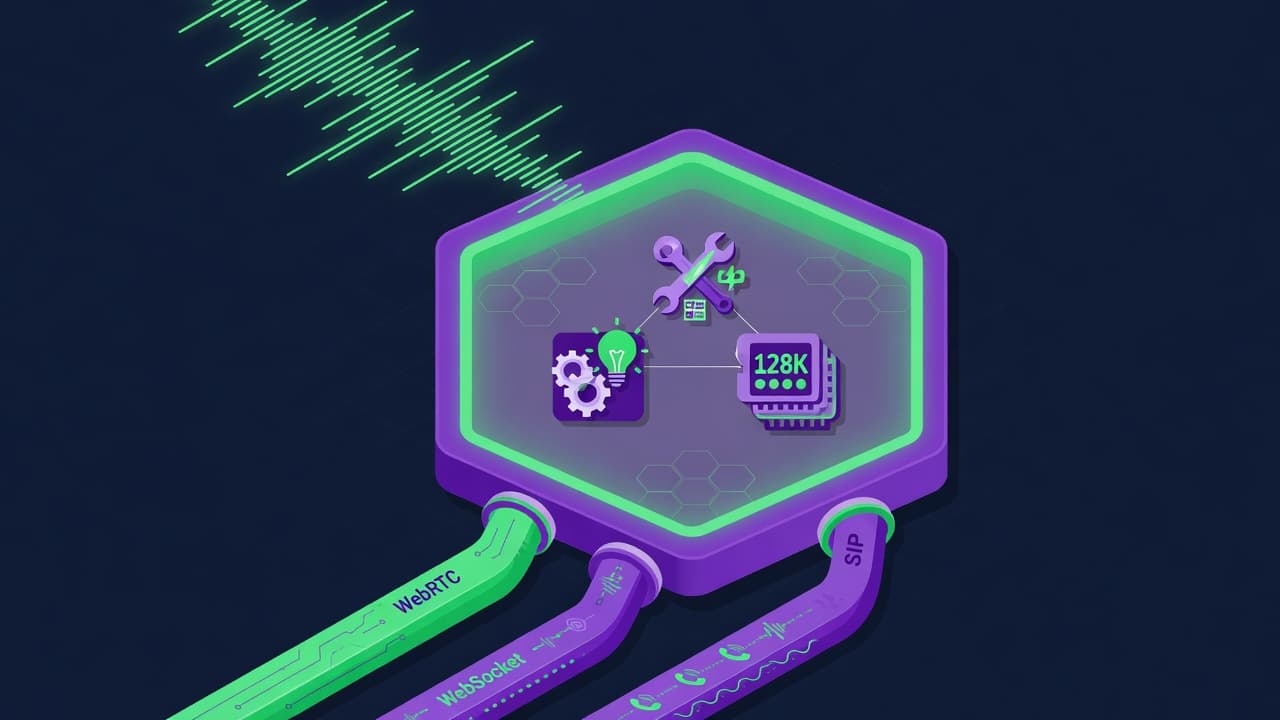
You want one person to speak Arabic and the listener to hear English back, in the same breath, with no transcript copy-paste step. On May 7, 2026 OpenAI shipped gpt-realtime-translate, a speech-to-speech model that detects 70-plus input languages and returns spoken translation in 13 output languages at $0.034 per minute, per OpenAI's voice intelligence announcement. This guide shows the real build: capture mic audio, stream it over WebRTC or WebSocket, let the model handle pacing, and play translated speech back, with the exact session config and connection code.
TL;DR
gpt-realtime-translate: 70+ input languages, 13 output languages.
Priced at $0.034 per minute, released May 7, 2026.
Translation mode is a continuous stream, no turn-taking to manage.
WebRTC for browsers, WebSocket for servers, both supported.
Set the target with one field:
audio.output.language.
Published 2026-05-19 · 11 min read · Last reviewed 2026-05-19
What is GPT-Realtime-Translate and how does it differ from GPT-Realtime-2?
GPT-Realtime-Translate is a dedicated live speech-to-speech translation model released by OpenAI on May 7, 2026. It takes spoken audio in any of 70-plus languages, auto-detects the source, and streams translated speech back in one of 13 output languages. Unlike GPT-Realtime-2, it is translation-only and has no tool calls or conversation state.
OpenAI shipped three audio models the same day. Each one does a different job:
Model | Job | Input | Output | Price |
|---|---|---|---|---|
| Conversational task execution, tool calls | Speech | Speech + actions | $32 / $64 per 1M tokens |
| Live speech-to-speech translation | 70+ languages | 13 languages, speech + text | $0.034 / min |
| Live transcription / captioning | Speech | Text | $0.017 / min |
The translation model was trained on professional interpreter audio, so it waits for enough context before it speaks instead of translating word by word, per the OpenAI translation cookbook. It also adapts the translated voice to follow the source speaker's general tone and pitch, and switches voice when a new speaker enters a multi-speaker session. We cover the conversational model in detail in our GPT-Realtime-2 voice agent setup guide.
Which languages does the 70-language voice agent actually support?
GPT-Realtime-Translate accepts over 70 input languages and produces speech in 13 output languages: Spanish, Portuguese, French, Japanese, Russian, Chinese, German, Korean, Hindi, Indonesian, Vietnamese, Italian, and English. The 70-plus figure describes what the model can listen to and understand, not what it can speak back.
This asymmetry matters for product scoping. You can let a caller speak Tagalog, Swahili, or Polish and translate that into any of the 13 supported output voices. You cannot, in this release, produce spoken output in Tagalog. If your use case needs an output language outside the 13, you would pair gpt-realtime-whisper for transcription with a separate text-to-speech step, which is the older cascading pattern this model was built to replace.
Source language is auto-detected. You do not pass an input language code. You only declare the target with audio.output.language, covered in the build steps below.
How do you connect a browser to GPT-Realtime-Translate over WebRTC?
For a browser client, mint a short-lived translation client secret on your server, then open a WebRTC peer connection from the browser that POSTs an SDP offer to the translations call endpoint. WebRTC is the recommended browser path because it handles microphone capture, jitter buffering, and audio playback natively.
Step 1. On your server, request a translation client secret. Never expose your real API key to the browser.
// server.js  (Node, runs server-side only)
const r = await fetch(
  "https://api.openai.com/v1/realtime/translations/client_secrets",
  {
    method: "POST",
    headers: {
      "Authorization": `Bearer ${process.env.OPENAI_API_KEY}`,
      "Content-Type": "application/json"
    },
    body: JSON.stringify({
      session: {
        model: "gpt-realtime-translate",
        audio: {
          input: {
            transcription: { model: "gpt-realtime-whisper" },
            noise_reduction: { type: "near_field" }
          },
          output: { language: "English" }
        }
      }
    })
  }
);
const { client_secret } = await r.json();
// return client_secret to the browser over your own authenticated route
Step 2. In the browser, build the peer connection, attach the mic, create the oai-events data channel, and exchange SDP with the translations call endpoint. Success looks like the remote audio track playing translated speech within roughly a second of the speaker pausing.
// client.js  (runs in the browser)
const pc = new RTCPeerConnection();

// play translated audio back
const audioEl = document.createElement("audio");
audioEl.autoplay = true;
pc.ontrack = (e) => { audioEl.srcObject = e.streams[0]; };

// capture microphone
const ms = await navigator.mediaDevices.getUserMedia({ audio: true });
pc.addTrack(ms.getTracks()[0]);

// JSON event channel
const dc = pc.createDataChannel("oai-events");
dc.onmessage = (e) => console.log(JSON.parse(e.data));

// SDP offer / answer
const offer = await pc.createOffer();
await pc.setLocalDescription(offer);

const resp = await fetch(
  "https://api.openai.com/v1/realtime/translations/calls",
  {
    method: "POST",
    body: offer.sdp,
    headers: {
      "Authorization": `Bearer ${clientSecret}`,
      "Content-Type": "application/sdp"
    }
  }
);
const answer = { type: "answer", sdp: await resp.text() };
await pc.setRemoteDescription(answer);
That is the whole connection. There is no response.create, no assistant turn, and no conversation item to send. Audio flows in over the media track and translated audio flows back out continuously. Verify the exact endpoint paths and the client-secret body shape against the current OpenAI Realtime WebRTC docs before you ship, since GA endpoints moved during the beta-to-GA transition.
How do you stream audio to it from a server over WebSocket?
For server-side pipelines such as a call center bridge or a livestream transcoder, use the WebSocket transport. Connect to the translations WebSocket endpoint with your API key, send one session.update to set the output language, then push base64 PCM16 audio frames and read translated audio deltas back.
Connect and configure:
// Node, server-side
import WebSocket from "ws";

const ws = new WebSocket(
  "wss://api.openai.com/v1/realtime/translations?model=gpt-realtime-translate",
  { headers: { Authorization: `Bearer ${process.env.OPENAI_API_KEY}` } }
);

ws.on("open", () => {
  ws.send(JSON.stringify({
    type: "session.update",
    session: {
      audio: {
        input: {
          transcription: { model: "gpt-realtime-whisper" },
          noise_reduction: { type: "near_field" }
        },
        output: { language: "Spanish" }
      }
    }
  }));
});
Push input audio as base64 little-endian PCM16 at 24 kHz, then handle the output events. Translated audio arrives as 200 ms PCM16 chunks; transcripts arrive separately.
// send a mic / call frame
ws.send(JSON.stringify({
  type: "session.input_audio_buffer.append",
  audio: base64Pcm16Frame   // 24 kHz, little-endian PCM16
}));

// receive translated speech + transcript
ws.on("message", (raw) => {
  const ev = JSON.parse(raw);
  if (ev.type === "session.output_audio.delta")      playPcm16(ev.delta);
  if (ev.type === "session.output_transcript.delta") appendCaption(ev.delta);
  if (ev.type === "session.input_transcript.delta")  appendSourceText(ev.delta);
});
Confirm the event names (session.output_audio.delta, session.output_transcript.delta) against the current OpenAI Realtime docs. Event naming changed between the beta and GA releases, and the translation surface uses translation-specific event types rather than the conversational model's response.audio.delta.
How does turn-taking work when there is no conversation loop?
Turn-taking is handled by the model, not your code. GPT-Realtime-Translate runs as a continuous stream: it listens, decides when it has enough context to translate accurately, and emits translated speech while still receiving new input audio. There is no voice activity detection threshold to tune and no end-of-turn event to wait for.
This is the single biggest mental shift coming from the conversational Realtime API. With gpt-realtime-2 you manage a turn cycle: user speaks, server VAD fires, you optionally call response.create, the assistant replies. With gpt-realtime-translate none of that exists. The model was trained on professional interpreter audio specifically so it knows when a clause is complete enough to render, the way a human interpreter waits half a sentence before speaking.
Practically, that means two patterns map cleanly onto this model. Broadcast translation, where one speaker streams continuously into a livestream, webinar, or keynote, and listeners hear a translated track. And conversational translation, where multiple participants on a call speak different languages and each hears the others translated. Both use the same continuous-stream setup; you just route more than one audio track in the multi-party case.
What does a 70-language voice agent cost to run?
GPT-Realtime-Translate is billed at $0.034 per minute of audio, per the OpenAI API pricing page. A one-hour translated webinar costs about $2.04. If you also enable source transcription with gpt-realtime-whisper at $0.017 per minute, add roughly $1.02 per hour for that stream.
Workload | Duration | Translate cost | + Whisper transcript |
|---|---|---|---|
Single sales call | 15 min | $0.51 | $0.77 |
Webinar / lecture | 60 min | $2.04 | $3.06 |
8-hour conference day | 480 min | $16.32 | $24.48 |
For a two-way conversation you are billed for each translated direction you run as its own session, so a bilingual call with both sides translated is roughly double a one-way stream. Always confirm current per-minute rates on the OpenAI pricing page before quoting a client, since launch pricing on news-adjacent models can change. For a broader cost picture across providers, see our Realtime-2 pricing and latency breakdown.
What are the common mistakes building a live translation agent?
Most failures come from reusing conversational Realtime patterns on a translation-only model. The model is purpose-built, so the generic speech-to-speech recipes from late 2025 actively work against it. Here are the recurring ones and the fix for each.
Forcing translation through the
instructionsfield. Older tutorials set a system prompt like "translate Spanish to English." Ongpt-realtime-translateyou setaudio.output.languageinstead. The model is translation-only by design; prompt-steering it is the wrong tool. Fix: use the dedicated language field.Managing turn detection yourself. Wiring up
server_vadthresholds and waiting for an end-of-turn event. The model paces itself. Fix: stream audio continuously and read output deltas as they arrive.Calling
response.create. There is no response object in translation mode. Sending one is a no-op at best. Fix: delete that code path entirely.Sending the wrong audio format. Input must be base64 little-endian PCM16 at 24 kHz. Resampled or float audio produces garbled translation. Fix: resample to exactly 24 kHz PCM16 before encoding.
Shipping the real API key to the browser. WebRTC clients must use a short-lived translation client secret minted server-side. Fix: keep the key on your server, return only the client secret.
Expecting an unsupported output language. Only 13 output languages produce speech. Requesting Tagalog or Polish output silently fails the use case. Fix: confirm your target is in the 13-language list, or fall back to Whisper plus a separate TTS step.
Skipping reconnect logic on WebSocket. Long sessions drop. A keynote that loses its socket at minute 38 with no resume strategy loses the rest of the talk. Fix: handle reconnects, session limits, and concurrent-connection caps explicitly.
When should you not use GPT-Realtime-Translate?
Skip it when you need an output language outside the 13 supported voices, when you need the model to also take actions or answer questions, or when end-to-end latency below roughly 300 ms is contractually required. It is a translation-only model, not a conversational agent, and not a sub-200 ms interpreter substitute for every scenario.
If you need translation plus task execution, for example "translate the caller and also look up their order," that is two models: gpt-realtime-translate for the language bridge and gpt-realtime-2 for the task loop. If you only need text captions and not spoken output, gpt-realtime-whisper alone is cheaper at $0.017 per minute. And if your output language is unsupported, the cascading Whisper-plus-TTS pattern, while older, is still the only path. Picking the right model per job is the same discipline we cover in our Grok 4.3 API agents migration guide for cross-provider routing.
FAQ
Does GPT-Realtime-Translate detect the input language automatically?
Yes. You do not pass a source language code. The model auto-detects the spoken input from its 70-plus supported input languages and translates into the single output language you set via audio.output.language. In multi-speaker sessions it also adapts the translated voice as new speakers enter, per OpenAI's translation cookbook. You only ever declare the target, never the source.
Can I use GPT-Realtime-Translate for a two-way phone call?
Yes. The conversational translation pattern is one of the two intended use cases. Route each participant's audio into the model and set the output language to what the other side needs to hear. For a fully bilingual call you run a translated stream per direction, which roughly doubles the per-minute cost versus a one-way broadcast. WebSocket is the typical transport for phone and call-center bridges.
What is the difference between gpt-realtime-translate and gpt-realtime-whisper?
GPT-Realtime-Translate outputs translated speech in a different language; gpt-realtime-whisper outputs text transcription in the same language as the input. Translate is $0.034 per minute and produces audio plus transcripts. Whisper is $0.017 per minute and produces text only. Many builds use both together: Whisper for the source-language caption track and Translate for the spoken translation.
Is there turn-taking or voice activity detection to configure?
No. Translation mode runs as a continuous stream and the model decides when it has enough context to speak, having been trained on professional interpreter audio. Unlike the conversational Realtime API, there is no server_vad threshold, no end-of-turn event, and no response.create call. You stream input audio in and read translated audio deltas out without managing a turn cycle.
WebRTC or WebSocket: which transport should I pick?
Use WebRTC for browser clients because it handles microphone capture, jitter, and playback natively, and uses a short-lived client secret so your API key stays on the server. Use WebSocket for server-side pipelines such as call bridges, livestream transcoders, or telephony, where you control the audio frames directly and authenticate with your API key. Both target translation-specific endpoints.
How accurate is the translation for production use?
OpenAI states the model was trained on thousands of hours of professional interpreter audio and stays translation-only, waiting for enough context before speaking. Accuracy is strong for the 13 supported output languages on clear, near-field audio. For high-stakes legal or medical interpretation, treat it as assistive and keep a human in the loop. Always test on your real audio conditions before relying on it unattended.
Why does my translated audio sound garbled?
The most common cause is the wrong audio format. Input must be base64-encoded little-endian PCM16 sampled at exactly 24 kHz. Float32 audio, 16 kHz, 44.1 kHz, or stereo frames all produce distorted or unintelligible output. Resample to 24 kHz mono PCM16 before base64 encoding. The second most common cause is reusing conversational event types instead of the translation-specific ones.
Can the translated voice match the original speaker?
Partially. OpenAI's cookbook describes dynamic voice adaptation where the translated speech follows the source speaker's general tone, pitch, and speaking style, and the voice changes as new speakers enter a multi-speaker session. It is not a voice clone of the original speaker. It approximates delivery characteristics so a translated panel does not sound like one flat narrator.
Related from Vantaige
References
[1] OpenAI, Advancing voice intelligence with new models in the API: https://openai.com/index/advancing-voice-intelligence-with-new-models-in-the-api/
[2] OpenAI Cookbook, Build live translation apps with gpt-realtime-translate: https://developers.openai.com/cookbook/examples/voice_solutions/realtime_translation_guide
[3] OpenAI API, Realtime API with WebRTC: https://developers.openai.com/api/docs/guides/realtime-webrtc
[4] OpenAI API, Realtime and audio guide: https://developers.openai.com/api/docs/guides/realtime
[5] OpenAI API pricing: https://openai.com/api/pricing/
Get the best new AI tools and guides, weekly
One short email a week. The tools worth trying, the guides worth reading, nothing else.
No spam. Unsubscribe anytime.
Aymen B
Contributing writer at Vantaige, covering the AI tools ecosystem.