Vantaige Launches the LLM VRAM Calculator: A Free GPU Compatibility Finder for Open-source and Open-Weight AI
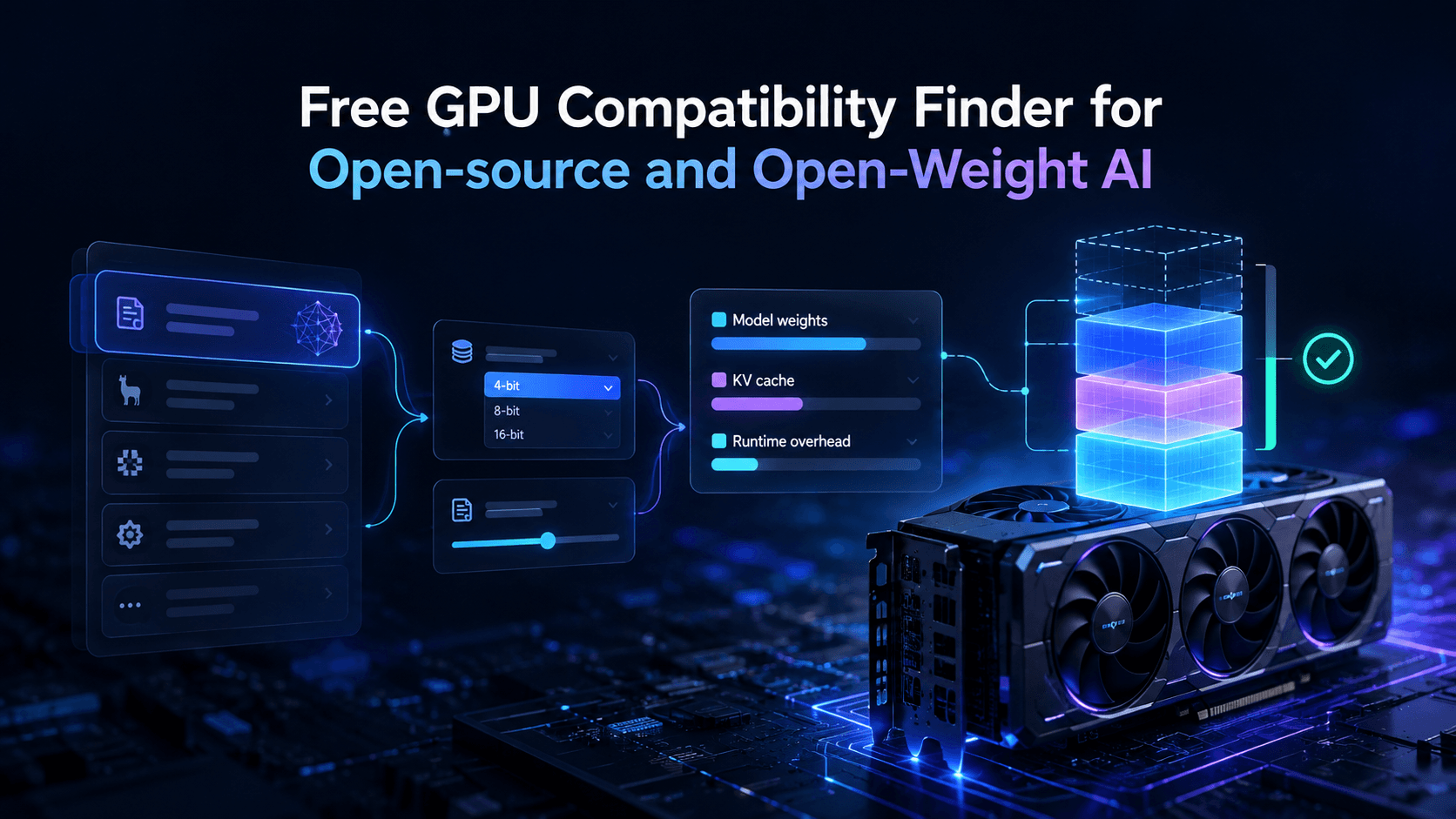
Vantaige has released the LLM VRAM Calculator, a free GPU memory estimator and compatibility finder that tells anyone, hobbyist, PC builder, or ML engineer, whether a specific open-weight model will actually run on their hardware before they download a single gigabyte or rent a cloud GPU.
Also known as a GPU VRAM estimator, local LLM hardware sizer, quantization memory calculator, or GPU compatibility finder, the tool answers the question every self-hoster eventually types into Google: "how much VRAM do I need to run this model?"
Why it matters
Model card file sizes are misleading. A GGUF download only reflects model weights; it says nothing about the KV cache, which scales with context length and can rival or exceed the weight size at 32K to 128K tokens, or about runtime and framework overhead. That gap is why people hit CUDA out-of-memory errors on GPUs that "should" have had room. Vantaige's calculator breaks the real memory budget into three visible components, weights, KV cache, and runtime overhead, and checks the total against real consumer and datacenter GPUs.
Key features
30+ ready-cached real models (not just parameter counts) pulled from a daily-updated catalog, spanning dense 7B/8B models up through trillion-parameter MoE flagships.
Quantization-aware sizing: Q4_K_M, Q5_K_M, Q8, FP16, and more, showing how quant level changes the weight footprint independent of KV cache.
Context-length slider (8K / 32K / 128K) that live-updates KV cache size, exposing the "fits at 4K, OOMs at 32K" trap.
Runtime and KV cache engine options, including GQA and MLA-aware cache math, matching the logic used by Ollama and llama.cpp-style loaders.
Two entry modes: start from a model to find compatible GPUs, or start from your GPU to find compatible models.
44+ GPU compatibility matrix with safe-fit headroom (not raw capacity), from the RTX 3060 12GB up through 80GB H100-class cards, plus direct "Buy hardware" links per GPU.
Rent vs. buy guidance for bursting into 48 to 80GB configurations via cloud GPU providers instead of building a dual-GPU rig.
What it actually takes to run today's flagship open models
Parameter counts alone are meaningless for sizing, especially for MoE architectures where active parameters do not reduce VRAM. Every expert still has to sit in memory because the router can select a different one per token. Here's where the current generation of open and open-weight models actually lands (rough Q4 weight-only figures, before KV cache):
Model | Architecture | Q4 weight footprint (approx.) | Realistic local path |
|---|---|---|---|
GLM-5.3 (Z.ai) | ~743B MoE | ~400 GB | Multi-GPU datacenter rig; not single-card feasible |
DeepSeek V4 Pro | 1.6T MoE, 49B active | ~880 GB | Multi-GPU H100/H200 cluster only |
DeepSeek V4 Flash | 284B MoE, 13B active | ~155 GB | Dual 80GB cards or a high-memory Mac Studio |
MiMo-V2.6 Pro (Xiaomi) | 1.02T MoE, 42B active | ~560 GB | Multi-GPU datacenter rig |
MiMo-V2.6 Flash | 309B MoE, 15B active | ~170 GB | Dual 80GB cards or 192GB+ unified memory |
Qwen3.8-Max (Alibaba) | 2.4T MoE, 95B active | ~1.3 TB | Datacenter-scale only |
Qwen3.8-Flash-Next | 125B MoE, 6B active | ~70 GB | Single 80GB card, or dual 48GB cards |
Muse Glimmer (Meta) | 30B dense | ~17 GB | Single 24GB consumer GPU (RTX 4090 class) |
The takeaway: the current wave of frontier open-weight releases (GLM-5.3, DeepSeek V4, MiMo-V2.6, Qwen3.8-Max) are built for datacenter or multi-GPU rental deployment, not a desktop. If you want something you can actually load on one consumer card tonight, Muse Glimmer, the smaller Flash-tier variants, or an older dense 7B to 32B model are the realistic targets, which is exactly why the calculator's "start from your GPU" mode matters more than chasing the biggest name on a leaderboard.
Built-in knowledge hub
The launch ships with a full reference cluster:
The Local LLM & VRAM Glossary, 50+ terms covering GGUF vs. Safetensors, K-quants, GQA, MoE active-vs-total params, and Apple unified memory.
KV Cache Deep Dive & Sizing, the exact KV cache formula and an interactive sizing widget comparing MHA, GQA, and MLA (DeepSeek-style) attention.
How to Read Model Cards & Configs, an interactive config.json inspector that flags the MoE parameter trap.
Open Source vs. Open Weights, a licensing matrix covering Llama, DeepSeek, Qwen, and Gemma commercial-use terms.
GPU & Hardware Sizing Guide, 8GB to 96GB VRAM tiers, bandwidth vs. TFLOPS, Apple Silicon vs. NVIDIA, and dual-GPU builds.
FAQ
How much VRAM do I need to run a local LLM?
Budget weights plus KV cache plus overhead. At Q4, rough floors: ~5 to 8 GiB for 7B/8B, ~8 to 12 GiB for 13B/14B, ~18 to 24 GiB for 32B, ~42 to 50 GiB for dense 70B, before adding context.
What GPU do I need to run GLM-5.3, DeepSeek V4, or MiMo-V2.6?
None of these fit on a single consumer card. GLM-5.3 (~743B MoE) needs roughly 400 GB at Q4; DeepSeek V4 Pro (1.6T MoE) needs roughly 880 GB; MiMo-V2.6 Pro (1.02T MoE) needs roughly 560 GB. All three are MoE models, so the full parameter set has to be resident in memory regardless of how few experts activate per token. Realistic local paths are a multi-GPU H100/H200 rig or a high-memory unified-memory Mac cluster. For a single-GPU experience, use the smaller "Flash" tier of each family instead (DeepSeek V4 Flash, MiMo-V2.6 Flash), which still need 150 to 175 GB and a dual-GPU setup, or drop to something purpose-built for one card like Meta's Muse Glimmer.
Can I run Llama 70B on a 24GB GPU?
Not fully at Q4 quality. A single 3090 or 4090 can hybrid-offload 70B but runs single-digit tok/s. Dual 24GB cards or a 48GB+ card is the practical consumer path.
Does quantization change VRAM needs?
Yes, it's the second-biggest lever after model size. FP16 is ~2 bytes per parameter; Q4_K_M is roughly 0.5 to 0.6 bytes per parameter. Quantizing weights does not shrink the KV cache unless the cache itself is quantized.
Does longer context increase VRAM usage?
Yes. KV cache scales with context length and concurrent sequences, a model that fits at 4K can OOM at 32K.
Is 12GB (RTX 3060) enough for local LLMs?
Yes for 7B to 14B at Q4 with context headroom. Dense 32B/70B and any of the trillion-parameter MoE flagships need offload or multi-GPU.
Try it
The LLM VRAM Calculator is free and live now at vantaige.io/tools/ai-vram-calculator. Vantaige also runs a companion AI Token Calculator and AI Prompt Builder as part of its free AI tools suite.
Get the best new AI tools and guides, weekly
One short email a week. The tools worth trying, the guides worth reading, nothing else.
No spam. Unsubscribe anytime.
Aymen B
Contributing writer at Vantaige, covering the AI tools ecosystem.