RFP and Proposal Auto-Fill: The Agent That Handles 80% of the Repeating Questions (2026)
RFP and Proposal Auto-Fill: The Agent That Handles 80% of the Repeating Questions (2026)
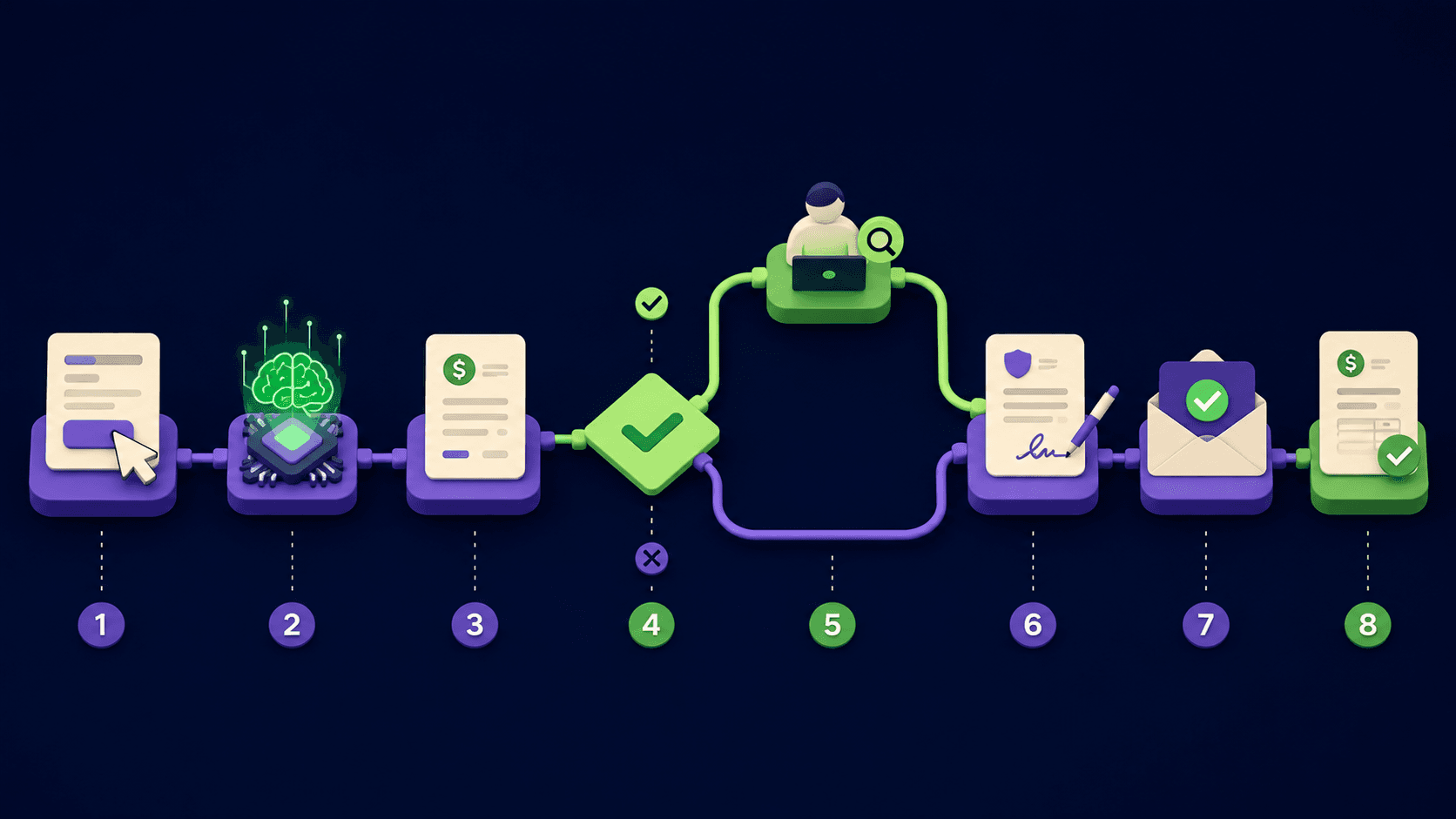
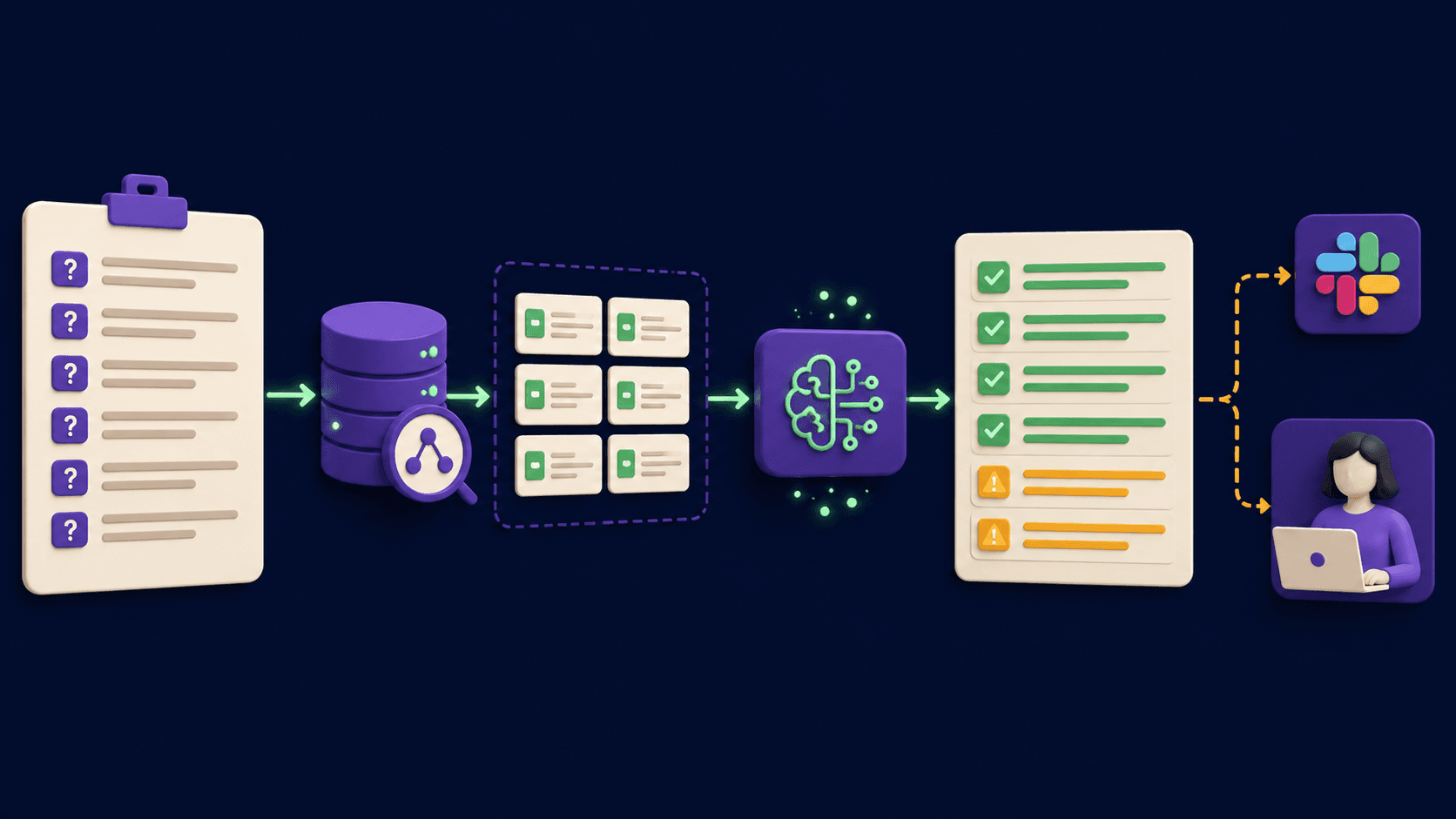
Every RFP, security questionnaire, and vendor onboarding form your team fills out asks the same 200 questions you answered last month. By 9 pm on Friday a sales engineer has copy-pasted from three old proposals, a SOC 2 report, and a Notion page nobody updates, and the doc is still 40 percent done. The fix is an n8n AI Agent that ingests the questionnaire, retrieves approved past answers from a vector store, drafts the 80 percent that repeats, and flags the 20 percent that needs a human SME. Operators running this in our builds see the Friday-night ordeal shrink to a 45-minute review pass.
TL;DR
Ingest the RFP in any format (PDF, DOCX, web form, Loopio export).
AI Agent retrieves from approved past answers plus the trust center.
Drafts the 80 percent of repeat questions, flags the 20 percent for SME review.
Reviewer edits in place, writes back to the original format with formatting intact.
Every accepted edit logs back to the vector store so next round drafts better.
What is RFP and proposal auto-fill, and how does it actually work in 2026?
RFP auto-fill is a workflow that reads an incoming questionnaire, retrieves your previously approved answers from a vector store of past responses, drafts the repeat questions automatically, and stages the non-repeat questions for a human SME. The point is not "AI writes your RFP." The point is that 80 percent of any vendor questionnaire is the same security, compliance, and integration questions you have answered ten times, and a reviewer should only spend their Friday on the 20 percent that is actually new.
Per Loopio's 2024 RFP response benchmark, the average B2B RFP contains 109 questions and takes the responding team 32 hours to complete. Most of that time is not on the strategic answers; it is on copy-pasting the same SOC 2 dates, GDPR posture, and subprocessor list into a new format. Move that copy-paste off the human and the 32 hours drops to roughly five.
Which questionnaires and formats should the agent handle?
Four input formats cover almost everything a B2B sales engineer or proposal manager sees: PDF (still the most common), DOCX (vendor onboarding, MSAs, security addenda), web forms (procurement portals, Loopio and Responsive public links), and structured exports (Loopio or Responsive JSON / CSV when the buyer also uses a response platform). Start with PDF and DOCX, which together cover roughly 80 percent of inbound questionnaires, then add web form and structured export branches only when a real prospect sends one.
Format | What the agent reads | Ingest tool | Output format on write-back |
|---|---|---|---|
PDF questionnaire | Question text, answer space, section headers, page-locked layout | Unstructured.io or AWS Textract for OCR plus layout, returns structured JSON | PDF form-fill via pdf-lib (n8n HTTP Request to a microservice) or new PDF generated to match |
DOCX (vendor onboarding, security addendum) | Tables of questions, free-text response cells, headers and sub-headers | python-docx or the Office Open XML SDK, called via n8n HTTP Request | Original DOCX with response cells populated, formatting and styles preserved |
Web form (procurement portal, Loopio public link) | Visible questions on screen, answer field IDs, multi-page flow | Playwright or Browserbase via n8n HTTP Request, scripted per portal | Form filled in the browser, owner reviews and clicks submit |
Loopio / Responsive export (JSON, CSV) | Question, library category, answer field, due date per row | n8n's native Read Binary File then Spreadsheet File or JSON parser | Re-import compatible CSV / JSON back into the response platform |
One design rule before you wire the agent. The write-back step always preserves the original format. A buyer who sent you a 14-page PDF receives a 14-page PDF, not a Google Doc with their questions retyped. Format-loyalty is half the trust signal, and it costs nothing to keep.
What does the n8n architecture look like end to end?
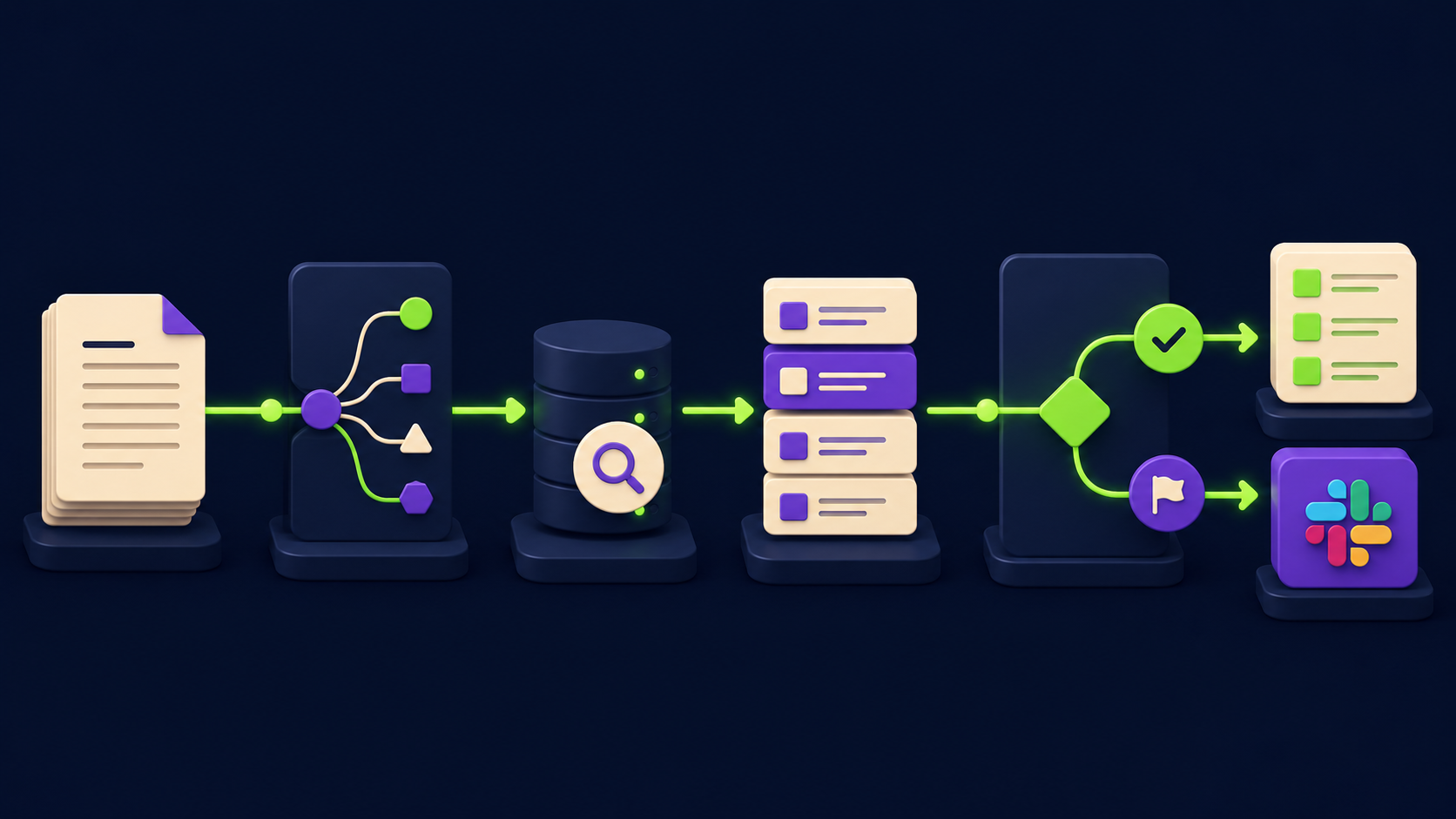
The workflow has one trigger, an ingest branch per format, a retrieval-augmented draft step, a flag-for-review gate, an SME approval Wait state, and a format-preserving write-back. The whole flow runs on an n8n AI Agent node with a Vector Store tool, with the answer library living in Pinecone, Qdrant, or Postgres pgvector. The reviewer interaction happens in Slack so the SME never leaves their tool.
Stage | Input | LLM / RAG step | Output | Who reviews |
|---|---|---|---|---|
1. Trigger | Email with attachment, Slack /rfp command, or shared Loopio link | None, format detection only | Routed item with format flag (pdf / docx / web / export) | None |
2. Parse | Raw PDF / DOCX / HTML / export | Unstructured or Textract OCR + layout, no LLM yet | Structured JSON: array of {section, question_id, question_text, expected_format} | None |
3. Classify | Per-question text | Lightweight classification call (Haiku or GPT-4o-mini): repeat-question / new-question / legal-sensitive / data-residency | Routing label per question | None |
4. Retrieve | Question text + classification | Embedding + Vector Store search across approved past answers + trust center docs (SOC 2, GDPR, DPA, ISO 27001 if held) | Top 3 to 5 candidate answers with similarity score and source citation | None |
5. Draft | Retrieved candidates + question + format constraints (word limit, yes-no, dropdown) | AI Agent (Claude Sonnet or GPT-4o) writes the answer, must cite the source answer ID from the vector store, must flag low-confidence | Draft answer + confidence score + source IDs | None |
6. Gate | Draft + confidence + classification | Rule layer (no LLM): auto-accept if classification = repeat AND confidence above 0.85 AND no legal flag | Auto-filled answer OR flagged-for-review item | None |
7. Review | Flagged items + draft + sources | None, Slack interactive prompt with Approve / Edit / Route-to-counsel buttons | SME decision per question | SME, Legal, or Security owner depending on flag |
8. Write-back | Final approved answer set | None, format-specific renderer (pdf-lib, python-docx, Playwright, Loopio import) | Filled questionnaire in the original format | Account owner sign-off |
9. Learn | Every SME edit (before and after) | Diff + re-embed corrected answer, append to vector store with provenance and updated approval date | Vector store now answers this exact question better next time | None, runs automatically |
Two architectural choices matter. Step 6 is a deterministic rule, not an LLM judge, because "auto-accept" is a trust decision and a rule layer is debuggable. Step 9 closes the learning loop automatically: every SME edit goes back into the vector store with provenance ("approved by Jane Doe on 2026-05-21, supersedes answer 0a4f9c"). See the n8n AI Agent node reference and Vector Store tool sub-node reference for stages 3 through 5. For adjacent patterns the 15 AI agent n8n workflows you can build in a weekend covers neighboring retrieval-and-draft setups, and the orchestrator-worker n8n template is the shape you graduate to when one agent grows into specialized worker agents per question type.
How do you build the answer library the agent retrieves from?
The agent is only as good as its retrieval source, so week one goes entirely into seeding the vector store with your approved past answers and your active trust center documents. Pull every RFP you have responded to in the last 24 months from Google Drive, SharePoint, Loopio, or Responsive, plus the canonical SOC 2 / GDPR / DPA / ISO 27001 / penetration test summary documents. Chunk each Q-and-A as one record so retrieval lands on the question level, not the document level.
Past RFPs: extract each question-and-approved-answer pair as one chunk. Tag with date answered, who approved, product version, buyer industry. The Unstructured.io documentation covers the partition-by-element approach that gets you to one Q-and-A per chunk.
Trust center documents: SOC 2 Type II (latest), GDPR posture, DPA, subprocessor list, ISO 27001 if held, penetration test summary, BC/DR plan. Chunk by section header, tag with source document and document date.
Embedding model: OpenAI text-embedding-3-large (3072 dims) or Voyage AI voyage-3 (1024 dims) both retrieve well on this content. See the OpenAI embeddings guide for cost and dimension tradeoffs.
Vector store: Pinecone serverless (per the Pinecone docs) for lowest-ops, Qdrant Cloud (per the Qdrant docs) when you want hybrid keyword-plus-vector out of the box, or Postgres pgvector (per the pgvector readme) when you already run Postgres.
Metadata schema per chunk:
{question_text, answer_text, approved_by, approved_date, product_version, source_document, source_section, buyer_industry, confidence_tier}. Filters in the retrieval step let you exclude anything older than 12 months or tagged with a product version you no longer ship.
Two seeding rules that pay off later. Never seed the vector store with a draft answer that did not actually ship to a buyer (you would be embedding internal speculation as policy). And tag every record with an approval date so retrieval can hard-exclude anything stale beyond your security team's review cycle. The agent that retrieves a 2023 SOC 2 date in a 2026 questionnaire is the agent that gets unplugged by your CISO.
How does the agent decide what to auto-fill vs flag for review?
A three-input rule gate decides per question: classification label, retrieval confidence score, and presence of any sensitive flag (legal, data-residency, certification-claim, subprocessor). Auto-fill happens only when classification is "repeat", confidence is above 0.85 cosine similarity to a top-match approved answer, and no sensitive flag is present. Anything else routes to the matching reviewer. The agent is conservative by design: the cost of one wrong auto-fill in a security questionnaire is direct, and the cost of one extra human review is a Slack ping.
The classification step is a one-line call to a small model (Claude Haiku or GPT-4o-mini): "Classify this RFP question into one of: repeat-security, repeat-integration, repeat-commercial, new-question, legal-sensitive, data-residency, certification-claim, subprocessor. Return only the label." Per the Anthropic clear-and-direct prompting guidance, the single-label constraint plus an exhaustive list keeps the classifier reliable without a finetune.
The retrieval step returns top 3 matches with cosine similarity. Above 0.85 the draft quotes the match almost verbatim, swapping in current dates and product versions. Between 0.70 and 0.85 the draft is generated but flagged "medium confidence, please verify"; below 0.70 the question routes straight to the SME with a "no good match, write a fresh answer" prompt. The reviewer interaction lives in Slack via a Block Kit message with the question, the draft, top 3 retrieved sources with scores, and three buttons (Approve, Edit, Route-to-counsel). The Slack interactivity handling docs cover the response_url pattern n8n uses to capture the SME decision and continue the workflow.
What should the agent never submit alone, even with high confidence?
Four categories should always route to a human, regardless of how confident the retrieval is: claims about active certifications you cannot substantiate today, anything touching data residency or cross-border transfer, anything that creates legal indemnification or liability, and anything mentioning subprocessors you have not approved since the last vector store refresh. The cost of getting one of these wrong is asymmetric: a misstated SOC 2 status in a procurement reply is the kind of thing that ends deals and ends careers.
Active certification claims: if the question is "Do you maintain SOC 2 Type II?" and your last audit window expired three months ago and you are mid-renewal, the cached answer from six months ago is wrong. Route every certification question to your security team with a one-line check, and bake the expiry date into chunk metadata so the rule layer auto-flags past-window claims.
Data residency and cross-border transfer: any question about where data is stored, processed, replicated, or transferred (especially anything mentioning GDPR, EU data residency, FedRAMP, or country-specific localization) routes to your DPO or legal counsel. The agent should never be the source of truth on the current production region map.
Legal indemnification, liability caps, contract clauses: any question worded as a contract obligation ("Will you indemnify against...", "What is your liability cap for...", "Do you accept clause X of our MSA?") routes to counsel. Even an exact retrieval match is dangerous because the prior buyer's clauses may have differed materially.
Subprocessors and third-party tooling: if the question lists a subprocessor by name or asks you to list yours, the agent retrieves but always tags the response "verify against current subprocessor list dated YYYY-MM-DD." Subprocessor changes are the single most common reason a cached answer becomes wrong. Flag every subprocessor question regardless of confidence.
The pattern across all four: the 80 percent the agent handles alone is the dense, repetitive, factual middle of every RFP. The 20 percent that always gets human eyes is the legally consequential and time-sensitive part. Operators who lose this discipline ship one fast cycle, then ship one bad answer to a Fortune 500 prospect, and spend the next quarter rebuilding. The same draft-and-flag discipline runs our lead form to qualified call automation for the same reason.
How does the workflow write back to the original format and learn from edits?
The write-back step is format-specific, called from n8n via HTTP Request to a renderer microservice per format. PDFs render via pdf-lib in a Node microservice that finds the field by question_id and writes into the correct rectangle. DOCX templates round-trip through python-docx, preserving tables, headers, and styles. Web forms get filled by a Playwright script that loads the portal URL and types each answer. Loopio and Responsive exports re-serialize as CSV or JSON in the platform's import schema. Never re-render a PDF from scratch (you will lose the buyer's headers, page numbers, and table layout); always fill into the original. The workflow also generates a side-by-side audit document (question, retrieved sources, drafted answer, final answer, approver, timestamp) attached to the response, which is what security asks for when a buyer's compliance lead asks "where did this answer come from?"
For vendor onboarding or master agreements, the workflow stops at a DocuSign or Adobe Sign step for internal sign-off (head of sales, CRO, or CFO depending on deal size). The signed artifact archives to the deal record in HubSpot or Salesforce. See the DocuSign eSignature REST API documentation for the embedded-signing endpoint used at this gate.
The learning loop closes after write-back. Every SME edit re-embeds the corrected answer to the vector store with a "supersedes" link to the prior chunk. The prior chunk is downgraded with a "stale" metadata flag so retrieval skips it but the provenance survives audits. After one full quarter the auto-fill rate at the 0.85 gate climbs from a starting 60 to 70 percent to a steady 80 to 85 percent. The monthly drift check: open a saved query for "answers approved in last 30 days where SME edit changed more than 20 percent of the draft." High counts mean the agent is drafting too aggressively from stale sources.
How long does it take to build, and what does it cost to run?

A first build runs two to three focused weeks for an n8n-and-vector-store operator: roughly 25 to 50 hours of wiring plus a week of library seeding. Total operating cost stays under $250 per month for a team responding to 4 to 10 RFPs monthly. One hour of sales engineering time recovered per RFP covers a year of recurring spend; the time saved per RFP is closer to 25 hours.
Line item | Typical monthly cost | Notes |
|---|---|---|
Model API (classify + draft per question, 4 to 10 RFPs per month at 109 questions average) | $30 to $100 | Haiku or GPT-4o-mini on classify, Sonnet or GPT-4o on draft; scales linearly with RFP volume |
Embedding cost (one-time seed + ongoing learning loop) | $5 to $20 | OpenAI text-embedding-3-large at $0.13 per million tokens; trivial compared to draft cost |
Vector store (Pinecone serverless, Qdrant Cloud, or self-hosted pgvector) | $50 to $100 | Pinecone or Qdrant starter tiers; pgvector self-hosted is $0 on existing infra |
n8n hosting | $6 to $20 | Self-host on a small VPS or n8n Cloud Starter at $20 per month |
Renderer microservices (pdf-lib + python-docx + Playwright) | $0 to $40 | Runs on the same VPS as n8n at zero added cost, or a small managed service tier |
OCR (Unstructured or AWS Textract) | $0 to $30 | Unstructured open-source self-hosted at $0, Textract at roughly $0.0015 per page for forms |
DocuSign (only if final sign-off step is enabled) | $10 to $40 | Personal or Standard plan; only relevant if your sign-off process already uses DocuSign |
Fastest path: week one is library seeding from your three best-completed RFPs into Pinecone or Qdrant. Week two is the agent (parse-classify-retrieve-draft on one PDF format end to end). Week three is reviewer integration (Slack approval, PDF write-back, learning-loop re-embed). Add DOCX, web form, and Loopio export in week four and beyond as buyers send them. Per the 2026 AI automation rate card, operators commonly price this engagement at a one-time $15,000 to $40,000 plus $500 to $1,500 monthly for library refresh and prompt tuning. Maintenance after launch runs two to three hours per month, mostly trust center refreshes (SOC 2 annual, DPA on contract renewals, subprocessor list quarterly) plus a saved-query review.
Would rather have this built and connected to your trust center?
If the architecture above reads clear but building it sounds like more nights than you want to spend, Vantaige builds RFP auto-fill systems for B2B sales teams as a fixed-scope engagement. We seed the vector store from your real past RFPs and trust center, wire the agent and rule gate to your security team's review workflow, and hand over the n8n workflow and renderer services as code you own. Get in touch via vantaige.io/contact if you want a scoped quote.
Frequently asked questions
Can the agent handle a procurement portal with login and a multi-page web form?
Yes, with a Playwright script per portal as the write-back layer. The script logs in with stored credentials (use n8n credentials with environment-variable injection, never hardcode), navigates the multi-page form, and fills each field by selector. Each portal needs its own script the first time (one to three hours per portal), but it is reusable for every subsequent RFP from the same buyer. Ariba, Coupa, and Loopio public links have stable enough DOM structure to hold for many quarters.
What happens when the agent retrieves an answer that contradicts a newer trust center document?
The rule gate checks the freshness metadata on the retrieved chunk against the freshness metadata on the source document. If the retrieved answer is older than the most recent trust center document covering the same topic, the draft is downgraded to "review required, retrieved answer may be stale, see source document dated YYYY-MM-DD." The SME sees both side by side, picks the current one, and the corrected version flows through the learning loop to supersede the stale chunk.
What if the questionnaire contains confidential buyer information that cannot go to a third-party model?
Run the draft step on a self-hosted model (Llama 3, Mistral, or DeepSeek deployed on a VPS or in-VPC GPU) instead of OpenAI or Anthropic, and run the classification step on the same self-hosted model. The architecture is identical; only the model endpoint changes. Embedding can stay on Voyage or OpenAI if security approves embedding-only flow, or also move to a self-hosted embedding model like BGE-large. The n8n Ollama chat model node covers local-model integration.
Will this work for 600-question custom Excel InfoSec assessments?
Yes. Excel is one more parse-and-render branch: extract with the n8n Spreadsheet File node (or openpyxl for complex multi-sheet layouts), classify and retrieve as normal, then write back to the same Excel template with formulas and conditional formatting preserved. Classification matters more at this volume because some sections are not security questions (training records, employee counts, financials). Tag those upfront and route them out of the security-team Slack channel.
Is this overkill for a team that responds to one RFP per month?
At one RFP per month, seeding and tuning hours probably exceed the time saved in the first six months. Break-even lands around three RFPs per month, after which the workflow pays for itself in roughly the first quarter. For teams under that threshold, a stripped-down version (no Slack approval, no learning loop, just parse + retrieve + draft in a Google Doc for full human edit) recovers most of the value at a fraction of the build cost.
Related from Vantaige
References
Get the best new AI tools and guides, weekly
One short email a week. The tools worth trying, the guides worth reading, nothing else.
No spam. Unsubscribe anytime.
Aymen B
Contributing writer at Vantaige, covering the AI tools ecosystem.