Auto-Build Weekly Client Status Reports From Slack, Asana, GitHub & Stripe (2026)
Auto-Build Weekly Client Status Reports From Slack, Asana, GitHub & Stripe (2026)
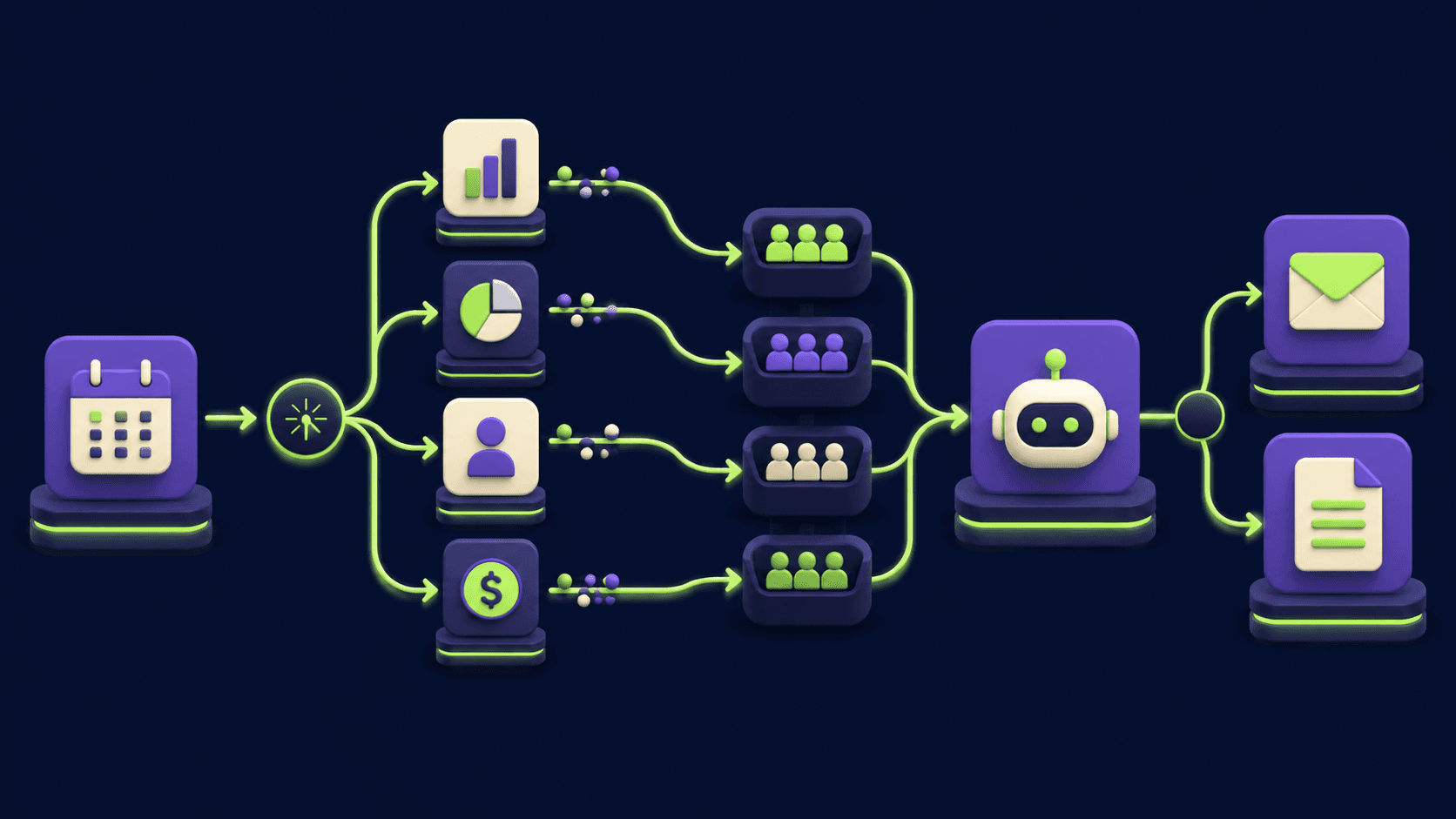
You spend most of Friday afternoon pasting from Slack, Asana, GitHub, and Stripe into a status doc for each client, and by 5 pm you have a four-hour hole in your week and a stack of reports that read like everyone else's. The fix is a small n8n workflow that fans out to those four sources at 7 am, asks an AI Agent to draft one report per client, and lands the drafts in your inbox. Operators running this in our builds at Vantaige open the inbox at 8 am, edit each report for about three minutes, and send by 9.
TL;DR
Schedule Trigger fires every Friday at 7 am.
Four parallel branches pull Slack, Asana, GitHub, and Stripe data.
AI Agent merges per-client and writes one draft per account.
Reports land in Gmail Drafts and a Notion page, never auto-send.
Owner edits the "what's next" line and ships before 9 am.
What is an automated weekly client status report and why does it matter in 2026?
An automated weekly client status report is a workflow that collects the past seven days of work signals from your operational tools, asks an AI Agent to compile them into one short document per client, and stages it for your review and sign-off. The point is not "AI writes your reports for you." The point is that the blank page is gone before you sit down on Friday, and what you actually do is edit and add the one human line about what comes next.
Per the Buffer State of Remote Work 2023, async written status updates were named the top productivity gain by 31 percent of remote teams, but the same respondents flagged the time spent writing them as the biggest drag. The value is in the discipline of doing it, not the typing of it. Move the typing off the human and the discipline gets cheap.
What tools and data sources should the report pull from?
Four sources cover the vast majority of agency, freelancer, and consultancy client work: Slack for the conversation signal, a project tracker (Asana, Linear, or Jira) for the done and at-risk tasks, GitHub for the shipped and in-flight code, and Stripe for the money side. Anything else (Notion docs, Figma comments, support tickets) is optional and depends on the engagement type. Start with these four, ship one full cycle, then add more sources only if a client asks for them.
Source | What the agent pulls | LLM step | What shows in the report |
|---|---|---|---|
Slack | Last 7 days of messages in the per-client channel, threaded | Summarize into 3 to 5 themes, flag any blockers tagged with "blocker" or "stuck" | "This week's discussion" section, 4 to 6 bullets |
Asana, Linear, or Jira | Completed-this-week tasks, at-risk tasks (status not Done, due date in past or this week) | Group by milestone or epic, rewrite task titles into client-readable plain English | "Completed" and "At risk" sections, grouped by milestone |
GitHub | Merged PRs in the client repo last 7 days, currently open PRs, open issues opened or closed | Translate PR titles into outcome language, hide internal refactor PRs unless they shipped a feature | "Shipped this week" section with PR titles, "In progress" with open PRs |
Stripe | Invoices created and paid in the period, outstanding balance, subscription renewals | Sum totals, flag any past-due invoices for owner attention before send | "Billing" section with invoiced, paid, and outstanding (only if client agreed to financial disclosure) |
One design rule before you wire the nodes. The agent never invents numbers or task names. Every line in the report traces back to a real row from one of these four sources, and if the data is missing, the section reads "no activity this week" rather than padded prose. That single rule keeps the reports trustworthy enough that you can let a draft go out with two edits instead of a rewrite.
What does the n8n architecture look like end to end?
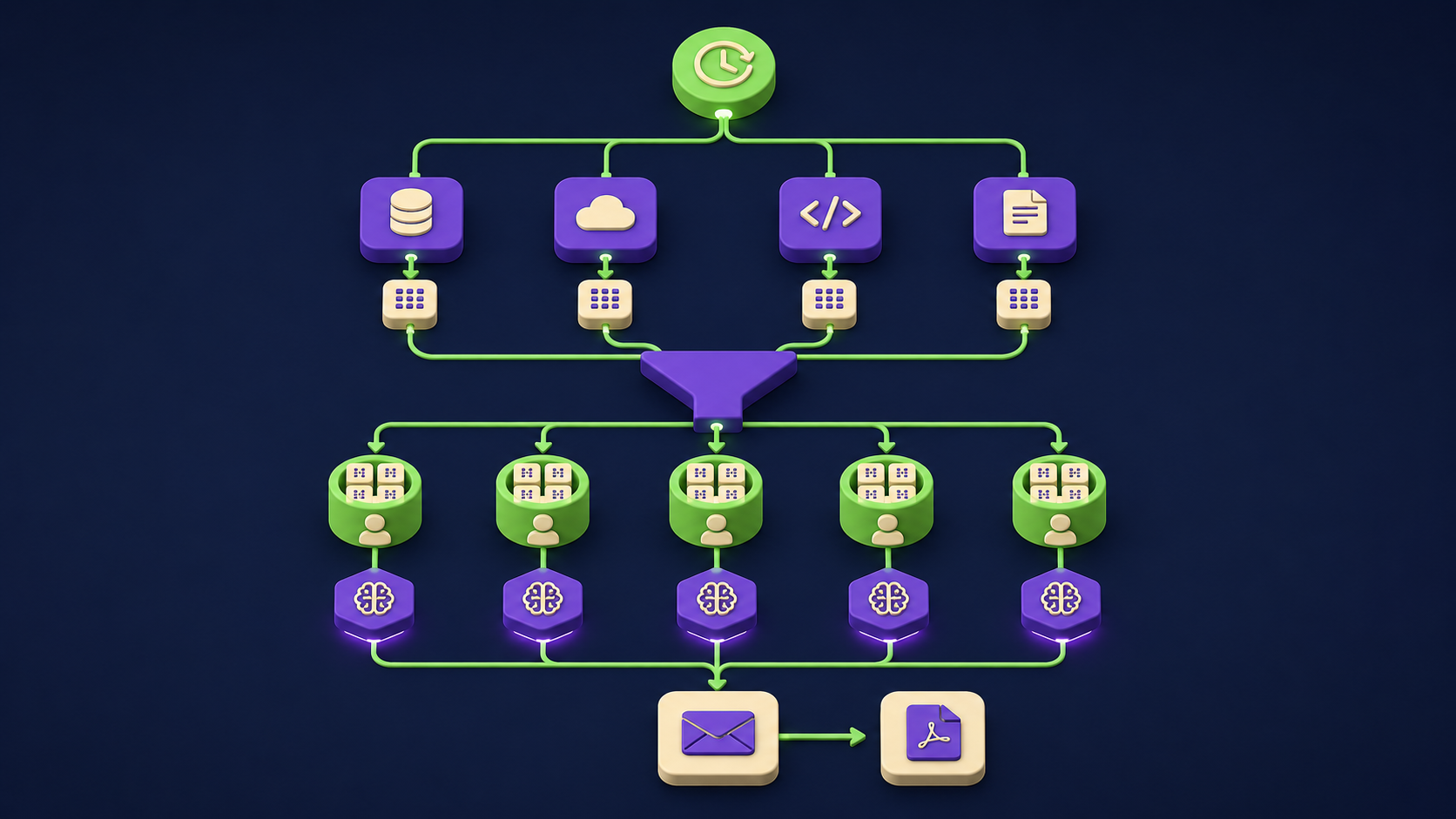
The workflow has one trigger, four parallel data branches, a merge into per-client buckets, one AI Agent call per client, and a fan-out to delivery surfaces (Gmail Draft, Notion page, optional PDF). Everything between the Schedule Trigger and the AI Agent runs in parallel, which keeps the whole run under three minutes for a portfolio of 10 to 15 clients. The owner review happens in Gmail, where edits are fastest.
 1. Schedule Trigger          (Cron: 0 7 * * 5  every Friday at 7 am)
 2. Set (client list)         (loads array of clients with channelId, projectId, repo, stripeCustomerId)
 3. Split In Batches          (one branch per client, batch size 1)
   - Slack node               (channel.history, oldest = 7 days ago)
   - Asana / Linear / Jira    (tasks completed this week + at risk)
   - GitHub node              (PRs merged + open, issues opened + closed)
   - Stripe node              (invoices.list, charges.list, subscriptions)
 4. Merge                     (combine all 4 source outputs per client)
 5. AI Agent                  (writes per-client report from merged JSON)
 6. Set (draft fields)        (subject line, recipient, html body)
 7a. Gmail (create draft)     (lands in Drafts, NOT sent)
 7b. Notion (append page)     (per-client database row + page body)
 7c. HTTP Request (optional)  (renders PDF via pdfshift.io or similar)
 8. Sheets (audit log)        (one row per client: pulled, drafted, owner-edited, sent)
Two architectural choices matter. Split In Batches at step 3 means each client is processed independently, so one broken Stripe credential does not poison the whole batch. And Gmail at step 7a uses create-draft, never send, because the entire point of the workflow is to let the owner add the human line and ship. The Schedule Trigger node reference covers the cron syntax, and the AI Agent node reference covers the chat model and tool configuration used in step 5.
If you want a template to study before building, the 15 AI agent n8n workflows to build in a weekend roundup covers adjacent patterns, and the orchestrator-worker n8n template is the shape you graduate to when one agent grows into a multi-client reporting suite with separate worker agents per source.
How do you configure each source node to pull only what the report needs?
Each source node uses a narrow query so the AI Agent receives a clean per-client payload, not the raw firehose. Slack pulls the last 7 days of messages from the per-client channel via the conversations.history method (documented in the Slack Web API reference), filtered to drop bot noise and sub-12-character emoji replies. The project tracker pulls two lists per client: completed this week, and at-risk (not Done with a due date in the past or this week).
Asana: Task resource, Get Many operation, filter on completed_since (ISO 8601, 7 days ago). The Asana Search tasks API supports completed_at and due_on filters.
Linear: Issue resource, GraphQL filter for state.type = "completed" and completedAt gte 7 days ago. The Linear GraphQL API covers the filter syntax.
Jira: Issue resource, Get All operation, JQL like
project = ABC AND status changed to Done after -7d. The Jira REST API issue search reference documents the endpoint.GitHub:
GET /repos/{owner}/{repo}/pullswith state = closed + merged = true for merged-this-week, and state = open for in-flight. The GitHub REST pulls API reference documents the params. PRs titled "chore", "ci", "deps", "refactor" or authored by dependabot/renovate route to a "Behind the scenes" bucket so clients see outcomes, not internal churn.Stripe:
GET /v1/invoicesfiltered by customer + created (7 days ago) andGET /v1/chargesfor paid amounts. See the Stripe invoices list API and charges list API. Sum invoiced, paid, and outstanding in a Set node, never in the model, since the model rounds and approximates on financial lines.
Two cross-cutting safety rules. Cap Slack pulls at the most recent 200 messages per channel so the agent context stays bounded. And any past-due Stripe invoice flags the report subject line ("STATUS - ClientName - 1 past-due invoice") so you do not accidentally send a cheerful update on a week the client owes you $14,000. The AI Agent then translates raw task titles into client-readable English (a Linear issue titled "fix(api): null deref in /v2/users on empty payload" becomes "Fixed a bug that caused an error when users submitted an empty form"), with two prompt constraints: never invent a task name not in the input, and never claim a task is done if the input only says in progress.
How does the AI Agent compile and deliver one report per client?
The AI Agent node receives a merged JSON object per client (cleaned Slack messages, task lists, PR lists, Stripe totals), runs one structured-output call, and returns a subject line, html body, and a flags array for any owner-attention items. The system prompt defines the report sections in order and forbids inventing numbers, task names, or outcomes not present in the input. That single constraint is the biggest reason these drafts ship with two edits instead of a rewrite.
The prompt template that has held up across our builds: "You are writing a Friday status report for {{clientName}} from this agency. Sections in order: Highlights (3 bullets), Shipped this week (PRs and tasks merged), In progress (open PRs and at-risk tasks), Discussion (Slack themes), Billing (only if data provided), and What's next (LEAVE BLANK for the owner to fill in). Constraints: never invent a task or PR not in the input, never round Stripe numbers, never claim something is done if status is in progress." Per the Anthropic multi-shot prompting documentation, pasting one or two redacted past Friday reports as examples closes the gap between generic AI prose and your agency voice faster than any system-prompt rule.
The final fan-out writes each draft to three surfaces. Gmail (create draft) lands the html body in Drafts as the canonical edit-and-send surface, never the send operation. Notion (append page) writes a permanent record to a per-client database (see the Notion API create page reference). And an optional HTTP Request node renders a PDF via pdfshift.io and links the URL in the Gmail draft for clients who specifically request an attachment. A Google Sheets row per client closes the loop: pulled, drafted, owner-edited (set later by a Gmail filter watching the Sent folder), and sent timestamp.
What to keep human, never auto-send
Four categories should never leave n8n without the owner's eyes on them: any client-facing message that commits to scope or timeline, sensitive comms about staffing or pricing changes, financial commitments or refund offers, and any report where the agent has flagged ambiguous status on a critical milestone. The cost of getting one of these wrong is direct: a misstated launch date, a casual scope commitment, a number off by a digit. The cost of getting one right by hand is two minutes. The math always favors human review.
Final approval before send: every report lives in Gmail Drafts. The owner reads, edits the "What's next" line, and clicks Send. The workflow does not have a send branch. If you ever feel the urge to add one, do not.
Sensitive comms: anything mentioning a team change, a price change, a contract renewal, or a relationship issue gets flagged in the subject line and surfaces in the Gmail Draft, but the actual messaging on those topics belongs in a separate human-written email, not the status report.
Financial commitments: the Billing section reports what happened (invoiced, paid, outstanding) and never proposes what should happen (discounts, payment terms, refunds). Those are conversations, not status lines.
Ambiguous status on a critical milestone: if the AI Agent confidence on a key task is low (mixed signals between Slack and Asana, or a PR labeled "ready for review" but not merged), the report flags "needs owner clarification" rather than guessing. You add the truth.
The pattern across all four: the cost of a bad automated message to a client is asymmetric. You save 30 seconds when it works and lose a relationship, a renewal, or a reputation when it does not. "Draft, flag, never send" keeps the speed wins on the routine 95 percent of report content and keeps the high-stakes 5 percent where it belongs, on you. This is the same discipline that runs the inbox triage in our AI inbox triage build for owner-operators and the same reason it works.
How long does it take to set up, and what does it cost to run?
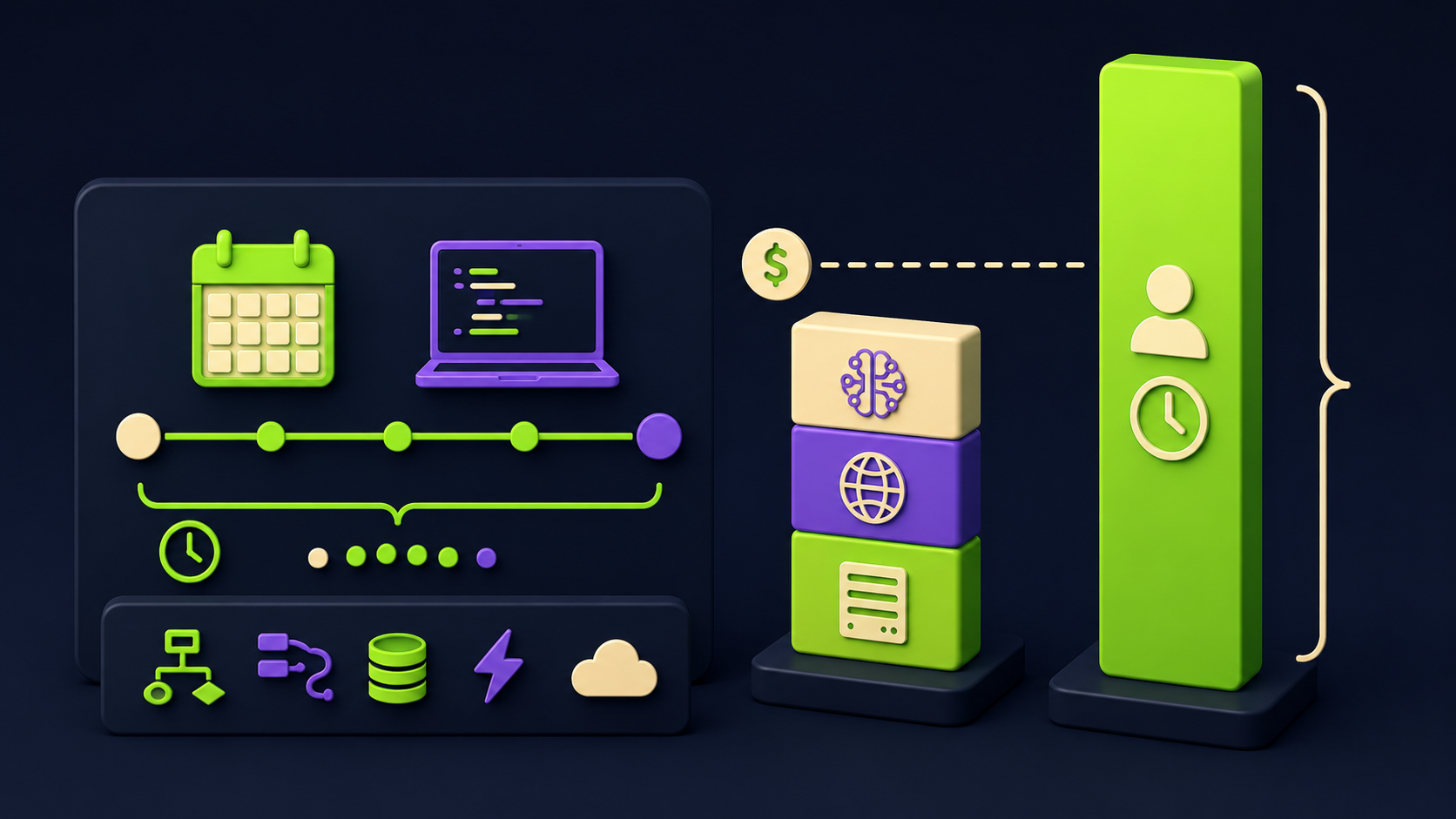
A first build takes a focused weekend for an n8n-comfortable operator: roughly 4 to 8 hours of wiring plus one full Friday cycle of tuning. Total operating cost stays under $80 per month for a portfolio of 10 to 15 clients: $4 to $25 in model API spend, $20 in n8n Cloud (or $6 to $12 self-hosted), $0 for Sheets logging, $0 for Notion on free or Plus tier, and $9 to $20 for an optional PDF service. A single hour of agency owner time at any reasonable rate covers a year of recurring spend, and the time recovered is measured in hours per week, not minutes.
Line item | Typical monthly cost | Notes |
|---|---|---|
Model API (one Agent call per client per week) | $4 to $25 | Claude Sonnet or GPT-4o-mini per draft; cost scales linearly with client count |
n8n hosting | $6 to $20 | Self-host on a small VPS or n8n Cloud Starter at $20 per month |
Notion (Plus tier per editor) | $0 to $10 | Free if reports live on one editor's workspace, Plus tier if shared with clients |
PDF rendering (optional) | $9 to $20 | pdfshift.io or similar, only enable for clients who want PDF attachments |
Sheets audit log + Gmail + Slack + GitHub free tiers | $0 | All within free-tier usage at this volume |
The fastest path. Day one is wiring the workflow with one test client end to end: Schedule Trigger fires manually, all four sources pull successfully, AI Agent drafts a coherent report, Gmail Draft lands in your inbox. Spend the next Friday running it for that one client on the real schedule, edit the draft live, send. Add a second client the following week, then add the rest in batches of three. By week four you have the full portfolio on autopilot and your Friday afternoon back.
Operators we have built for, and the price points discussed in the 2026 AI automation rate card, commonly price this build as a one-time $2,500 to $6,000 engagement plus a $200 to $500 monthly retainer for prompt tuning and client additions. The math from the agency side: 4 hours every Friday at any agency rate easily covers the build inside the first three months.
What is the maintenance load once it is running?
Maintenance is roughly 30 to 60 minutes per month once the workflow is stable, mostly spent on three things: adding a new client to the client-list array, refreshing the AI Agent prompt with a new voice example when a client draft starts reading off-brand, and refreshing OAuth tokens (Slack, Gmail, Asana, GitHub credentials all expire on different cadences). The 10-minute monthly habit that catches most problems: open the Sheets audit log, sort by client, look at the sent-with-no-edits column. A client at 90 percent unedited sends means the agent is reliable; at 30 percent the prompt needs a voice refresh; multiple weeks with "no data pulled" on a source means a credential is broken.
Would rather have this built for your agency's stack?
If the architecture above reads clear but building it sounds like the kind of weekend you do not want to spend, Vantaige builds weekly client status workflows for agencies as a fixed-scope engagement. We wire the four-source pull to your real Slack channels, project tracker, and GitHub orgs, train the draft step on your agency's actual reports, and hand over the n8n workflow file as something you own. Get in touch via vantaige.io/contact if you want a scoped quote.
Frequently asked questions
Can this workflow handle clients who use different stacks (one on Asana, one on Linear)?
Yes. The client-list array in the second node holds a "tracker" field per client (values: asana, linear, or jira), and a Switch node after Split In Batches routes each client down the matching tracker branch. The merge step then normalizes the output shape so the AI Agent receives the same JSON regardless of which tracker the data came from. This pattern adds about 30 minutes to the initial build and saves you running three parallel workflows for the same task.
What if a client does not want to see Stripe data in their status report?
Add a "showBilling" boolean to the client-list array, default false, and gate the Stripe branch and the Billing section in the AI Agent prompt on that flag. Most agencies will keep billing off by default and only enable it for clients on monthly retainers who have asked to see invoicing in the weekly. The Stripe data still flows for your internal audit log even when the Billing section is hidden from the client-facing draft.
How does the workflow handle a client channel or repo that did not have any activity that week?
The AI Agent prompt has explicit fallback text per section. Empty Slack pull renders "No team discussion this week in shared channels." Empty Asana or Linear renders "No tasks completed or at risk this week." Empty GitHub renders "No code changes shipped this week." Empty Stripe renders nothing (the section is hidden). A fully quiet week produces a short, honest report rather than a padded one, which is exactly what a client expects on a quiet week.
Will this scale to 50 clients without the AI Agent costs ballooning?
Yes, with two adjustments. Switch the AI Agent model from a flagship to a cost-tier model (Claude Haiku or GPT-4o-mini) for the per-client draft, since the prompt is structured enough that draft quality holds at the cheaper tier. And cap the Slack pull at the most recent 150 messages per channel so the per-client context stays bounded. With those two changes the total per-Friday API cost runs roughly 4 to 8 cents per client, which is $2 to $4 per Friday at 50 clients.
What happens when an API credential expires mid-run, like a Slack OAuth refresh failing?
n8n's per-node error handling lets the workflow continue past a failed source for that client and log the failure to Sheets. The pattern: on Slack node error, route to a Set node that fills the Slack field with "credential expired, no data pulled this week" and continue to the merge. The AI Agent then writes the report with the missing source acknowledged, and the audit log flags the credential for you to refresh before next Friday. The n8n error handling docs cover the per-node error workflow pattern.
Can the report be sent via the client's Slack instead of email?
Yes, but with the same draft-and-review discipline. Replace the Gmail node with a Slack node that posts the report as a message to a draft channel only you can see, then forward to the client channel after you review. Skipping the review step here is the most common way agencies have an embarrassing Friday, so do not auto-post to client channels without owner approval.
Is this overkill for a freelancer with two or three clients?
At two or three clients, the build and tuning hours probably exceed the time saved in the first six months. Break-even tends to land around five active clients, after which the workflow pays for itself in roughly the first month. For freelancers under that threshold, a simpler version (one AI Agent call that pulls only Slack and GitHub, drafts to your own inbox, takes about 90 minutes to wire) recovers most of the value at a fraction of the build cost.
Related from Vantaige
The 2026 AI automation rate card: what operators actually charge
AI inbox triage for owner-operators: 5 hours back a week (2026)
References
Get the best new AI tools and guides, weekly
One short email a week. The tools worth trying, the guides worth reading, nothing else.
No spam. Unsubscribe anytime.
Aymen B
Contributing writer at Vantaige, covering the AI tools ecosystem.