Install ChatGPT for Excel, Google Sheets and PowerPoint: Setup, Plans and Credit Limits (2026)
# Install ChatGPT for Excel, Google Sheets and PowerPoint: Setup, Plans and Credit Limits (2026)
You do not need another “AI in Office is here” essay. You need the install path, the plan gate, the credit math, and the dates when the free ride ended. As of September 2026, ChatGPT sits inside Excel, Google Sheets, and PowerPoint as official OpenAI add-ins. This is a method for getting them live without surprising your CFO when the meter turns on - not a promise that the sidebar replaces your model, your house style, or your reviewer.
Concrete numbers get quoted; adjectives do not.
Table of contents
TL;DR {#tldr}
Excel + Sheets: beta from March-April 2026; global GA 5 May 2026 (OpenAI). Business / Enterprise / Edu / K-12 had a free preview through 2 June 2026, then credits.
PowerPoint: Enterprise/Edu GA noted 6 July 2026; consumer/global GA noted 6 August 2026. Enterprise free promotional window for PPT usage ran through 6 August 2026; charging follows the same token-based credit model as Excel/Sheets after that.
Install: Excel/PowerPoint →
Home → Add-ins → search ChatGPT. Sheets → Google Workspace Marketplace / Extensions. Sign in with the ChatGPT account that has the plan you expect.Credits (Business/Enterprise rate card): token-based. Typical Excel/Sheets task ~5-20 credits/message (GPT-5.5 guidance); typical PowerPoint task ~10-50 credits/message. GPT-5.6 Office rates: 100 / 10 / 500 credits per 1M input / cached input / output tokens.
Data apps: OpenAI announced finance apps (Moody’s, Factiva, MSCI, Third Bridge, MT Newswires; FactSet and peers named in the launch family). Apps are not a substitute for your FactSet/LSEG license. Availability depends on plan, admin, and entitlements.
When NOT: MNPI-heavy deal rooms without Enterprise controls; one-click “client-ready” pitchbooks with no human review; teams that already standardized on Claude’s cross-app Office thread and do not want a second credit pool.
What shipped, and when (GA timeline) {#timeline}
The honest answer is that “ChatGPT for Office” is three products with three clocks, not one GA day.
| Date (2026) | What changed | Primary source type |
|---|---|---|
| 5 Mar | ChatGPT for Excel announced in beta; finance data integrations announced alongside | OpenAI product post |
| 22 Apr | ChatGPT for Google Sheets beta; Skills + apps support called out for Excel/Sheets | OpenAI product update |
| 5 May | Excel + Sheets generally available across plans (GPT‑5.5 called out on the product page update) | OpenAI product update |
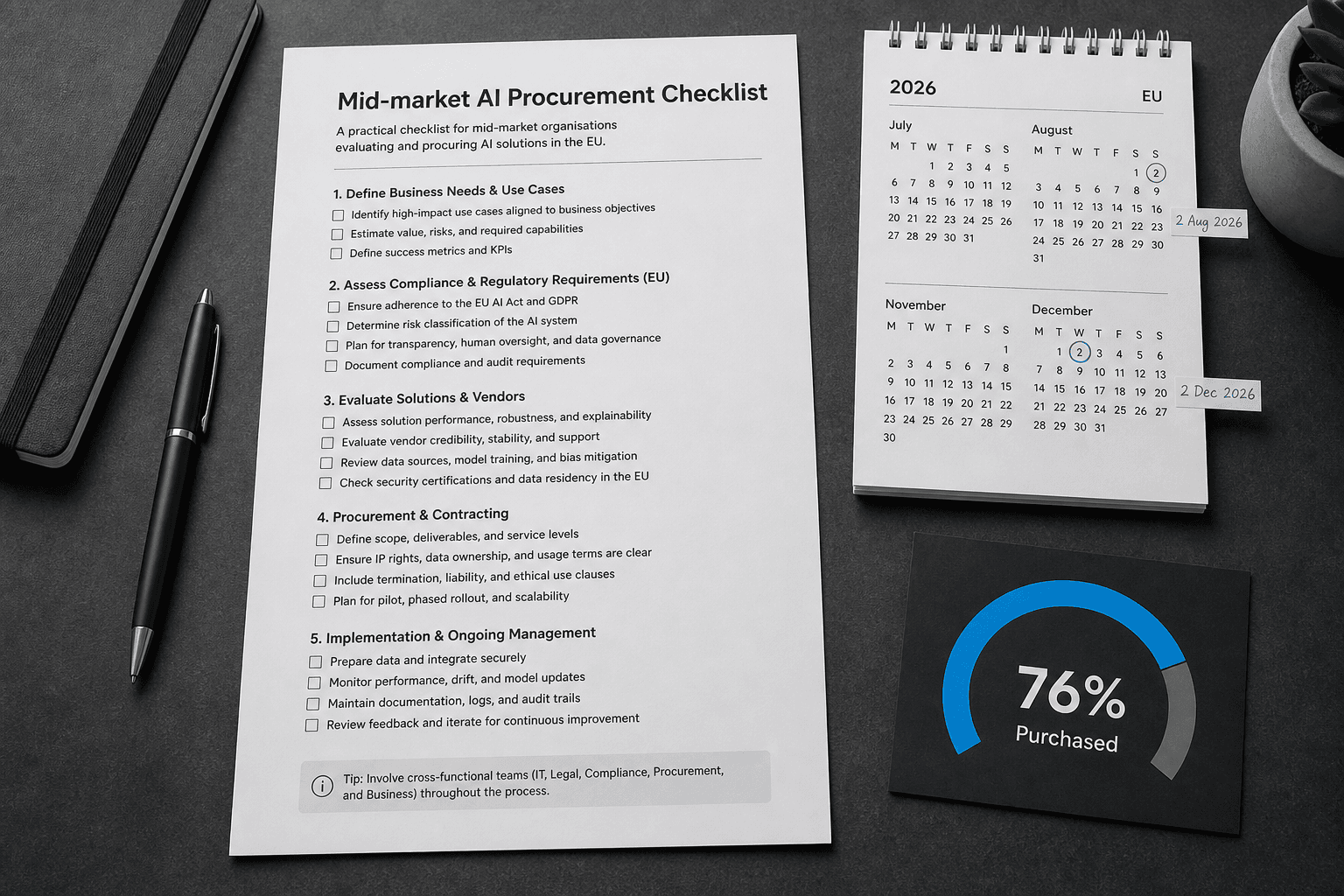
| 2 Jun | Business / Enterprise / Edu / K-12 Excel/Sheets free preview ends; usage follows credits/terms | OpenAI Help |
| 6 Jul | PowerPoint GA for Enterprise/Edu; Excel/Sheets + Workspace Agents on token-based credits for Enterprise/Edu; PPT remains free for Enterprise through 6 Aug | OpenAI Enterprise release notes |
| 6 Aug | PowerPoint global GA noted in ChatGPT release notes; Enterprise promotional free window for PPT usage ends; credit billing applies under the shared rate card | OpenAI release notes + rate card |
Watch out: secondary blogs sometimes compress “PPT free until 6 Aug” and “PPT GA on 6 Aug” into one sentence. Treat them as related but not identical claims. For procurement, pin both the Enterprise release notes and the ChatGPT Rate Card, not a LinkedIn summary.
What the add-ins actually do {#what-it-does}
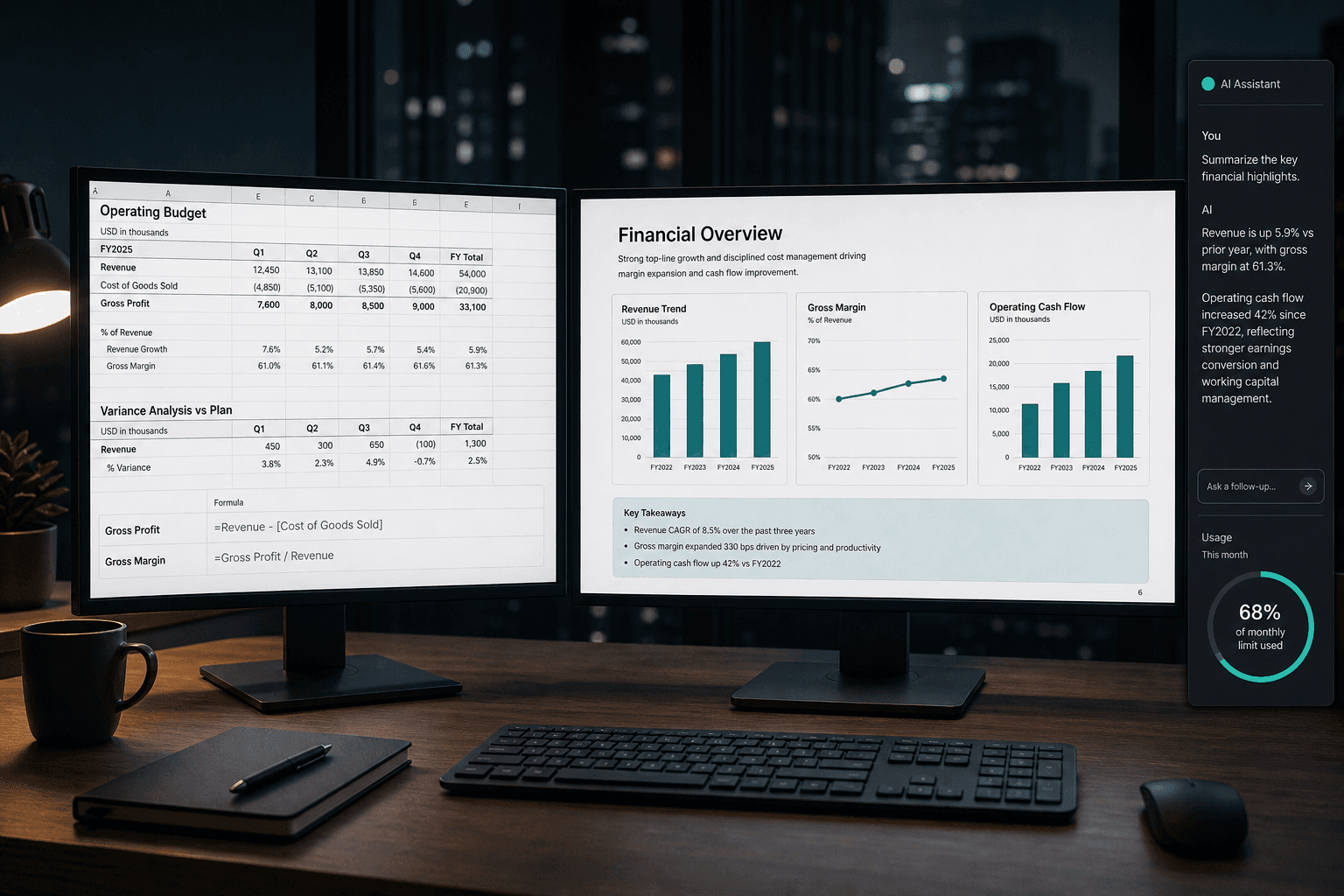
Per OpenAI Help, each add-in is a sidebar inside the host app:
Excel / Sheets - build, update, and explain multi-tab workbooks; formulas, values, formatting, charts; scenario/sensitivity style work; Skills for repeatable finance formatting; apps for grounded data where enabled. Codex-in-desktop can drive an open Excel workbook via the add-in (Excel only).
PowerPoint - create/revise editable slides; draft from notes/docs/sheets; ask about narrative structure; Skills/apps where supported. OpenAI is explicit that advanced edits and template matching may still need review.
Shared operational rules OpenAI documents:
Spreadsheet chats are separate from main ChatGPT history (no sync; limited/no Memory).
Outputs can be wrong - duplicate important files before big edits.
VBA/macros are not fully supported.
Microsoft Marketplace ToS means Microsoft may be able to read workbook/presentation content, attachments, and prompts in the add-in path. Your Microsoft agreement still governs the host app.
This is a method for in-file drafting and refactoring, not a certified valuation engine.
Install: Excel (Windows / Mac / web) {#excel-install}
Path from OpenAI Help (desktop or web Excel):
Open Excel on a Microsoft 365-capable install (desktop or web).
Go to Home → Add-ins.
Search ChatGPT (publisher: OpenAI).
Add, then open ChatGPT from the ribbon.
Sign in with the ChatGPT account that has Free / Go / Plus / Pro / Business / Enterprise / Edu / K-12 access as appropriate.
Mac vs Windows vs web: the Marketplace add-in flow is the same at the UI level. Differences show up in SSO, corporate proxy, and whether your tenant blocks the Store. If the Windows add-in fails SSO with “add-in could not be started,” OpenAI’s documented fix is an IdP ACS URL update from the OpenAI Admin Portal (Identity → SSO), not “reinstall Excel.”
Codex path (Excel only, desktop): install and sign into the Excel add-in → open workbook → ChatGPT desktop → Codex → @Microsoft Excel / ask Codex to work the open file → review before save.
Success check: ask it to name the active sheet and summarize three driver cells with cell refs. If you get a generic Excel lecture with no sheet name, the file context handoff failed - close/reopen the sidebar after the workbook finishes loading.
Install: Google Sheets {#sheets-install}
Install from the Google Workspace Marketplace (OpenAI listing for ChatGPT).
Open a Google Sheet.
Open ChatGPT from the Extensions menu.
Sign in with the ChatGPT account on your supported plan.
If your workspace uses RBAC, an admin may need: Workspace settings → Permissions & roles → ChatGPT for Excel and Google Sheets → Enable. OpenAI notes that toggle covers both Excel and Sheets.
Success check: ask for a summary of the active tab’s first table with column headers quoted back. No headers → context miss or wrong tab focus; use @ sheet mentions where available.
Install: PowerPoint {#ppt-install}
Open PowerPoint.
Home → Add-ins → search ChatGPT → Add.
Open ChatGPT from the ribbon; sign in.
Same admin manifest path as Excel if Marketplace is blocked (next section).
Operator habit that saves credits: for anything larger than a single-slide tweak, ask for a plan of which slides will change before you authorize edits. OpenAI’s own usage guidance says the same thing in different words.
Admin path when Marketplace is locked {#admin}
For locked-down Microsoft 365 tenants, OpenAI documents central deploy via manifest XML:
Download the OpenAI-provided manifest XML (Save As from the help-linked file).
Microsoft 365 admin center → Integrated apps → Deploy Add-in → Upload custom apps.
Upload manifest; assign users/groups.
For ChatGPT workspace RBAC, enable the relevant Office add-in toggles in OpenAI workspace settings.
For apps/Skills: admins enable apps in the admin portal and scope which apps users may call.
Do this centrally for Business/Enterprise. “Everyone find ChatGPT in Add-ins” produces version drift and support tickets on day two.
Plans, free previews, and the August 2026 credit cliff {#credits}
Availability (OpenAI Help, as of late summer 2026 docs):
| Plan family | Excel / Sheets | PowerPoint | Metering note |
|---|---|---|---|
| Free, Go | Yes, limited | Yes, limited | Tight caps; fine for smoke tests |
| Plus, Pro | Yes | Yes | Subject to agentic usage limits; shared with other agentic features once priced |
| Business | Yes | Yes | Included agentic allowance first; then workspace credits |
| Enterprise / Edu / K-12 | Yes | Yes | Excel/Sheets free preview through 2 Jun 2026; PPT Enterprise free promo through 6 Aug 2026; then credits |
The cliff you care about for decks:
Excel/Sheets Business+ preview ended 2 June 2026.
PowerPoint Enterprise promotional free usage ended 6 August 2026. After that, PPT draws from the same token-based credit pool as Excel/Sheets / Workspace Agents (per Enterprise release notes + Rate Card).
Watch out: agentic features share the pool. If Workspace Agents already burn credits, PowerPoint does not get a private bucket. Budget the pool, not the add-in.
Affiliate disclosure: none in this article. Links below are to OpenAI / Anthropic / Microsoft primary docs and Vantaige guides. We do not earn commission on ChatGPT seats.
Credit math you can take to finance {#math}
OpenAI’s Business/Enterprise Rate Card (updated continuously - re-check before you sign a forecast):
Token formula
credits = (input/1e6 × input_rate) + (cached_input/1e6 × cached_rate) + (output/1e6 × output_rate)
Office / agent token rates shown for GPT‑5.6 (Excel/Sheets, PowerPoint, Workspace Agents):
| Stream | Credits per 1M tokens |
|---|---|
| Input | 100 |
| Cached input | 10 |
| Output | 500 |
OpenAI’s own typical guidance (label these as vendor ranges, not guarantees):
Excel/Sheets (GPT‑5.5 guidance on the card): ~5-20 credits per message
PowerPoint (GPT‑5.5 guidance): ~10-50 credits per message
Workspace Agent end-to-end (GPT‑5.6): ~5-25 credits per run
Worked example from the Rate Card (GPT‑5.5 Workspace Agent numbers they publish): 20k input + 80k cached + 5k output ≈ 7.25 credits.
With the math, a weekly board-deck refresh habit of 40 PPT tasks at the midpoint of the 10-50 range (30 credits) is ~1,200 credits/week for one power user - before Excel work, Agents, or Codex. That is why seat-type monthly limits and auto-reload (Business Billing settings) matter more than the install click.
Business admins: Workspace settings → Billing for credit purchase, auto-reload, seat-type caps, and per-user overrides. Only owners purchase credits in the documented Business flow.
Skills, apps, and FactSet / data connectors {#apps}
Two different layers:
Skills - reusable playbooks inside the Office sidebar (OpenAI ships default financial modeling / corporate finance formatting Skills for Sheets/Excel). Invoke via
+or@.Apps - connected data sources / actions from the user’s ChatGPT account, subject to admin enablement and data entitlements.
On finance data: OpenAI’s March 2026 Excel launch post announced financial data integrations in ChatGPT - naming providers in the Moody’s / Dow Jones Factiva / MSCI / Third Bridge / MT Newswires set, with FactSet described as coming soon in that launch framing, and a broader set (FactSet, LSEG, Daloopa, S&P Global, and more) referenced in the same product family. Help Center wording for Excel/Sheets is more conservative and accurate for operators: apps carry over subject to admin, permissions, and entitlements; MCP tools for spreadsheet surfaces should be annotated read-only/non-destructive or they may be hidden.
Operator rules:
ChatGPT apps are an interface, not a data license. If you lack FactSet (or peer) entitlement, the app will not invent a terminal.
Confirm whether a named provider is enabled in the Office surface for your workspace, not only in chatgpt.com chat.
For MNPI, prefer Enterprise controls (RBAC, Compliance API logging, residency/EKM where your workspace shows them) over Plus on a personal laptop.
ChatGPT Office vs Claude Office (brief) {#vs-claude}
You asked for brief, so brief - with the math of fit, not a brand fight.
| Dimension | ChatGPT for Excel / Sheets / PPT | Claude for Microsoft Office |
|---|---|---|
| Host apps | Excel, Google Sheets, PowerPoint | Excel, Word, PowerPoint, Outlook (Outlook lagged as beta earlier in 2026) |
| Sheets | Native Google Sheets add-in | Not Claude’s Office story |
| Cross-app thread | Separate spreadsheet/PPT experiences; history does not sync to main ChatGPT | Anthropic’s pitch: shared conversation context across Office apps |
| Data wiring | ChatGPT apps + Skills; finance apps announced by OpenAI | MCP connectors; Anthropic publicly names FactSet, PitchBook, S&P, LSEG, Daloopa, Moody’s, etc. in finance materials |
| Metering | OpenAI agentic limits + Business/Enterprise credits (token-based for Office) | Claude plan usage (Pro/Max/Team/Enterprise); no OpenAI credit pool |
| When ChatGPT wins | You already live in ChatGPT; you need Sheets; you want Codex↔Excel desktop | You already live in Claude; you need Word/Outlook continuity; MCP connector set matches your stack |
Full setup for Claude’s side is covered in Vantaige’s Claude Office install guide (Related). Many teams will run both sidebars and standardize one for templates. Dual-install without a credit policy is how you get two surprise invoices.
Watch out / when NOT to use {#when-not}
Watch out
Shared credit pool - PPT + Excel + Agents + Codex compete. A “cheap” deck habit can starve coding agents mid-sprint.
Template fidelity - OpenAI documents imperfect template matching. Client-facing IB/PE decks still need a human pass.
Memory gap - spreadsheet chats do not behave like main ChatGPT Memory. Do not assume last week’s modeling conventions are loaded.
Microsoft read path - Marketplace add-in ToS visibility is real; legal/security should read Microsoft’s terms, not only OpenAI’s marketing page.
SSO breakage on Windows - ACS URL drift presents as a mysterious add-in crash; it is an IdP config issue.
Rate card drift - model rows and typical-credit ranges change. Re-pull the Rate Card the week you forecast Q4.
When NOT to use ChatGPT Office
You need certified model audit with firm-owned citation infrastructure for live mandates (look at vertical IB platforms, not a general sidebar).
Your org banned third-party add-ins reading workbook contents - do not “pilot quietly.”
Your work is 90% Google Slides - there is no ChatGPT-for-Slides twin in this trio.
You are optimizing for one continuous Excel→Word→Outlook thread and already standardized on Claude Office.
Free/Go limits: fine for learning prompts; not a production lane for a 40-person FP&A team.
FAQ {#faq}
Do I need Microsoft 365 Copilot to install ChatGPT for Excel?
No. ChatGPT for Excel/PowerPoint is an OpenAI Marketplace add-in signed in with your ChatGPT plan. You still need a Microsoft 365 environment that can host Office add-ins. Copilot is a separate Microsoft SKU.
Is ChatGPT for PowerPoint still free for Enterprise as of September 2026?
The honest answer: no for the promotional window. OpenAI’s Enterprise notes kept PPT free for Enterprise through 6 August 2026; after that, usage follows the same token-based credit model as Excel/Sheets. Confirm your workspace’s flexible-pricing effective dates on the Rate Card / your agreement.
How many credits does a typical PowerPoint edit burn?
OpenAI’s Rate Card guidance: a typical ChatGPT for PowerPoint task using GPT‑5.5 may consume ~10-50 credits per message. Large decks, multi-step edits, and source-grounded builds skew high. Treat that as a planning range, not an invoice line.
Can ChatGPT for Excel pull FactSet data into my model?
Only if the relevant app is enabled, your workspace allows it, and you already hold the data entitlement. OpenAI announced finance integrations in the ChatGPT apps ecosystem (including FactSet in the launch family / roadmap language). The add-in does not replace a FactSet contract.
Does spreadsheet ChatGPT use my main ChatGPT memory?
OpenAI Help: spreadsheet experiences are separate; conversations/data do not sync to main chat; Memory support is limited/absent. Rebuild critical instructions via Skills or paste standards each session.
Mac vs Windows - any real difference?
Install UI is parallel. Real differences: SSO callback reliability on Windows desktop, corporate proxy SSL inspection, and whether Mac users are on web Excel vs desktop. Test SSO on the OS your bankers actually use.
Business free preview - what ended when?
For Excel/Sheets: Business/Enterprise/Edu/K-12 free preview through 2 June 2026, then credits/terms. For PowerPoint Enterprise promo: through 6 August 2026. Do not conflate the two dates in a budget memo.
References {#references}
All accessed September 2026:
OpenAI Help - ChatGPT for Excel and Google Sheets
OpenAI Help - ChatGPT for PowerPoint
OpenAI Help - ChatGPT Rate Card (Business, Enterprise/Edu)
OpenAI Help - ChatGPT Enterprise & Edu Release Notes (incl. 6 Jul 2026 PPT GA / credit notes)
OpenAI Help - Managing credits and spend controls in ChatGPT Business
OpenAI - Introducing ChatGPT for Excel and new financial data integrations
OpenAI product pages - ChatGPT for Excel and Google Sheets, ChatGPT for PowerPoint
Anthropic - Agents for financial services; Introducing Sonnet 4.6 (Excel MCP connector list)
Secondary chronology cross-check (not primary for billing): Simon Carter - ChatGPT for PowerPoint free period ends 6 August 2026
Related from Vantaige {#related}
Claude vs Microsoft Copilot in Word, Excel and Outlook (2026)
Coming on Vantaige: ChatGPT vs Claude vs Copilot in Office (three-way) - use that when you need a full bake-off, not this install memo.
---
One short email a week: the installs that actually shipped, the credit cliffs that bit teams, and the “when NOT” notes we wish vendors put on page one. Subscribe at vantaige.io.
Get the best new AI tools and guides, weekly
One short email a week. The tools worth trying, the guides worth reading, nothing else.
No spam. Unsubscribe anytime.
Aymen B
Contributing writer at Vantaige, covering the AI tools ecosystem.
Similar articles

Vantaige Launches the LLM VRAM Calculator: A Free GPU Compatibility Finder for Open-source and Open-Weight AI

Xiaomi MiMo-V2.6 Deep Dive: The 1-Trillion-Parameter Open-Source Titan Disrupting the Frontier