ChatGPT vs Claude vs Copilot in Excel, Word and Outlook (2026): The Honest Seat Math
# ChatGPT vs Claude vs Copilot in Excel, Word and Outlook (2026): The Honest Seat Math
Vantaige already published the two-way: Claude vs Microsoft Copilot in Word, Excel and Outlook. This is the three-way refresh after OpenAI’s ChatGPT for Excel went generally available (May 2026) and ChatGPT for PowerPoint shipped in the same Microsoft Marketplace listing.
You can put three assistants next to the same workbook. They do not bill the same way, they do not see the same data, and they do not cover Word and Outlook equally. This piece is app-by-app, then seat + credit TCO, then when you should stay on one stack instead of collecting ribbons.
Table of contents
1. TL;DR
12. FAQ
13. References
TL;DR
1. Microsoft 365 Copilot - pick when Teams / SharePoint / org-wide retrieval matter. $30/user/month add-on on a qualifying Microsoft 365 base (annual commitment typical). Native ribbon. Deepest tenant access.
2. Claude for Microsoft 365 - pick when writing quality, tracked changes, and cross-app chat context matter more than Graph. Add-ins included in paid Claude plans (Pro $20/mo; Team Standard $20/seat/mo annual / $25 monthly; Premium $100 / $125). Excel, Word, PowerPoint GA; Outlook available (see Anthropic plan tables).
3. ChatGPT for Office - strongest as Excel (GA) plus PowerPoint via OpenAI’s Marketplace add-in. Not a first-party Word/Outlook twin of Claude’s four-app set as of September 2026. Seat math looks like Claude on sticker (Plus $20; Business Standard $20 annual / $25 monthly; Premium $100 / $125), but agentic Excel usage draws credits / shared limits - model overage, not just seats.
4. Many teams run Copilot + one add-in vendor (Claude or ChatGPT). Running all three in every app is usually wasted admin and double-charged attention, not smarter work.
5. Refresh note vs the August 2026 Claude↔Copilot post: ChatGPT changes the Excel decision and the credit line item. It does not erase Copilot’s Graph advantage or Claude’s Word redline edge.
How each one enters Office
| Microsoft 365 Copilot | Claude | ChatGPT | |
|---|---|---|---|
| Door | Built into the Office ribbon by Microsoft | Official Anthropic AppSource add-ins (“Claude by Anthropic”) | Official OpenAI Marketplace add-in for Excel & PowerPoint |
| Sign-in | Microsoft work account + Copilot license | Separate Claude account / workspace | Separate OpenAI / ChatGPT account |
| Operates on | Files in place + Microsoft Graph context | Open file + what you attach/paste; optional separate M365 connector in Claude app | Open workbook / deck context in add-in; chats in add-ins do not sync to ChatGPT.com history (per Marketplace listing) |
| Admin note | License assignment in M365 admin | EU/EFTA/UK commercial tenants: Claude integration off by default, admin opt-in | Tenant may block user-installed add-ins; deploy via Integrated Apps |
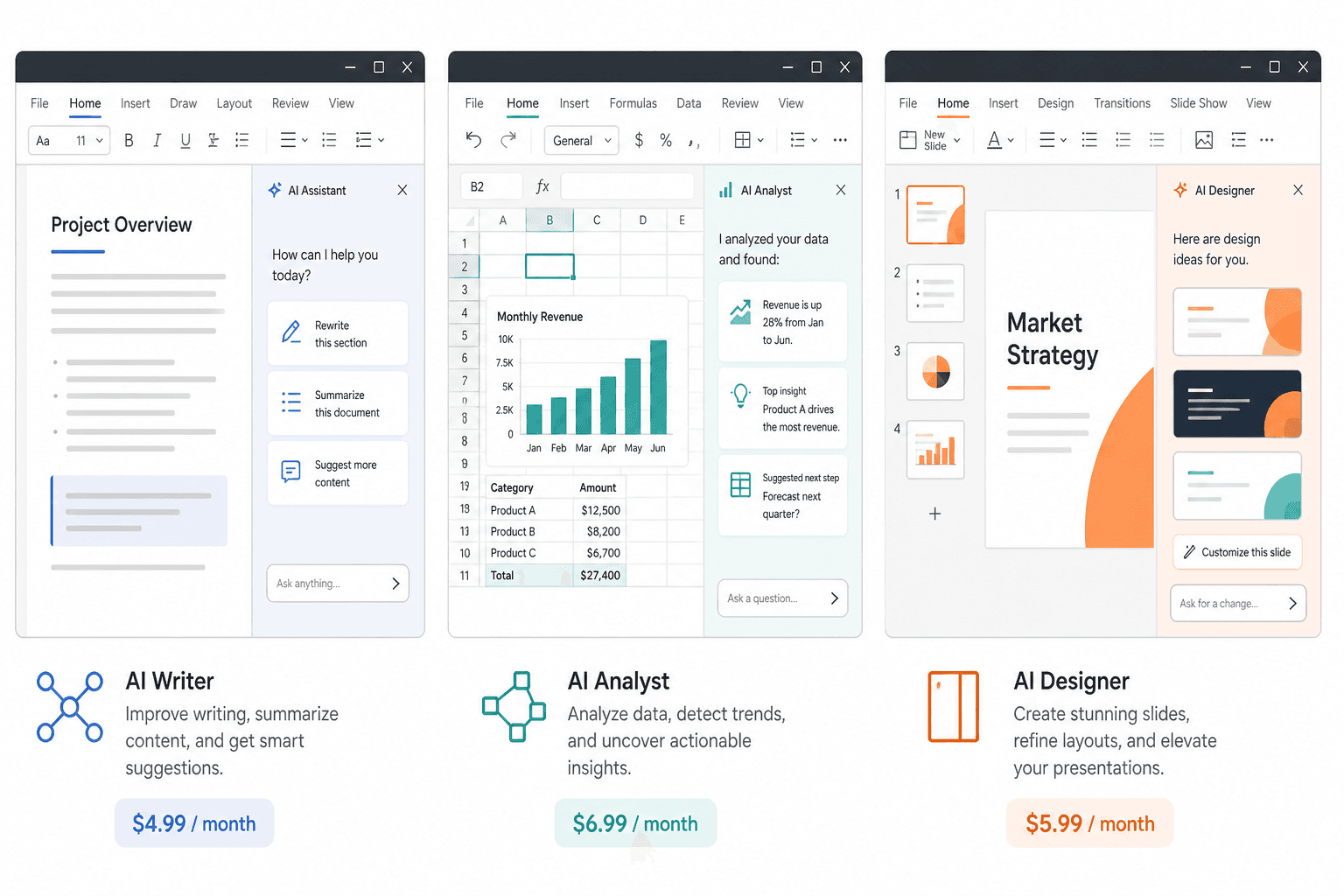
Watch out: Screenshots of a right-hand chat pane look identical. The billing meter and the data boundary behind the pane do not.
Coverage map (what is actually GA)
Do not assume “Office AI” means all four apps for every vendor.
| App | Copilot | Claude | ChatGPT (OpenAI official) |
|---|---|---|---|
| Excel | Native, deep (incl. agent-style features in Microsoft’s roadmap) | Add-in GA | Add-in GA (OpenAI, May 2026 update; Help Center + Marketplace) |
| Word | Native | Add-in GA | No OpenAI first-party Word add-in in the official ChatGPT Office listing (Excel + PowerPoint). Third-party “GPT for Word” apps exist - different product, different trust boundary |
| Outlook | Native | Claude for Outlook (Anthropic lists it on pricing / Office docs; treat maturity as behind Word/Excel) | No OpenAI first-party Outlook add-in in that listing |
| PowerPoint | Native | Add-in GA | Official add-in (Marketplace: Excel + PowerPoint; maturity moved from beta → listed GA on later Marketplace updates - confirm in your tenant) |
| Teams | Native | Not via Office add-ins (use connectors / Claude app) | Not via this Office add-in |
This asymmetry is the whole reason for a three-way refresh: ChatGPT Office GA is real for spreadsheets (and decks), not a full Claude-style four-app parity claim.
Excel head to head
What you should test (same workbook, same prompts)
1. Explain a broken formula chain with cell citations you can click.
2. Build a three-statement model skeleton from a plain-language brief.
3. Clean a messy export (dates, duplicates, splits) without destroying formulas elsewhere.
4. Ask a question that requires another SharePoint workbook you did not open.
How they differ
Copilot wins when the answer lives in the tenant: other workbooks, Teams threads, “what did finance say last week.” Native grid features and Microsoft’s Excel agenting are built for people who already standardized on Microsoft 365. Macro-heavy / VBA / data-table automation still favors Copilot’s Microsoft-owned surface over sidebar add-ins.
Claude wins when you need auditability inside the open file: cell-level citations, careful edits that preserve dependency structure, and conversational debugging. Prior Vantaige testing notes still hold: Claude’s Excel add-in is strong on explanation and careful modification; it is not a VBA host. Cross-app context (Excel conversation continuing into PowerPoint/Word) remains a Claude differentiator versus isolated panes.
ChatGPT wins as a fast analyst sidecar in Excel: build/update models, scenario asks, formula help, with GA distribution across Free/Go/Plus/Pro/Business/Enterprise/Edu (usage still gated by plan). OpenAI’s Help Center is explicit that larger workbooks and multi-step edits consume more agentic usage, and Business/Enterprise move to credits after preview windows. Financial data apps inside ChatGPT (FactSet, LSEG, S&P Global, etc., per OpenAI’s Excel announcement) matter if your workflow is research → sheet, not sheet → Graph.
| Excel job | Prefer first | Why |
|---|---|---|
| Org-wide “find the latest forecast” | Copilot | Graph |
| Debug this workbook’s formulas | Claude | Citations / careful edits |
| Heavy agentic model build with credit budget | ChatGPT or Copilot | Product focus + metering clarity |
| Google Sheets in the same team | ChatGPT (Sheets add-in) or Claude connectors | Copilot stops at Microsoft |
Word head to head
Claude remains the writing specialist among the three *inside Word*: native tracked changes, comment workflows, style inheritance, long-doc editing. That is still the reason client-facing teams pick Claude’s add-in over a generic chat tab.
Copilot remains the convenient in-ribbon drafter with tenant context (pull from email, meetings, SharePoint into the doc). Better for “summarize what we already decided as a company” than for surgical redlines.
ChatGPT does not currently match Claude’s official Word add-in story via OpenAI’s own Office app. If Word is 50%+ of your AI value, do not pick ChatGPT as the Office strategy on Excel GA alone. Use ChatGPT.com / Word export workflows, a vetted third-party add-in (separate security review), or - more cleanly - Claude or Copilot in Word.
Watch out: Paying for ChatGPT Business seats “for Office” while everyone still copy-pastes into Word is how you get seat burn without workflow change.
Outlook head to head
Copilot - strongest default for inbox + calendar + org context in one Microsoft identity. Meeting → email → follow-up loops stay inside Graph.
Claude for Outlook - triage, voice-matched drafts, thread summaries with citations; Anthropic’s safety posture has emphasized drafts you send yourself (confirm current send permissions if you enable Microsoft 365 connector write tools). Good when email quality per dollar matters and you already pay for Claude.
ChatGPT - no first-party Outlook add-in in the OpenAI Excel/PowerPoint Marketplace product. Use Copilot or Claude here, or ChatGPT with Outlook connectors outside the Office ribbon (admin consent, different UX).
If your day is email, run a one-week A/B on real inbox between Copilot and Claude. Sticker price is secondary to draft acceptance rate.
PowerPoint (short)
1. Claude - template / slide-master awareness and cross-app continuation from Excel remain the practical edge for finance-to-deck workflows.
2. Copilot - fine for restyles and tenant-aware decks; improving quickly; wins when SharePoint assets must be pulled in.
3. ChatGPT - official PowerPoint add-in path exists beside Excel; treat brand-template fidelity as a bake-off, not a brochure claim.
Data access: Graph vs open file vs connectors
| Need | Winner | Mechanism |
|---|---|---|
| Search SharePoint / Teams / org mail from inside Office | Copilot | Microsoft Graph native |
| Reason over the file you have open with high-quality prose | Claude (esp. Word) / ChatGPT (esp. Excel) | Add-in context |
| Claude searching M365 from claude.ai | Claude M365 connector | Delegated permissions; business tenant + admin consent; lives in Claude app more than ribbon |
| ChatGPT apps / connectors to mail and files | ChatGPT connectors / apps | Not the same as Copilot Graph depth; configure deliberately |
| EU data boundary / government clouds | Copilot default | Claude add-ins off by default in EU/EFTA/UK commercial tenants; government cloud variants favor Microsoft |
Odd footnote (still true in 2026): Microsoft has used Anthropic models inside parts of Copilot (e.g. Excel agenting / Researcher paths in Microsoft’s own disclosures). “Which model is smarter” is the wrong procurement question. Surface, Graph access, and bill shape decide.
Seat + credit TCO
Published seat stickers (verify live)
| Product | Seat sticker (USD, typical) | What Office access is included | Extra meter |
|---|---|---|---|
| Microsoft 365 Copilot | $30/user/month add-on | Word, Excel, PowerPoint, Outlook, Teams, etc. | Qualifying M365 base license required; Copilot Studio agents use Copilot Credits ($200 / 25k credits pack or ~$0.01/credit PAYG) if you build custom agents |
| Claude Pro | $20/month ($17/mo effective on annual $200) | Claude for Microsoft 365 on paid plans | Usage limits shared across Claude surfaces; optional usage credits at API rates |
| Claude Team Standard | $20/seat/mo annual / $25 monthly (min 2 seats) | Same Office add-ins | Shared org admin; Premium seats $100 / $125 for 5x-class usage |
| Claude Enterprise | ~$20/seat + usage (annual) | Same + enterprise controls | Usage at API rates - Office-heavy orgs must forecast tokens |
| ChatGPT Plus | $20/month | Excel / PowerPoint add-in access on eligible plans | Agentic Excel usage against plan limits |
| ChatGPT Business Standard | $20/seat/mo annual / $25 monthly | Same | Flexible credits for advanced / agentic features beyond included limits |
| ChatGPT Business Premium | $100 / $125 | Higher limits | Same credit bridge |
| ChatGPT Enterprise | Custom | Same + enterprise controls | Contract credit pools |
Worked monthly seat math (Office-only stickers, before base M365 / before credits)
| Seats | Copilot add-on | Claude Team Standard (annual rate) | ChatGPT Business Standard (annual rate) |
|---|---|---|---|
| 1 | $30 (+ M365 base) | Use Pro $20 instead of Team | Use Plus $20 or Business min seats |
| 10 | $300 | $200 | $200 |
| 25 | $750 | $500 | $500 |
| 50 | $1,500 | $1,000 | $1,000 |
Claude and ChatGPT look cheaper than Copilot at every row until you add:
1. Microsoft 365 base already required for Copilot (and usually already paid).
2. ChatGPT agentic Excel credit burn on large workbooks (OpenAI: complexity drives usage; Business/Enterprise admins buy credits).
3. Claude Enterprise usage if you left Team for seat+API.
4. Copilot Studio credits if “agents” means custom agents, not the $30 assistant.
Honest TCO checklist (per user / month)
1. Start with seat sticker.
2. Add expected credit / overage for your heaviest Excel users only (do not average them with light users).
3. Add admin time: three add-ins × patch Tuesday ≠ free.
4. Subtract work the seat already buys outside Office (Claude Code / ChatGPT Codex / Copilot only inside Microsoft). Dual-use subscriptions change the math.
Model API-side alternatives in the AI Cost Calculator when you route heavy jobs to API instead of seats.
Watch out / when NOT
When NOT to buy Copilot seats firm-wide
1. Half the company is on Google Workspace for docs - you will pay for Graph value they cannot use.
2. Your only pain is long-form writing quality - trial Claude Word first at $20.
3. You refuse annual M365 commitments / cannot fund $30 × headcount on top of E3/E5.
When NOT to standardize on Claude add-ins alone
1. The killer use case is “answer across SharePoint and Teams” every hour - that is Copilot.
2. You are in GCC / GCC High / DoD Office environments where Claude add-ins are unavailable.
3. EU tenants without appetite for admin opt-in + residency review - default path is Copilot unless compliance designs Claude via Bedrock/Vertex EU carefully.
When NOT to treat ChatGPT Office GA as your Word/Outlook strategy
1. Your RFP says “AI in Word and Outlook” - OpenAI’s official Office app is Excel + PowerPoint focused.
2. Finance users will blow credit pools on giant models without owners - assign credit budgets before GA rollout.
3. You already pay Copilot and only needed ChatGPT.com in the browser - an add-in is optional, not mandatory.
Shared watch-outs
1. Three panes, one human. Cognitive switching costs more than the $10 seat delta.
2. Training data / retention. Read each vendor’s enterprise terms; do not assume consumer defaults.
3. Prompt injection from emails and attached files - Anthropic documents this risk on Office add-ins; treat all three as draft tools with human send.
4. Marketplace impostors. “GPT for Word” third-party ≠ OpenAI’s official app. IT should allowlist publishers.
When to stay on one
| Situation | Stay on | Add second only if… |
|---|---|---|
| All-in Microsoft shop, Teams-heavy | Copilot | Writers reject Copilot drafts for client work → add Claude Word |
| Agency / consulting, docs and decks | Claude | Clients demand tenant-grounded answers inside your M365 → add Copilot for a pod |
| FP&A / Excel-first, multi-cloud sheets | ChatGPT Excel (+ Sheets) | Need Graph or Word redlines → add Copilot or Claude surgically |
| Regulated EU enterprise | Copilot | Compliance signs off Claude/ChatGPT architecture |
| Budget-first ≤10 people | Claude Pro/Team or ChatGPT Plus/Business | Copilot only for the 1-2 people who live in Teams search |
Rule: One default per persona beats one default per company. Give analysts ChatGPT or Copilot Excel; give associates Claude Word; give ETAs Copilot Outlook. License the persona, not the logo.
FAQ
Is this replacing the Claude vs Copilot article?
No. The two-way post stays valid for Claude↔Copilot detail. This three-way adds ChatGPT Office GA and credit math.
Does ChatGPT work in Word and Outlook like Claude?
Not via OpenAI’s official ChatGPT Office Marketplace app, which centers Excel and PowerPoint. For Word/Outlook, use Copilot, Claude’s add-ins, or separately reviewed third-party tools.
Which is cheapest for 20 seats?
At annual Business/Team standard rates, Claude and ChatGPT Standard land near $400/month (20 × $20). Copilot add-on is $600/month plus your M365 base. Credits can erase the ChatGPT “win” for Excel-heavy teams; Graph value can justify Copilot’s premium.
Can we install all three?
Yes technically (separate licenses/sign-ins). Should you? Only with a written routing rule per app. Otherwise people ask the same question three times and trust none of the answers.
Do Copilot Studio credits apply to normal Copilot in Word?
Microsoft 365 Copilot the assistant is the $30 seat. Copilot Studio credits apply when you build/run custom agents on the Studio meter. Do not conflate them in a budget meeting - but do budget Studio if “agents” is on the roadmap. Licensed M365 Copilot users often have preferential treatment for certain agent interactions; confirm current Microsoft billing rates for your SKU.
Why do Claude and ChatGPT Business prices look the same?
Both landed on a $20 / $25 Standard and $100 / $125 Premium pattern for team seats. Identical stickers ≠ identical Office coverage or meters. Compare apps and credits, not the homepage hero number.
Does Free ChatGPT include Excel?
OpenAI’s Help Center states Excel/Sheets availability includes Free with limited usage. Treat Free as a trial lane, not a firm standard.
References
All accessed September 2026.
1. Vantaige, Claude vs Microsoft Copilot in Word, Excel and Outlook (2026). https://vantaige.io/blog/claude-vs-microsoft-copilot-office-2026
2. OpenAI, Introducing ChatGPT for Excel (GA update May 5, 2026). https://openai.com/index/chatgpt-for-excel/
3. OpenAI Help Center, ChatGPT for Excel and Google Sheets. https://help.openai.com/en/articles/20001063-chatgpt-for-excel/
4. Microsoft Marketplace, ChatGPT by OpenAI (Excel & PowerPoint). https://marketplace.microsoft.com/en-us/product/office/wa200010215
5. OpenAI, Business pricing. https://openai.com/business/pricing/
6. OpenAI Help Center, ChatGPT Business overview (Standard / Premium seats). https://help.openai.com/en/articles/8792828-what-is-chatgpt-business
7. OpenAI Help Center, Flexible pricing / credits for Business, Enterprise, Edu. https://help.openai.com/en/articles/11487671
8. Anthropic, Claude plans & pricing. https://claude.com/pricing
9. Anthropic Help Center, What is the Team plan? https://support.claude.com/en/articles/9266767-what-is-the-team-plan
10. Microsoft, Microsoft 365 Copilot pricing posture ($30/user/month add-on) - confirm on Microsoft 365 pricing pages for your region.
11. Microsoft Learn, Copilot Studio billing rates and Copilot Credits. https://learn.microsoft.com/en-us/microsoft-copilot-studio/requirements-messages-management
12. Microsoft Copilot Studio Licensing Guide (June 16, 2026 PDF). https://cdn-dynmedia-1.microsoft.com/is/content/microsoftcorp/microsoft/bade/documents/products-and-services/en-us/ai/Microsoft-Copilot-Studio-Licensing-Guide-June-16-2026-PUB.pdf
Related from Vantaige
Claude vs Microsoft Copilot in Word, Excel and Outlook (2026) - the two-way deep dive this refreshes.
Agent 365 vs Claude Managed Agents: Cost Per 1,000 Tasks - when the bill shifts from Office seats to agent runtimes.
AI Cost Calculator - project API spend if you offload heavy jobs from seats.
AI Token Calculator - count tokens before you blame the add-in for a surprise invoice.
Get the best new AI tools and guides, weekly
One short email a week. The tools worth trying, the guides worth reading, nothing else.
Subscribe
No spam. Unsubscribe anytime.
Get the best new AI tools and guides, weekly
One short email a week. The tools worth trying, the guides worth reading, nothing else.
No spam. Unsubscribe anytime.
Aymen B
Contributing writer at Vantaige, covering the AI tools ecosystem.
Similar articles

Vantaige Launches the LLM VRAM Calculator: A Free GPU Compatibility Finder for Open-source and Open-Weight AI

Xiaomi MiMo-V2.6 Deep Dive: The 1-Trillion-Parameter Open-Source Titan Disrupting the Frontier