Open WebUI for a Small Team: Deployment and Access Checklist
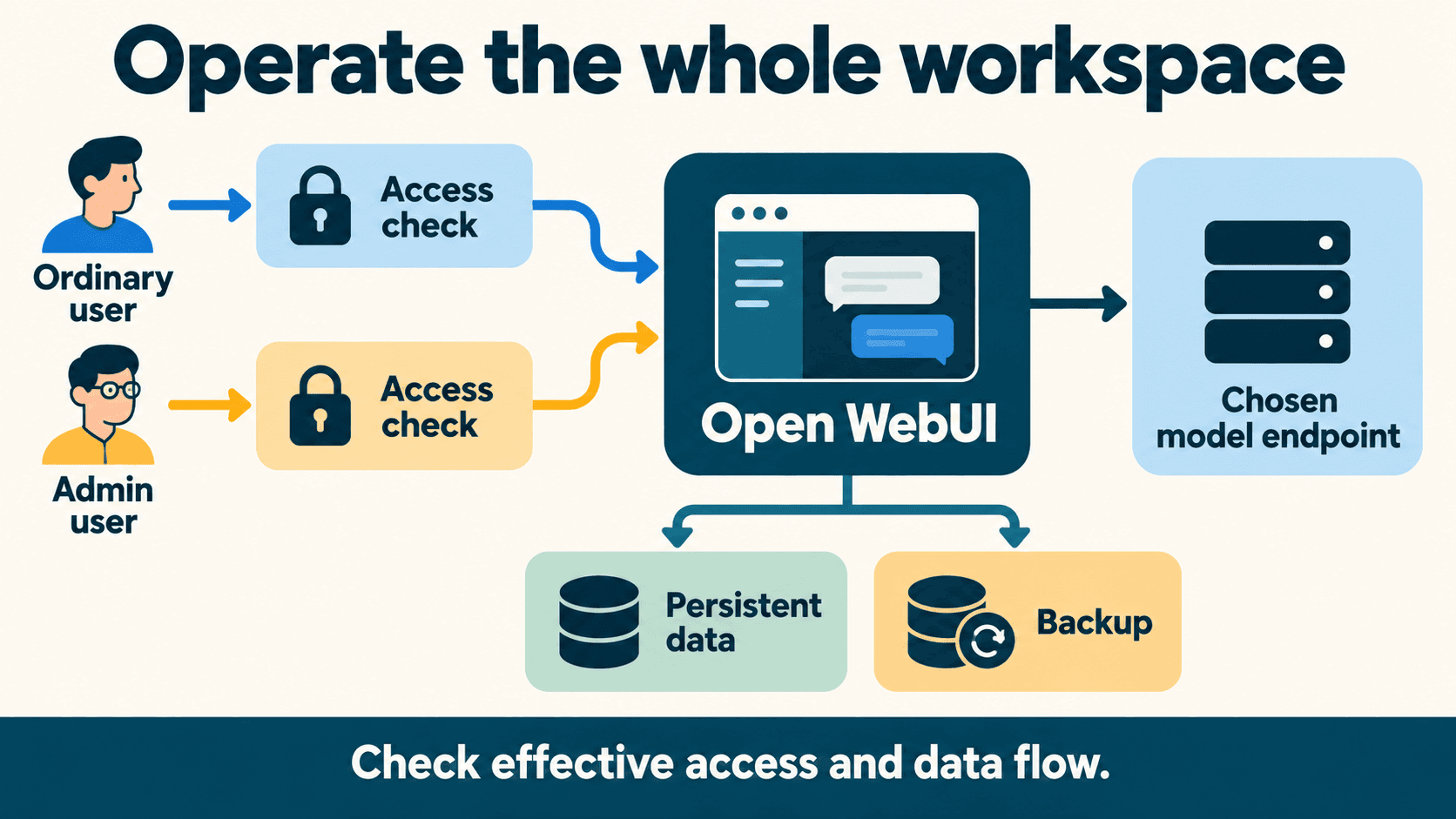
Pin a release, preserve the application’s data, create the administrator privately, and verify an ordinary user’s access before inviting the team. Then test the model connection and rehearse recovery on a disposable copy. A shared chat interface needs an operator as well as a running container.
This guide proposes a small-team setup and supplies deployment, role-testing and backup worksheets. The commands and procedures are documented examples to adapt; verify them in your own infrastructure before relying on them for production.
Decide what your team needs to operate
Open WebUI can provide a shared interface to local model servers and hosted APIs. Decide who operates the interface, where inference runs and which features the team actually needs.
| Decision | A useful starting question |
|---|---|
| Operator | Who maintains accounts, updates, backups and provider connections? |
| Access | Which people and devices should reach the interface? |
| Model backend | Is the chosen model running on your infrastructure or a provider’s? |
| Files and tools | Do you need uploads, retrieval, web access or executable extensions? |
| Recovery | Can the operator restore the actual database and storage arrangement? |
Start with a minimal chat workflow. Add document processing and tools when their data paths, permissions and operating requirements are understood. This keeps the first rollout easier to inspect.
Self-hosting the interface does not make every connected service local. The selected inference, embedding, extraction and tool endpoints determine where their requests go. Official provider connection guide.
Open WebUI itself can run on a modest VPS when inference stays elsewhere. Hostinger and DigitalOcean are two options; their Vantaige listings (Hostinger, DigitalOcean) show current entry plans.
Pin the application and record your setup
Open WebUI’s v0.12.4 release was published 25 October 2026. The example below uses that version. Check later release and security guidance when you implement it rather than assuming an old pin should remain unchanged indefinitely. v0.12.4 release notes.
Record the image tag and actual digest, architecture, container-runtime version, data volume, configuration method and selected backend. The official quickstart distinguishes rolling main/latest images from specific release tags. Installation and image guidance.
A proposed private-bootstrap Compose example
This example adapts the documented container pattern. It uses a persistent data volume and publishes the UI only on the host’s loopback address. Supply your own values through a protected environment or secret-management process; do not commit them.
services:
  open-webui:
    image: ghcr.io/open-webui/open-webui:v0.12.4
    restart: unless-stopped
    ports:
      - "127.0.0.1:3000:8080"
    volumes:
      - open-webui-data:/app/backend/data
    environment:
      WEBUI_SECRET_KEY: ${WEBUI_SECRET_KEY:?Set a persistent secret key}
      WEBUI_ADMIN_EMAIL: ${WEBUI_ADMIN_EMAIL:?Set the bootstrap admin email}
      WEBUI_ADMIN_PASSWORD: ${WEBUI_ADMIN_PASSWORD:?Set a unique admin password}

volumes:
  open-webui-data:
The required-value expressions make missing values visible during Compose configuration. They do not manage your secrets for you. Generate a suitably random persistent application key using the official instructions, restrict access to the environment file if you use one, and keep secret values out of shared examples.
Open http://127.0.0.1:3000 from the same host for the initial setup. A remote server needs an approved private access method, such as an operator tunnel or your organization’s access gateway. Publishing the UI on loopback alone does not make it reachable from teammates’ laptops.
Before remote team access, configure the intended access boundary and HTTPS/proxy behavior using the deployment’s actual topology. Do not assume a proxy can reach the container’s loopback port from another container. Official hardening guidance.
Standard or slim?
The documented slim image removes bundled components that an API-backed chat setup may not need. It can connect to a model server on your own infrastructure as well as a hosted provider. Document extraction, embeddings and other optional features have specific external-service requirements.
The v0.12.4 standard and slim tags are available in the public container registry. Choose the variant against your feature requirements, not an assumption that its UI-container memory use includes model inference. Image variants and their trade-offs.
Bootstrap the administrator and verify effective settings
Two documented setup patterns are useful:
- Interactive bootstrap: the first account on a fresh installation becomes the administrator. Keep that first-run interface private while the owner creates it.
- Headless bootstrap: supply both
WEBUI_ADMIN_EMAILandWEBUI_ADMIN_PASSWORD. On an empty user database, the application creates the administrator and disables signup. These values are not a password-reset method for an existing installation.
These are documented patterns available in Open WebUI's startup logic. Test your chosen bootstrap method on a disposable container before applying it in production. Roles and administrator setup, v0.12.4 startup source.
Once administrator login is verified and the user database is persistent, remove the bootstrap email/password entries from the steady-state container configuration and retire unneeded bootstrap environment values. Keep the persistent application key. Existing accounts are managed through the supported account-management flow.
After setup, check the actual signup state, ordinary-user role and login method. Keep a working administrator recovery path while configuring an identity provider; do not disable a working login method before verifying its replacement.
Environment changes may not be the effective configuration
Open WebUI persists some settings in its database. A saved setting can take precedence over a changed environment value, so editing an environment file and restarting does not by itself prove signup or permissions changed.
Check the effective administrative setting and repeat the relevant behavior test. Choose a consistent configuration-management approach rather than switching persistence off casually and losing expected UI changes. Configuration and persistence reference.
A stable WEBUI_SECRET_KEY avoids unintended key changes during recreation. It is not a guarantee that every session survives every update or policy change. Preserve it through your approved secret-backup process.
Test ordinary-user access separately from admin access
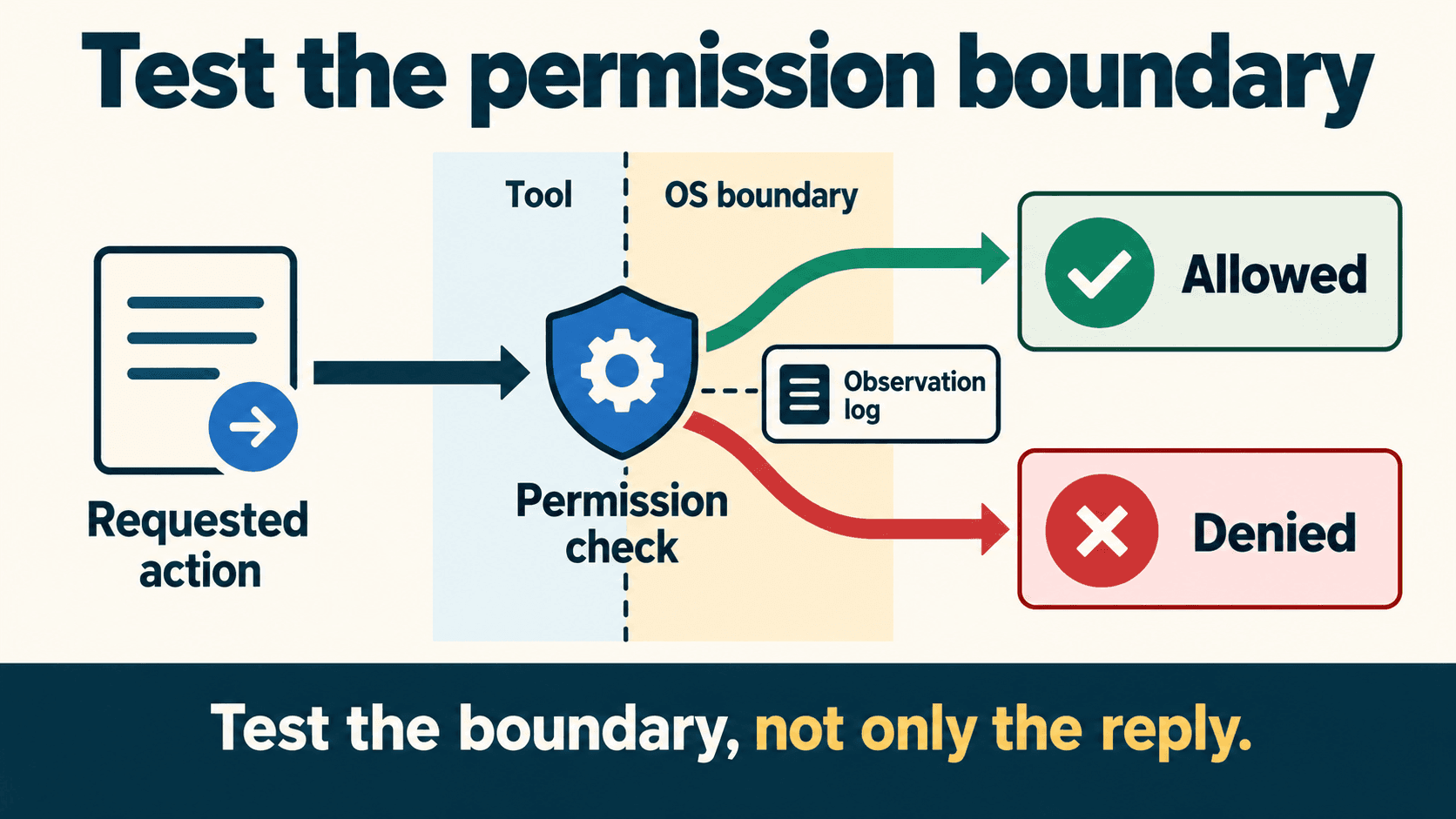
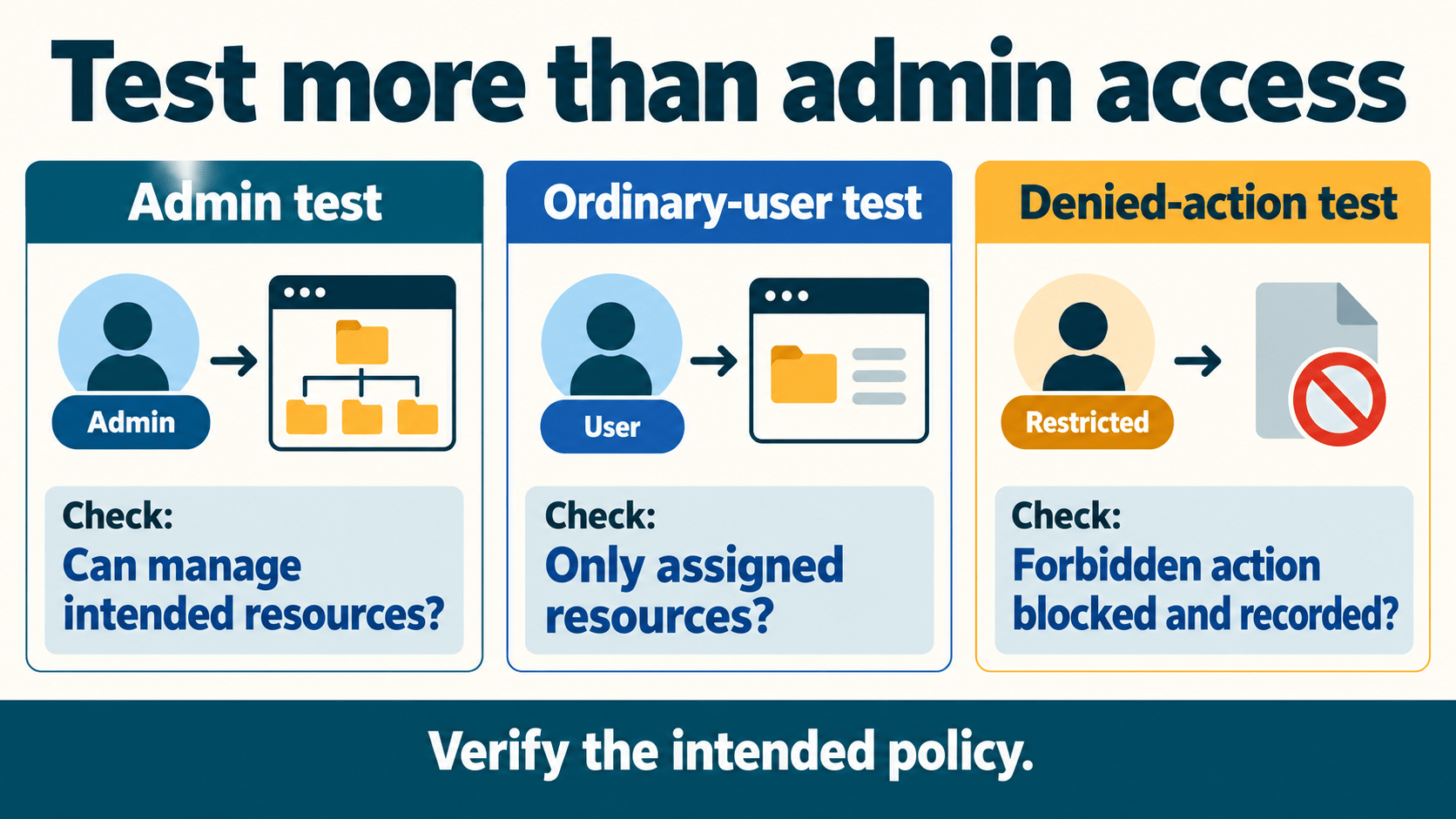
Open WebUI distinguishes admin, user and pending roles. An administrator’s view is not a valid test of an ordinary account’s restrictions. Administrative access can also have configuration-specific exceptions; do not promise that a private label isolates data from system operators.
Permissions are additive across applicable defaults and groups. If another grant enables a capability, a restrictive-looking group does not revoke it. Check all applicable grants when access is broader than intended. Official permissions model.
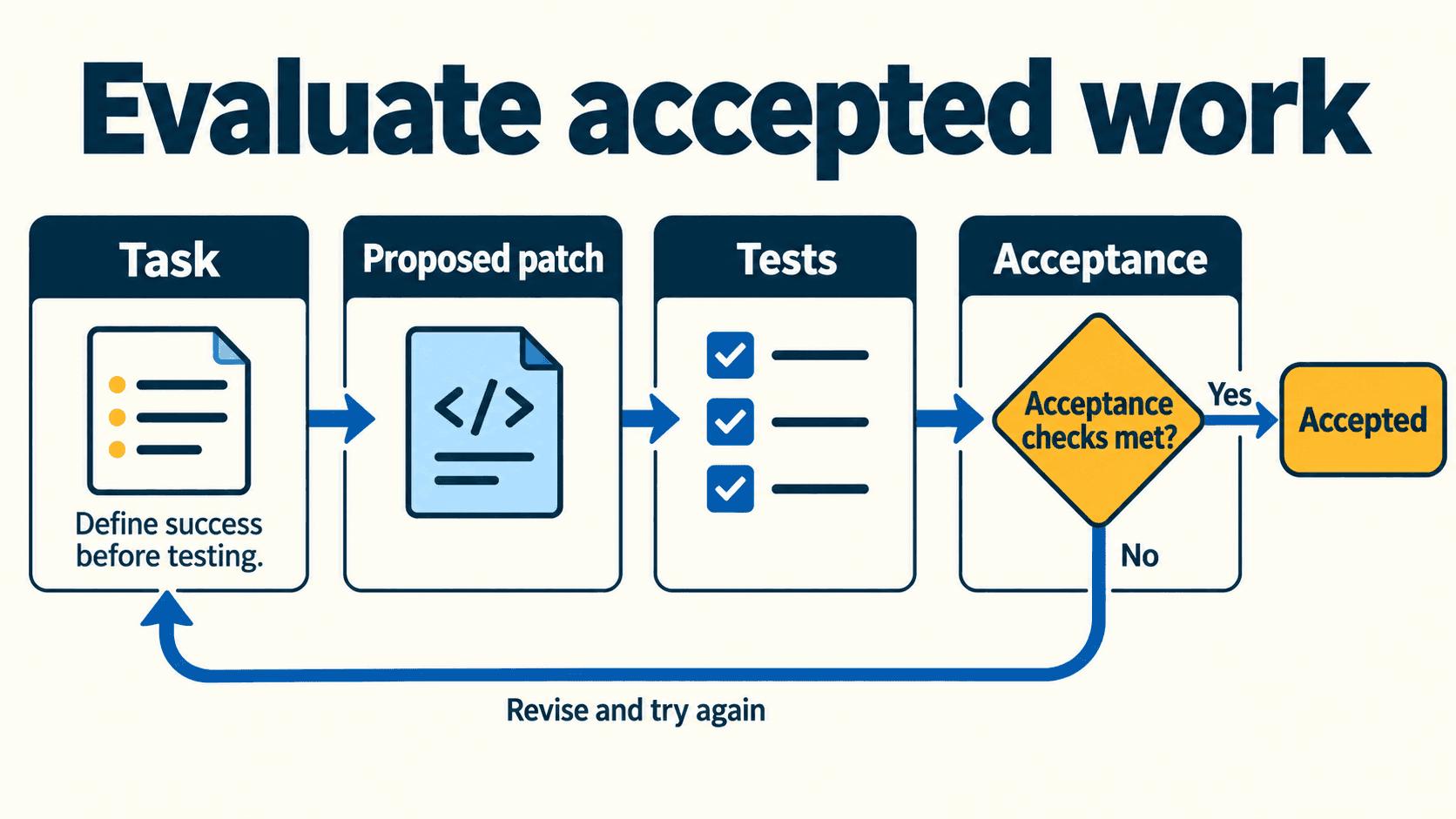
A proposed test policy, not a verified result
Create synthetic accounts and resources. In this example, Alpha has a deliberately granted upload capability; Bravo has the intended minimal defaults. Both are ordinary users. The expected results below describe the policy you intend to verify.
| Action | Proposed expectation | Evidence to record |
|---|---|---|
| Open own private chat | Owner can use it | Actual account and resource result |
| Bravo opens Alpha’s unshared resource | Denied under the intended policy | Resource/API authorization result, not just a hidden link |
| Alpha uploads an allowed sample | Allowed after the configured grant | Upload and processing result |
| Bravo uploads without a grant | Denied | Actual enforcement result |
| Create or import executable tools | Limited to your approved operators | Effective grants and operation result |
| Create an API key | Matches your explicit policy | Global feature state, user grants and result |
| Pending account uses the app | Restricted until approved | Actual account behavior |
| Approve accounts or edit global settings | Reserved for the administrator | Ordinary-user denial |
Download the role-action matrix. Its observation cells start as not_run. A missing button, absence of a phrase in an LLM answer or an administrator’s successful request does not prove another account’s access is correctly restricted.
What changed by 27 October
The v0.12.4 release notes describe visible context-compaction markers and optional on-demand skill loading, which is off by default and requires the built-in Skills tool. Try optional features after the basic team workflow is stable.
They also describe UI_VISIBILITY: hiding controls retains their underlying values and leaves the features usable. Use it to simplify the interface, then use the relevant permission controls and behavior tests for access restrictions. Dated release details.
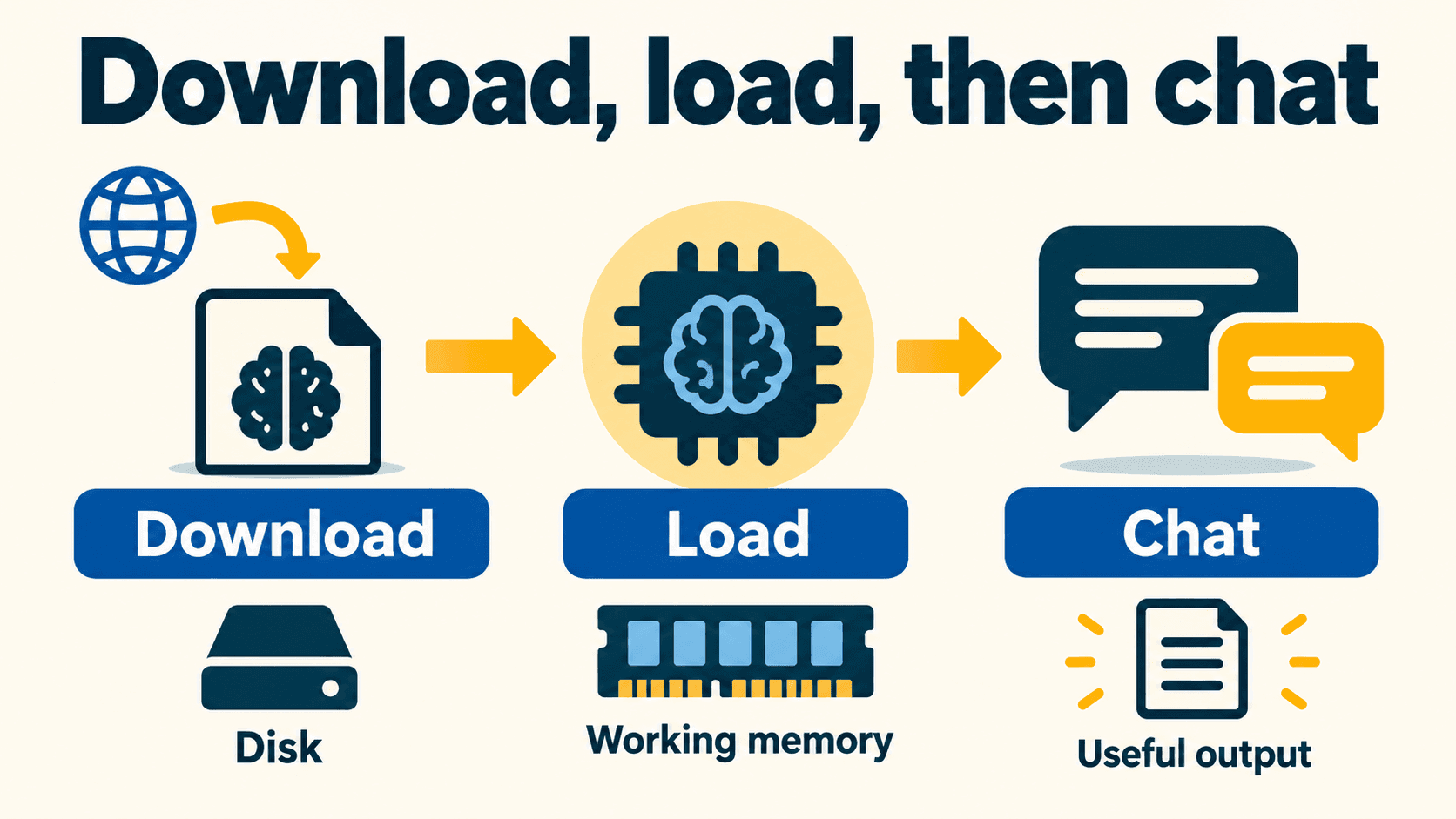
Connect a model and map the complete data path
Follow the official connection instructions for your chosen backend. Record the endpoint origin, authentication method and model identifier without putting credentials into your worksheet.
A container’s localhost is the container itself. If the model runs on the host or another machine, configure a reachable route and appropriately restricted listener; do not fix a connection failure by exposing an unauthenticated model API publicly.
Test a short, non-sensitive prompt first. A visible model name does not establish that inference, streaming or tool use works. Check the specific capabilities you plan to offer.
| Data or operation | What to identify in your deployment |
|---|---|
| Accounts, chats and settings | Actual database and access policy; the example uses the default application data volume |
| Uploaded files | Configured file storage, retention and sharing behavior |
| Document extraction and embeddings | The selected processors and whether they receive document contents remotely |
| Inference | The selected endpoint and the prompt/context sent to it |
| Tools and extensions | Their execution location, permissions and external connections |
| Logs and backups | Storage, retention and who can access potentially sensitive records |
SQLite/local storage are not universal across every deployment. External databases, object storage and separate retrieval services need their own inventory and recovery plan. A local model connection also does not make separately configured cloud tools or embedding services local. Provider and data-flow guidance.
Provider credentials and application roles solve different problems. Review the chosen provider or gateway’s actual credential scopes, quotas, alerts and enforceable spending controls; do not assume a WebUI permission prevents all provider-side spending.
Rehearse a useful workflow and a failure
Before inviting the team, run one complete scenario with synthetic data:
- Sign in as an ordinary user and select an approved model.
- Complete a short chat and confirm the response behaves as expected.
- If uploads are required, process an allowed sample and inspect its sharing behavior.
- Repeat the relevant denied actions as a different ordinary user.
- Simulate an unavailable backend in an isolated test setup and inspect the error/recovery behavior.
- Record observed results, unresolved issues and the operator responsible for fixing them.
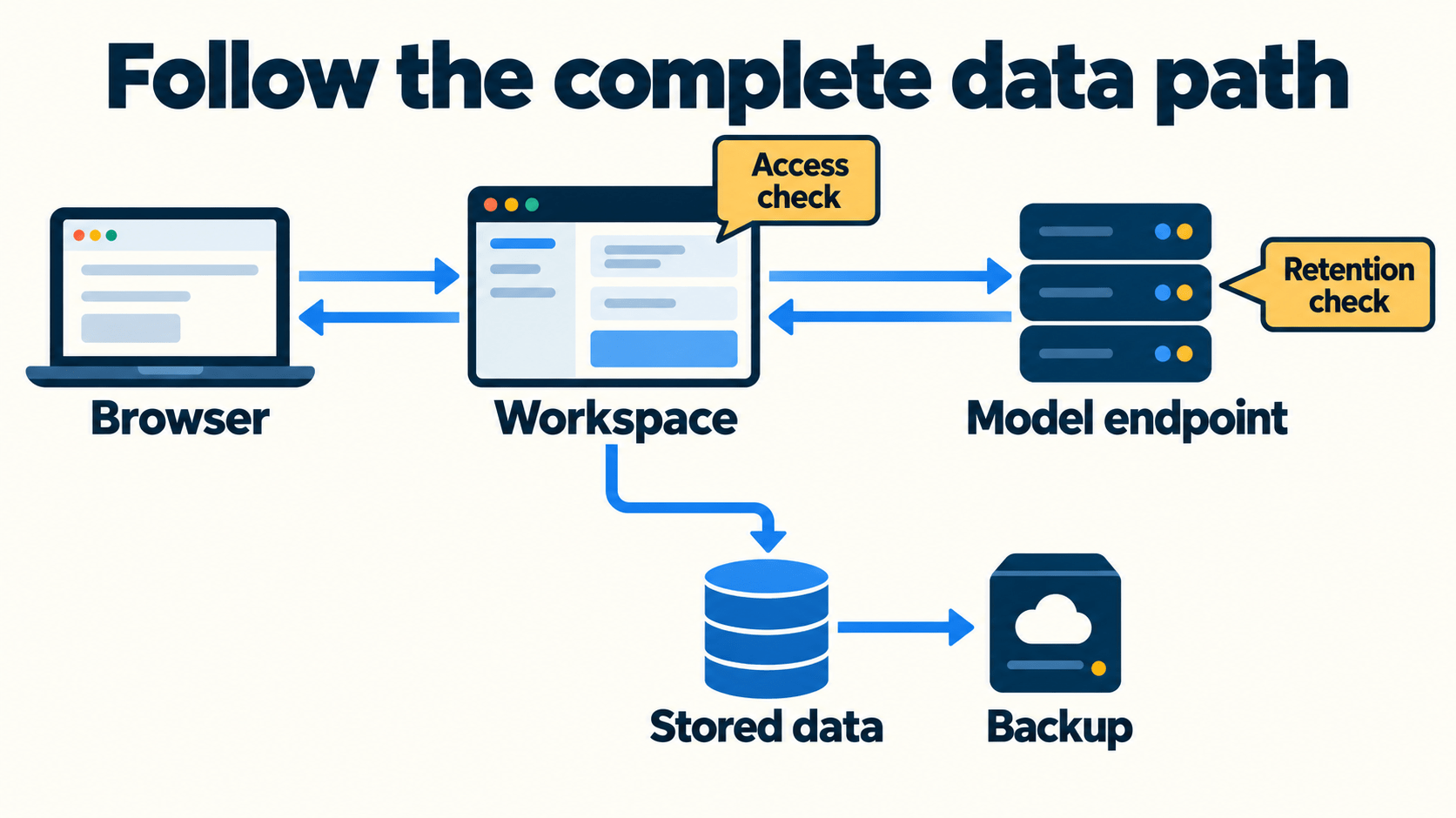
Do not point a live shared connection at a broken endpoint merely to test an error. Use the disposable setup. Avoid claiming an error must appear “immediately”: timeout behavior depends on the configured services.
Back up the actual deployment and rehearse an upgrade
A named volume is persistence, not a backup. Inventory the application database, files, retrieval stores, configuration and required secret material. The example’s data volume does not automatically include every external backend or the environment values supplied at startup.
Use a database-appropriate consistent backup method. For a simple SQLite setup, plan a maintenance window and stop writes before copying the database and associated files. External databases need their own supported backup procedure.
Use the backup and upgrade worksheet for this rehearsal:
- Restore a backup into a new disposable target, with separate storage and an isolated test connection configuration.
- Verify expected accounts, a synthetic saved chat, an attachment and the intended role policy.
- Apply the proposed pinned upgrade to the copy; inspect startup/migration behavior and repeat the workflow.
- Preserve the pre-upgrade compatible backup. An older image may not be compatible with an upgraded database, so rollback may require restoring that backup rather than changing only the tag.
- Record what was actually tested and what remains unrun before scheduling the real update.
Do not delete the original volume to “refresh” configuration. Rehearse the recovery path and resolve the setting through its documented configuration mechanism.
Troubleshoot with a narrow symptom checklist
| Symptom | Check first | Next useful action |
|---|---|---|
| No model response | Endpoint reachability, backend availability and authentication | Follow that provider’s connection guide; inspect a redacted error |
| Setting did not change | Persisted value and effective admin configuration | Correct the active setting and repeat the behavior test |
| Unexpected user access | Global defaults, all group grants and resource sharing | Correct the applicable grant and retest as that account |
| Document processing fails | Image variant and configured extraction/embedding services | Check the missing processor; do not assume every upload error has one cause |
| Logouts after recreation | Persistent key, authentication settings and logs | Inspect configuration changes rather than assuming one universal cause |
| Upgrade startup fails | Database compatibility, storage availability and migration errors | Use the rehearsed recovery procedure |
For support, collect the version/digest, architecture, backend type, redacted error and steps using synthetic data. Review logs before sharing them. Do not dump the entire container environment: it may contain provider keys and bootstrap credentials.
Use the checklist before inviting the team
Download the deployment checklist, complete the role tests and rehearse recovery. Keep unresolved observations explicit rather than marking documented behavior as a passed test.
If the remaining question is where model inference should run, compare inference-serving tools. Keep that decision separate from operating the Open WebUI interface: each has its own capacity, data-flow and maintenance requirements.
Get the best new AI tools and guides, weekly
One short email a week. The tools worth trying, the guides worth reading, nothing else.
No spam. Unsubscribe anytime.
Aymen B
Contributing writer at Vantaige, covering the AI tools ecosystem.