15 AI Agent n8n Workflows You Can Build This Weekend (2026)

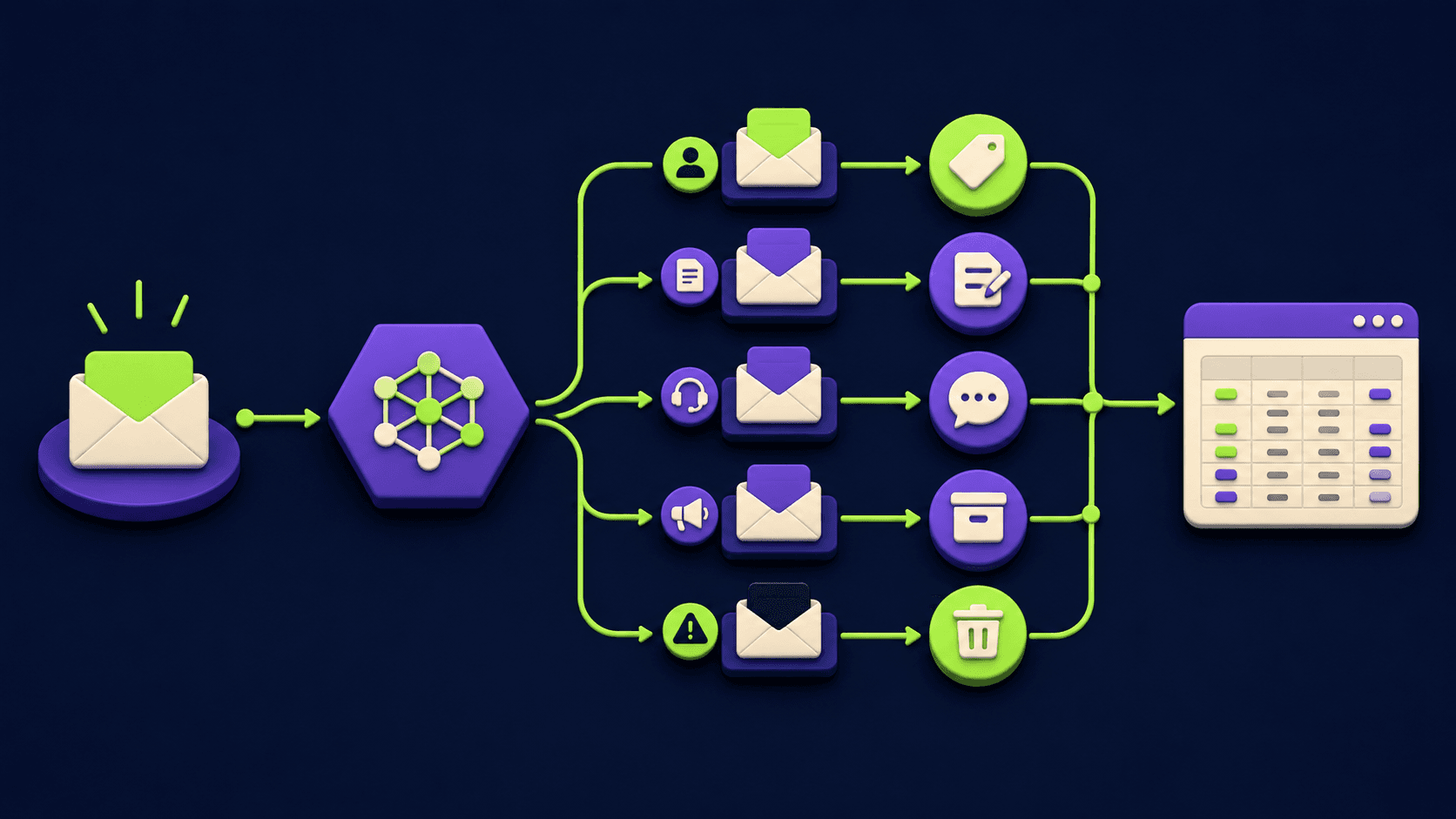
15 AI Agent n8n Workflows You Can Build This Weekend (2026)
This is a build list, not a hype list. Every n8n AI agent workflow below names the trigger, the exact node graph using real n8n node types, the LLM step, and a one-line "next-level" upgrade for v2. The 15 are grouped into five categories of three so you can pick the workflow closest to a problem you actually have. n8n is open-source and self-hostable, and a single workflow from this list is an afternoon-to-weekend project once the canvas is familiar.
TL;DR
15 buildable n8n AI agent workflows for the 2026 stack.
Real nodes only: AI Agent, Webhook, Schedule, Merge, IF, Set.
Five categories, three workflows each, same template per entry.
Each entry includes a one-line next-level upgrade for v2.
Start with productivity workflows; they fail safely.
Published 2026-05-21.
What is an n8n AI agent workflow?
An n8n AI agent workflow is any workflow where an AI Agent node sits between a trigger and an action, reads context, decides what to do next, and calls tools or sub-workflows to do it. The difference from a plain automation is the decision step. A standard automation maps input to output on a fixed path. An agent workflow lets the model choose the path or response at runtime, then a deterministic node downstream does the actual write, send, or delete.
In n8n the building blocks are stable and few. A trigger starts the run (Schedule Trigger, Webhook, or an app trigger). An AI Agent node runs the reasoning and can hold tools. Supporting nodes shape and route data: Set (Edit Fields) builds payloads, IF branches on conditions, Merge recombines parallel paths, HTTP Request calls any API, and Execute Sub-workflow delegates a step to another workflow. The AI Agent node is documented in the LangChain cluster reference [1], with agent concepts in the n8n advanced AI tutorial [2].
Every workflow on this list is built from that small set. The first one is slow because you are also learning the canvas. The fifth is fast because it is a recombination.
The 15 n8n AI agent workflows at a glance
The master table lists every workflow with its category, trigger node, and core LLM step. The five H2 sections that follow expand each entry with the full node graph, trigger detail, LLM step, and the next-level upgrade.
# | Workflow name | Category | Trigger | Core LLM step |
|---|---|---|---|---|
1 | Inbox triage and reply drafter | Personal productivity | Schedule Trigger (every 10 min) | AI Agent classifies and drafts reply |
2 | Daily personal briefing | Personal productivity | Schedule Trigger (daily 07:00) | AI Agent summarizes calendar plus news |
3 | Meeting notes to action items | Personal productivity | Webhook (transcript ready) | AI Agent extracts owned action items |
4 | Inbound lead qualification | Sales and outreach | Webhook (form submission) | AI Agent scores and explains fit |
5 | Cold-outreach research and personalization | Sales and outreach | Schedule Trigger (batch) | AI Agent writes per-prospect opener |
6 | Demo follow-up sequencer | Sales and outreach | Webhook (demo completed) | AI Agent drafts a multi-step nurture |
7 | Long-form to short-form repurposer | Content and creator | Webhook (article published) | AI Agent produces platform variants |
8 | SEO topic-cluster planner | Content and creator | Webhook (seed keyword in) | AI Agent plans cluster and briefs |
9 | Newsletter curation | Content and creator | Schedule Trigger (weekly) | AI Agent ranks and writes intros |
10 | Support-ticket triage and routing | Support and ops | Webhook (new ticket) | AI Agent classifies and assigns |
11 | Internal knowledge-base Q and A | Support and ops | Webhook (Slack slash command) | AI Agent answers from retrieved docs |
12 | Incident first responder | Support and ops | Webhook (alert fires) | AI Agent writes triage summary |
13 | Weekly KPI digest | Reporting and dashboards | Schedule Trigger (Monday 08:00) | AI Agent narrates metric movement |
14 | Competitor and market watch | Reporting and dashboards | Schedule Trigger (daily) | AI Agent reports material diffs only |
15 | Customer-feedback clustering | Reporting and dashboards | Schedule Trigger (weekly) | AI Agent groups feedback into themes |
Personal productivity workflows
Personal productivity workflows are the safest place to start. They touch your own inbox, calendar, notes, and tasks, so the cost of a wrong answer is a draft you do not send. Each uses the smallest node graph that still returns real value, with an upgrade path you can run later.
1. Inbox triage and reply drafter
The problem it solves. Your inbox holds three types of mail: things you must reply to, things you must read, and noise. Sorting them by hand every morning costs an hour, and the bottom of the queue silently rots. This agent reads each new message, labels it, and pre-drafts a reply for the ones that need one so you only review and send.
n8n nodes. Schedule Trigger, HTTP Request (to the mail API), Set, AI Agent, IF, HTTP Request (to write the label and stage the draft).
Trigger. Schedule Trigger set every 10 minutes. Polling is more portable than IMAP across providers and avoids long-lived connections.
LLM step. An AI Agent node that returns a strict JSON object with three fields: category ("reply now", "read only", "noise"), urgency (1 to 5), and a draft reply when category is "reply now". The agent prompt is locked to "return JSON only, no prose, no markdown".
Next-level upgrade. Add an Execute Sub-workflow call that pulls the relevant project context from your notes app before the AI Agent runs, so the draft reply is grounded in the actual project state, not just the email thread.
2. Daily personal briefing agent
The problem it solves. Most mornings you reload calendar, news, and a couple of dashboards before you actually start work. That ten minutes of context loading is identical every day and easy to automate. This agent gathers the same sources and delivers one short briefing at 07:00 so you open the day with a plan, not a scroll.
n8n nodes. Schedule Trigger, three parallel HTTP Request branches (calendar, news, key metric), Merge, Set, AI Agent, HTTP Request or Gmail/Slack node to deliver.
Trigger. Schedule Trigger configured for a daily cron at your preferred local time. Use the Schedule Trigger documentation [3] for timezone handling.
LLM step. An AI Agent node that receives the merged payload and writes a 120 to 180 word briefing with three sections: today's schedule, two news items worth knowing, one metric to watch. The agent is instructed to skip filler and name the source for each news item.
Next-level upgrade. Add a feedback loop. After each briefing, a single emoji reaction in Slack writes a row to a sheet, and a weekly Schedule Trigger fine-tunes the prompt with examples of briefings you liked.
3. Meeting notes to action items
The problem it solves. Decisions die in meeting recordings because nobody rewatches them. This agent reads the transcript when it lands, extracts the decisions and owned action items with due dates, and writes them straight into your task tracker. The meeting now produces tracked work instead of a file in a folder.
n8n nodes. Webhook, Set, AI Agent, Merge, HTTP Request or a task-app node (Linear, ClickUp, Notion). Add IF on an "owner unclear" flag to route to a human review queue.
Trigger. Webhook fired by your transcription service when a transcript is ready. The Webhook node documentation [4] covers payload validation. If your service does not call out, fall back to a Schedule Trigger that polls the transcripts folder.
LLM step. An AI Agent node that returns a strict JSON array. Each element has: title, owner, due_date (ISO), source_quote, and confidence. The agent is told to leave owner empty rather than guess, and the IF then routes empty-owner items to a review channel.
Next-level upgrade. Chain a second AI Agent as a reviewer. The reviewer reads the action items the first agent produced and checks each one against the transcript for hallucinations before the task tracker is written.
Sales and outreach workflows
Sales and outreach is where AI agent workflows move from convenient to commercial. Each of the three below shortens the time between an interested signal and a relevant reply, which is the part of the funnel that pays. Keep the send step deterministic, gate any auto-send behind a tight IF, and review the first few hundred outputs by hand.
4. Inbound lead qualification agent
The problem it solves. Good inbound leads sit cold in a form-responses table because sales does not have time to triage them. By the time a human gets to a hot lead, the moment has passed. This agent scores and explains every inbound, drops a one-line summary on the CRM record, and flags only the hot ones for a same-day human reach-out.
n8n nodes. Webhook, HTTP Request (enrichment), Set, AI Agent, IF, CRM node (HubSpot, Pipedrive, Attio, or HTTP Request for any other), Slack node for the hot-lead alert.
Trigger. Webhook from your form tool. If your form tool only supports email, use the email trigger pattern from the n8n Email Trigger documentation and parse the body.
LLM step. An AI Agent node that takes the form fields plus enrichment data and returns a JSON object: fit_score (0 to 100), tier ("hot", "warm", "cold"), one_line_summary, and the two best matching ICP attributes. The agent prompt holds your ICP definition as a constant.
Next-level upgrade. Add an Execute Sub-workflow that runs a "second-look" agent on every cold lead at the end of the week, in case the model missed a buying signal in a free-text field.
5. Cold-outreach research and personalization agent
The problem it solves. Generic cold outreach is ignored, and writing a researched opener per prospect does not scale past about 15 a day by hand. This agent reads a prospect list, pulls one public signal per name (a recent post, a hiring page, a press item), and writes a single personalized opener so your outreach is researched at volume.
n8n nodes. Schedule Trigger or Webhook, Split In Batches, HTTP Request (per-source research), Merge, Set, AI Agent, IF (skip if no signal found), Google Sheet or HTTP Request to write the drafts.
Trigger. Schedule Trigger reading the next batch of N prospects from a sheet or a CRM view. Batching avoids hitting model rate limits and keeps cost predictable per run.
LLM step. An AI Agent node that receives the prospect record plus the researched signal and returns a JSON object: opener (one sentence, references the signal), source_url, and confidence. The agent is instructed to skip the row when confidence is below a threshold rather than fabricate.
Next-level upgrade. Send only after a human approves the batch. Stage drafts to a sheet with an "approve" column, and have an HTTP Request node downstream that picks up only the approved rows and pushes them to your sequencing tool.
6. Demo follow-up sequencer agent
The problem it solves. The post-demo follow-up is the highest-impact minute in B2B sales and the most rushed. By the time the rep writes the recap, they have already moved to the next call. This agent reads the demo transcript plus the rep's notes, drafts a three-step follow-up sequence tailored to what the prospect said in the room, and stages it for the rep to approve in one click.
n8n nodes. Webhook (demo completed), Set, AI Agent, Merge, IF, HTTP Request to the CRM, Slack node for the rep to review.
Trigger. Webhook from your demo platform or transcription tool when a call ends. The Webhook node guide [4] explains payload signing if your platform supports it.
LLM step. An AI Agent node that returns a JSON object with three entries (day_0, day_3, day_7). Each entry has subject, body, and a one-line rationale citing a quote from the transcript. The agent is locked to "do not promise anything not in the transcript".
Next-level upgrade. Add a second AI Agent as a "deal-stage classifier" that picks one of three sequence templates (technical buyer, business buyer, procurement) based on who was in the room, then runs the drafter against the chosen template.
Content and creator workflows
Content workflows pay back fastest if you publish on more than one surface. Every long-form piece you ship is already research, structure, and voice; the agent just adapts it per platform. The three below cover the post-publish multiplier, the pre-write planner, and the curated newsletter. Keep a human on the final approval step in every one.
7. Long-form to short-form repurposer agent
The problem it solves. One article should fuel a week of social posts, a newsletter blurb, and a short video script, but in practice it ends up as a single tweet because the manual rework is dull. This agent takes the article, produces the platform variants in one run, and stages each in a drafts queue so you only edit and schedule.
n8n nodes. Webhook, Set, AI Agent (one per platform, or one agent returning all variants), Merge, IF, social and email and docs nodes to stage drafts.
Trigger. Webhook fired by your CMS on publish, or a Schedule Trigger that reads a content queue if your CMS does not call out.
LLM step. An AI Agent node that returns a JSON object with named variants: x_thread (5 to 8 posts), linkedin_post (under 200 words), newsletter_blurb (under 80 words), short_video_hook (under 25 words), instagram_caption (under 150 chars). The agent is given the article plus a voice-guide string as constants.
Next-level upgrade. Add an "engagement memory" sub-workflow. Top-performing posts from the last 30 days are pulled in as few-shot examples on every run, so the agent learns your voice from the posts that actually worked.
8. SEO topic-cluster planner agent
The problem it solves. Single-article SEO does not move rank in 2026; topic clusters do. Planning a 12-piece cluster by hand is half a day of search work, and most operators skip it. This agent takes one seed keyword, plans the pillar plus 10 to 12 supporting articles, and writes a one-page brief per article so the writer just opens and ships.
n8n nodes. Webhook, HTTP Request (search API for SERP and PAA data), Set, AI Agent (planner), Execute Sub-workflow (one per brief), Merge, HTTP Request to write briefs into your docs tool.
Trigger. Webhook from a form where you submit the seed keyword and optional ICP modifier. A row-added trigger on a planning sheet works just as well.
LLM step. An AI Agent node as a planner that returns a JSON tree: pillar (target keyword, target word count, working title) and supports (array of 10 to 12 objects each with target keyword, intent, working title, one-line angle). Each support article then runs through an Execute Sub-workflow that has its own AI Agent producing the brief.
Next-level upgrade. Layer a "live SERP check" HTTP Request before the planner so the agent sees current ranking pages for each support keyword and drafts the brief with explicit gaps in mind.
9. Newsletter curation agent
The problem it solves. A useful newsletter takes hours per week because the work is not writing, it is reading. By Friday morning you have not yet read the 60 candidate items, and the issue ships late or skips. This agent reads the week's candidates, ranks them by relevance to your audience, and writes a 40 to 60 word intro per item you actually run.
n8n nodes. Schedule Trigger, parallel HTTP Request branches per source (RSS, X lists, GitHub trending, Hacker News), Merge, Set, AI Agent (ranker), IF (drop low-score), AI Agent (intro writer), HTTP Request to stage the issue in your newsletter tool.
Trigger. Schedule Trigger on a weekly cron (for example Friday 09:00 local), reading the last seven days of sources.
LLM step. Two AI Agent nodes. The first scores each item 0 to 100 against an audience prompt and returns the JSON list. The IF drops anything below a threshold. The second writes a 40 to 60 word intro per remaining item and returns the assembled issue draft.
Next-level upgrade. Add an Execute Sub-workflow that scrapes each candidate's open-rate equivalent (likes, stars, comments) and feeds it as a tie-break feature into the ranker prompt.
Support and ops workflows
Support and ops workflows are where an n8n AI agent moves a real number: first-response time, escalation rate, mean time to triage. The three below cover the three places that number is set, and each one keeps the human in the loop on anything that touches a customer. The pattern across all three is the same: agent classifies and drafts, deterministic node assigns or sends.
10. Support-ticket triage and routing agent
The problem it solves. A new ticket waits in an unassigned queue until a human reads, classifies, and routes it. That gap is often the longest single delay in your first-response time. This agent reads every new ticket, classifies it (billing, bug, how-to, churn risk), sets a priority, and routes it to the right queue or owner.
n8n nodes. Webhook, Set, AI Agent, IF or Switch, HTTP Request back to the helpdesk to tag, assign, and set priority. Optional Slack node for the high-priority alert.
Trigger. Webhook from your helpdesk (Zendesk, Intercom, Help Scout, Front), or the helpdesk app trigger node when one exists.
LLM step. An AI Agent node that returns a strict JSON object: category (one of a fixed enum), priority (1 to 5), suggested_owner_team, suggested_first_response_template, and confidence. The agent prompt holds your category enum and the team map as constants.
Next-level upgrade. Add a second AI Agent that drafts a first reply for low-risk categories ("how-to" and "billing question") and stages it on the ticket as an internal note, so the human agent only proofreads and sends.
11. Internal knowledge-base Q and A agent
The problem it solves. Staff ask the same five questions in Slack every week and someone has to dig for the doc. The wiki search is bad, the doc is buried, the answer arrives an hour later. This agent answers from your own docs with a citation, in the channel, in seconds.
n8n nodes. Webhook (Slack slash command), Set, AI Agent with a retrieval tool attached, IF (fall back to "no source found" message), HTTP Request to post the answer back to Slack.
Trigger. Webhook from a Slack slash command (for example /ask). The Webhook setup is covered in the Webhook node documentation [4], and Slack's slash-command setup is referenced in the Slack node documentation [5].
LLM step. An AI Agent node configured to answer only from retrieved context. The tool is a vector store or an HTTP Request to your docs API. The agent is locked to "if no source is retrieved, say so; do not improvise". It returns answer and source_url.
Next-level upgrade. Log every unanswered question to a sheet and have a weekly Schedule Trigger surface the top three as docs to write or improve. The agent now generates its own backlog.
12. Incident first-responder agent
The problem it solves. When an alert fires at 03:00 the first ten minutes are spent gathering context. This agent runs that ten minutes the second the alert lands, posts a triage summary to the incident channel, and tags a likely owner so the human on call walks in already oriented.
n8n nodes. Webhook, IF (severity threshold), HTTP Request (logs, ownership, recent deploys), Merge, AI Agent, Slack or PagerDuty node to post.
Trigger. Webhook from your monitoring or alerting tool (Datadog, Grafana, Sentry). The IF gates so only above-threshold severities run the agent and pay for the model call.
LLM step. An AI Agent node that takes the alert plus the pulled context and returns a JSON object: what_broke (one sentence), likely_scope, suggested_first_check (one specific command or dashboard link), suggested_owner. The agent is told to write for an on-call who has not seen the system today.
Next-level upgrade. Add an Execute Sub-workflow that posts a follow-up message 30 minutes later with the latest log slice, so the agent acts as a passive shadow scribe for the whole incident, not just the first minute.
Reporting and dashboards workflows
Reporting workflows are where AI agents turn data nobody reads into a narrative people actually act on. The three below cover the weekly internal digest, the competitive watch, and the customer-voice clustering. Each replaces a spreadsheet or a tab that quietly stopped getting opened, and each one runs on a Schedule Trigger so it lands the same day every week.
13. Weekly KPI digest agent
The problem it solves. The Monday metrics email is either a wall of numbers nobody reads or it does not get sent because writing the narrative takes an hour. This agent pulls the numbers, writes the "what changed and why it might matter" narrative, and delivers it Monday at 08:00 with the three biggest moves called out at the top.
n8n nodes. Schedule Trigger, parallel HTTP Request branches per data source, Merge, Set (compute week-over-week deltas), AI Agent, Slack or Gmail node to deliver.
Trigger. Schedule Trigger on a Monday 08:00 cron. Use the Schedule Trigger documentation [3] for cron syntax and timezone handling.
LLM step. An AI Agent node that takes the merged metrics with week-over-week deltas and returns a JSON digest: headline (one sentence), top_three_moves (each with metric, change, plausible cause), watchlist (one or two metrics trending in a concerning direction), and the full table appended.
Next-level upgrade. Add a "cohort drill-down" branch. When a top move is flagged, an Execute Sub-workflow runs a second AI Agent with access to a slicing tool that splits the metric by acquisition source, plan, or region and writes one more paragraph of explanation.
14. Competitor and market-watch agent
The problem it solves. Checking ten competitor pages, pricing, and changelogs every week is dull and you stop doing it after month two. The first time you stop, you miss a price change that costs you a deal. This agent runs the checks on a schedule and reports only the material differences, not the noise.
n8n nodes. Schedule Trigger, HTTP Request per source, a storage step (Postgres, Airtable, or a sheet) for the previous snapshot, Set to diff old versus new, AI Agent, email or Slack to deliver.
Trigger. Schedule Trigger on a daily or weekly cron depending on how fast your market moves.
LLM step. An AI Agent node that takes the diff plus the source URL and returns a JSON report: per-source list of changes with "material" or "noise" labels, a one-line so-what for each material change, and a single "this week's headline" item. The agent prompt holds "material" definitions (price change, new feature, hiring shift, leadership move).
Next-level upgrade. Add an Execute Sub-workflow that drops every material change into a dated Notion log so you accumulate a competitor history database, queryable later by another agent.
15. Customer-feedback clustering agent
The problem it solves. Reviews, surveys, and support tickets all carry signal, but it sits scattered across three tools and never gets read together. This agent pulls the week's feedback from each source, groups it into themes with example quotes and a count per theme, and publishes a ranked list of what to fix.
n8n nodes. Schedule Trigger, three parallel HTTP Request or app-trigger branches (reviews, survey tool, helpdesk), Merge, Set to normalize fields, AI Agent, Slack or sheet to publish.
Trigger. Schedule Trigger on a weekly cron reading the period's feedback across all sources.
LLM step. An AI Agent node that takes the batch of normalized feedback items and returns a JSON list of themes. Each theme has: name, count, severity, two representative quotes (with source), and a suggested next action. The agent is locked to "themes must come from the data, not invented categories".
Next-level upgrade. Layer an Execute Sub-workflow that cross-references the themed list against your open Linear or Jira backlog and tags any theme that already has a tracked ticket, so the published report shows what is and is not on the roadmap.
Which one to start with?
Pick by the problem you actually have this week, not by the most impressive entry. The matrix below maps the 15 to two axes: time-to-first-value and blast-radius if the agent gets one wrong. The safer, faster ones are the right place to start. The longer-build ones with real consequences belong after you have shipped two and trust your prompt patterns.
Workflow | Time to v1 | Blast radius | Start here if |
|---|---|---|---|
1. Inbox triage and reply drafter | 3 to 4 hrs | Low (your inbox only) | Mornings are eaten by email triage |
2. Daily personal briefing | 2 to 3 hrs | Low (one message to you) | You want a clean weekend build |
3. Meeting notes to action items | 3 to 4 hrs | Low (drafts in your tracker) | Action items keep slipping |
4. Inbound lead qualification | 3 to 5 hrs | Medium (CRM record writes) | Hot leads sit cold for a day |
5. Cold-outreach research and personalization | 5 to 7 hrs | Medium (only sends if approved) | Volume outreach is generic |
6. Demo follow-up sequencer | 4 to 6 hrs | Medium (drafts a sequence) | Post-demo recaps are rushed |
7. Long-form to short-form repurposer | 4 to 6 hrs | Low (drafts only) | Articles do not get repurposed |
8. SEO topic-cluster planner | 5 to 7 hrs | Low (briefs only) | Single-article SEO is plateauing |
9. Newsletter curation | 5 to 7 hrs | Low (issue draft) | Newsletter ships late or skips |
10. Support-ticket triage and routing | 3 to 4 hrs | Medium (tags and assigns) | First-response time is the bottleneck |
11. Internal knowledge-base Q and A | 5 to 7 hrs | Low (Slack reply) | Same five questions every week |
12. Incident first responder | 4 to 6 hrs | Medium (posts to incident channel) | On-call burns ten minutes on context |
13. Weekly KPI digest | 3 to 5 hrs | Low (internal message) | Monday metrics email is skipped |
14. Competitor and market watch | 4 to 6 hrs | Low (internal report) | You stopped checking competitors |
15. Customer-feedback clustering | 4 to 6 hrs | Low (internal report) | Feedback sources are scattered |
If you have a clean weekend, build number 2 (personal briefing) Saturday morning to learn the canvas, then number 10 (support triage) Saturday afternoon to learn webhooks. By Sunday you have shipped two real workflows and recognize every node in the other 13.
Frequently asked questions
Do I need to know how to code to build these n8n AI agent workflows?
No code is required for the structure. You connect nodes on a canvas and write prompts in plain language. You will occasionally write a short expression to map one field to another, for example pulling a value out of the trigger payload, but that is a one-line expression in the n8n editor, not a program. The AI Agent step itself is prompt-only and the supporting nodes are configured through the UI.
Is n8n free, and can I run all 15 workflows on my own server?
n8n is open-source and self-hosts at no licence cost on a modest VPS, with n8n Cloud as a managed alternative. Self-hosted, all 15 workflows run on a single instance because cost is tied to your server, not to how many executions you run per month. You still pay your AI model provider per call for the agent steps, which is where the running cost shows up.
Which model should the AI Agent node use?
Use a capable general model for reasoning-heavy steps (planning, nuanced triage, narrative generation) and a smaller, cheaper model for mechanical steps (strict field extraction, simple classification). The AI Agent node lets you attach a chat model of your choice, so you can mix per workflow and tune cost against quality without changing the node graph. Start every workflow on the cheap model and only escalate the steps that visibly fail on it.
What is the difference between an AI Agent node and a plain prompt step?
A plain prompt step sends text in and returns text on a fixed path. An AI Agent node can hold tools and decide, at runtime, which tool to call and in what order to reach the goal. Use a plain prompt for "rewrite this paragraph". Use an AI Agent for "given this ticket and these tools, classify it, look up the customer plan, and write the right reply template".
How do I stop an agent workflow from doing something destructive?
Keep the destructive action out of the agent. Have the agent produce only a decision or a draft, then put the actual write, send, or delete in a normal n8n node downstream, gated by an IF condition or a manual approval step. The model proposes; a deterministic node disposes. Every workflow in this list follows that split, which is why the blast radius stays low or medium.
How do I avoid an agent workflow burning tokens on garbage inputs?
Put a cheap pre-filter in front of the agent. An IF node, a small regex, or a rules-based classifier can drop the 60 percent of events that obviously do not need a model. The AI Agent only sees the items that need judgment, your bill drops sharply, and the workflow runs faster.
Related from Vantaige
n8n MCP with Claude Code: Setup Guide (2026). Wire Claude Code into n8n as a tool source for any of these agents.
The Orchestrator-Worker n8n Template: One Workflow, Six AI Agents (2026). The full build for the publishing and onboarding patterns referenced above.
Build and Sell AI Automations: The Service Operator Playbook (2026). Package these workflows as a paid service.
Cut Your AI Agent Token Bill 5x (2026). The pre-filter and routing patterns that keep these workflows cheap.
Claude Code Subagents: 3 Patterns to Save Context. The agent-splitting idea applied to coding agents, same logic as the orchestrator pattern.
References
Get the best new AI tools and guides, weekly
One short email a week. The tools worth trying, the guides worth reading, nothing else.
No spam. Unsubscribe anytime.
Aymen B
Contributing writer at Vantaige, covering the AI tools ecosystem.