
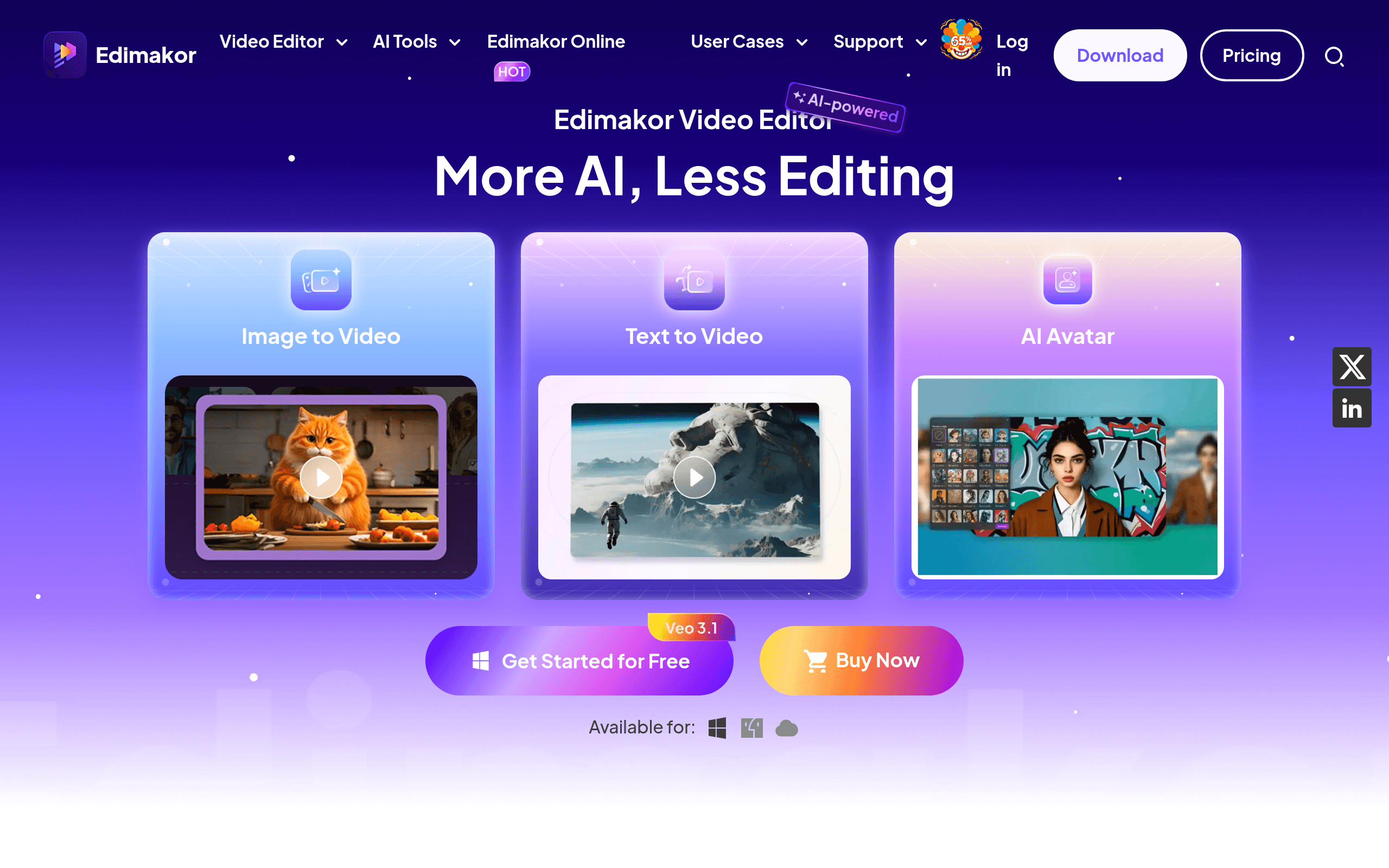

HitPaw Edimakor is an AI video editor for creators that automates subtitling and background removal. It generates complete video scripts from text prompts and translates audio into 35 languages. The free version adds a large watermark, making it a trial rather than a usable free tier.
What is HitPaw Edimakor?
HitPaw Edimakor is a desktop video editor that replaces manual timeline work with artificial intelligence. It turns text prompts into finished video drafts and removes backgrounds without requiring a green screen.
Developed by HitPaw Co., Ltd., this software targets YouTube and TikTok creators who need to publish content quickly. It solves the problem of slow editing cycles by automating tedious tasks like subtitling and audio syncing.
- Primary Use Case: Generating short-form social media clips from text prompts.
- Ideal For: Solo content creators and beginner video editors.
- Pricing: Starts at $19.95 (monthly subscription). The $69.95 perpetual license offers the best long-term value.
Key Features and How HitPaw Edimakor Works
AI Script and Asset Generation
- AI Script Generator: Creates video outlines using GPT technology, limited by your available AI credits.
- AI Image Generator: Produces visual assets from text prompts directly in the editor, restricted to standard aspect ratios.
Automated Audio and Subtitling
- Auto Subtitle: Converts speech to text in 35 languages with 98% accuracy, limited to clear audio tracks.
- AI Text-to-Speech: Provides over 100 synthetic voices for automated voiceovers, capped by character limits per generation.
- AI Noise Remover: Filters out background hum and wind noise, though it struggles with heavy traffic sounds.
Visual Editing and Exporting
- AI Background Remover: Isolates subjects in one click, limited to clear subject-background contrast.
- 4K Export: Renders high-resolution video at 60FPS, requiring significant hardware resources for smooth processing.
HitPaw Edimakor Pros and Cons
Pros
- The script-to-video workflow cuts production time for YouTube creators by generating automated drafts.
- Background removal isolates subjects without needing a physical green screen setup.
- The $69.95 perpetual license costs less than a year of most subscription editing tools.
- The interface takes less than 10 minutes to learn for basic timeline navigation.
- Subtitle generation processes a 10-minute video in under two minutes.
Cons
- The free version applies a massive watermark over the entire video.
- The 30 AI credits in the free tier run out after testing just two or three features.
- Rendering large 4K files causes occasional crashes on mid-range Windows laptops.
- Customer support often takes more than 48 hours to respond to technical tickets.
Who Should Use HitPaw Edimakor?
- Beginner YouTubers: You get an intuitive interface that automates complex tasks like beat syncing.
- TikTok Creators: The auto-reframe tool quickly converts horizontal footage into vertical clips.
- Budget-Conscious Editors: The lifetime license provides access to AI tools without recurring monthly fees.
- Not for Professional Colorists: Advanced users will find the color grading tools too basic for cinema-quality adjustments.
HitPaw Edimakor Pricing and Plans
The pricing structure relies on an AI credit system.
The Free Version costs $0 but functions as a trial. It includes basic editing and 30 AI credits. Exports feature a large watermark. The 1-Month Plan costs $19.95. It removes the watermark, enables 4K export, and provides 300 AI credits for one PC (I found the credit system confusing at first).
The 1-Year Plan drops the monthly cost to $4.16, billed annually at $49.95. This tier includes 3,000 AI credits and covers one PC. The Perpetual Plan costs a one-time fee of $69.95. It includes 10,000 lifetime AI credits and free upgrades forever.
The Business Plan costs $119.95 per year. It supports up to five PCs, offers multi-user control, and includes 6,000 AI credits.
How HitPaw Edimakor Compares to Alternatives
Similar to Wondershare Filmora, HitPaw Edimakor targets beginners with drag-and-drop AI features. Filmora offers a larger library of built-in effects and transitions. HitPaw provides a more aggressive perpetual pricing model. Both tools restrict AI usage through a credit system.
Unlike CapCut, which dominates the free mobile editing market, HitPaw focuses on desktop users. CapCut provides many AI features for free. HitPaw charges for advanced AI tools but offers better multi-track timeline control for complex projects. CapCut forces users into a subscription for its pro features. HitPaw allows a one-time purchase.
The Best Video Editor for Solo Social Media Creators
HitPaw Edimakor delivers fast results for solo creators who want to automate tedious editing tasks. The perpetual license makes it a smart financial choice for beginners building a YouTube channel.
Professional editors working on client projects should look elsewhere.
The occasional rendering crashes (especially when stacking multiple 4K clips) and basic color tools will frustrate advanced users. If you need professional-grade color correction and audio mixing, Adobe Premiere Elements offers better stability and deeper manual controls.
User Reviews
No reviews yet. Be the first to share your experience!
Sign in to write a review.
Related articles
Guides and articles related to HitPaw Edimakor.

AI Video Generator Prompting: The Filmmaker's Real Workflow

Wix Logo Maker Review (2026): Real Costs, the Edit Catch, and AI Alternatives

Undetectable AI Review (2026): What It Does, What It Costs, and 7 Alternatives

The AI Content Automation Stack: 7 Tools That Run a Full Blog Without a Team
Faceless YouTube AI Channel: $5,000+/Month Tutorial (2026)
