
HubSpot AI Website Generator builds complete business sites from a single text prompt. Designed for marketers, it natively connects every form submission to the HubSpot CRM. While it generates functional pages in minutes, the resulting designs often feel templated and lack custom aesthetic flair.
What is HubSpot AI Website Generator?
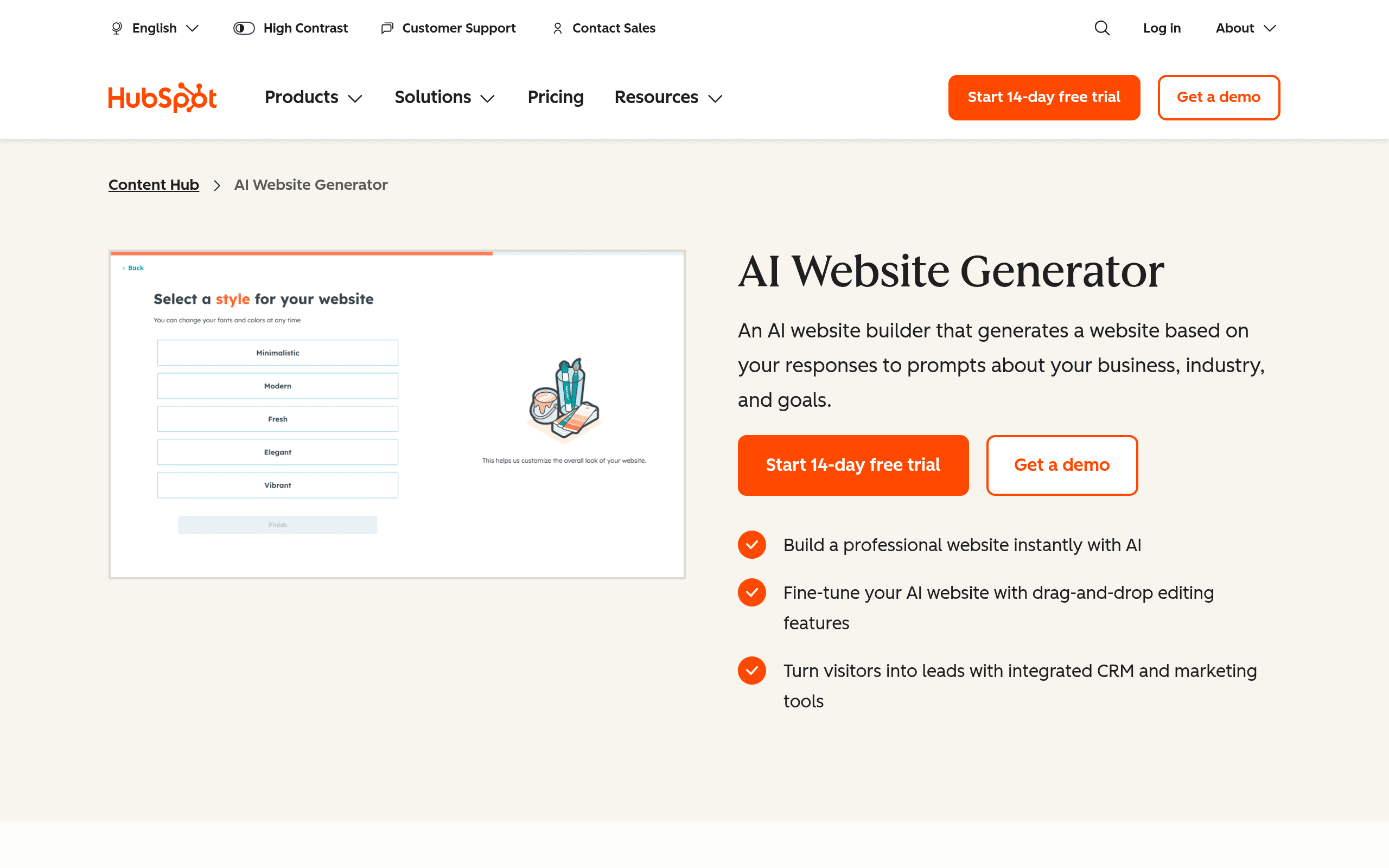
HubSpot AI Website Generator is a prompt-to-site builder that creates CRM-connected business websites in under five minutes. You type a description of your business, and the system generates a home, about, and contact page.
Developed by HubSpot, Inc., this tool targets marketers and small business owners who need functional web pages without writing code. It solves the disconnect between website lead capture and customer relationship management. The platform uses artificial intelligence to draft copy, select layouts, and insert images based on your initial text prompt.
- Primary Use Case: Generating multi-page business websites with native CRM integration.
- Ideal For: Marketers and sales teams already using the HubSpot ecosystem.
- Pricing: Starts at $20 (freemium) – A cheap entry point that scales to expensive enterprise tiers.
Key Features and How HubSpot AI Website Generator Works
Prompt-Driven Site Creation
- Prompt-to-Site: Generates layout, copy, and images from one text input. Limit: Output designs look like standard corporate templates.
- Mobile Responsiveness: Creates layouts for mobile, tablet, and desktop views. Limit: You cannot edit the mobile breakpoint rules directly.
- Drag-and-Drop Editor: Customizes generated pages without coding knowledge. Limit: You cannot modify the underlying source code.
Integrated AI Content Tools
- Breeze AI Agents: Writes blog posts and landing page text in over 30 languages. Limit: Consumes Breeze credits, which cap at 500 on the Starter plan.
- Image Generation: Uses DALL-E to create custom visual assets inside the editor. Limit: Image resolution and style options remain restricted compared to standalone tools.
- Brand Voice: Learns specific brand guidelines to ensure consistent messaging. Limit: Requires manual setup and training before generating accurate copy.
Marketing and Data Management
- CRM Integration: Connects website forms to HubSpot CRM for lead tracking. Limit: Requires using HubSpot as your primary database.
- SEO Recommendations: Analyzes on-page elements and provides optimization tips. Limit: Basic SEO only available on Starter, while A/B testing requires the $100 Professional tier.
HubSpot AI Website Generator Pros and Cons
Pros
- Native CRM integration captures leads without third-party connectors.
- The prompt-to-site engine builds a functional, multi-page website in under five minutes.
- Breeze AI agents ensure your brand voice remains consistent across web and email copy.
- Enterprise-grade hosting includes SSL, WAF, and 24/7 threat monitoring by default.
Cons
- Professional and Enterprise tiers require mandatory onboarding fees starting at $1,500.
- The unified Breeze credit system drains fast if you generate high volumes of content.
- You cannot modify the underlying source code, limiting advanced technical customization.
Who Should Use HubSpot AI Website Generator?
- HubSpot Power Users: Teams already paying for HubSpot CRM will find the native data syncing valuable.
- Non-Technical Marketers: The drag-and-drop editor requires zero coding knowledge to launch landing pages.
- Budget-Conscious Solo Founders: The mandatory onboarding fees on higher tiers make this tool too expensive for bootstrapped startups.
HubSpot AI Website Generator Pricing and Plans
HubSpot uses a freemium model, but the free tier acts more like a restricted trial. The $0 per month Free Tier limits access to the Data Agent and basic content generation.
The Starter plan costs $20 per user per month. It includes content suggestions, basic SEO tools, and 500 Breeze credits.
The Professional plan jumps to $100 per user per month. It provides 3,000 Breeze credits and AI Agents. You must pay a mandatory onboarding fee between $1,500 and $3,000 to access this tier. (This forced setup fee creates massive friction if you just want to test the AI agents).
The Enterprise plan costs $500 per month. It includes 5,000 Breeze credits and advanced AI features. This tier requires a $7,000 mandatory onboarding fee.
You can buy 1,000 additional Breeze credits for $10 per month.
How HubSpot AI Website Generator Compares to Alternatives
Similar to Wix ADI, HubSpot asks you questions and generates a site based on your answers. Wix ADI focuses on small business aesthetics and offers cheaper premium plans. HubSpot prioritizes lead capture and backend data management over visual flair.
Unlike Framer AI, this tool does not target professional web designers. Framer AI generates complex animated layouts that you can tweak at the code level. HubSpot locks down the code to ensure the CRM integration never breaks.
The Ideal User for HubSpot AI Site Builder
Choose this tool if your marketing team depends entirely on HubSpot CRM. The automatic data syncing saves hours of manual lead routing.
Look elsewhere if you want complete creative control over your website design.
If you need a cheap, visually distinct website without mandatory onboarding fees, try Wix ADI instead.
User Reviews
No reviews yet. Be the first to share your experience!
Sign in to write a review.
Related articles
Guides and articles related to HubSpot AI Website Generator.
HubSpot Breeze vs Salesforce Agentforce (2026): RevOps AI Cost Reality

The AI Content Automation Stack: 7 Tools That Run a Full Blog Without a Team

Wix Logo Maker Review (2026): Real Costs, the Edit Catch, and AI Alternatives
AI SOP Generator: Document Every Process in Your Business in a Weekend

What Are AI Agents? Complete Beginner’s Guide (2025)