
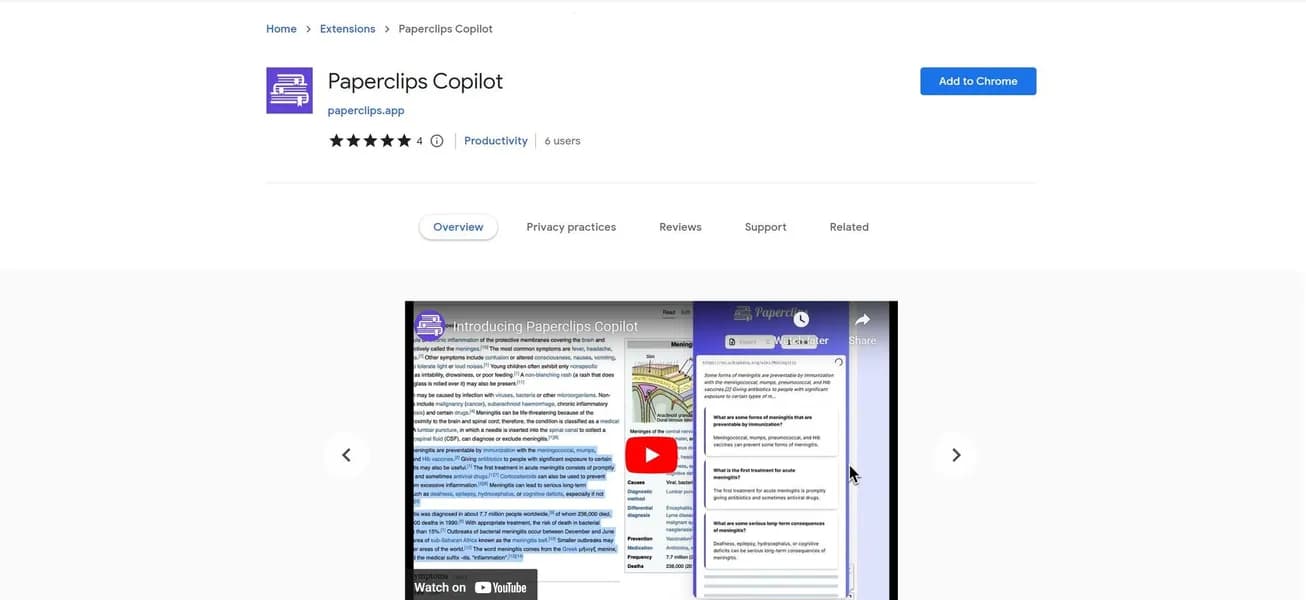

Paperclips Copilot is a browser extension that generates flashcards from PDFs, YouTube videos, and web pages. Medical students and language learners use it to export Q&A pairs directly to Anki or Quizlet. It processes 100MB documents quickly, but struggles to format complex mathematical equations correctly.
What is Paperclips Copilot?
The most impressive thing about Paperclips Copilot is how fast it turns a two-hour YouTube lecture into 200 Anki flashcards. You click a single button, and the AI reads the entire transcript.
Paperclips AI Inc. built this browser extension to solve a specific problem: manual study prep takes too long. Medical students and language learners use this tool to extract facts from PDFs and web pages. It turns dense text into active recall questions automatically. You do not have to copy and paste text anymore. The extension lives right in your Chrome or Edge browser.
- Primary Use Case: Converting medical school PDFs and YouTube transcripts into Anki-ready flashcard decks.
- Ideal For: Medical students and language learners who rely heavily on spaced repetition.
- Pricing: Starts at $9.00 ($9.00/mo Pro Monthly) – Unlimited flashcards and priority AI processing.
Key Features and How Paperclips Copilot Works
Document and Video Processing
- PDF Scanning: Upload documents up to 100MB to generate cards automatically. But complex math equations often format incorrectly.
- YouTube Integration: Extract text from video transcripts to create Q&A pairs. This requires videos with accurate closed captions to work well.
- Multi-language Support: Generate flashcards in over 100 languages. The AI occasionally struggles with rare dialects.
Export and Integration
- Direct Anki Export: Download .apkg files for immediate import. You still must manage your own Anki deck settings manually.
- Quizlet Sync: Send generated study materials directly to a Quizlet account via API. This is limited by Quizlet daily API rate limits.
- CSV Export: Download raw data for spreadsheet use. You have to map the columns yourself in Excel.
AI Generation Controls
- Contextual Highlighting: Select specific text on any webpage to generate targeted study cards. This manual process is slower than bulk generation.
- Bulk Generation: Create up to 200 cards from a single document in one click. The AI (which uses GPT-4o under the hood) can sometimes produce repetitive questions.
- Workspace Management: Organize cards into custom folders within the extension. The interface gets cluttered if you have hundreds of folders.
Paperclips Copilot Pros and Cons
Pros
- Direct Anki integration saves hours of manual data entry for power users.
- YouTube transcript processing turns passive watching into active recall instantly.
- The GPT-4o model identifies key concepts with higher accuracy than generic ChatGPT prompts.
- The free tier requires no credit card and works well for casual testing.
- The clean UI stays out of your way during intensive research sessions.
Cons
- The 50-card monthly limit on the free tier runs out in minutes during exam season.
- Complex chemical and mathematical equations often break the card formatting.
- Server-side AI processing means the extension fails without a stable internet connection.
Who Should Use Paperclips Copilot?
- Medical Students: You need to memorize thousands of facts quickly. This tool turns dense lecture PDFs into Anki decks in seconds.
- Language Learners: You read foreign news articles online. The contextual highlighting lets you build vocabulary sets while you browse.
- Corporate Trainers: You build training materials from company wikis. The bulk generation tool speeds up your workflow.
- Math and Physics Majors: This is not a good fit for you. The AI struggles to format complex equations correctly.
Paperclips Copilot Pricing and Plans
Paperclips offers a freemium model. The Free plan costs $0 per month and gives you 50 flashcards. This is a real free tier, not a disguised trial. But heavy users will hit that limit on day one.
The Pro Monthly plan costs $9.00 per month. It includes unlimited flashcards, priority AI processing, and advanced export options. You also get access to the newest AI models.
The Pro Annual plan costs $5.00 per month. You pay $60 upfront for the year to get all Pro features. This represents a significant discount for long-term users.
How Paperclips Copilot Compares to Alternatives
Similar to RemNote, Paperclips focuses heavily on active recall and spaced repetition. But RemNote is a full note-taking workspace. Paperclips is just a browser extension that feeds your existing Anki or Quizlet setup. You use Paperclips if you already love Anki.
Unlike Quizlet built-in AI tools, Paperclips works across the entire web. Quizlet forces you to upload documents into their ecosystem. Paperclips lets you highlight text on a random blog post and send it to Quizlet.
The Verdict for Spaced Repetition Users
Medical students and language learners get the most value from Paperclips Copilot. The $9 monthly fee pays for itself by saving hours of manual typing.
Math students should look elsewhere.
If you want an all-in-one workspace instead of an extension, try RemNote.
The honest limit remains the AI formatting. We still do not know if future updates will fix the broken math equations.
User Reviews
No reviews yet. Be the first to share your experience!
Sign in to write a review.
Related articles
Guides and articles related to Paperclips Copilot.

The Personal AI Productivity Stack (2026): One Tool Per Job, Nothing Extra

Perplexity AI Tutorial: Maximize Your Research Workflows

Turn Any AI Agent Into a Superagent: The 12-Integration Stack (2026)

Claude vs Microsoft Copilot in Word, Excel and Outlook: Which Should You Actually Use (2026)

Replit Pricing Explained (2026): Core vs Pro and Effort-Based Agent Billing
