Replit Pricing Explained (2026): Core vs Pro and Effort-Based Agent Billing

Replit Pricing Explained (2026): Core vs Pro, Effort-Based Agent Billing, and the Real Monthly Cost
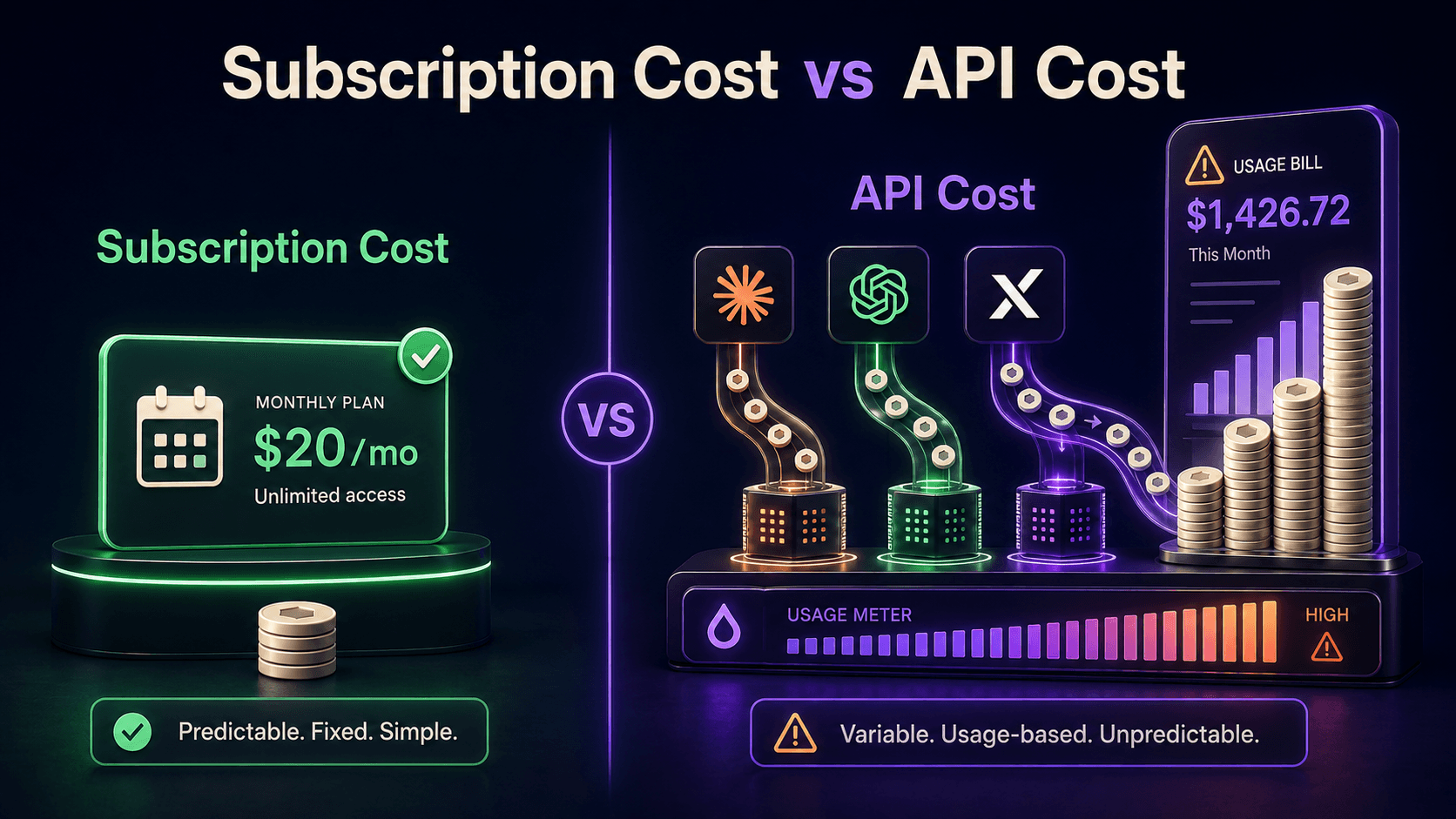
Replit's plans look simple ($20 Core, $100 Pro) until you meet the part that actually determines your bill: effort-based Agent pricing, where every interaction is billable and complex requests cost more than simple ones. This guide explains the 2026 plan structure after February's Pro launch, how Agent credits really burn, the rollover rules that differ by tier, and how to estimate what building on Replit will cost you per month.
TL;DR
Four tiers: Starter free, Core $20, Pro $100, Enterprise custom
Core includes $25 of monthly credits that expire each cycle
Pro (Feb 2026) replaced Teams: 15 builders, credits roll 1 month
Agent billing is effort-based; every interaction is billable
Your bill tracks task complexity, not message count
What are Replit's plans in 2026?

Replit sells four tiers. Starter is free with basic workspace limits for trying the platform. Core at $20 per month is the individual builder plan, including $25 of monthly Agent credits, up to 5 collaborators, two parallel Agents, and unlimited workspaces. Pro at $100 per month, launched February 2026 as the replacement for the old Teams plan, covers up to 15 builders with tiered credit discounts and priority support. Enterprise is custom, per the official pricing page and Replit's Pro announcement.
The structural read: Replit prices the workspace cheap and meters the AI. The subscription is the entry fee; the Agent credits are the variable cost that scales with how much building you actually delegate.
How does effort-based Agent billing work?
Effort-based billing means the price of an Agent request scales with the work the Agent performs: a small tweak costs little, a feature build that touches many files and runs many steps costs more. There is no flat per-message rate; you pay for computational effort, per Replit's AI billing docs.
The two rules that surprise people. First, all Agent interactions are billable, including ones that produce only a text answer with no code changes; smaller requests cost less, but they are not free. Second, effort is partly unpredictable in advance: the same prompt can cost differently depending on how much exploring, testing, and fixing the Agent decides the job needs. Per Superblocks' 2026 analysis, that variability, not the subscription price, is what users actually argue about.
What do the credit rules mean for your real cost?
Plan | Price | Included credits | Rollover | Fits |
|---|---|---|---|---|
Starter | $0 | Trial allowance | None | Evaluating the platform |
Core | $20/mo | $25/mo | None, expires each cycle | Individual builders, steady usage |
Pro | $100/mo | Team pool, tiered discounts | 1 month | Small teams shipping weekly |
Enterprise | Custom | Negotiated | Negotiated | Compliance and scale needs |
The Core rule deserves emphasis: unused credits expire monthly with no rollover. A quiet month wastes allocation; a heavy month bills overages on top of the $20. Pro's one-month rollover smooths exactly that spikiness, which, more than the seat count, is the operational reason teams upgrade, a point No Code MBA's breakdown lands on as well.
What does a month of real usage cost?
Estimate by workload pattern, not message count. Light builders (one small project, occasional Agent asks for tweaks and explanations) typically live inside Core's included $25. Active solo builders (shipping features weekly, letting the Agent run multi-step builds) commonly exceed the included credits and should budget the $20 plan plus a variable overage that tracks ambition. Heavy vibe-coding (the build-an-app-from-a-paragraph workflow) is the expensive pattern, because big autonomous runs are exactly what effort pricing charges for.
Two practices cut real money. Scope Agent requests tightly: "add validation to this form" burns less effort than "improve the app." And use checkpoints deliberately: reverting and re-running a giant request pays the effort twice, while iterating in smaller steps pays roughly once per step. The bill rewards the same habits that make agent output reviewable, a pattern that holds across every agentic tool we have covered, including the Claude Code token-efficiency guide.
How does Replit compare to the alternatives?
Replit: the full loop in one place: prompt-to-app, hosting, database, deploys. You pay for integration convenience via effort billing.
Bolt.new: fast prompt-to-app generation with token-based plans; strong for green-field web apps, lighter on the run-and-host loop.
Lovable: the closest vibe-coding competitor, credit-priced, polished for non-engineers shipping SaaS-style apps.
v0 by Vercel: UI-first generation that drops into a real Next.js codebase; best when engineers own the repo and want components, not a platform.
GitHub Spark: micro-app building inside the GitHub ecosystem; fits teams already living there.
Decision rule: if you want one platform to own build, run, and host with a team, Replit Pro is the coherent buy. If you want the cheapest path to a deployed prototype, compare a single month of your actual usage against Bolt or Lovable credits before committing anywhere.
FAQ
Is Replit free to use?
The Starter tier is free with limited workspaces and a trial-level Agent allowance, enough to evaluate the editor and Agent. Sustained building realistically requires Core at $20 per month.
What happened to the Teams plan?
Replaced. The Pro plan launched in February 2026 as its successor: $100 per month for up to 15 builders, tiered credit discounts, priority support, and one-month credit rollover.
Why did my simple request cost credits?
All Agent interactions are billable under effort-based pricing, including text-only responses. Small requests cost little, but nothing the Agent does is free. Scoping requests tightly is the main cost control.
Do unused Core credits roll over?
No. Core's included monthly credits expire at the end of each billing cycle. Pro credits roll over for one month, which is the key operational difference between the tiers for spiky workloads.
Is Replit cheaper than hiring the build out?
For prototypes and internal tools, usually yes by a wide margin, and our automation rate card shows what operators charge for comparable builds. For production systems with real users, budget for engineering review regardless of which platform generated the code.
Compare these tools side by side
Vantaige tracks 540+ AI tools with pricing, use cases, and alternatives. Browse the directory and create a free account to save tools to a shortlist and compare app-building platforms before you commit.
Related from Vantaige
References
Replit, official pricing. replit.com/pricing
Replit Docs, "Replit AI Billing." docs.replit.com/billing/ai-billing
Replit Blog, "Replit Pro Is Here." replit.com/blog/pro-plan
Superblocks, "Replit Pricing Breakdown: Is It Worth It in 2026?" superblocks.com
No Code MBA, "Replit Pricing 2026: Plans, Credits and Hidden Costs." nocode.mba
Get the best new AI tools and guides, weekly
One short email a week. The tools worth trying, the guides worth reading, nothing else.
No spam. Unsubscribe anytime.
Aymen B
Contributing writer at Vantaige, covering the AI tools ecosystem.