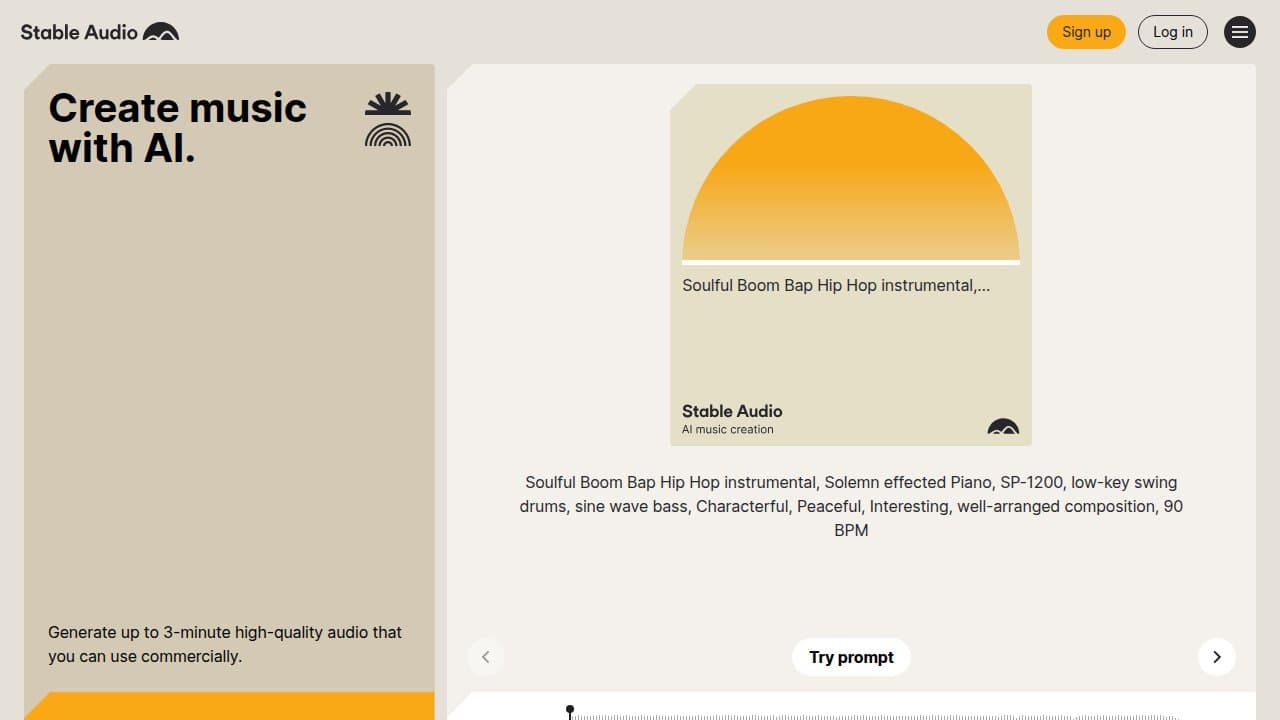

Stable Audio generates royalty-safe instrumental music and sound effects from text prompts at 44.1kHz stereo quality. Built by Stability AI on a fully licensed dataset, it excels at background tracks, ambient beds, and sound design -- not vocal songs.
Stable Audio is Stability AI's audio and music generation platform, built specifically on a licensed dataset rather than scraped copyrighted recordings. The tool accepts text prompts and, in its paid tiers, uploaded audio files, and returns stereo tracks at 44.1kHz quality. It is not a song generator in the Suno sense: there are no vocals, no lyrics, and no verse-chorus structures. What it does produce -- instrumental music, ambient soundscapes, and discrete sound effects -- it does quickly, legally, and at a quality level that holds up in commercial video and game projects.
The product exists in two parallel forms. The consumer web app at stableaudio.com offers a straightforward generation interface with four subscription tiers (Free through Max) and a three-minute output cap per generation. The enterprise track, Stable Audio 2.5 released September 2025, adds audio inpainting, multi-part structural generation, and sub-two-second generation speeds on H100 GPUs -- accessible via the Stability AI API, Replicate, ComfyUI, and Fal. A separate open-source variant, Stable Audio Open 1.0, provides freely downloadable model weights trained on CC-licensed recordings from Freesound and the Free Music Archive, though its outputs cap at 47 seconds and skew toward sound effects rather than music.
What Stable Audio produces in April 2026
The commercial web app generates up to three minutes of stereo audio at 44.1kHz per generation. Users input text prompts describing genre, mood, tempo, instrumentation, and intended section structure (intro, build, drop, outro). Generations complete in under 60 seconds for most prompts. Audio-to-audio mode, available on all paid tiers, lets users upload a reference file to guide the output's rhythm and sonic character, with copyright detection automatically scanning uploads and flagging third-party material.
Stable Audio 2.5 adds audio inpainting: upload a clip, select a region or starting point, and the model generates a musically coherent continuation. This is meaningful for brand audio work and post-production, where the goal is extending or adapting an existing piece rather than generating from scratch. The ARC (Adversarial Relativistic-Contrastive) training method behind 2.5 enables the generation speed claims and produces more complex musical development across intro, transition, and outro sections compared to 2.0.
The Stable Audio Open 1.0 model on Hugging Face uses a transformer-based DiT diffusion architecture with T5-based text conditioning and a compressive autoencoder. It was trained on 486,492 audio recordings: 472,618 from Freesound and 13,874 from the Free Music Archive, all CC0, CC BY, or CC Sampling+ licensed. A smaller companion model, Stable Audio Open Small (May 2025), targets on-device inference and mobile deployment. Both open variants are capped at 47-second outputs and perform better on sound effects and field recordings than on structured music.
Where Stable Audio sits versus Suno and Udio
The three-way comparison is often framed as a horse race, but it is more accurate to treat them as different tools for different outputs. Suno v5.5 is a vocal song generator first. Its LLM-first architecture integrates lyrics and vocal synthesis in a single pass, producing full structured songs with natural phrasing, vibrato, and emotional dynamics. It generates native four-minute tracks in roughly 30 seconds and extends to 10 minutes via its Extend feature. It does not do audio-to-audio input conditioning. Its training data situation is the subject of active copyright litigation.
"For instant song generation, Suno still seems to be in the lead." -- Audiocipher review, April 2024, updated April 2025
Udio 1.5 (pre-October 2025) was the quality-first contender for lyrical music, using a diffusion-based model with LLM-guided lyrics and native 32-second clips that stitch to 15 minutes. Its audio fidelity on extended lyrical tracks was widely regarded as a slight edge over Suno on raw quality, though slower at about 90 seconds per generation. In October 2025, Udio settled its lawsuit with major record labels by disabling user downloads and shifting to a "Licensed-Only" restricted model. The community reaction was sharp -- creators who had spent months refining sounds discovered they could no longer export their own generations.
"Many Redditors have underscored how Udio became a locked-in system since creators can't download their songs anymore, a feature that was phased out silently." -- AI Tool Discovery, Suno AI Reddit Review 2026
Stable Audio occupies a separate lane. It is the instrumental and sound design tool. Where Suno and Udio compete for who can generate the better pop song, Stable Audio generates the ambient bed under that song, the UI click in the game, and the atmospheric drone behind the film scene. Its three-minute cap is a constraint for music producers but largely irrelevant for sound design use cases where 30-60 second loops are standard. Its stem export functionality, noted by multiple producer communities as a DAW-friendly differentiator, is absent from both Suno and Udio's consumer outputs.
The licensing and copyright reality
Stable Audio's most defensible claim is its training data provenance. The commercial model was trained exclusively on music licensed from the AudioSparx library under a revenue-sharing arrangement: if the model performs well commercially, AudioSparx -- and through it, the contributing artists -- shares in that success. This was the foundational design decision made by Ed Newton-Rex, then VP of Audio at Stability AI, when building the product.
In November 2023, Newton-Rex resigned from Stability AI publicly, citing a disagreement with the parent company's position that training AI models on copyrighted works constitutes "fair use." The resignation was well-publicized and underscored a specific irony: he had built Stable Audio to avoid exactly the problem he was protesting. The broader Stability AI company, through its image models, held the fair use position; Stable Audio's audio training was separately clean. Newton-Rex has since founded Fairly Trained, a certification organization, and appeared on TIME's 100 Most Influential People in AI 2025 list.
For commercial users, the consequence is practical. Tracks generated on paid Stable Audio tiers come with a Creator license that grants commercial rights for individual use, covering social media, commercial releases, film and TV placements below certain revenue thresholds, and apps and games up to 100,000 monthly active users. Organizations above those thresholds, or those needing to self-host, move to the Enterprise tier. Generated outputs may be used for future model improvement by Stability AI, but user-uploaded files are not incorporated into training datasets.
Stable Audio Open is released under the Stability AI Community License, which permits research and non-commercial use; commercial use requires a separate agreement through stability.ai/license.
Where Stable Audio reliably falls short
Vocal generation is structurally absent. The model cannot produce coherent human singing, lyrics delivery, or intelligible speech in any tier. This is not a bug; it is a deliberate scope decision. But it means anyone who arrives hoping to generate a full song with a singer will immediately hit a wall.
Audio-to-audio mode underdelivers on its implied promise. The feature applies timbre and surface-level sonic character from the reference file to the generated output; it does not rearrange, reconstruct, or intelligently use the input as a musical template. Tests by Audiocipher reviewers found that prompting for specific instrumentation (drums, bass) in audio-to-audio mode often produces outputs missing those instruments entirely -- the model applies a sonic flavor rather than building the requested arrangement. One test converting an accordion recording to gypsy jazz produced a xylophone instead of the prompted bass and drums.
"Style transfer did not work very well.. the result lacks full instrumentation despite the prompt requesting drums and bass." -- Audiocipher, testing Stable Audio 2.0 audio-to-audio, April 2024
The 3-minute hard cap per generation is a persistent friction point for music producers who want full tracks. Stitching via inpainting (available in 2.5) requires workflow overhead. The upload limits on the Pro plan -- 30 minutes per month -- are easy to exhaust in active sound design sessions, and unused generations do not roll over. The open-source variant's 47-second cap compounds this for developers who assumed the open model would match the commercial app's capabilities.
Prompt engineering for structure control requires real iteration. Users must encode section structure ("two-minute build, drop at 1:40, outro fade") directly in text, and complex prompts sometimes produce hallucinated audio artifacts or abrupt transitions that require re-generation. The model does not support natural language input with the flexibility that LLM-backed tools like Suno use.
Who Stable Audio is for
Video producers and content creators who need royalty-safe background instrumentals are the clearest match. The combination of fully licensed training data, 44.1kHz output quality, and sub-60-second generation time makes it practical for high-volume video production where every track needs to survive a Content ID check.
Game developers building ambient soundscapes, UI audio, and environmental sound design get real value, particularly at the Pro tier where audio-to-audio mode enables iterating from reference materials. The Enterprise tier unlocks fine-tuning on proprietary sound libraries, which is meaningful for studios building consistent audio identities across game titles.
Sound designers and audio engineers who want local, open inference on short-form assets should explore Stable Audio Open 1.0 or Open Small via Hugging Face and ComfyUI. The 47-second cap is not a constraint for footsteps, UI clicks, Foley elements, or short atmospheric loops.
Brands and agencies needing audio identity work -- sonic logos, consistent audio branding across touchpoints -- are the enterprise 2.5 API's intended audience. The WPP Amp sound branding partnership announced with the 2.5 launch signals this as the product's primary growth direction.
Skip Stable Audio if you need vocals of any kind, if you want to generate full songs with a verse-chorus structure, if your workflow depends on tracks longer than three minutes without manual stitching, or if you need deep structural style transfer from an audio reference rather than surface timbre transposition.
User Reviews
No reviews yet. Be the first to share your experience!
Sign in to write a review.
Featured in collections
Curated lists that include Stable Audio.
Related articles
Guides and articles related to Stable Audio.

OpenAI GPT-Realtime-2 (May 2026): Pricing, Latency & 30-Min Voice Agent

AI Video Generator Prompting: The Filmmaker's Real Workflow
Grok 4.3 API for Agents (May 2026): Pricing, Benchmarks, Migration
Sell AI-Generated Short Films on TikTok Shop, Instagram & YouTube (2026)

Replit Pricing Explained (2026): Core vs Pro and Effort-Based Agent Billing