Claude Code SSH Sessions Stuck, Hanging or Not Starting: How We Fixed It (Windows & Mac)
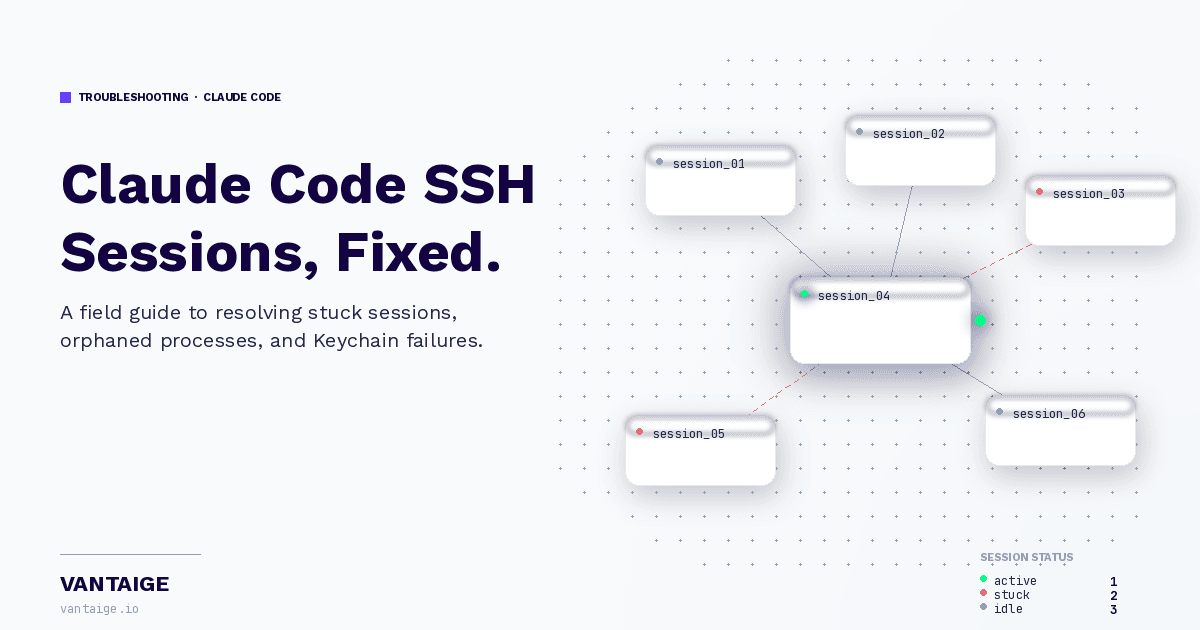
If you use Claude Code Desktop with SSH remote sessions, you have probably hit one of these walls: the session spins forever on "Starting session...", the timer counts up but nothing appears, or you get the dreaded "This session could not be found" message. You are not alone. These issues have been reported across Windows and macOS by dozens of developers, and the root causes are not obvious at all.
This is a full breakdown of what causes these problems, how to debug them, and what actually fixes each case, based on real hours of troubleshooting.
The Problems (and What They Actually Mean)
1. Session Stuck on "Starting Session..." or "Creating Worktree..."
This is the most common symptom. The Desktop connects to the SSH server fine (you can verify this in AppData/Roaming/Claude/logs/ssh.log on Windows or ~/Library/Logs/Claude/ssh.log on Mac) but never spawns a CLI process on the remote. The remote server receives server.ping calls but never a process.spawn RPC call.
Root causes found:
Too many session JSON files in
AppData/Roaming/Claude/claude-code-sessions/. With 50+ SSH session metadata files, the Desktop spends all its time trying to warm up old sessions and starves new ones. This is the most common culprit after restoring old project files.Too many project folders in
~/.claude/projects/. Same problem, different directory. Each folder with anssh-prefix gets treated as an active session to reconnect on startup.A corrupted model name in the session metadata JSON (for example
claude-opus-4-7[1m]instead ofclaude-opus-4-7), caused by a terminal ANSI escape code being saved as literal text during a version update.Missing
.claude.jsonon the remote server, usually after a binary redeployment wipes the home directory config.
What fixed it: Archive all but the 5 most recently modified session JSONs, clean up old ssh-* project folders, restore .claude.json from ~/.claude/backups/ on the remote, and fix any corrupted model names in the session metadata files.
2. "This Session Could Not Be Found"
This happens when the Desktop tries to resume a session using --resume <session-id> but the remote server was restarted since that session ran. The CLI exits with code 1 immediately, and the Desktop shows the "not found" message instead of starting fresh.
What fixed it: The session needs to be either archived (move the project folder out of ~/.claude/projects/) or have its cliSessionId removed from the session metadata JSON so the Desktop stops trying to resume it.
3. Timer Counting But Nothing Showing
This is distinct from "Starting session." Here the session IS connected, a ccd-cli process IS running on the remote, but the Desktop lost its bridge to it due to a screen lock, network blip, or app restart. The timer is client-side only.
What fixed it: Running any SSH command against the remote server while Desktop is in this state acts as a wake-up kick. A simple ssh user@host "echo ok" is enough. The Desktop detects the new SSH activity and retriggers the plugin sync and spawn within 30 to 60 seconds. Bookmark this command.
4. Processes Piling Up and Starving the Server
Every time the Desktop reconnects, it spawns a new ccd-cli process instead of cleanly reattaching to the old one. Orphaned processes accumulate, each consuming around 350MB of RAM. With 4 or more running simultaneously, the server becomes too slow to respond to new spawn requests.
What fixed it: Kill all orphaned processes with kill $(ps aux | grep ccd-cli | grep -v grep | awk '{print $2}') then restart Desktop.
Mac-Specific Issues
Mac users hit most of the same problems but with two additional layers:
Keychain Access Failures (GitHub issues #29816, #44089): SSH sessions fail to start because the CLI cannot access the macOS Keychain where OAuth tokens are stored, especially when launched from a non-standard terminal or after a system update. The fix is to unlock the Keychain before connecting: security unlock-keychain ~/Library/Keychains/login.keychain-db.
SSH Handshake Timeouts on Apple Silicon (GitHub issue #39123): On Mac ARM64, the testSSHConnection succeeds but getSSHGitInfo times out silently. This causes the same "counting but nothing shown" symptom on Mac. The workaround is to add ServerAliveInterval 60 and ServerAliveCountMax 3 to your ~/.ssh/config for the remote host.
Both Windows and Mac users on v2.1.84 and above are affected by post-update hanging where a stale settings.local.json (particularly entries like enableAllProjectMcpServers: true) causes the Desktop to hang on startup. Deleting .claude/settings.local.json resolves it.
The Reliable Workaround: tmux
The underlying fragility of the Desktop SSH bridge means that screen locks, laptop sleeps, and network drops will keep causing disruption. The most durable solution is running Claude Code inside a tmux session on the remote server directly. Tmux keeps your terminal session alive on the server regardless of what happens to your connection. You can reconnect from a laptop, a phone (using Termius), or any other device and pick up exactly where you left off with tmux attach -t <session-name>.
Quick Reference: When It Gets Stuck
SymptomFirst thing to checkFixStuck on "Starting session"Count files in claude-code-sessions/Archive all but 5 most recent"Session could not be found"Remote server was restartedArchive the session folderTimer counting, no outputSSH bridge droppedRun ssh host "echo ok", wait 30sSlow / unresponsive after a whileOrphaned processesKill all ccd-cli processes on remoteMac Keychain errorKeychain lockedsecurity unlock-keychain
Stay in the Loop
If this saved you hours of debugging, you will love what we are building at Vantaige. We are putting together the most comprehensive directory of AI tools for developers and creators, constantly updated and community-driven.
Sign up at vantaige.io to get early access, or follow us on socials for weekly breakdowns of AI tools, workflows, and fixes like this one. If you are building with AI and want your tool listed, we want to hear from you.
Keywords: Claude Code SSH stuck, Claude Code starting session hanging, Claude Code session not found, Claude Code Desktop SSH Windows, Claude Code SSH Mac, Claude Code creating worktree stuck, Claude Code SSH not spawning, Claude Desktop SSH timeout, Claude Code timer counting nothing shown, Claude Code SSH handshake timeout, Claude Code update SSH broken, ccd-cli orphaned process, Claude Code session files cleanup
Get the best new AI tools and guides, weekly
One short email a week. The tools worth trying, the guides worth reading, nothing else.
No spam. Unsubscribe anytime.
Aymen B
Contributing writer at Vantaige, covering the AI tools ecosystem.