Claude Plus Notion: Turn Meeting Transcripts Into Tasks Automatically (2026)
Claude Plus Notion: Turn Meeting Transcripts Into Tasks Automatically (2026)
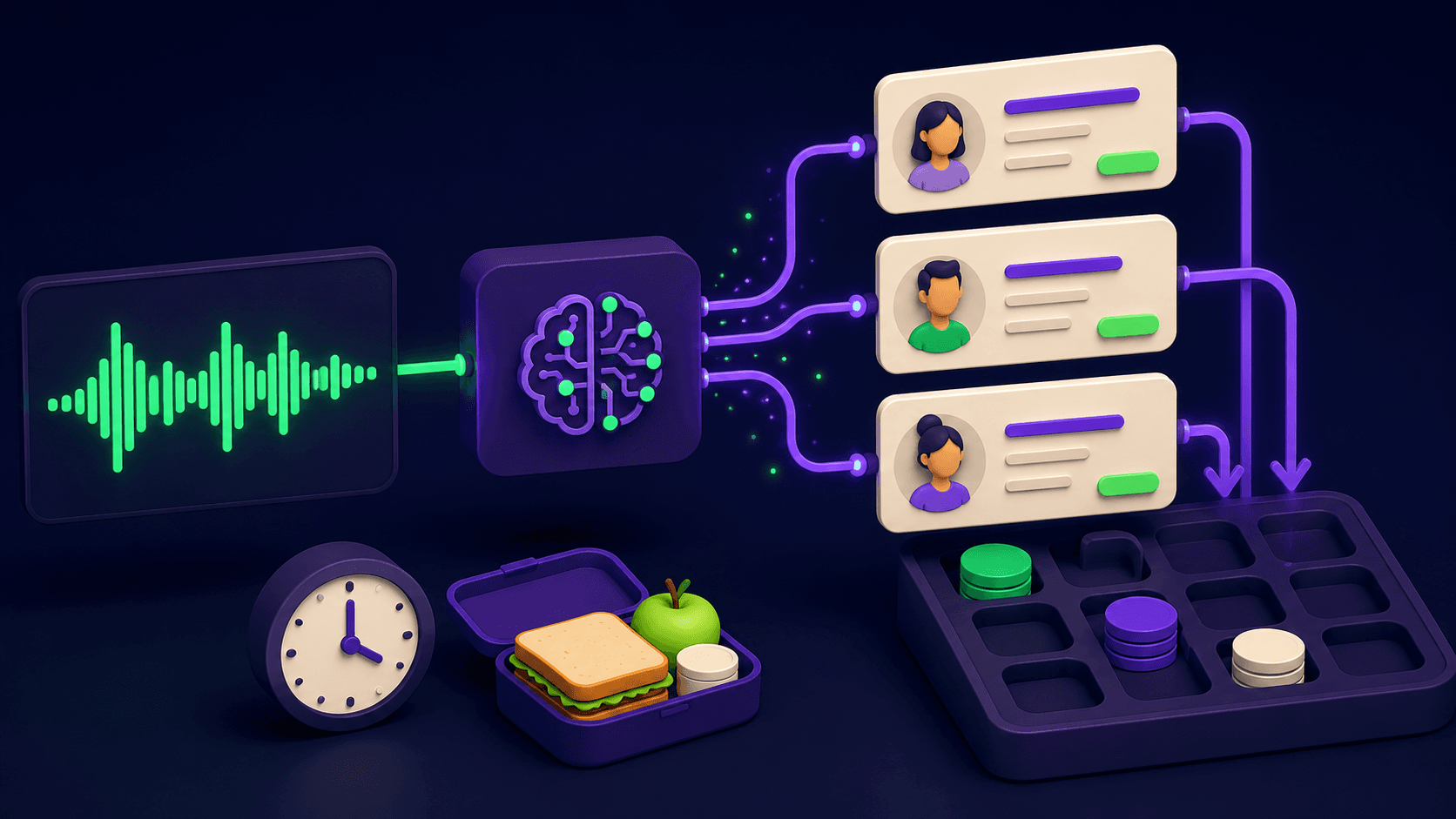
Your team finishes the call, the transcript lands in your inbox, and it sits there unread until Friday. Meanwhile the action items it contained are assigned to no one, overdue before they were ever written down. The fix is a single n8n workflow that passes each transcript through Claude, extracts every task with its owner and due date, and writes linked Notion database items before lunch. Teams report saving four to six hours of manual meeting admin per week once this runs.
TL;DR
A three-node spine: transcript source, Claude extraction, Notion API write
Claude classifies each line as an action item or FYI, not just a summary
Owner detection reads speaker turns, not a global list
Ambiguous tasks route to a review queue, not to the void
A weekly digest node rolls all tasks into one Notion page automatically
What does the stack look like?
The stack is three stages: a transcript source delivers the raw text, Claude extracts structured tasks from it, and the Notion API writes those tasks into a database your team already uses. You do not need a new tool category. You need three things wired together in n8n so the handoff is automatic.
Stage one is the transcript source. Castmagic is the cleanest option for teams already recording calls because it stores structured transcripts with speaker labels accessible via API. Alternatives include a raw HTTP request to your recording tool's API (Fireflies, Otter, Zoom Cloud) or a webhook that fires when a new transcript file lands in a watched location. Stage two is the Anthropic node in n8n, which sends the full transcript text to Claude with a structured extraction prompt. Stage three is the Notion "create database item" node, which writes each returned task as a new row in a Notion database you configure once. The entire flow takes under ten minutes per transcript once it is live.
What does the n8n flow look like node by node?
The flow is seven nodes: a trigger, a transcript fetch, the Claude extraction, a JSON parse, an owner-check branch, a Notion write, and an error route. Each node has one job. The table below maps the spine; the text below it covers the three nodes that most builds get wrong.
Node | Role | Key config |
|---|---|---|
Webhook trigger (or Schedule) | Starts the flow when a new transcript is ready | Webhook: POST from your recorder's completion hook. Schedule: poll Castmagic every 15 min via HTTP GET. |
HTTP Request (Castmagic or recorder API) | Fetches the full transcript text with speaker labels | GET endpoint from Castmagic API; pass the transcript ID from the trigger payload. Auth: Bearer token in header. |
Anthropic / Claude node | Extracts tasks, owners, due dates, and type (action vs FYI) | Model: claude-sonnet-4-6 or claude-opus-4-8. System prompt sets JSON-only output contract. User message = full transcript text. |
Code node (parse JSON) | Parses Claude's JSON string into an array of task objects | JSON.parse on the Claude output text. Wrap in try/catch; route parse failures to error branch. |
IF / Switch (owner check) | Routes tasks with no detected owner to a review queue | Condition: |
Notion "create database item" | Writes each task as a new row in a Notion database | Database ID set once in credentials. Map: task_text to Title, owner to Person, due_date to Date, type to Select field. |
Error branch (Notion or catch node) | Catches API errors and malformed output without silent failure | n8n's built-in error trigger or a second IF after the Code node. Route to a Slack message or a Notion "failed runs" log page. |
The Anthropic node is where most builders make their first mistake: they use the Chat model node without setting a system prompt, and Claude returns prose instead of JSON. Set the system prompt to enforce JSON-only output (see the prompt section below) and set the model to claude-sonnet-4-6 for the balance of speed and accuracy. For longer calls (90 minutes or more) use claude-opus-4-8, which handles the larger context window without truncating the transcript. Anthropic publishes current model IDs and context limits at docs.anthropic.com.
The Code node is your safety net. Claude will occasionally return valid JSON wrapped in a markdown fence, or return an explanation sentence before the JSON. The Code node strips that noise before it reaches the Notion write. If JSON.parse fails, throw the error so the error branch fires rather than writing a broken row.
What should the extraction prompt look like?
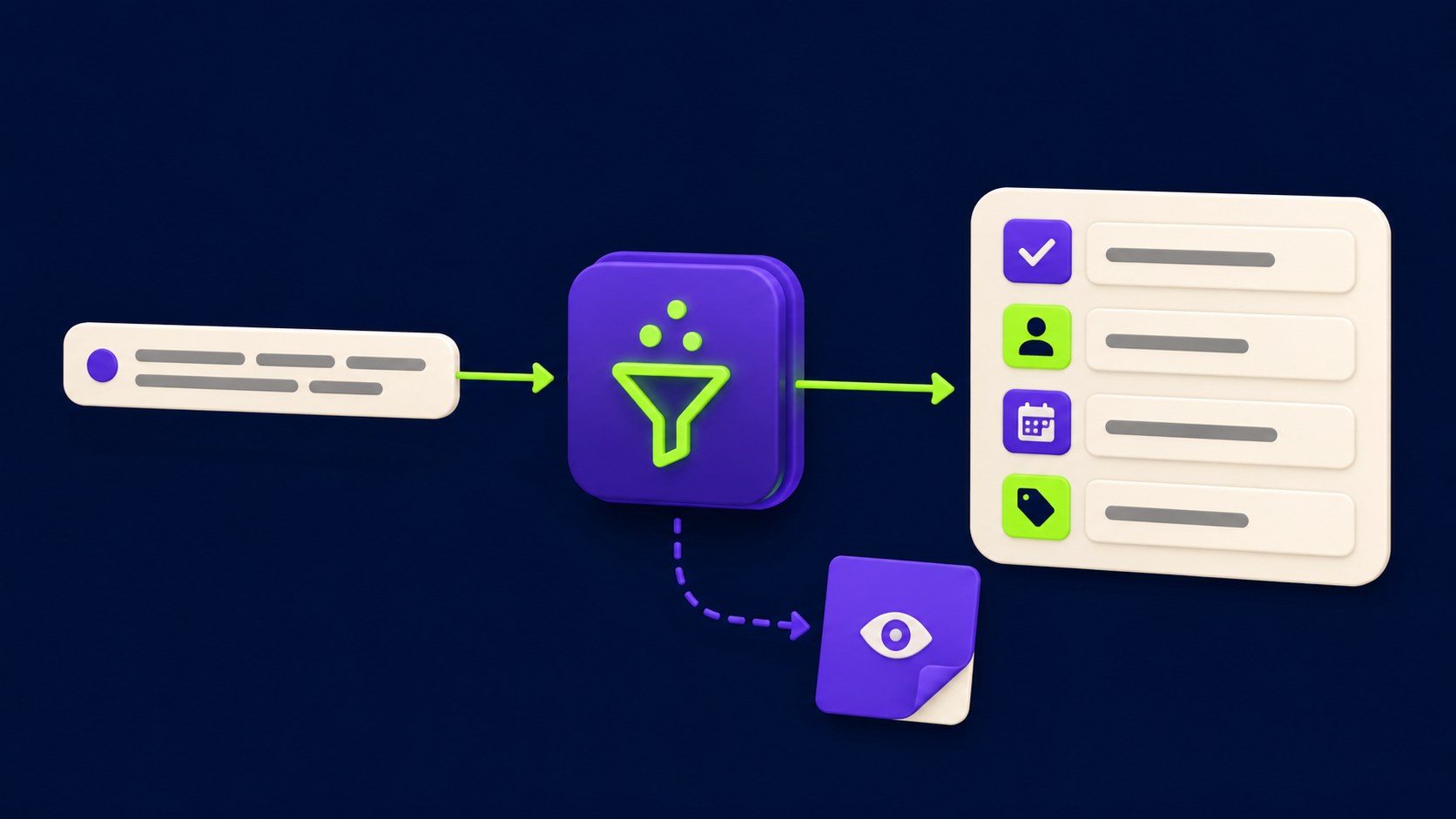
The prompt does three jobs in one pass: it classifies each item as an action (something someone must do) versus an FYI (something noted for context), it detects the owner from speaker turns rather than a hardcoded name list, and it parses relative date language like "by Friday" into an ISO date relative to the meeting date you supply. A prompt that does all three looks like this:
System prompt (paste into the Anthropic node's System field):
You are a meeting task extractor. Return ONLY a valid JSON array. No explanation, no markdown, no prose. Each element has exactly four fields: "task" (string, the action in plain language), "owner" (string, the speaker name responsible, or "" if ambiguous), "due_date" (string, ISO 8601 date derived from relative language like "by Friday" using the meeting_date provided, or "" if none), "type" (string, either "action" or "fyi"). Omit pure discussion, chitchat, and status updates with no action. If one item has two owners, emit two separate objects.
User message template (set in the Message field, Expression mode):
Meeting date: {{ $json.meeting_date }}
Transcript:
{{ $json.transcript_text }}
The "emit two separate objects" rule for shared ownership matters. A task assigned to "Sarah and Marcus" produces two rows in Notion, one per person, which is the only way each person sees their task in their own Notion filter. Without this rule, multi-owner tasks get one row and one of them never sees it.
Example input and output:
--- INPUT TRANSCRIPT (excerpt) ---
[Marcus]: We need to get the pricing page updated before the campaign goes live.
[Sarah]: I can own that. Should be done by Wednesday.
[Marcus]: Great. Also, for context everyone, we closed the Acme deal last week.
[Sarah]: One more thing, Marcus, can you send the brief to legal by end of week?

--- CLAUDE JSON OUTPUT ---
[
  {
    "task": "Update the pricing page before the campaign goes live",
    "owner": "Sarah",
    "due_date": "2026-06-18",
    "type": "action"
  },
  {
    "task": "Send the brief to legal",
    "owner": "Marcus",
    "due_date": "2026-06-20",
    "type": "action"
  },
  {
    "task": "Acme deal closed last week",
    "owner": "",
    "due_date": "",
    "type": "fyi"
  }
]
The FYI row lands in Notion as a reference item (you can filter it out of task views by the type field). The pricing page task has a concrete date because "Wednesday" resolved against the meeting_date you supplied. The legal brief has a date because "end of week" resolved to Friday. If you do not supply the meeting_date, Claude will leave both due_dates blank, which is why that field is in the user message template, not the system prompt.
How do you handle errors: ambiguous owner, no due date, malformed JSON?
These three failure modes are predictable, and each needs a specific route rather than a silent drop. Routing to a review queue is not extra work; it is what separates a system that builds trust from one that loses tasks quietly and then gets blamed for missing deadlines.
Ambiguous owner: the IF node checks whether owner is an empty string. If it is, the task routes to a separate Notion database called "Needs Review" rather than the main tasks database. Add a Notion "assigned_to" field that auto-tags the meeting organizer on every review-queue item, so someone is always accountable for resolving the ambiguity. Teams that skip this find review-queue items sit forever.
No due date: this is not an error worth blocking on. Write the task to the main database with the due_date field empty. Your Notion view should include a filter that surfaces tasks with no due date to the team lead each Monday. Empty due dates are a data-quality signal, not a workflow failure.
Malformed JSON: wrap the Code node parse in try/catch and throw on failure. Connect the error branch to a Slack message (or an n8n error trigger) that includes the raw Claude output text and the transcript ID. This lets you inspect the failure in under 30 seconds. The most common cause is Claude returning a trailing explanation sentence after the JSON array, which the prompt above is written to prevent. If it happens on long transcripts, add "STOP after the closing bracket ]" to the system prompt. For a broader look at building reliable n8n automation flows, the 15 n8n workflows you can build in a weekend guide covers error-branch patterns for several agent types.
What is the weekly digest auto-doc?
The weekly digest is a second scheduled workflow that runs every Friday at 4 PM. It queries the main Notion tasks database for all items created that week, groups them by owner, and writes one summary Notion page with each person's task list. It takes the same n8n and Notion credentials; no new tools are needed.
The flow is four nodes: a Schedule trigger (weekly, Friday 4 PM), a Notion "query database items" node filtered by created_date in the past seven days, a Code node that groups the results by owner into a structured object, and a Notion "create page" node that writes the grouped list as a bulleted page under a "Weekly Digests" Notion page. The page title format is "Week of [Monday date]" derived in the Code node from new Date(). This replaces the manual end-of-week meeting roundup most ops leads do by hand and is the primary source of the four-to-six-hour weekly saving teams report.
One configuration note: the Notion "query database items" node requires the database ID and a filter object. The filter syntax is documented at developers.notion.com. Use a "created_time" filter with an "on_or_after" condition set to the Monday of the current week, which you compute in a preceding Code node as new Date(Date.now() - 6 * 24 * 60 * 60 * 1000).toISOString().
Where does this save four to six hours a week, and where does it not?
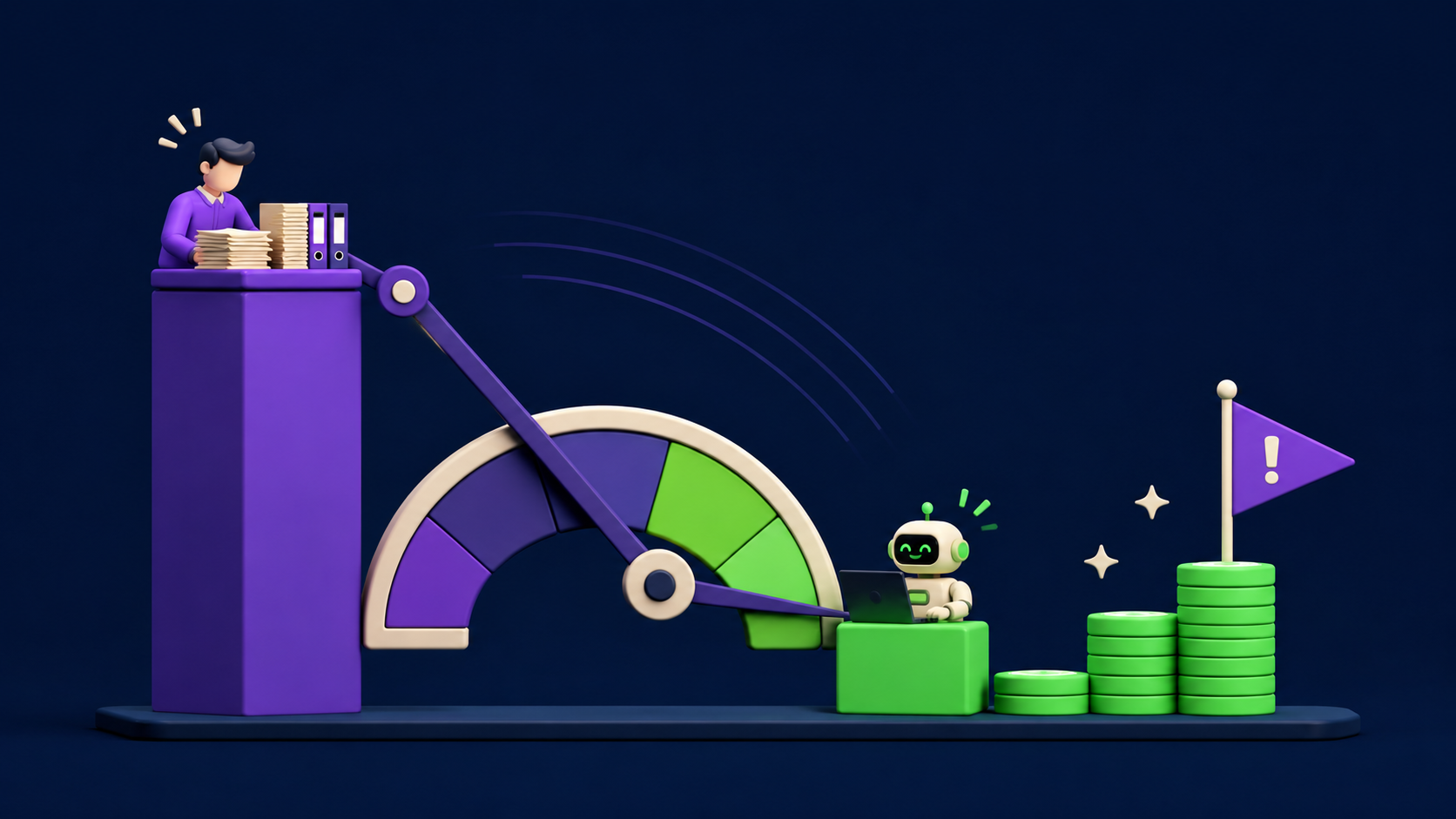
The honest accounting: this workflow eliminates the time spent reading transcripts to extract tasks (15 to 30 minutes per meeting), writing those tasks into Notion by hand (5 to 10 minutes per meeting), chasing down who owns what after the fact (20 to 40 minutes per week), and producing the end-of-week digest (30 to 60 minutes). A team running eight meetings a week hits four to six hours easily. These are operator-reported ranges, not controlled study figures.
Where it does not save time: it does not replace the judgment call of whether a task is worth doing at all. Claude classifies what was said; it does not prioritize or challenge scope. You still need a human to review the "Needs Review" queue and resolve ambiguous ownership. It also does not write the actual deliverable described in the task, connect to your project management hierarchy, or understand your team's context about what "high priority" means. The workflow is a data-entry layer, not a decision layer. Teams that expect it to replace project management get frustrated; teams that treat it as a capture and write tool get the time savings.
For a broader picture of where AI agents genuinely replace SaaS subscriptions versus where they support human judgment, the replace SaaS with n8n agents guide maps the honest boundary.
Want this built for your team?
Vantaige builds done-for-you automation workflows including this exact Claude and Notion pipeline, configured for your recording tool, your Notion database schema, and your team's owner naming convention. Book a free automation audit and we will map the hours this recovers in your specific workflow.
FAQ
Do I need to know how to code to build this?
No. The only code in the entire flow is one JavaScript snippet in the n8n Code node: JSON.parse(items[0].json.text) wrapped in try/catch, plus a date calculation for the weekly digest. Both are copy-paste. n8n's visual canvas handles the rest. If you are comfortable using a spreadsheet formula, you are comfortable with this level of configuration. The n8n MCP and Claude Code setup guide walks through credential setup if this is your first n8n build.
What transcript tools work as the source?
Any tool that exposes a transcript via API or webhook works. Castmagic is the cleanest because it stores labeled speaker turns in its API response. Fireflies.ai, Otter.ai, Zoom Cloud Recordings, and Fathom all have APIs or webhook events you can wire to the HTTP Request node. The only requirement is that the output includes speaker labels; if the transcript is a single unlabeled block, owner detection will return empty for every task.
Will Claude hallucinate tasks that were not in the meeting?
Claude can over-extract, pulling a task from a hypothetical ("we could do X") rather than a commitment ("Marcus will do X by Friday"). The extraction prompt above uses the phrasing "Omit pure discussion, chitchat, and status updates with no action" to reduce this. Claude Sonnet 4.6 is significantly better at this boundary than earlier model generations, but you should expect one spurious task per ten meetings on long, discursive calls. The review queue catches most of them because speculative tasks rarely have a named owner.
How do I handle tasks with multiple owners?
The system prompt instructs Claude to emit one object per owner when a task is shared. This produces two Notion rows with identical task text and different owner fields. If you want to signal the shared nature, add a "co_owner" field to the JSON schema and map it in the Notion node. The key rule is: never write a single row with two names in the owner field, because Notion person fields are designed for one person per property and your filter views will miss one of them.
What are the Notion API rate limits?
Notion's API allows three requests per second per integration token, as documented at developers.notion.com. A meeting with 20 extracted tasks writes 20 Notion rows. At three requests per second that is under seven seconds total. The only time you hit the rate limit is if you run batch backfills of historical transcripts; for live per-meeting processing the limit is not a practical constraint. If you do run a backfill, add a 400-millisecond wait node between Notion write calls in n8n.
What does each run cost?
Claude Sonnet 4.6 pricing (as of the Anthropic pricing page at docs.anthropic.com) is $3 per million input tokens and $15 per million output tokens. A 60-minute meeting transcript is roughly 8,000 to 12,000 tokens. A typical extraction response is 400 to 800 tokens. That puts the Claude cost per meeting at under $0.05. n8n Cloud's starter plan covers the execution volume for most teams. Castmagic is a separate subscription if you use it; the Notion API is free within its rate limits. Total per-meeting cost for the automation layer: under $0.10.
Should I self-host n8n or use n8n Cloud?
For this workflow specifically, n8n Cloud is the faster path. The workflow has no large file transfers, no on-premise data requirements, and no compute-heavy steps. Self-hosting makes sense if you have compliance requirements that prevent transcript data from leaving your infrastructure, or if you are already running other heavy n8n flows that justify the VPS cost. The n8n agent cost comparison breaks down the self-host versus cloud math for teams at different workflow volumes.
Related from Vantaige
References
Notion, API reference and rate limits documentation. developers.notion.com
Anthropic, Claude models overview and API documentation. docs.anthropic.com
n8n, workflow automation documentation and node reference. docs.n8n.io
Castmagic, transcript API and integration reference. castmagic.io
Get the best new AI tools and guides, weekly
One short email a week. The tools worth trying, the guides worth reading, nothing else.
No spam. Unsubscribe anytime.
Aymen B
Contributing writer at Vantaige, covering the AI tools ecosystem.