Gemini Deep Research for a Thesis Literature Review in One Day (2026)
Gemini Deep Research for a Thesis Literature Review in One Day (2026)
A thorough literature review can swallow 60 to 80 hours of reading, skimming, and source-chasing before you write a single sentence of your thesis. Gemini Deep Research compresses the discovery and synthesis phase to roughly 6 hours for most dissertation chapters, not by reading for you, but by doing the traversal work a research assistant would. The catch: the output is a scaffold, not a submission. The workflow you use to scope, iterate, and verify the citations is what makes the result defensible when your committee asks where a claim comes from.
TL;DR
Gemini Deep Research cuts literature discovery from ~80 hours to ~6 hours
The workflow (scope, seed, iterate, check methodology, annotate, cite) is what makes it defendable
Always cross-check with Perplexity to catch gaps and hallucinated citations
Every citation must be manually verified before it appears in your reference list
Deep Research fails on paywalled articles, very recent papers, and fabricated DOIs
What is Gemini Deep Research, really?
Gemini Deep Research is an agentic research mode built into Gemini Advanced that plans a multi-step research strategy, browses dozens to hundreds of web sources autonomously, and returns a cited multi-page synthesized report. It is not a chatbot that answers one question. It acts more like a research assistant who goes off, reads widely, and comes back with a structured document. The key word is "agentic": it decides what to search, what to follow, and how to organize the output without you directing each step.
For a thesis literature review, this matters because the hard part is not reading one paper: it is finding which papers exist, understanding how they relate, and mapping the gaps. Deep Research does the traversal. Your job shifts from hunting sources to evaluating what it returns and filling what it missed. That is a better use of your cognitive time, but only if you treat the output as a first draft, not a finished product.
Google introduced the feature in late 2024 as part of Gemini Advanced (the paid tier), with expanded report length and source coverage added through 2025. As of 2026, it is the most capable free-internet-synthesis tool available to researchers outside institutional database subscriptions (Google, Gemini Deep Research overview, blog.google).
The 6-step thesis lit-review workflow
The workflow below is designed so each step produces a concrete output you can verify and build on. Skipping steps does not save time: it pushes the problem downstream to citation checking, which is slower and more painful. Budget roughly 6 hours for a standard dissertation chapter scope, broken across two sessions.
Step | What you do | Output | Rough time |
|---|---|---|---|
1. Scope | Write a one-paragraph brief: your research question, field, time range (e.g. 2015-2026), methodology types you need (RCT, qualitative, meta-analysis), and 3-5 must-include themes | Scope brief (your input to Deep Research) | 30 min |
2. Seed queries | Paste your scope brief into Deep Research with the prompt below. Let it run fully (typically 5-15 min) | Initial Deep Research report (5-20 pages, 30-80 citations) | 20 min active, 15 min wait |
3. Iterate sources | Read the report structure. Ask a second Deep Research run scoped to each major gap you spotted: a missing sub-theme, an underrepresented region, a methodology type absent from the first report | 1-3 supplementary reports plugging the gaps | 60-90 min |
4. Methodology check | For every empirical claim in the report, confirm the cited source actually uses the methodology claimed (RCT vs. observational, sample size, year). Use Perplexity to cross-check any citation you cannot access directly | Verified claims list with flagged citations removed | 90-120 min |
5. Annotate | For each source you keep, write 2-3 sentences in your own words: what the study did, what it found, and why it is relevant to your argument. This is also your plagiarism firewall. | Annotated bibliography (your actual writing starts here) | 60-90 min |
6. Cite | Export only citations you personally verified and annotated. Format in your required style (APA, Harvard, Vancouver). Never export the Deep Research reference list directly into your submission. | Clean reference list ready for your draft | 30-45 min |
The before/after is concrete: without this workflow, researchers report spending 60 to 80 hours on a single chapter's discovery and synthesis phase. With it, the same scope compresses to roughly 6 hours of focused work, with the rest being writing from a solid foundation. For tools supporting your broader research productivity, the personal productivity AI tools directory is worth bookmarking.
The exact prompt to use at Step 2 (paste this into Gemini Deep Research, replacing the bracketed sections with your actual topic):
"Conduct a comprehensive literature review on [your specific research question], covering peer-reviewed sources from [start year] to [end year]. Focus on [field or discipline]. Identify the major theoretical frameworks used, the dominant methodological approaches (distinguish between experimental, observational, and qualitative studies), key empirical findings, areas of scholarly debate, and gaps in the current literature. Organize the report by theme, not by source. Include a citation for every factual claim."
Why you still run a Perplexity cross-check
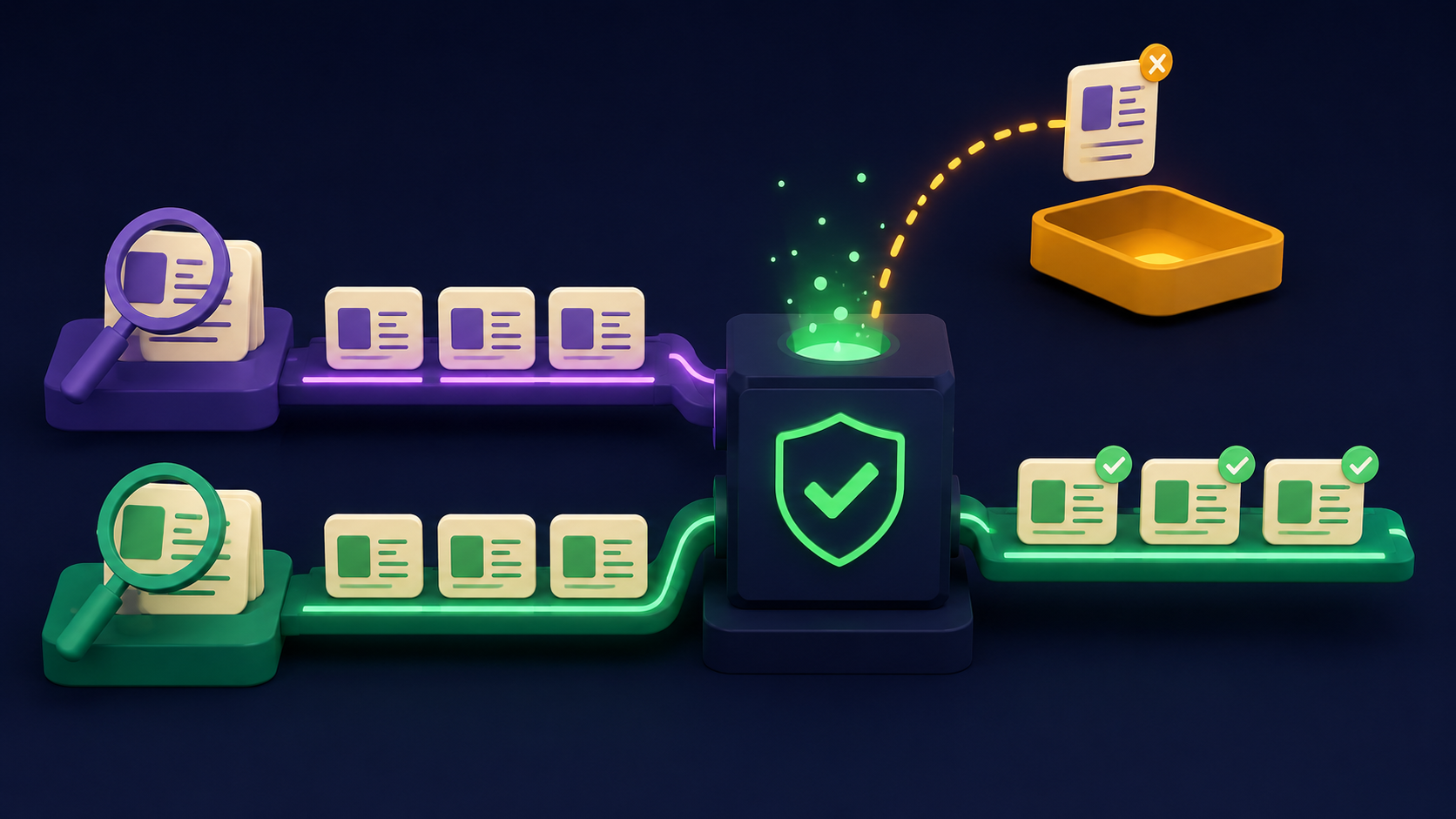
Deep Research and Perplexity index the web differently, prioritize different source types, and occasionally surface non-overlapping literature. Running a parallel Perplexity search on your 2-3 most important sub-themes takes 20 minutes and regularly turns up sources the Deep Research run missed, particularly recent preprints, conference papers, and grey literature that one crawler caught but the other did not.
The second reason to cross-check is citation verification. Perplexity provides live links to sources, which makes it faster to confirm whether a citation actually says what the Deep Research report attributes to it. You are not looking for contradiction: you are looking for alignment. If Perplexity and Deep Research agree on a finding and both link to the same primary source, your confidence in that citation is materially higher. For a full walkthrough of Perplexity's research capabilities, see the Perplexity research workflow tutorial.
How to spot hallucinated or wrong citations before submission
Large language models, including the underlying model in Gemini Deep Research, can generate plausible-looking citations that do not exist: correct author name formats, real-sounding journal titles, valid-looking DOIs, and year ranges that fit. The risk is higher for niche sub-fields, older literature, and any source Deep Research describes as "cited in" another work rather than directly accessed. The check takes 10 minutes per suspicious citation and is non-negotiable before submission.
The four-step citation check: first, search the author name plus title in Google Scholar. Second, confirm the journal name is a real publication (check the publisher's website directly). Third, if a DOI is given, resolve it at doi.org and confirm the abstract matches the claim. Fourth, if you cannot access the full text, search the title in Perplexity and ask it to summarize the paper's main finding. Mismatch between the Deep Research summary and the Perplexity summary is a flag to dig deeper before citing.
A 2024 Nature news report documented that AI tools generating academic text routinely fabricate between 10 and 40 percent of citations depending on the topic's obscurity. That range is wide because the rate tracks how much real training data existed for that specific sub-field. The more niche your topic, the higher your verification bar needs to be (Nature, "AI citations in research," nature.com).
The viva-readiness checklist
A literature review passes in a viva not when it is long but when you can defend every claim and explain every source you cited. The checklist below is the test to run on your draft before submitting. If you cannot answer a question, that section needs more work before it is submission-ready.
Can you name the methodology for every empirical claim? "Smith (2022) found X" requires knowing whether Smith ran an RCT, a survey, or a meta-analysis. If you do not know, you have not read the paper.
Can you state the key limitations of each major source you cite? Committees ask. "It was a small sample in a single country" is a real answer. "I am not sure" is not.
Can you explain why your literature review stops where it does? Your scope brief from Step 1 is your answer. Arbitrary coverage looks like gaps; deliberate scoping looks like scholarship.
Have you read, not just cited, each primary source you reference? Secondary sources cited as primary (citing what someone else said a paper found) are a common viva fail. Deep Research occasionally does this. Flag and fix every instance.
Is every URL, DOI, and access date current? For digital sources, the date you accessed them matters in most citation styles. Audit your reference list for missing access dates before submission.
For organizing and managing the documents that come out of this process, the document and knowledge management tools directory covers the options researchers use to store, tag, and retrieve annotated sources across long projects.
Where Deep Research fails
Deep Research is genuinely strong for publicly accessible, English-language, reasonably recent academic literature. It fails in predictable ways, and knowing the failure modes before you rely on it is how you avoid nasty surprises at the methodology chapter stage.
Paywalled journals. Deep Research browses the open web. It cannot authenticate into JSTOR, Elsevier, Springer, or most institutional databases. It sees abstracts and, where available, open-access versions. If your field publishes primarily behind paywalls, your institution's database access (Web of Science, Scopus, PubMed) remains your primary source and Deep Research becomes a supplementary discovery layer only.
Very recent papers. The web crawler has a lag. Papers published in the last 2 to 4 months before you run your query may not be indexed. For fast-moving fields (AI safety, oncology, climate science), supplement with a manual search on arXiv, bioRxiv, or your field's preprint server for the trailing months.
Niche citation styles. Deep Research generates citations in a generic format. It does not produce OSCOLA, Vancouver, APA 7th edition, or Harvard output natively. You must reformat every citation yourself, using the primary source as the ground truth, not the Deep Research formatted string.
Fabricated DOIs and page ranges. The model can generate plausible-looking DOIs that resolve to nothing, or page ranges that do not match the actual article. Resolve every DOI at doi.org before including it. This takes seconds and catches a meaningful fraction of citation errors before they reach your committee.
Non-English literature. If significant scholarship in your field is published in German, French, Spanish, Mandarin, or another language, Deep Research coverage is uneven. For comparative or international research, treat Deep Research as covering the English-language literature and conduct separate searches in other languages using your institutional access.
Want your research workflow built and automated?
Vantaige builds AI-assisted research and document workflows for teams and institutions: automated source ingestion, citation verification pipelines, and knowledge management systems that scale beyond a single thesis. Talk to us about what your specific research operation needs.
FAQ
Is using Gemini Deep Research allowed by my university?
Policies vary by institution and are changing rapidly. Most universities as of 2026 permit AI-assisted research discovery (finding and summarizing sources) while prohibiting AI-generated text submitted as your own writing. Using Deep Research to find and map the literature, then writing your own synthesis from verified sources, typically falls on the permitted side. Check your institution's current AI use policy and your supervisor's expectations before you start. When in doubt, disclose your use of AI tools in your methodology section.
Will Turnitin flag my literature review if I used Deep Research?
Turnitin detects text that matches its database, not the process used to write it. If you write the literature review in your own words from verified sources, Turnitin has nothing to flag. If you paste Deep Research output directly into your submission, there is a real risk: the tool's phrasing may match other documents in Turnitin's database, or its AI-writing detector may flag the statistical patterns. Write from your annotated bibliography, not from the Deep Research report.
Does Gemini Deep Research access paywalled papers?
No. Deep Research browses publicly accessible web content. It cannot authenticate into institutional databases, journal subscriptions, or any site that requires login. It can access open-access versions of papers (PubMed Central, arXiv, institutional repositories where authors self-archive). For the bulk of peer-reviewed literature behind paywalls, your university library database access is still required.
How accurate are the citations it generates?
Accuracy varies by topic. For well-documented, high-traffic academic topics, citation accuracy is higher because more training data and more indexed content exists. For niche sub-fields, researchers report hallucination rates between 10 and 40 percent (Nature, 2024). Do not treat any citation as verified until you have resolved the DOI or found the source independently. The verification workflow in Step 4 above is not optional.
Can Gemini Deep Research replace my supervisor?
No, and not because of a capability gap alone. Your supervisor knows your specific research context, your committee's expectations, your institution's methodological norms, and the internal debates in your field that do not appear in public literature. Deep Research knows the open web. Those are different things. Use Deep Research to do the breadth pass your supervisor does not have time to do with you, then bring the synthesized output to supervision as a starting point for discussion.
What reading level does the output assume?
The report assumes you have graduate-level familiarity with your field. It uses field-specific terminology without definition and references methodological concepts (effect size, p-value, grounded theory) without explanation. If you are at an early stage of your graduate program, budget extra time to look up terms you do not recognize. The depth and density of the output increases if you include methodological specifics in your prompt.
Can I use Deep Research for a systematic review, not just a narrative review?
A systematic review requires a documented, reproducible search strategy: specific databases, search strings, inclusion and exclusion criteria, and a PRISMA flow diagram. Deep Research's search process is not transparent or reproducible in that sense. It is not a substitute for a systematic review protocol. You can use it to inform your search string development and identify candidate sources, but the formal systematic search must be conducted using your institutional databases with documented methodology.
What is the best prompt length for Deep Research?
Longer and more specific prompts return more focused reports. The prompt template in Step 2 above runs roughly 100 words and specifies topic, time range, methodology types, and output structure. Very short prompts (one sentence) produce broad, shallow reports with more hallucination risk because the model has more room to fill with plausible-sounding generalities. Invest 15 minutes in writing a good prompt: it is the highest-return 15 minutes in the whole workflow.
Related from Vantaige
References
Google, Gemini Deep Research overview and announcement. blog.google
Google, Gemini features and Deep Research help documentation. support.google.com
Perplexity AI, product and research capabilities overview. perplexity.ai
Nature, reporting on AI tools fabricating academic citations (2024). nature.com
Get the best new AI tools and guides, weekly
One short email a week. The tools worth trying, the guides worth reading, nothing else.
No spam. Unsubscribe anytime.
Aymen B
Contributing writer at Vantaige, covering the AI tools ecosystem.