Set Up a Local AI Coding Assistant and Evaluate Its Changes
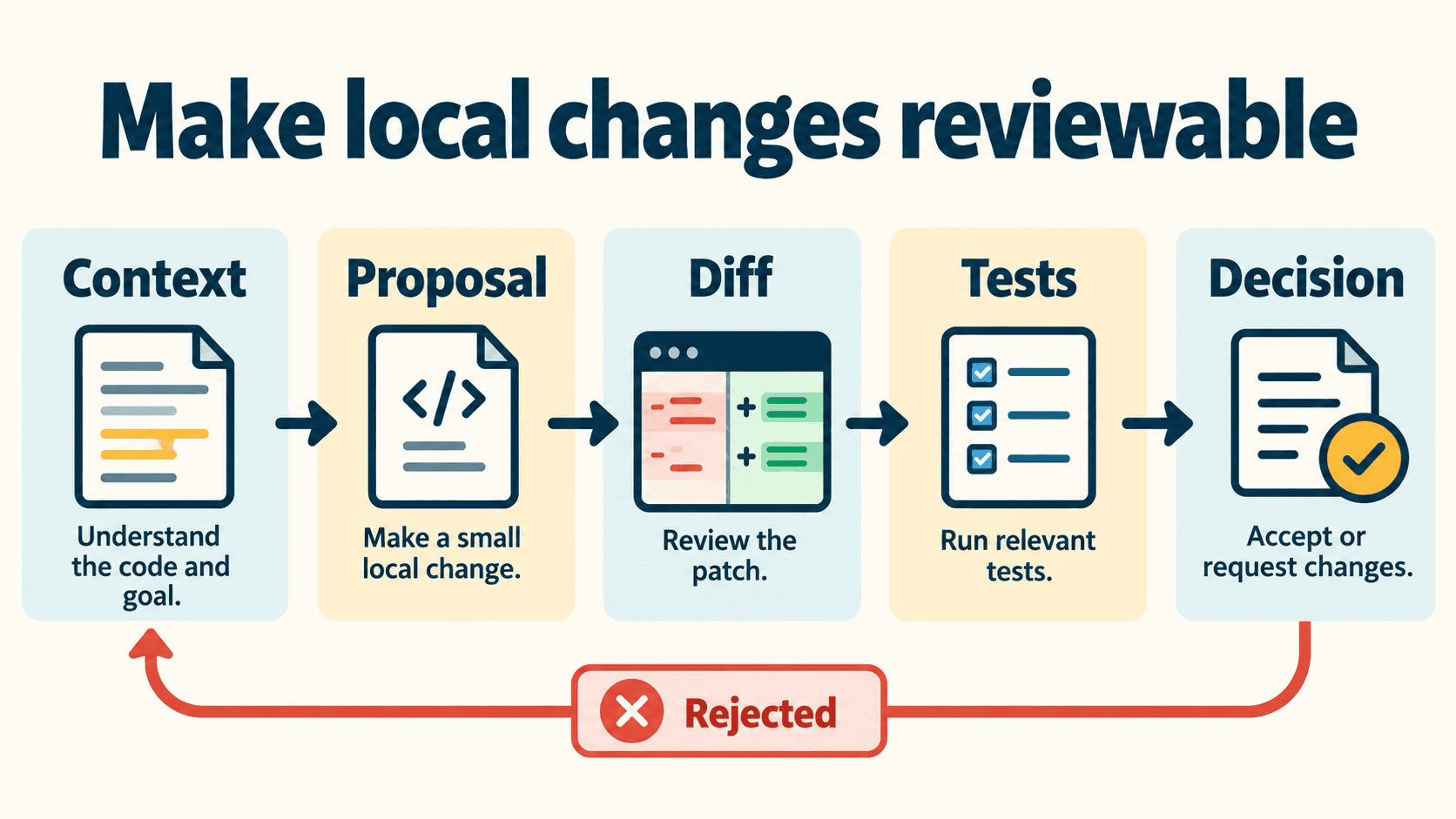
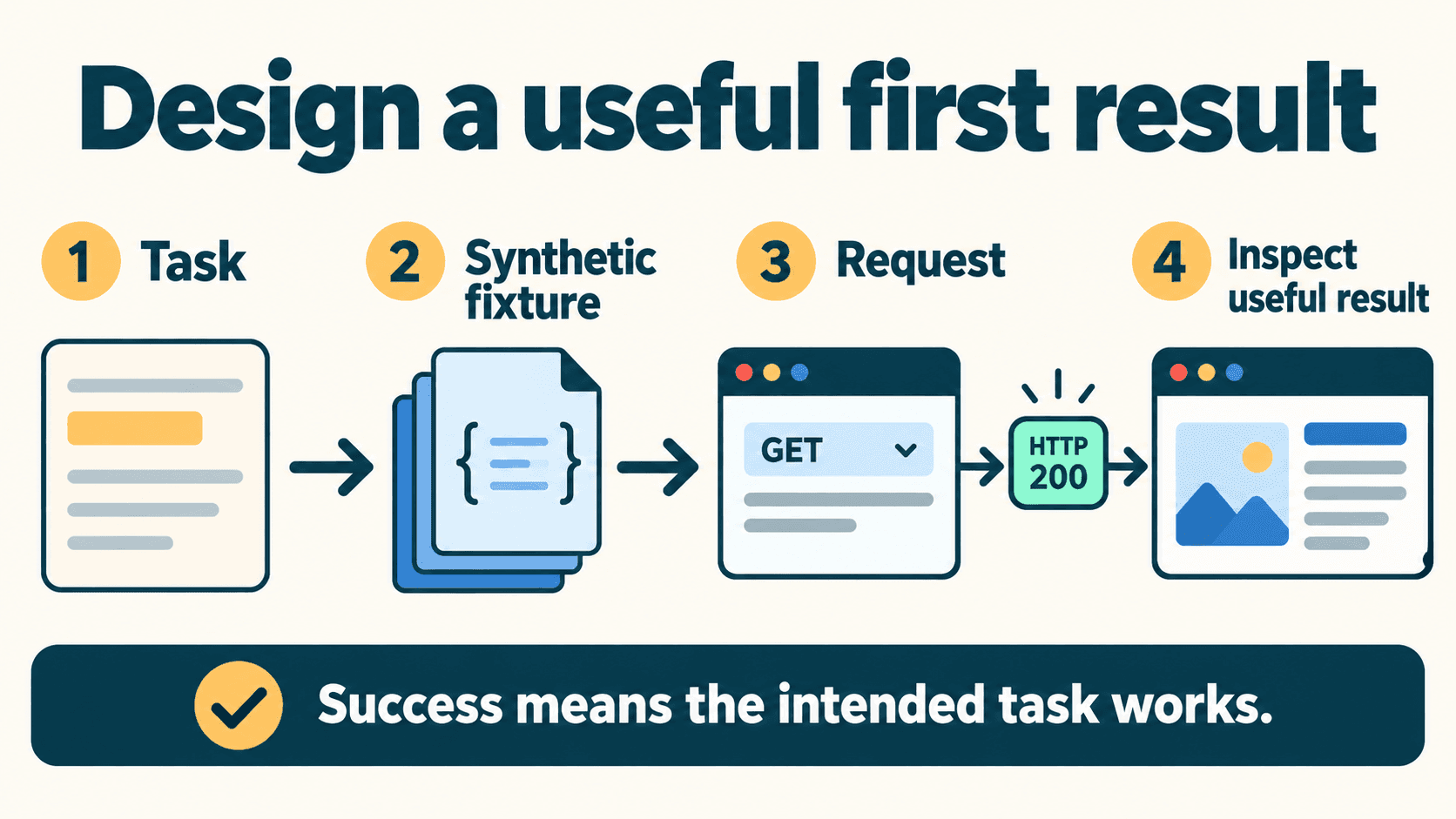
A useful local coding workflow connects a coding client to an already-working local model, gives it a small task, and checks the resulting patch against a clear contract. Start with a proposed change you can inspect before granting editing or execution access.
Use Continue for an editor-based workflow or Aider for a terminal workflow. The configuration below uses an explicit installed-model placeholder rather than assuming a particular model fits your hardware. The exercise is a synthetic arithmetic bug, not a coding benchmark or a tested model performance claim.
Choose the client, runtime, and model separately
Three decisions shape the experience:
| Layer | What it does | First question to answer |
|---|---|---|
| Runtime | Loads the model and handles inference | Does the intended local model already work? |
| Coding client | Collects context and presents or applies changes | Do I want an editor interface or a terminal workflow? |
| Model | Produces the response or requested edit | Can it handle this specific task and response format? |
Begin with one client and one model. A model that answers a short chat may still struggle with a large repository task, a strict patch format, or tool calls. Pick a small task you can evaluate before choosing a larger model or granting broader tools.
For a wider shortlist, use Vantaige's AI coding assistants collection. This guide focuses on one practical local workflow; it does not rank models or provide a hardware purchasing table.
Understand what each interaction can do
Chat, autocomplete, editing, and agent tools are different operations. Check which operation the client is about to perform.
| Interaction | Useful first task | What to inspect |
|---|---|---|
| Chat or planning | Explain a function and propose a change | Supplied context, selected model, and available tools |
| Autocomplete | Suggest a small continuation | The exact text you accept into the file |
| Editing | Apply a change to a selected area | The complete diff, not just the explanation |
| Agent/tool use | Inspect files or run allowed operations | Actual tool permissions, approvals, and observed actions |
A model capability flag is not a security control and does not teach the model a new capability. Continue's configuration reference documents model roles separately from tool-use capabilities. Setting a chat role does not prove that every other client operation is disabled.
For a first exercise, ask for a proposal using supplied context. Use a documented planning mode where supported, and inspect the actual tool configuration before enabling edits or execution.
Connect Continue with the current YAML format
The Continue Ollama provider guide documents native YAML configuration. Its reference marks the older config.json format deprecated.
Open the configuration selector above Continue's chat input, then use the gear for the local configuration. The configuration guide lists ~/.continue/config.yaml on macOS/Linux and %USERPROFILE%\.continue\config.yaml on Windows. Preserve your working configuration and merge the relevant model entry rather than blindly replacing existing settings.
Use this template, replacing YOUR_INSTALLED_LOCAL_MODEL with the exact model name you already verified in Ollama:
name: Local coding example
version: 1.0.0
schema: v1
models:
  - name: My local chat model
    provider: ollama
    model: YOUR_INSTALLED_LOCAL_MODEL
    apiBase: http://127.0.0.1:11434
    roles:
      - chat
The required top-level fields are name, version, and schema. The example explicitly chooses the loopback endpoint and a chat role. It does not enable an agent permission policy, force tool capability flags, or establish that this model has enough context or memory for your repository.
Download the YAML template. The separate JSON configuration worksheet records setup decisions; it is not native Continue configuration and should not be pasted into the client.
Send a short question using synthetic text and confirm the intended model is selected. If it works in Ollama but fails in Continue, compare the client's actual context request and settings. The provider guide notes that Continue can request a larger context than other tools. Reducing the requested context may help, but no single context value guarantees fit.
Connect Aider with an ask-first workflow
Aider's Ollama guide recommends the ollama_chat/ model prefix. Use its current installation instructions, then start in a scratch repository or an appropriate task branch with existing work preserved.
For a macOS/Linux shell, this example selects the local endpoint and an installed model placeholder:
export OLLAMA_API_BASE=http://127.0.0.1:11434

aider --model ollama_chat/YOUR_INSTALLED_LOCAL_MODEL \
  --chat-mode ask --no-auto-commits --no-dirty-commits
Replace the placeholder before running. Windows users should use the environment-variable instructions in Aider's provider guide.
Aider's chat-mode documentation distinguishes ask mode from its default code mode. Ask mode answers questions without applying code changes. A single /ask message does not necessarily change the active mode for later messages; verify the active mode rather than assuming a previous question set a permanent boundary.
The options reference documents the two commit flags above. They disable those automatic commit behaviors; they are not an OS sandbox or a guarantee that the client never writes configuration or history files.
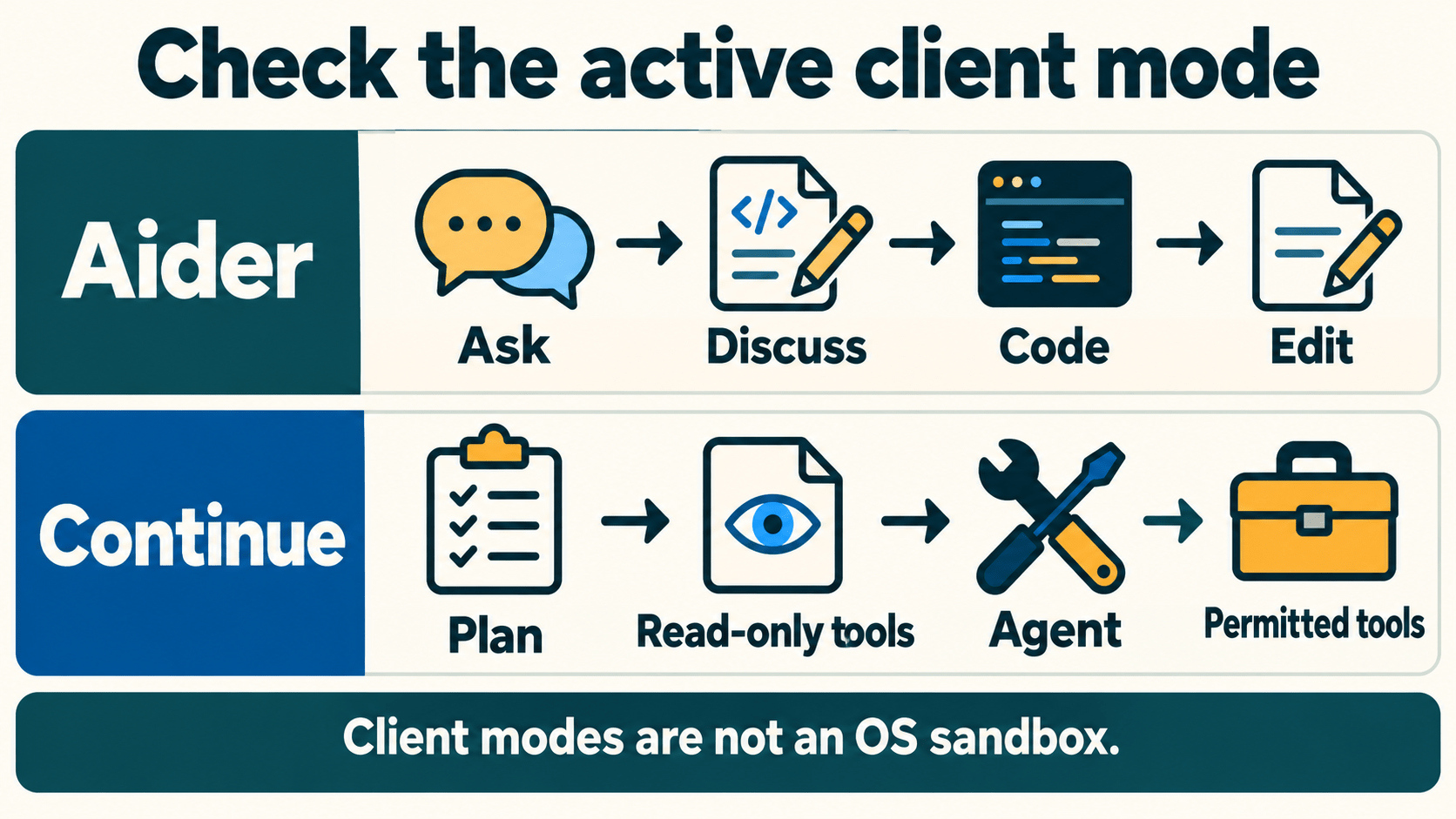
Aider's architect mode also differs from ask mode: it uses an architect/editor workflow intended to make changes. Do not treat it as a no-edit approval mode.
Supply the smallest context that explains the defect
Give the assistant the implementation, the reproduction, and the relevant contract. Add a caller or type definition when it changes the reasoning. Avoid attaching the whole repository simply because it is available.
For a real task, a useful prompt might be:
Task: investigate the failing first-attempt backoff calculation.

Use the supplied retry.py and tests/test_retry.py.
Explain the defect, then propose a minimal patch.
Preserve the function signature and the invalid-attempt behavior.
Do not change tests, add dependencies, run commands, or commit.
If more context is needed, identify the missing file or contract first.
That prompt communicates scope; it does not enforce file permissions. Keep the actual client mode and tool controls aligned with the request. If you allow writes later, inspect which files changed rather than assuming the prompt was obeyed.
The task-card download includes the complete fictional implementation, standard-library test fixture, and these instructions. No production repository or private source tree is required to try it.
Inspect the proposal before enabling broader actions
Continue's Plan Mode guide describes a mode selected below the chat input that excludes file edits and terminal execution. It also documents read-only web, external-service, and MCP access. Where available for the selected model and configuration, use it for investigation before deciding on edits.
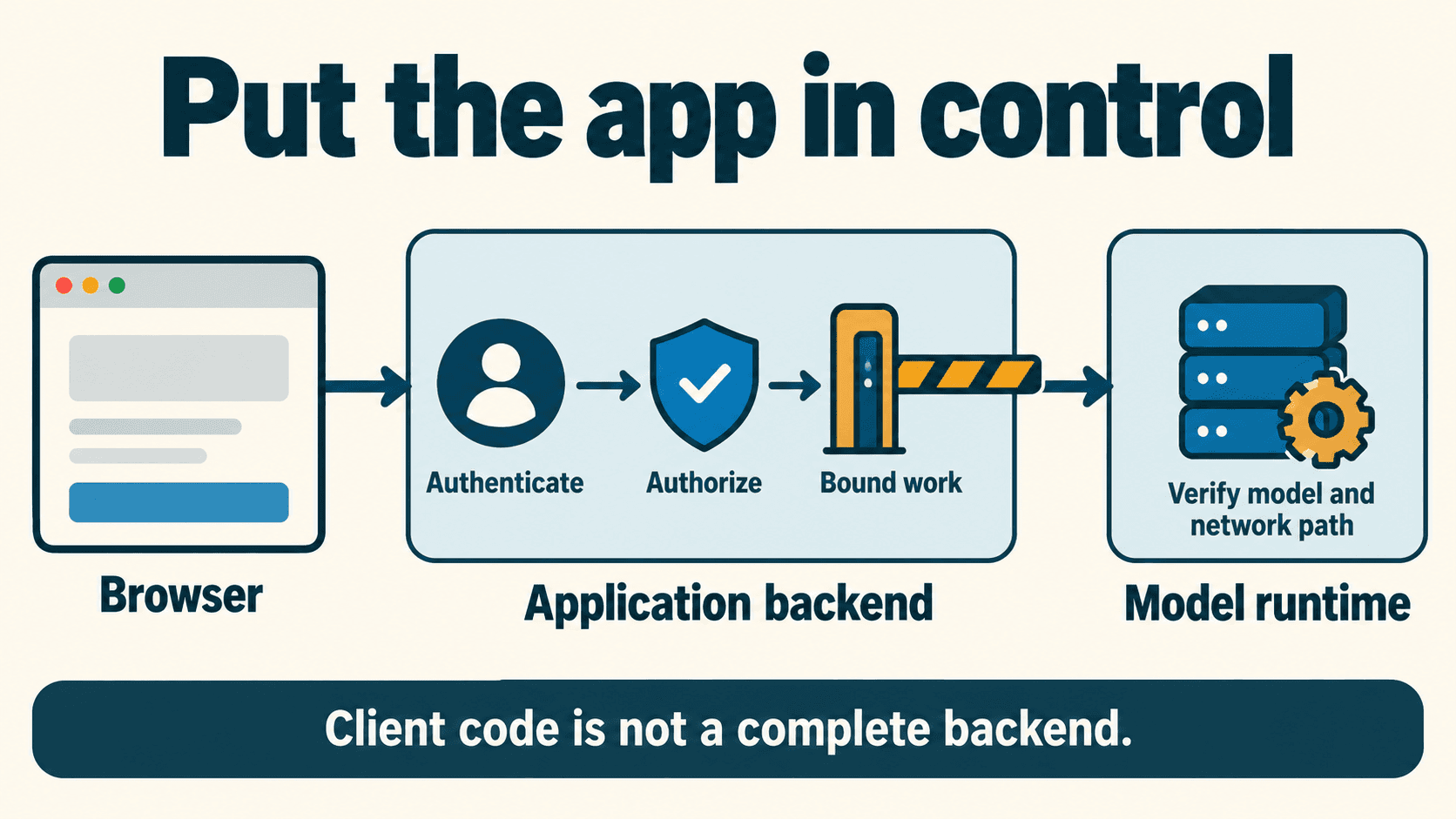
That is a client-mode description, not a verified OS-level boundary or an offline guarantee. Review configured tools and data flows separately. A local inference model does not establish the behavior of indexing, extensions, telemetry, web fetches, or other providers used by the client.
For either client, ask for a root-cause explanation and a proposed change. Then check:
- Does the proposed change address the failing behavior?
- Does it preserve the stated interface and existing valid behavior?
- Does it require a new dependency, broader permission, or unrelated cleanup?
- Is the diff complete and applicable, or only an illustrative snippet?
If a proposed patch is malformed, ask for a corrected patch against the actual file. Do not apply it by guessing missing lines. Preserve unrelated local work throughout the task.
Try a small synthetic bugfix exercise
The fictional calculate_backoff function returns a delay value; it does not perform retries, sleep, send requests, or schedule jobs. This is a narrow arithmetic exercise, not a production retry library.
Its buggy expression is:
delay = base_delay * (factor ** attempt)
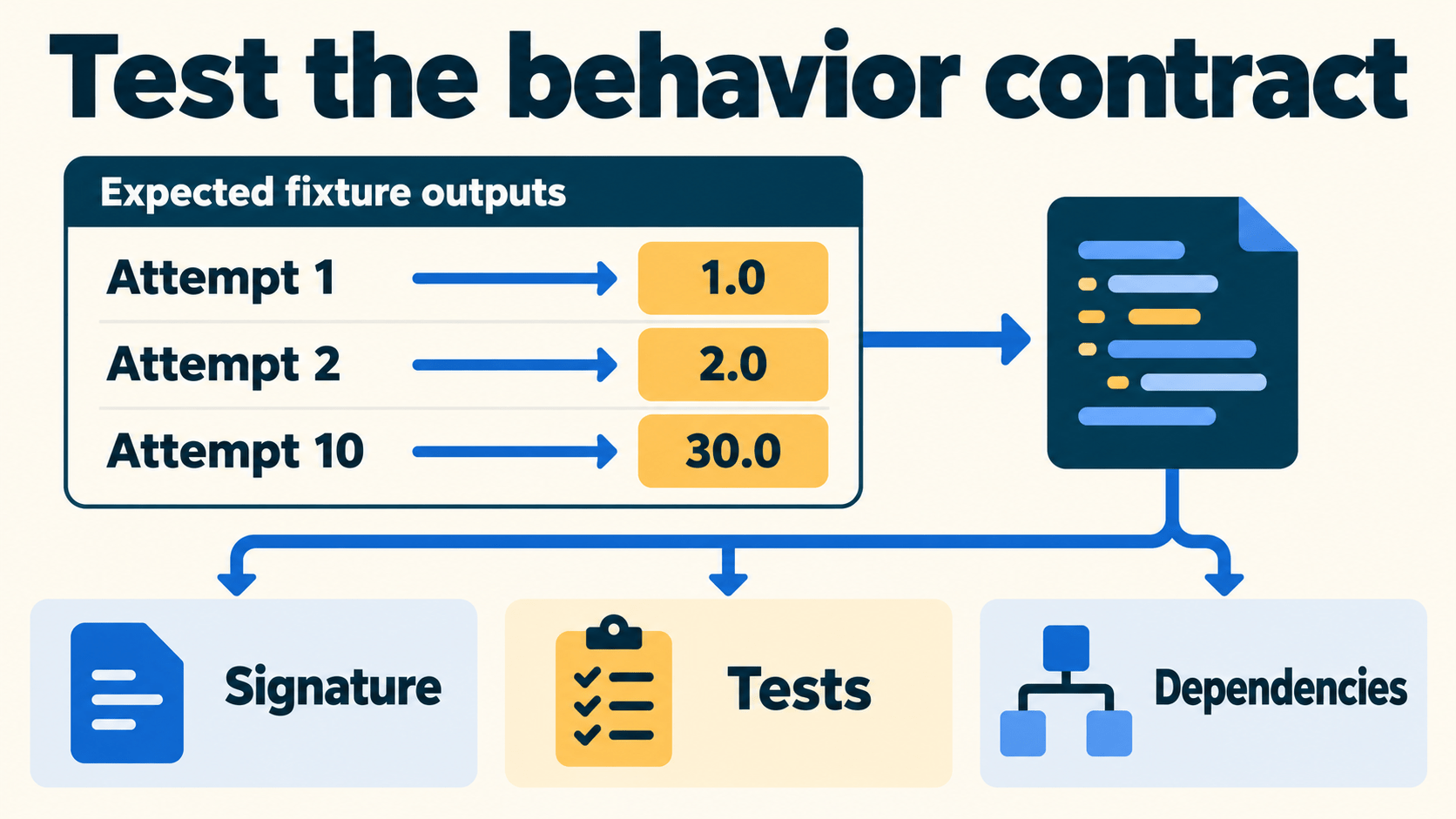
The task contract says attempt 1 should return the base delay. With the default base of 1.0 and factor of 2.0, the expression instead calculates 2.0. That arithmetic identifies the intended off-by-one defect; it is not an observed assistant result.
For this fixture, check the following finite test cases:
| Input | Required result |
|---|---|
| Attempt 1, defaults | 1.0 |
| Attempt 2, defaults | 2.0 |
| Attempt 10, defaults with max 30.0 | 30.0 |
| Attempt 3, base 0.5, factor 3.0, max 10.0 | 4.5 |
| Attempt 0 or −1 | Raise ValueError |
The downloadable task card supplies the full code and unittest cases. Unspecified types, very large inputs, production jitter, cancellation, and retry safety are outside this exercise. In a real integration, define those requirements separately.
Ask the assistant to propose a patch without changing the tests. Evaluate behavior rather than requiring one literal line of code: different correct implementations can satisfy the same contract.
Once you decide to apply a candidate in your isolated exercise, run the tests from that fixture's root directory:
python3 -m unittest discover -s tests
Run these tests in your isolated development environment to verify that your model's proposed patch satisfies the behavior contract. Candidate patch results in the review scorecard remain template rows for your evaluation.
Review the whole change and the actual test result
A convincing explanation does not establish a correct patch. Review what changed and what your test runner actually reported.
| Review gate | Evidence to inspect |
|---|---|
| Scope | Complete tracked diff, changed-file summary, and any new/untracked files |
| Behavior | Reproduction plus relevant regression tests |
| Test integrity | No removed, skipped, or weakened assertions used to hide the defect |
| Dependencies | Imports and manifests match the approved task |
| Interface | Function signature and caller expectations remain valid |
| Outcome | Actual exit status and results, not the assistant's prediction |
A passing narrow fixture does not prove the rest of a real application works. Run the checks appropriate to the actual change; avoid escalating to unrelated expensive suites without a reason.
Inspect new files as well as a tracked diff. A model could produce an additional file or dependency without it appearing in the patch explanation. Commit only the reviewed, verified changes through the repository's normal process.
Improve weak output by fixing the evidence gap
Use the failure to choose the next action:
| Symptom | Useful next step |
|---|---|
| It explains the wrong function | Confirm supplied files, symbols, and selected context |
| It invents a dependency | Show the existing interface and dependency constraint |
| It produces an incomplete patch | Request a complete patch against the actual file contents |
| It changes tests to hide the defect | Reject that candidate and restate the behavior contract |
| It fails only in the coding client | Compare context, output limits, and effective runtime settings |
| It repeatedly fails the same small task | Consider another suitable model or complete the change manually |
Do not assume every syntax error comes from context overflow or that increasing context improves every answer. Change one factor and inspect the next result. A successful local workflow is one you can evaluate and maintain, rather than one that runs without oversight.
Keep a short daily checklist
Before each task, confirm the selected model and endpoint, the relevant files, the acceptance contract, and the active client mode. After the proposal, review the diff and dependencies, run the appropriate checks yourself, and preserve evidence of the result.
Download the task card and review scorecard. Start with the synthetic exercise, then use the same process for one small task in your own repository.
Get the best new AI tools and guides, weekly
One short email a week. The tools worth trying, the guides worth reading, nothing else.
No spam. Unsubscribe anytime.
Aymen B
Contributing writer at Vantaige, covering the AI tools ecosystem.