The Post-Purchase Review-Request Automation That Doesn't Feel Spammy (2026)
The Post-Purchase Review-Request Automation That Doesn't Feel Spammy (2026)
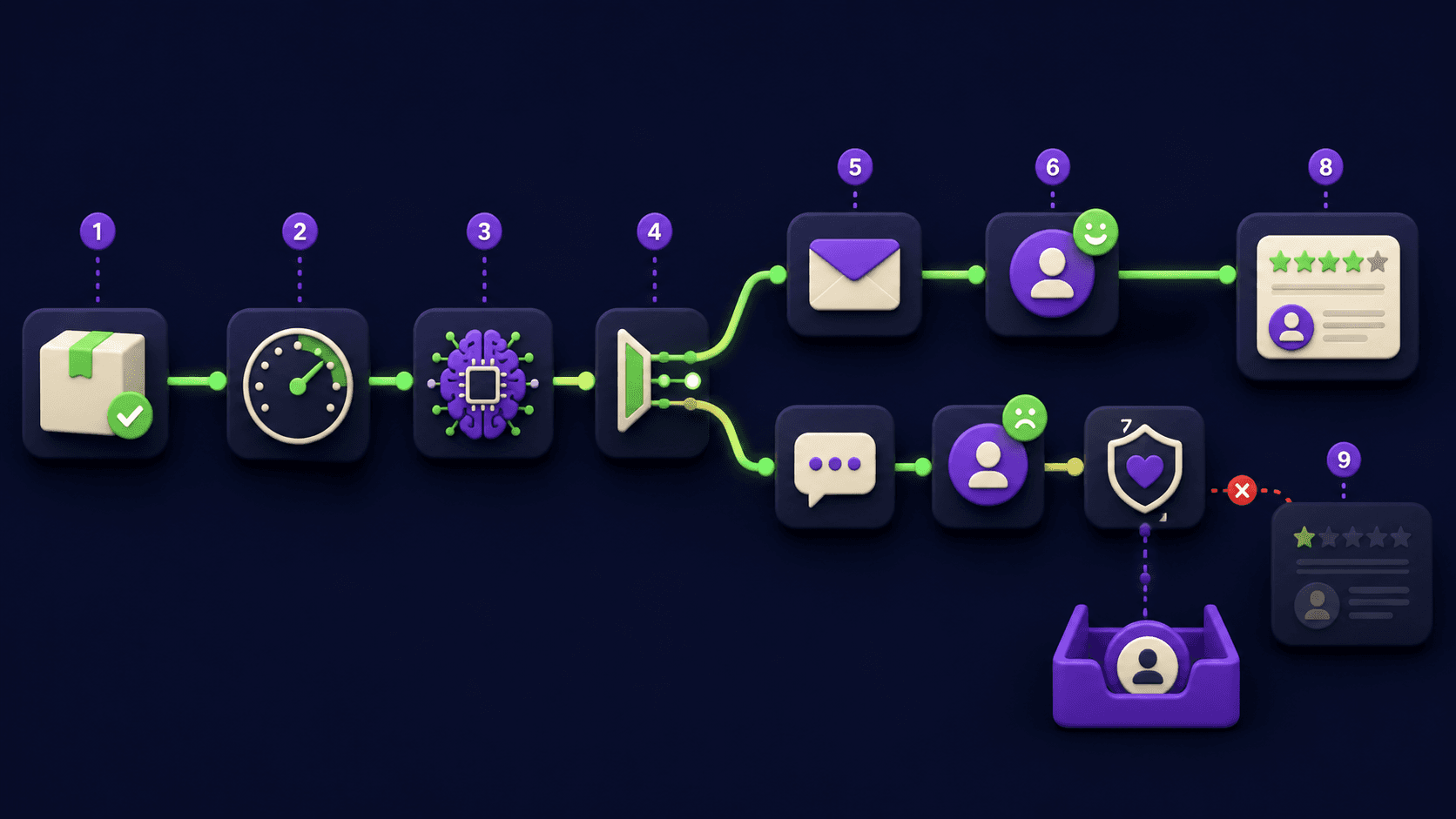
You ship 100 orders, you get 2 reviews back. The same gap shows up in restaurants, detailers, dentists, and SaaS trials: the customer was happy in the moment, life moved on, the ask never came. The fix is a small n8n workflow that waits the right number of days per product, picks the right channel, writes a short personal message that mentions what they bought, and routes any negative signal to support before the public review surface loads. Operators commonly see collection move from 1 to 3 percent of orders to 12 to 25 percent once timing, channel, and tone line up.
TL;DR
Trigger from order shipped, service completed, or job invoiced, not from purchase.
Wait per product class: physical goods 3 to 10 days, services 24 to 72 hours.
AI Agent writes a one-paragraph message that names the actual purchase.
Negative signal in a CSAT check routes to support, never to a public review.
Never review-gate on Google, never incentivize on Yelp, never fake on any platform.
What is a post-purchase review request automation and why does it stop feeling spammy?
A post-purchase review request automation is a small workflow that fires after a verifiable customer event (order shipped, service completed, invoice paid), waits a tuned delay, sends a personalized message through the right channel, and routes any negative-signal reply to support before the public review surface loads. It stops feeling spammy because it sends only after a real event, names the actual purchase, and gives unhappy customers a private path first. SMS sits near 98 percent open rate inside three minutes against email's 20 to 28 percent average, per Optimonk SMS marketing statistics 2026, which is why channel choice matters as much as the message.
When is the right number of days to ask for a review after delivery?
Send physical product requests 3 to 10 days after carrier delivery, not after purchase. Send service reviews 24 to 72 hours after completion. Send software reviews after the customer crosses a usage milestone (third login, first project). The right delay is the time it takes to form an honest opinion; the wrong delay is tied to checkout instead of experience.
Product or service type | Trigger event | Wait window | Why this window |
|---|---|---|---|
Apparel, accessories, beauty | Carrier delivery | 3 to 5 days | Worn or tried once |
Electronics, home goods | Carrier delivery | 7 to 10 days | Setup and first-week use |
Food, perishables, supplements | Carrier delivery | 2 to 4 days | Tasted, opinion early |
Furniture, mattresses, appliances | Carrier delivery | 14 to 21 days | Comfort judgments need use |
Restaurant dine-in | POS payment | 2 to 6 hours | Meal still fresh |
Restaurant delivery or pickup | Delivery confirmed | 1 to 3 hours | Meal eaten, link on phone |
Mobile services (detailer, plumber, HVAC) | Invoice paid | 24 to 48 hours | Used the result a day |
Salon, spa, barber | Appointment completed | 24 to 72 hours | Cut or style held up |
Hotel or short-term rental | Checkout completed | 4 to 24 hours | Stay done, before next trip |
SaaS trial or paid product | Activation milestone | Same day | Aha moment is the window |
Courses and digital downloads | 50 percent progress | Same day | Consumed enough to judge |
Research from Loox and PowerReviews centers on 3 to 10 days after delivery for most physical goods. Operators we work with see 2x to 4x collection rates after tightening per-category delay over a single blanket day-7 send.
What does the n8n architecture for a non-spammy review request actually look like?
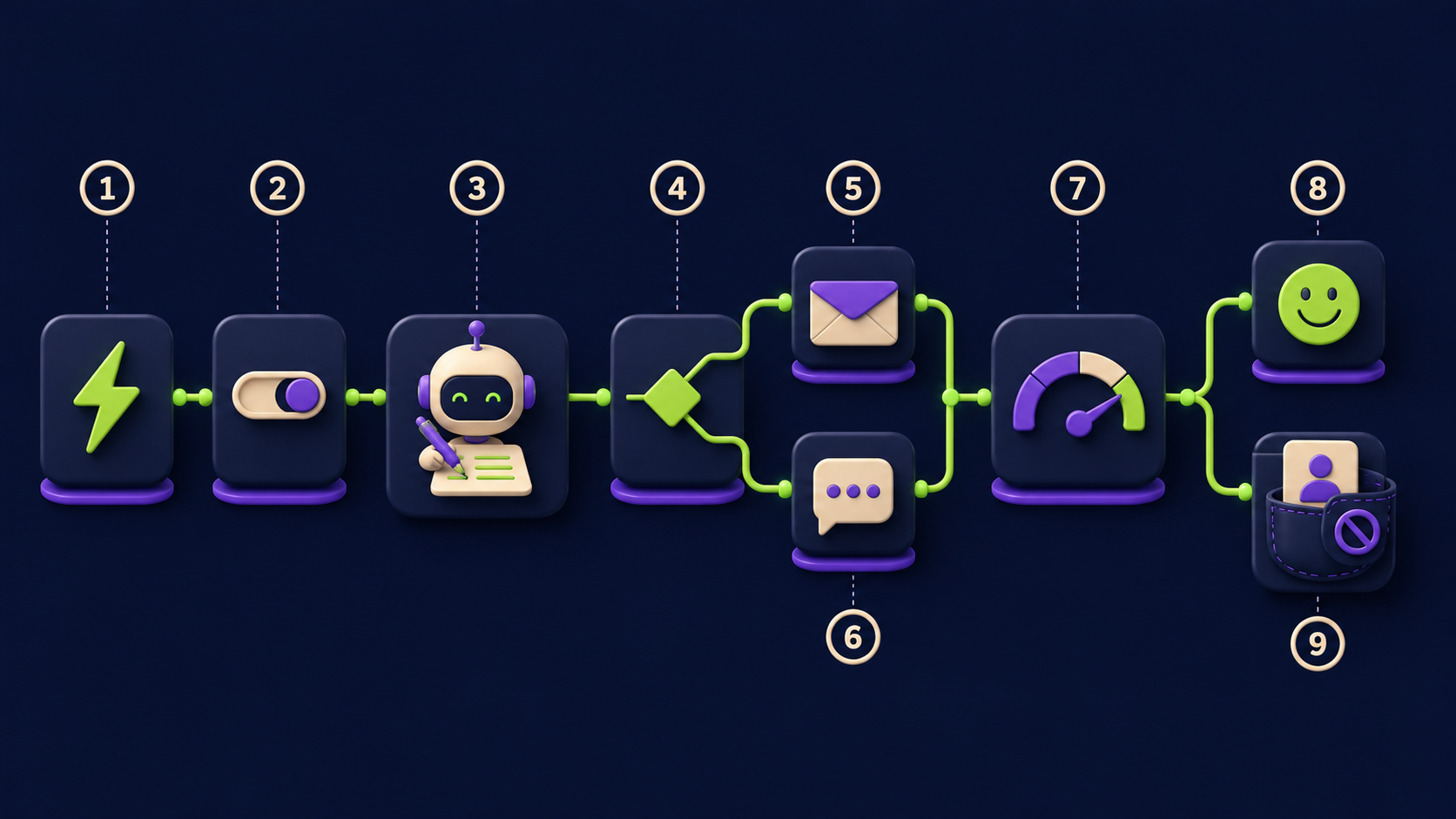
Nine stages in one n8n file: a trigger off the real event, a Set node that normalizes customer data, a Switch that picks the per-category delay, a Wait, an AI Agent that writes the personalized message, an IF that picks email versus SMS based on channel preference and quiet hours, an HTTP Request that sends through the right service, a CSAT branch that catches negative signals before they go public, and a final HTTP Request that logs to your CRM.
Stage | Trigger | n8n node / service | What it does | Output |
|---|---|---|---|---|
1. Event ingest | Order shipped, service completed, invoice paid | Shopify Trigger, Stripe Trigger, Webhook, Calendly | Catches the real event, not the checkout step | Raw payload |
2. Normalize | Any payload | Set | Maps to common schema (email, phone, first_name, item_summary, category, delivered_at, preferred_channel) | Clean object |
3. Delay routing | category | Switch (rules mode) | Branches by product or service class to pick the wait window | One active branch |
4. Wait | Per-branch delay | Wait | Holds execution until the tuned delay | Resumed at the right moment |
5. Personalize | Item + voice | AI Agent (Claude Haiku or GPT-4o-mini, JSON mode) | Writes a 2 to 4 sentence message that names the item | {subject, body, sms} |
6. Channel + quiet hours | preferred_channel + local time | IF | SMS if opted in and 9am to 8pm local; otherwise email | Send branch |
7. Send | Branch chosen | HTTP Request (SendGrid / Gmail / Mailgun, or Twilio / MessageBird) | Delivers with a one-tap link to the right review surface | send_id, channel, ts |
8. CSAT pre-check | Customer clicks "rate" | Webhook + IF + AI Agent | Asks 1 to 5. 4 to 5 see public review. 1 to 3 see private form plus the same public links | Public OR support |
9. CRM log | Final step every branch | HTTP Request (HubSpot, Airtable, Sheets, Klaviyo) | Records sent / opened / clicked / reviewed / escalated | Audit row |
A familiar n8n builder wires this in 6 to 12 hours including macro tuning and a CSAT branch. The Shopify Trigger event is orders/fulfilled, not orders/create, so the delay clock starts on shipment. See the n8n Shopify integration and the Wait node reference. For sources without a native node, the Webhook node catches anything that can POST JSON.
How does the AI Agent write a message that names the actual purchase without sounding generic?
The agent succeeds on three pieces of structured context: the item summary, the brand voice in one sentence, and a hard length limit. The system prompt names the business ("a Brooklyn small-batch coffee roaster, friendly and direct, never uses the word amazing"), lists the schema, and ends with constraints ("Subject under 8 words. Body 2 to 4 sentences. SMS under 320 chars. Mention the item by name. Include review_url once."). The agent returns:
{
  "subject": "How is your Ethiopia Yirgacheffe?",
  "body": "Hey Maya, hope the Yirgacheffe is brewing well. If you have a minute, a quick note on how it tasted helps a lot: {{review_url}}. We read every one.",
  "sms": "Hey Maya, how's the Yirgacheffe? 30 seconds: {{review_url}}. Read every one, promise."
}
The {{review_url}} placeholder gets filled in stage 7 by a Set node that picks the right destination per platform. SMS is shorter and drops one polite phrase, because text feels intrusive when it reads like a letter. See the n8n AI Agent node reference for JSON-mode setup.
How do you pick email versus SMS without spamming a customer who never opted in to texts?
The IF node checks two fields the order data carries: whether the customer ticked the SMS opt-in at checkout (a TCPA hard gate), and whether local time is inside 9am to 8pm. SMS goes only when both are true. Email is the default. Marketing texts require prior express written consent; review requests are marketing the moment they go beyond a bare order update. See the ActiveProspect 2026 TCPA guide for consent capture and Salesmsg's compliance guide for state quiet hours (federal default 8am to 9pm local; some states tighten to 9am to 8pm).
What does a CSAT pre-check do and why does it not count as review gating?
A compliant CSAT pre-check is a private satisfaction question sent to every customer before any public review link is shown. The rule: every customer, regardless of answer, must see the same public review options. High-scoring customers see them clearly; low-scoring customers see a private support form first and then the public review link below it. You cannot hide the public link based on sentiment.
Google's policy bans "discouraging or prohibiting negative reviews or selectively soliciting positive reviews," per the Google Maps prohibited content policy. A pre-check that routes unhappy customers to a private channel WHILE STILL OFFERING the public option is allowed. A pre-check that quietly never shows the public link to unhappy customers is prohibited, per the Google Business Profile restrictions page.
Never do this: review-gating, fake reviews, paid reviews, hiding negative
Six practices will get your profile penalized, reviews removed, or fined. Platforms have moved to active enforcement, and the FTC now imposes penalties up to $51,744 per violation under the August 2024 Consumer Reviews Rule.
Review gating on Google. Do not pre-screen by sentiment and send the link only to happy customers. Per the Google Maps prohibited and restricted content policy (updated April 2026), this is fake engagement: suspension of new reviews, unpublishing of existing reviews, and a public warning banner.
Soliciting reviews on Yelp. Yelp's Content Guidelines and "Don't Ask for Reviews" page ban it: solicited reviews get filtered, egregious campaigns earn a Consumer Alert banner that stays up at least 90 days. Treat Yelp as opt-in only.
Incentivized reviews on Trustpilot. Trustpilot's February 2026 Guidelines for Businesses prohibit any incentive: no discounts, prize draws, loyalty points, or free shipping in exchange for a review.
Conditioning incentives on positive sentiment, anywhere. The FTC's October 2024 final rule bans incentives "conditioned, expressly or implicitly, on the review expressing a particular sentiment." A coupon "for a 5-star review" is a violation. Per the FTC press release, penalties run up to $51,744 per violation.
Buying reviews or writing them yourself. The FTC final rule covers "insider reviews" by employees, officers, agents, and family unless clearly disclosed. Buying on freelance marketplaces is a per-review violation.
Hiding or suppressing negative reviews. The FTC final rule prohibits unfounded legal threats, intimidation, or false copyright claims to suppress reviews. The right response is a public, polite reply that offers a private channel to resolve.
CAN-SPAM and TCPA quick reference for review requests
Review requests sit at the intersection of two federal laws plus state add-ons. The two questions that determine your obligations are whether the message is primarily transactional or primarily commercial, and whether the customer gave the right kind of consent for the channel.
Channel | Default treatment | Consent required | Must include | Must respect |
|---|---|---|---|---|
Email (review request, no offer) | Gray; usually transactional under primary-purpose test | Implied (paying buyer) | Accurate from-line, accurate subject, physical postal address, working opt-out | Opt-out within 10 business days |
Email (with coupon or upsell) | Commercial under CAN-SPAM | Implied | All of the above plus clear advertisement label | Opt-out within 10 business days |
SMS (review request, no offer) | Marketing per most regulators | Prior express written consent at checkout | STOP / HELP honored, business name in message | STOP within 24 hours (CTIA), state quiet hours |
SMS (with discount or promo) | Marketing, full stop | Prior express written consent | All of the above plus clear sender ID | STOP within 24 hours, federal quiet hours 8am to 9pm local |
The FTC's CAN-SPAM compliance guide is the canonical email reference. Keep review-request copy narrow (no upsell, no coupon, no cross-sell), include a physical address and working unsubscribe, and you stay on the safer side of the primary-purpose test. For SMS, capture written consent at checkout with a clear disclosure ("By checking this box, you agree to automated marketing texts including post-purchase review requests from {Brand}. Reply STOP to opt out. Msg & data rates may apply."), and use a platform like Twilio or Klaviyo that handles STOP/HELP and quiet hours automatically.
How do you build the negative-signal route without breaking platform rules?
The compliant pattern is "rate first, then route" before any public review link is sent. Every customer gets the same 1-to-5 question. Replies of 4 or 5 see a thank-you screen with all public review options on equal footing. Replies of 1 to 3 see a private "we'd like to make it right" form that opens a support ticket, plus a link below saying "if you'd still like to leave a public review, here are the same options." Both groups access the public surface. The audit log records both branches identically so a spot check shows every customer was offered the same options.
What does this cost to build and run for a real business?
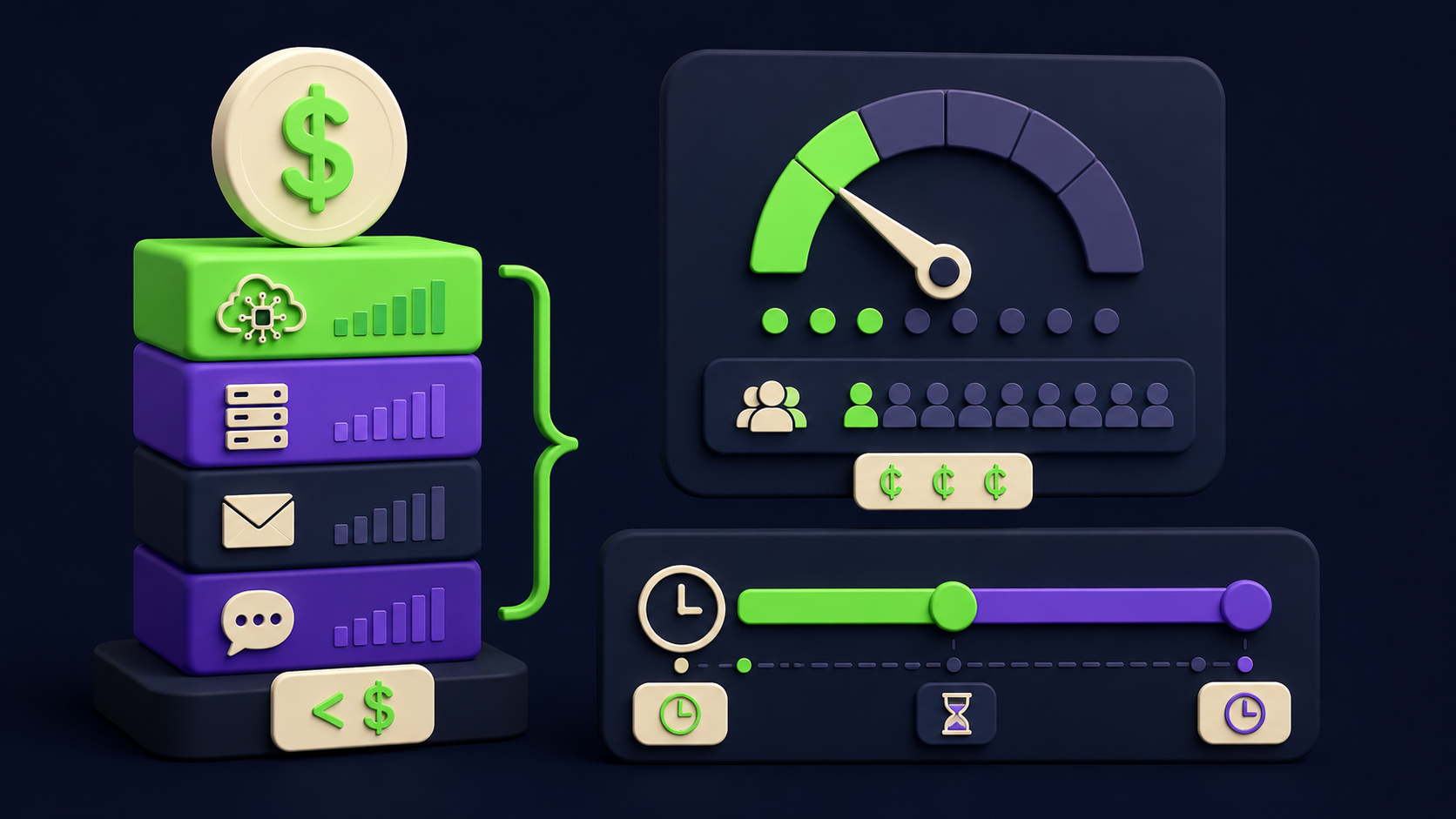
A first build takes 8 to 16 hours for an n8n-comfortable operator plus a week of tuning. Operating cost stays under $150 per month for almost any small-to-mid business sending under 10,000 review requests. For a 1,000-order-a-month store, per-request cost lands in single-digit cents.
Line item | Typical monthly cost | Notes |
|---|---|---|
Model API (personalization + CSAT) | $10 to $40 | Claude Haiku or GPT-4o-mini |
n8n hosting | $20 to $50 | n8n Cloud Pro or self-hosted on a $12 VPS |
Email sending (SendGrid, Mailgun, ESP) | $0 to $30 | Most stores already pay for transactional email |
SMS sending (Twilio, MessageBird) | $15 to $80 | ~$0.0079 per SMS in the US, plus number rental |
CRM logging (HubSpot, Airtable, Sheets) | $0 | Free tier handles the audit log |
Stage the rollout: week one shadow mode, week two email for one category, week three the rest, week four SMS for opted-in customers. For wider context, the 15 AI agent n8n workflows to build in a weekend covers when this pattern is worth automating, the AI customer support triage handles the negative-signal tickets, and the 2026 AI automation rate card shows what operators charge.
How do you measure whether the review automation is actually working?
Five numbers from the CRM log, tracked weekly, settle it. Send rate (sent over shipped, 90 percent plus). Open rate (email 25 to 45 percent, SMS 95 percent plus). Click-through (10 to 30 percent email, 15 to 40 percent SMS). Review conversion (8 to 25 percent after tuning). Reply-with-complaint rate (should drop as messages get cleaner). If conversion climbs and complaints stay low, timing and tone are right. If complaints climb on a category, the wait window is too short. Maintenance is 1 to 2 hours a week: a Friday review, sort by category, tune the slowest one. n8n's error handling docs cover the fallback branch for send failures.
Would rather have this built and tuned to your brand voice?
If the architecture reads clear but building it on a live store is not a two-week project your team can take, Vantaige builds these workflows as a fixed-scope engagement. We wire the per-category timing into your Shopify, Stripe, Calendly, or POS trigger, tune the AI Agent against your real catalog and voice, and hand over the n8n workflow as a file you own. vantaige.io/contact for a scoped quote.
Frequently asked questions
Is it legal to ask customers for reviews by SMS in the United States?
Yes, with prior express written consent captured at checkout under the TCPA and standard compliance footers (STOP and HELP honored, business name in message). The opt-in box must clearly disclose that automated post-purchase texts may be sent, name the brand, and be actively checked by the customer (pre-checked boxes do not count). Per the ActiveProspect TCPA guide, treat review-request SMS as marketing, because beyond a bare order update it fails the primary-purpose test.
How is a CSAT pre-check different from review gating?
A compliant CSAT pre-check asks every customer the same question and shows every customer the same public review options, in different order and framing. Review gating only sends the public link to customers expected to leave a positive review. Platforms test for this by sampling: if no negative reviews ever appear, the process gets flagged. Per the Google Maps prohibited content policy, "discouraging or prohibiting negative reviews" includes any system that filters access by predicted sentiment.
Can I offer a discount or freebie for leaving a review?
Only if the incentive is offered to every customer regardless of what they write, the disclosure is clear, and you are not on Yelp or Trustpilot (both prohibit incentives entirely). Amazon bans incentivized reviews outright. The FTC's October 2024 final rule prohibits incentives "conditioned, expressly or implicitly, on a particular sentiment," with penalties up to $51,744 per violation per the FTC press release. Safest pattern: no incentive on third-party review sites.
How many days should I wait before sending a review request?
Physical products: 3 to 10 days after carrier delivery (faster for food and apparel, slower for electronics and furniture). Services: 24 to 72 hours after completion. SaaS: the day the customer crosses an activation milestone (third login, first project, 50 percent course progress). Per timing research from Loox and PowerReviews, the window is "long enough to form an honest opinion, short enough that the experience is still vivid." Tuning per category is worth 2x to 4x your collection rate over a single blanket delay.
What channel should I use if the customer left no SMS opt-in?
Email, and only email. SMS to a customer who did not opt in to marketing texts is a TCPA violation that can run $500 to $1,500 per text. Shipping consent is not marketing consent under federal law. Per the Salesmsg SMS compliance guide, capture SMS marketing consent at checkout with a separate, unchecked box.
Will the AI Agent message sound the same to every customer?
No. It sees three pieces of per-customer context: the item name, the first name, and any order notes. The system prompt enforces brand voice; per-message context changes the body. Read the first 50 sent messages by hand during rollout week and tune the prompt. Sanity check: paste 10 messages back to back. If they read identically, the prompt is too rigid or the context is too thin.
Related from Vantaige
AI customer support triage that routes 70% of tickets without a human (2026)
2026 AI automation rate card: what operators actually charge
The AI inbox triage that gives owner-operators 5 hours back a week (2026)
References
Get the best new AI tools and guides, weekly
One short email a week. The tools worth trying, the guides worth reading, nothing else.
No spam. Unsubscribe anytime.
Aymen B
Contributing writer at Vantaige, covering the AI tools ecosystem.