Lead Form to Qualified Call: The 5-Node Automation That Stops the Leak (2026)
Lead Form to Qualified Call: The 5-Node Automation That Stops the Leak (2026)
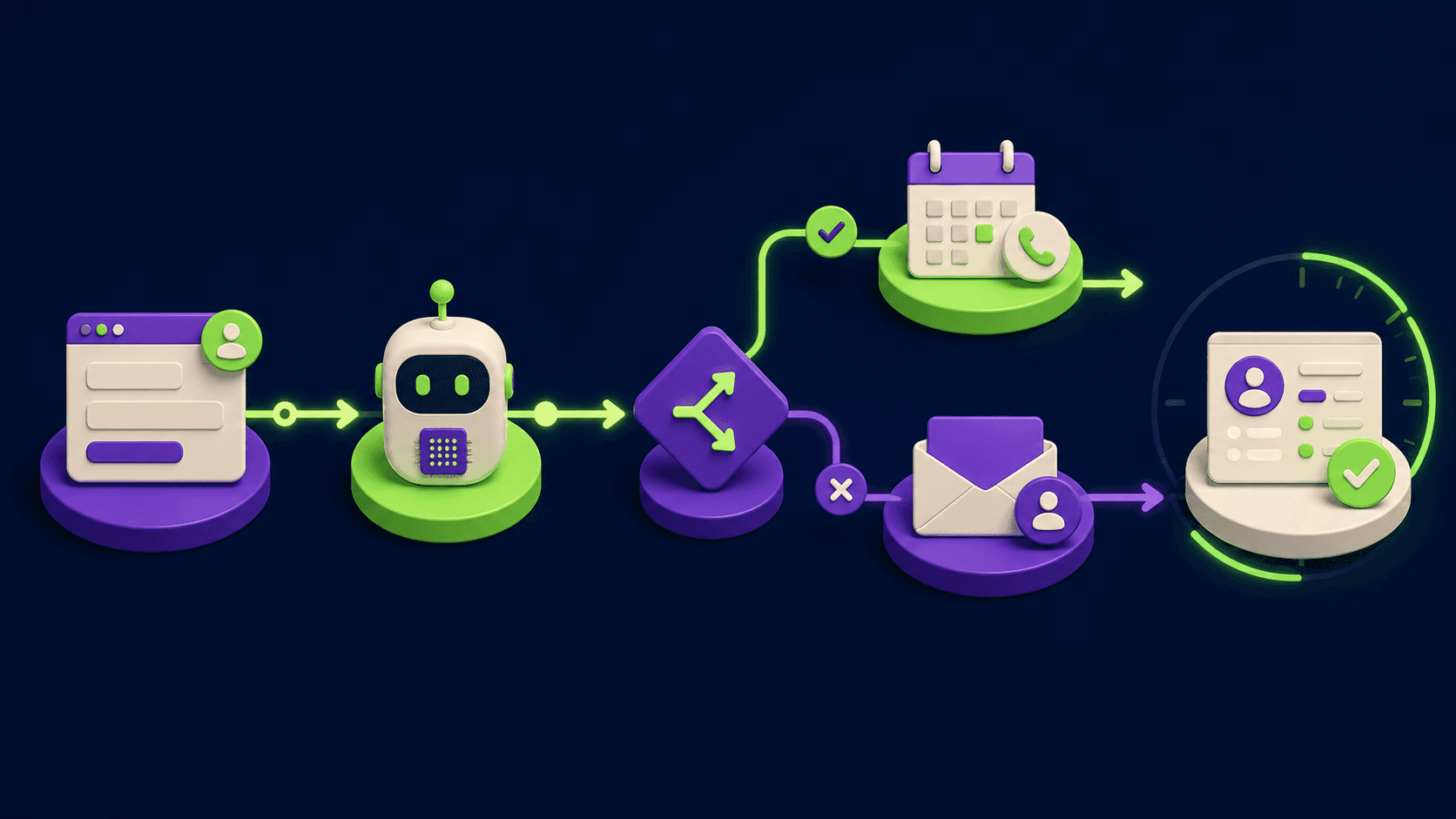
If you collect leads on a website form and you do not reply inside five minutes, you have already lost most of them. The 2011 Harvard Business Review study by Oldroyd, McElheran, and Elkington showed that firms that contact a web lead inside five minutes are roughly 21 times more likely to qualify it than firms that wait 30. This guide builds a five-node n8n automation that closes the gap: form webhook in, AI qualifier in the middle, smart route at the end, booked call or alert at the finish. You keep the human, you stop the leak.
TL;DR
Most SMB forms leak because the reply lives in someone's inbox.
n8n closes the form-to-call gap with five named nodes.
AI Agent enriches, scores, and labels hot, warm, or cold.
Hot leads auto-book a calendar slot inside one minute.
Enterprise inbound and regulated industries stay human-driven.
Published 2026-05-21. Last reviewed 2026-05-21. 11 min read.
What is the form-to-call gap and why do most SMBs leak leads there?
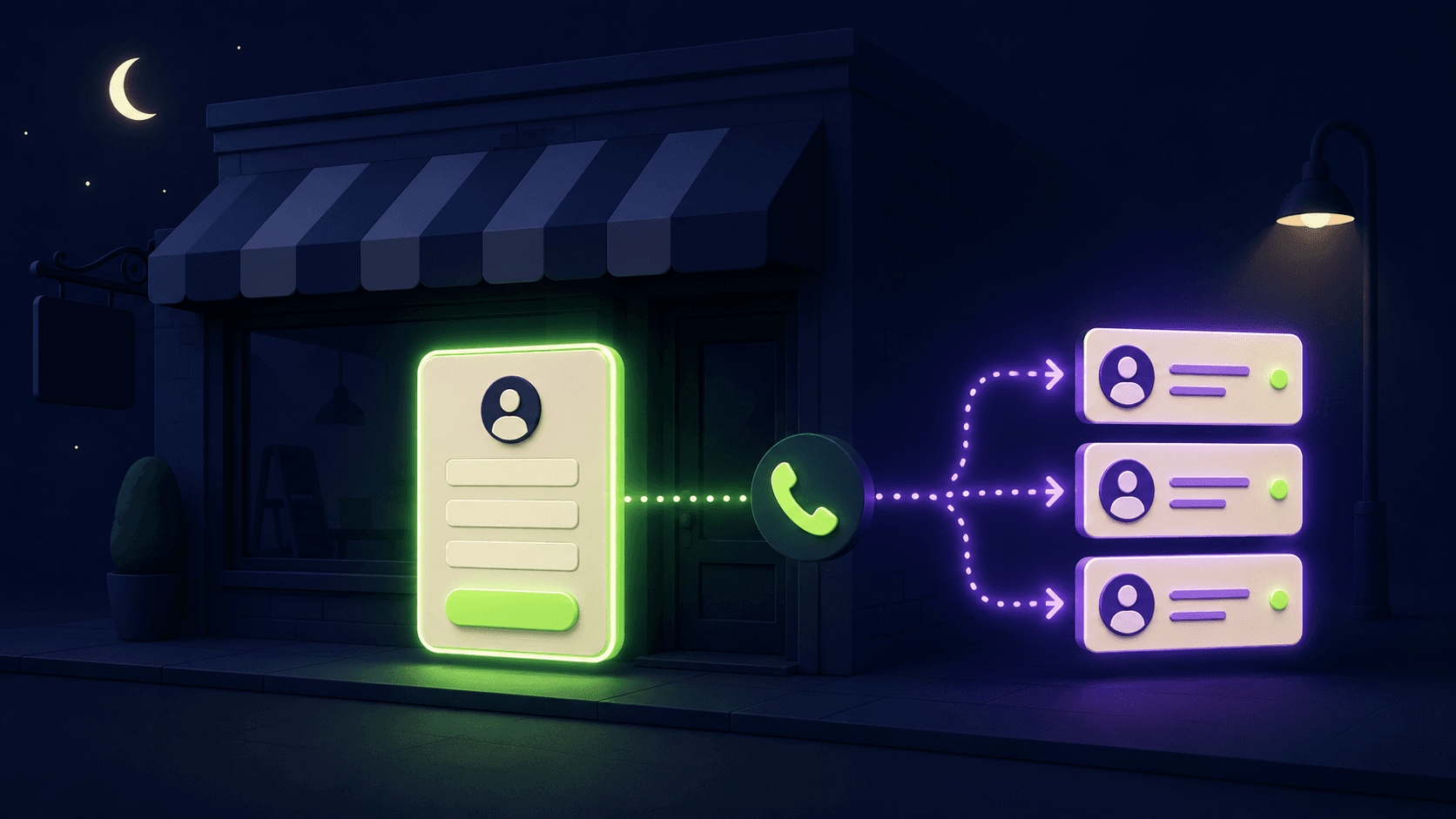
The form-to-call gap is the dead time between a prospect hitting submit on your website form and a human starting a real conversation with them. For most small and mid-sized businesses that gap is hours or days, and the lead has cooled, gone to a competitor, or forgotten they ever filled the form. The Harvard Business Review research found the average B2B firm in the study took 42 hours to make first contact, and only 37 percent responded inside an hour at all.
The leak compounds. A prospect who fills your form is in active buying mode for a short window. Drift's later benchmark study reported by industry sources found that waiting just five minutes raises the loss probability roughly tenfold versus an instant reply, and ten minutes raises it about a hundredfold. Speed is the cheapest sales lever you have, and it is the one most operators ignore because the bottleneck looks like a staffing problem when it is actually a routing problem.
The fix is not "hire a faster SDR." The fix is a five-node automation that does the boring work, scores the lead, books the hot ones, drips the cold ones, and pings a human only when the human is the bottleneck.
Why does the "five-minute rule" still matter in 2026?
The five-minute rule still matters in 2026 because human attention has not changed even as forms have multiplied. A prospect comparing three vendors typically fills three forms in one session. The first vendor to call, text, or open a real chat wins by default, before the prospect has finished evaluating. Speed is a tiebreaker that requires no extra spend.
Industry research from caseyresponse and rework.com both replicated the original 2011 finding into the 2020s and reported similar magnitudes: response inside five minutes correlates with qualification rates an order of magnitude higher than response inside 30 minutes, and the curve drops sharply, not gradually. Speed is a step function, not a slope.
What changed in 2026 is the cost of doing it. In 2011 the only way to reply inside five minutes was to staff a phone room. In 2026 a single n8n workflow plus an AI Agent node plus a calendar API replaces that phone room for the first-contact step, and frees the human to handle the qualified conversation.
What are the 5 nodes in the lead-form-to-qualified-call automation?
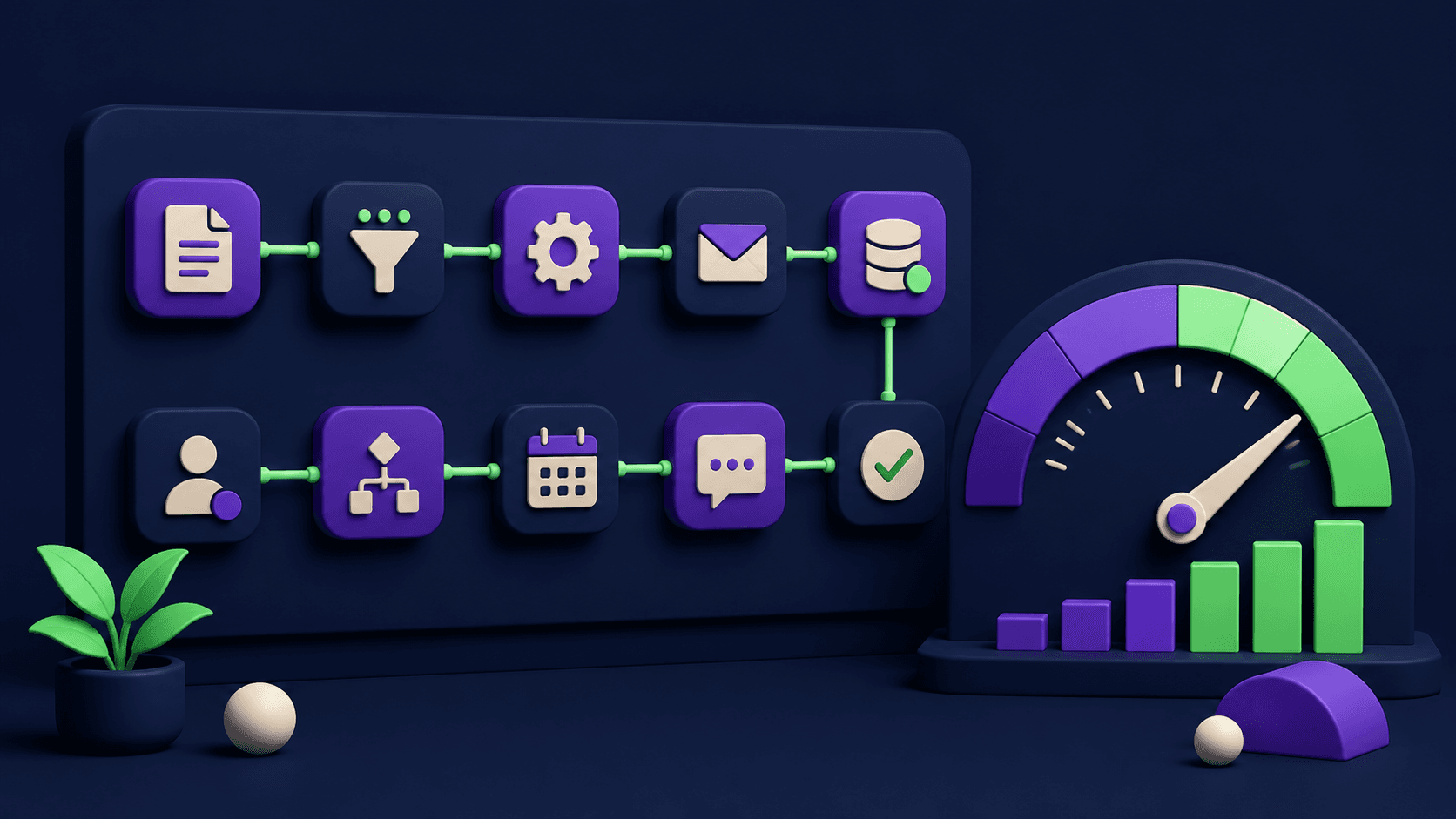
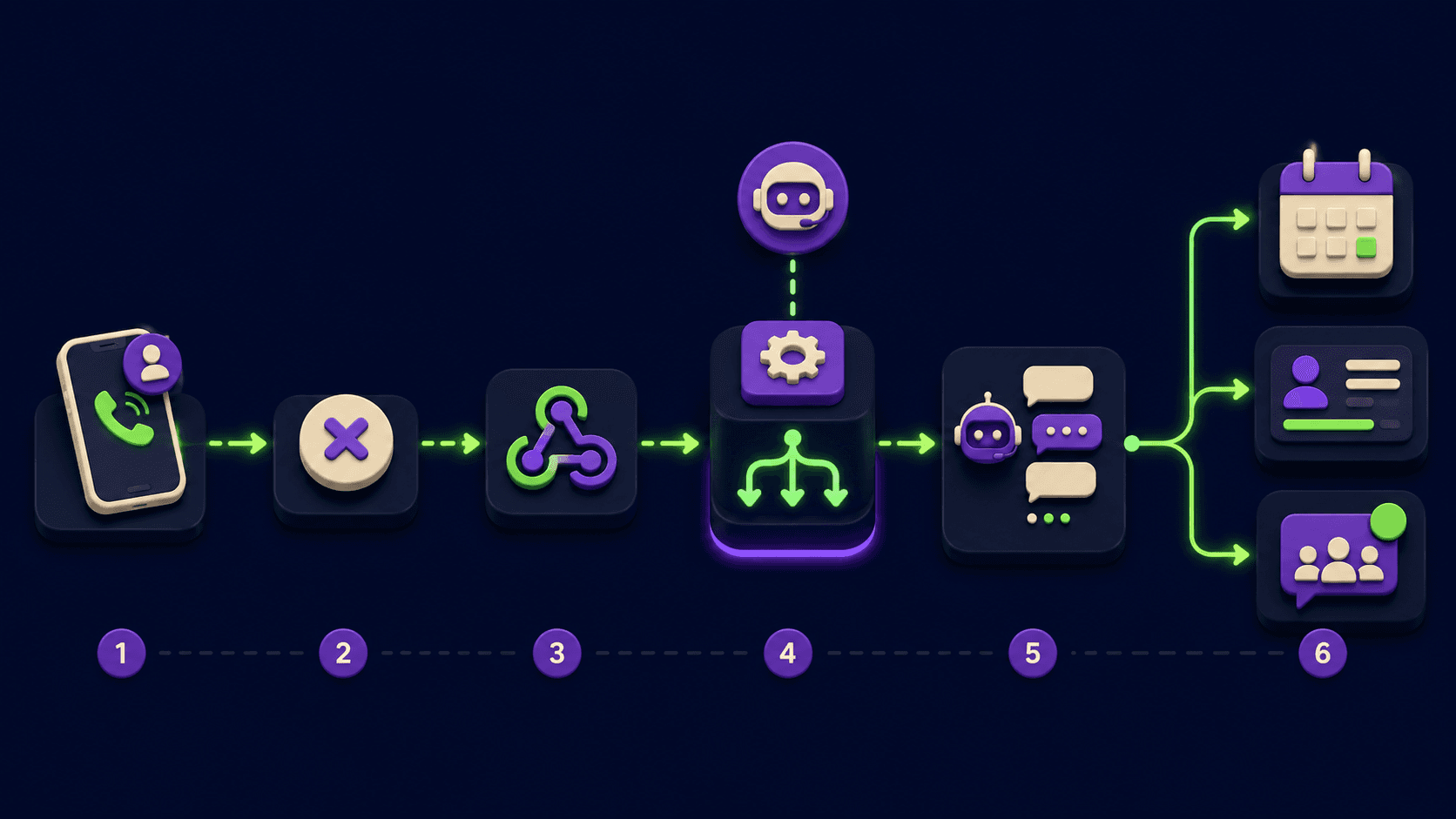
The five nodes are Webhook, AI Agent, IF, Cal.com or Calendly, and HTTP Request to the CRM. That is the load-bearing chain. Everything else (Slack alerts, Set nodes for formatting, Email confirmations) is decoration that hangs off the IF branches. Below is the canonical shape; you can implement every part of it inside an n8n free-tier or self-hosted instance.
# | Node | Purpose | Typical config |
|---|---|---|---|
1 | Webhook | Receive form submission as JSON | POST, path |
2 | AI Agent | Enrich, score intent and fit, label hot/warm/cold | Model: Claude Haiku 4.5 or GPT-5.5 instant; system prompt with your ICP rubric; structured-output JSON ({"tier":"hot|warm|cold","intent":1-5,"fit":1-5,"reason":""}) |
3 | IF | Route by tier | Three branches: |
4 | Cal.com (or Calendly) | On hot branch: pull next 3 open slots, send link or auto-book | Cal.com node "Get Available Slots" then "Create Booking"; or Calendly via HTTP Request to |
5 | HTTP Request | Log lead + tier + booking ID to HubSpot, Pipedrive, or Airtable | POST to |
The total chain runs in under 15 seconds end to end on a typical VPS. Your prospect sees a "Booked. Confirmation sent." page roughly while their finger is still on the mouse.
How do you build the n8n workflow step by step?
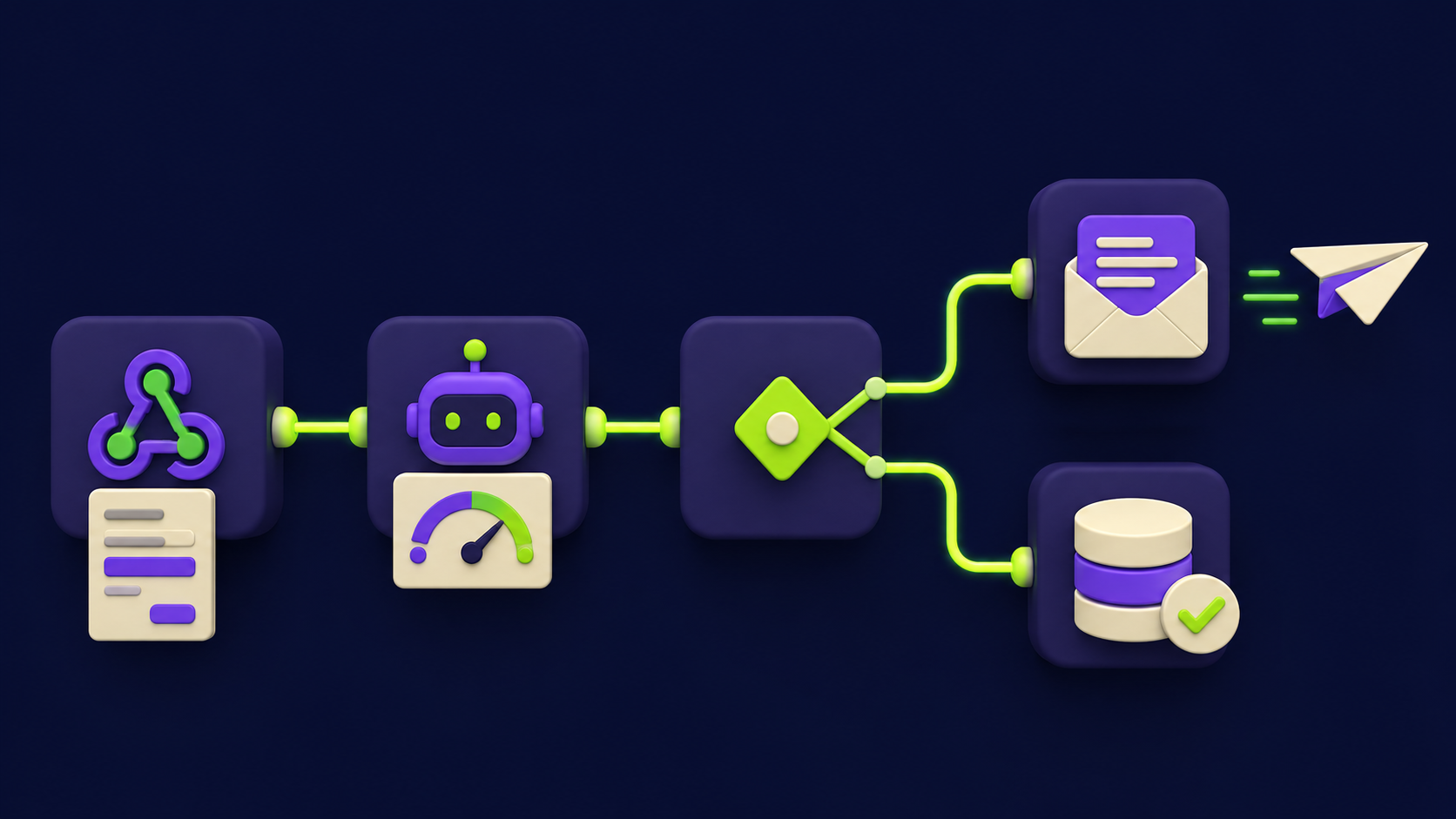
Build the workflow in n8n by adding the five nodes in order, wiring the Webhook URL into your form, and testing one branch at a time. You can do this in under an hour on a fresh n8n instance. The steps below assume self-hosted n8n on a VPS, but Cloud works identically.
Add the Webhook node. Method: POST. Path:
lead-intake. Authentication: None for now (add HMAC in production). Response mode: "When last node finishes". Click "Listen for test event" and submit a dummy payload from your form to capture the schema.Add an AI Agent node. Connect a chat model sub-node (OpenAI, Anthropic, or Ollama). System prompt: "You are a B2B lead qualifier for [your company]. Score each lead 1-5 on intent (urgency in the message) and fit (matches our ICP: [list]). Return strict JSON: {tier, intent, fit, reason}. Tier rules: tier='hot' if intent>=4 and fit>=4; 'warm' if intent>=2 and fit>=3; else 'cold'." User prompt:
{{ JSON.stringify($json.body) }}. Enable "Require Specific Output Format" with a JSON schema so the next node does not break on a stray markdown fence.Add an IF node. Condition 1:
{{$json.output.tier}}equalshot. Add two more rules for warm and cold using the "Add Routing Rule" button. The IF node now has three named output branches.On the hot branch, add a Cal.com node. Operation: "Get Available Slots". Pass the prospect's email and timezone. Then a Set node to format the top three slots into a short HTML block, then an Email node (or Twilio SMS for higher open rates) that sends "Book a 15-minute call: [slot1] [slot2] [slot3]". For full auto-booking, use the Cal.com "Create Booking" operation with the soonest slot, then send a confirmation.
On the warm branch, add a drip starter. Use an HTTP Request to your email tool (Resend, Customer.io, or Mailchimp) to enroll the prospect in a 4-touch sequence, and a Slack node to ping #sales with a one-line summary so a human can reach out within the day if they want to.
On the cold branch, add a drip-only path. Same HTTP Request pattern as warm, but enroll into a lighter nurture sequence and skip the Slack ping. Cold leads cost more in sales attention than they return; let the sequence do the work.
Add the HTTP Request (CRM log) at the end of every branch. POST the lead, the AI's tier, the AI's reason, and the Cal.com booking ID (if any) to your CRM. In HubSpot that is
POST /crm/v3/objects/contactswith a custom propertylead_tier. In Pipedrive it isPOST /v1/deals. The CRM log is what lets you audit the AI's tiering against actual closed deals after 30 days.Activate the workflow. Flip the toggle, swap the Webhook URL into your form action, and submit a real test from incognito. Success looks like: form submits, page redirects, an email or SMS with three slots lands in under 15 seconds, the CRM record appears with the tier label.
If the chain fails at any step, n8n's executions view shows you which node errored and the exact JSON it received. Most first-build failures are AI Agent returning a stray markdown fence; the "Require Specific Output Format" toggle fixes it.
How should the AI Agent score intent, fit, and budget signal?
The AI Agent should score on three dimensions: intent (how urgent the message is), fit (how well the prospect matches your ideal customer profile), and budget signal (any quantitative cue in the message itself). Each is a 1-5 integer with explicit rubric anchors, not a vibe score. Vague rubrics produce inconsistent tiers and burn your sales team's trust in the system inside a week.
Intent rubric example: 5 means an explicit timeline ("we need this by end of Q2"), 4 means an evaluation phrase ("comparing three vendors"), 3 means a specific question, 2 means a general inquiry, 1 means a one-word "info" request. Fit rubric example: 5 means the prospect's stated company size, industry, and use case all match your ICP; 1 means they do not match any. Budget signal can be a soft signal (employee count, domain age, free email vs work email) since most form fields do not ask for budget directly.
Use a small fast model (Claude Haiku 4.5, GPT-5.5 instant, or a locally hosted Qwen-3-6) for the scoring step. The job is structured classification, not reasoning. A bigger model adds cost and latency without moving the F1 score. Sample the agent's output weekly against your sales team's manual judgment for the first month and tune the rubric until disagreement is under 15 percent. After that, trust the tier.
How do you wire the Cal.com or Calendly booking step?
Wire the booking step in one of two modes: send-the-link (safer, lets the prospect pick) or auto-book (faster, ideal when the prospect's intent is unambiguous). For SMB sales the send-the-link mode is usually the right default because it respects the prospect's calendar and avoids the awkward "I never agreed to that meeting" reply.
For Cal.com, n8n has a native node with operations for List Event Types, Get Available Slots, Create Booking, and Cancel Booking. Pass the prospect's email and their inferred timezone (the form can capture it via Intl.DateTimeFormat().resolvedOptions().timeZone) and the node returns the next available windows. Calendly does not yet have a first-class create-booking node, so use the HTTP Request node against the Calendly v2 API: POST https://api.calendly.com/scheduling_links for a single-use link, or GET /scheduled_events to confirm. Both providers support webhooks back into n8n so you can fire a "lead booked" workflow when the slot is actually taken.
The latency budget for this step is your most important number. Aim for under 10 seconds from form submit to the "book a slot" message hitting the prospect's phone. If you cross 30 seconds, the prospect has navigated away and the speed advantage is gone.
What CRM fields should the workflow log on every run?
Log at minimum the raw form payload, the AI's tier label, the AI's free-text reason, the timestamp, the booking ID (if any), and the workflow execution ID so you can trace a CRM record back to the n8n run that produced it. This is the audit trail you will need in month two when sales asks "why was this one marked hot."
In HubSpot, the cleanest pattern is one custom property group called "Lead Intake" with fields: lead_tier (enum: hot, warm, cold), ai_intent_score (number 1-5), ai_fit_score (number 1-5), ai_reason (long text), booking_id (text), n8n_run_id (text). In Pipedrive the same structure works on the Deal entity. In Airtable (cheaper option for SMBs without a CRM yet), make one table called Leads with the same columns plus a Linked Record to a Bookings table.
The honest reason to log all of this is so you can review your AI Agent's tiering accuracy weekly. Without the audit trail the workflow becomes a black box, sales loses trust, and within a month somebody disables it.
What to NOT auto-handle
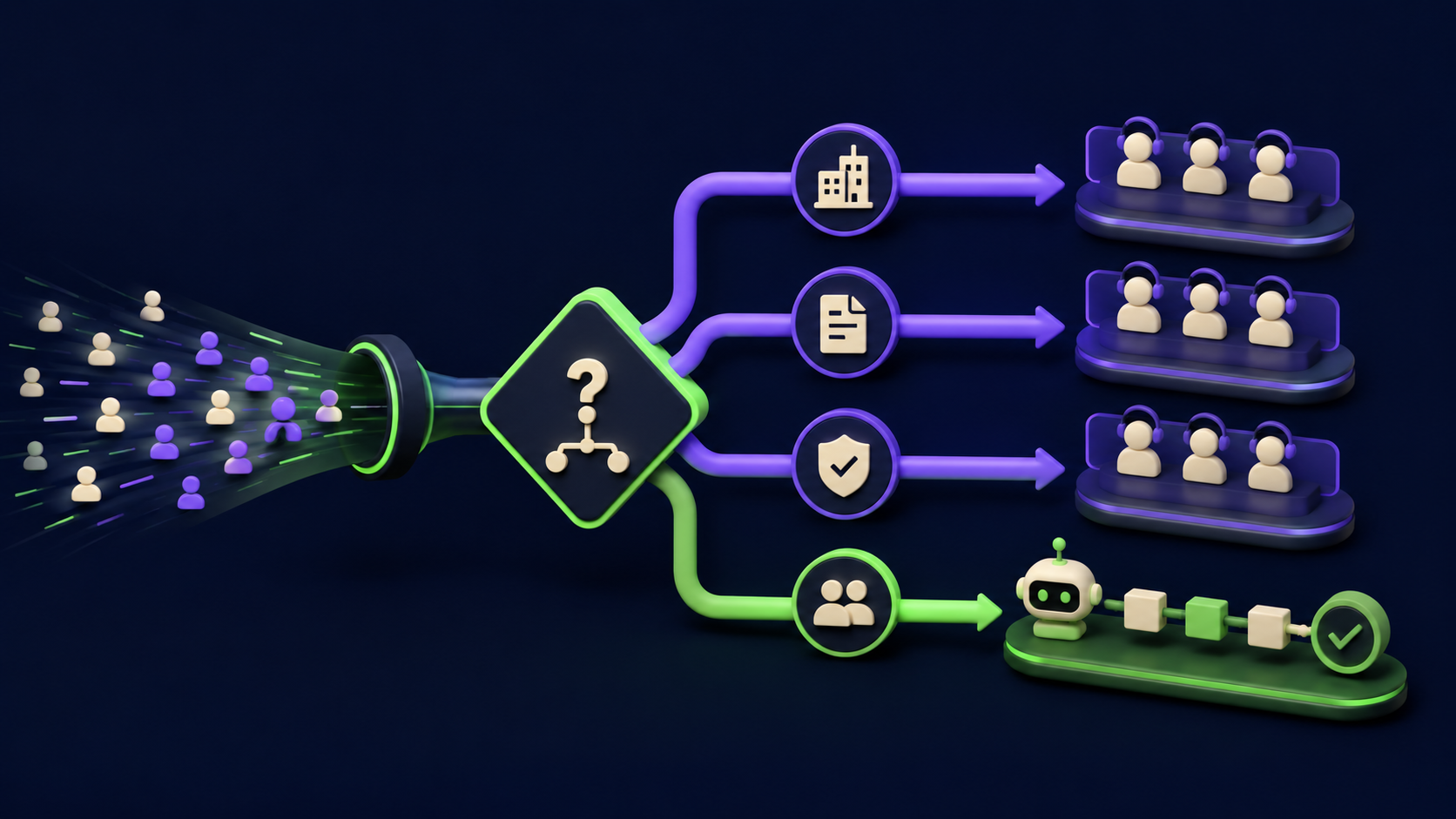
Do not auto-handle high-ACV enterprise inbound, multi-stakeholder RFPs, or any form coming from a regulated industry where compliance reads every outbound message. The five-node automation is the right tool for SMB self-service inbound (under roughly 25k ACV per deal). Above that, the cost of a bad auto-reply is higher than the cost of a slow human reply, and the math inverts.
Specifically, three categories should always route to a human-first branch (which the IF node makes trivial to add as a fourth output):
High-ACV enterprise inbound. If the form includes a company name and your enrichment step (Clearbit, Apollo, or a quick HTTP lookup) flags it as a Fortune 5000 or 500-plus headcount, skip the auto-booker and Slack-ping a named account exec. The first impression matters more than the speed at this tier.
Complex multi-stakeholder RFPs. If the message length is over 500 words, contains the substring "RFP" or "RFI" or "procurement", or names more than one stakeholder, the lead is not ready for a 15-minute call. Send a "we'll be in touch within one business day" acknowledgement and route to a sales engineer.
Regulated industries. Healthcare (HIPAA), finance (FINRA, SEC, FCA), legal, and government leads should not receive AI-generated outbound at all without compliance review. Branch them to a human queue and log a flag.
The cleanest pattern is to add these three checks as Set nodes that run before the AI Agent, set a flag, and have the IF node route on the flag first and the AI tier second. The automation should always make the easy 80 percent faster, never make the hard 20 percent worse.
What does this cost to run per month?
The monthly cost for an SMB running 500 to 2000 form leads through this pipeline is roughly $15 to $90, dominated by the AI Agent token spend. Self-hosted n8n on a $6 VPS is the cheapest base; Cal.com Cloud free tier covers up to one user; Calendly Standard is $12 per seat per month. The CRM cost is whatever you already pay HubSpot or Pipedrive.
Component | Cost (1k leads/month) | Notes |
|---|---|---|
n8n self-hosted on VPS | $6-12/mo | Hetzner CX22 or Hostinger KVM 2; n8n is free |
AI Agent (Claude Haiku 4.5) | $2-8/mo | ~500 input + 200 output tokens per lead |
Cal.com free / Calendly Standard | $0-12/mo | Cal.com free covers 1 user; Calendly Standard adds round-robin |
HubSpot Starter / Pipedrive Essential | $15-20/mo | Or $0 if logging to Airtable |
Twilio SMS (optional, hot tier only) | $0.008/msg | ~$2 for 250 hot leads at one SMS each |
Compared to one missed deal per quarter at typical SMB ACVs, the pipeline pays for itself inside a week of running. The honest hidden cost is the build time: 4-8 hours to wire it correctly the first time, plus 1-2 hours per month tuning the AI rubric as your ICP definition tightens.
What are the common mistakes when building this?
Five mistakes show up across almost every first build. Each has a specific fix that takes minutes.
The AI Agent returns markdown-fenced JSON and the IF node throws. Fix: enable "Require Specific Output Format" on the AI Agent and supply a JSON schema. Alternative: route the AI output through a Code node that runs
JSON.parse(input.text.replace(/```json|```/g, '').trim()).The Webhook node is not registered with the production URL. Fix: in n8n, the test URL only works while the editor is open. Activate the workflow, then copy the production URL (no "/test/" prefix) into your form action.
Cal.com returns a 401 because the API key was set on the wrong account. Fix: use a Cal.com Personal Access Token from the actual scheduling account, not a team admin token. Test the credential with the "List Event Types" operation before wiring it into the live workflow.
The CRM log silently fails because the property does not exist. Fix: create every custom property in the CRM UI first, then test the HTTP Request node with a known good payload. HubSpot and Pipedrive both return a 400 with a specific property name in the error, but only if you read it.
The whole pipeline qualifies everyone as hot because the rubric is too loose. Fix: review the first 50 runs manually. If more than 30 percent are tagged hot, raise the rubric thresholds (intent and fit both need to be 4+ for hot, not 3+). Calibrate weekly until disagreement with sales is under 15 percent.
How does this compare to building it in Zapier or Make?
Zapier and Make both ship the same building blocks, but the costs at scale and the AI Agent ergonomics make n8n the cheaper and more flexible choice for this specific pipeline. Zapier's per-task pricing punishes high-volume forms; Make's polling-based architecture adds latency that defeats the five-minute rule. See the comparison in our 15 AI Agent n8n Workflows You Can Build This Weekend guide for full migration math.
The short version: if you process under 100 leads per month and you have no engineering bandwidth, Zapier's drag-and-drop is fine. If you process 500+ leads per month or you want to add per-lead enrichment, the n8n self-hosted pattern is one-tenth the operating cost and one-fifth the latency. The five-node chain in this article runs identically on all three platforms; only the line items on the invoice differ.
FAQ
How fast can the form-to-call pipeline actually respond?
The full chain (Webhook receive, AI Agent score, IF route, Cal.com slot fetch, email or SMS send, CRM log) runs in 8 to 15 seconds on a typical self-hosted n8n instance with a fast AI model like Claude Haiku 4.5 or GPT-5.5 instant. The bottleneck is almost always the AI Agent call (3 to 6 seconds) and the email provider's send latency (2 to 5 seconds). Auto-booking via Cal.com adds a second or two. For comparison, the industry average human first-touch is 42 hours per the HBR research.
Should I auto-book the call or just send the link?
For SMB self-service leads under roughly 25k ACV, send the link with three slot options and let the prospect pick. For high-intent inbound where the message explicitly asks for a call this week, auto-book the soonest slot and send a confirmation; the speed advantage outweighs the small risk of a mismatch. Never auto-book on enterprise inbound or regulated-industry leads. The IF node's branch logic lets you set this rule per tier without rebuilding the workflow.
What if the AI Agent mis-tiers a lead?
Build the audit trail first, then the automation. Every run should log the AI's tier, its reason, and the workflow execution ID into the CRM. Review weekly against actual outcomes for the first month and tune the rubric anchors until the disagreement rate with your sales team is under 15 percent. Mis-tiering is normal in week one; it is a process failure in month three. If you cannot review, do not deploy.
Do I need a CRM for this to work?
No. The HTTP Request node can log to Airtable, Google Sheets, or a Postgres table just as cleanly as to HubSpot or Pipedrive. Many SMBs running this pipeline log to Airtable for the first six months because it is free, the schema is editable in seconds, and exporting to a real CRM later is a one-time copy. The CRM matters when you have a sales team that lives inside one all day; if you do not yet, skip it.
How do I prevent spam form submissions from filling my pipeline?
Three layers, applied in order. First, add an honeypot field to the form (a hidden input that humans never fill but bots always do) and drop submissions where it is non-empty. Second, add Cloudflare Turnstile or hCaptcha on the form itself. Third, in n8n, add a Set node after the Webhook that rejects emails on disposable-domain lists (libraries like disposable-email-domains ship a current list). The AI Agent should never see junk; spam is cheaper to filter than to score.
Can I run this entirely self-hosted with no external AI calls?
Yes. Replace the Claude or OpenAI sub-node with an Ollama sub-node pointing at a local Qwen-3-6, Mistral Medium 3.5, or Llama 4 model running on the same VPS or a small GPU box. Latency goes up (5 to 15 seconds vs 2 to 4) and rubric tuning takes a bit longer because smaller models follow instructions less precisely, but you keep every byte of lead data on your own hardware. This is the right pattern for healthcare, finance, and any client with a strict no-third-party-AI policy.
What happens when my form provider does not support webhooks?
Almost every form provider in 2026 supports webhooks (Tally, Typeform, Fillout, WPForms, Gravity Forms, HubSpot Forms, even most embedded chat widgets). If yours genuinely does not, swap the Webhook node for an Email Trigger node and have the form provider email you each submission; n8n parses the email body. The pipeline runs identically; the only cost is roughly 30 seconds of added latency for email delivery.
Is this legal in the EU or under GDPR?
The pipeline itself is legal as long as the form has a lawful basis for processing (typically consent for marketing follow-up) and your privacy policy discloses that an automated system processes the submission to route it. Auto-booking a meeting is a contractual-necessity basis once the prospect filled the form asking for a call. Storing the AI's score is fine; sharing it with third parties beyond your CRM is not. For healthcare or finance, add a data processing agreement with your AI vendor and prefer self-hosted models per the question above. None of this is legal advice; review with counsel before deploying in regulated contexts.
Would rather have this built and tuned for you?
If you would rather skip the 4-8 hour first build and the month of rubric tuning, Vantaige builds and tunes this exact pipeline as a one-week engagement for SMBs. We wire your form to n8n, calibrate the AI Agent against your last 100 leads, and hand over the workflow with documentation. Tell us about your current form-to-call gap and we will reply with a fit-or-not honest answer inside one business day.
Related from Vantaige
If you are building out the rest of the AI ops stack, these four read as a set:
AI Customer Support Triage That Routes 70% of Tickets Without a Human (2026)
How to Sell AI Chatbots to Local Businesses ($1K-$5K Retainers, 2026)
References
Oldroyd, J. B., McElheran, K., & Elkington, D. (2011). The Short Life of Online Sales Leads. Harvard Business Review. https://hbr.org/2011/03/the-short-life-of-online-sales-leads
MIT Lead Response Management Study (Oldroyd, J. B.). PDF mirror. mit_study.pdf
InsideSales / XANT Response Audit (2016). infograpic-_LeadRespMgmt.pdf
InsideSales: Response Time Matters. https://www.insidesales.com/response-time-matters/
Lead Response Time Statistics 2026 (Casey Response, compiled). https://caseyresponse.com/blog/lead-response-time-statistics
The 5-Minute Rule That Transforms Conversion (Rework). https://resources.rework.com/libraries/lead-management/lead-response-time
Workato: B2B Lead Response Times, 114 companies. https://www.workato.com/the-connector/lead-response-time-study/
n8n docs: Webhook node. https://docs.n8n.io/integrations/builtin/core-nodes/n8n-nodes-base.webhook/
n8n docs: AI Agent node. https://docs.n8n.io/integrations/builtin/cluster-nodes/root-nodes/n8n-nodes-langchain.agent/
Cal.com API reference. https://cal.com/docs/api-reference
Calendly v2 API: scheduled events. https://developer.calendly.com/api-docs/
HubSpot CRM API: contacts. https://developers.hubspot.com/docs/api/crm/contacts
Get the best new AI tools and guides, weekly
One short email a week. The tools worth trying, the guides worth reading, nothing else.
No spam. Unsubscribe anytime.
Aymen B
Contributing writer at Vantaige, covering the AI tools ecosystem.