How to Automate Invoice and Document Processing With AI (End-to-End Build)
How to Automate Invoice and Document Processing With AI (End-to-End Build, 2026)
Finance teams at SMBs and mid-market companies are spending hundreds of hours a month keying invoices, chasing approvals, and reconciling mismatches that a well-built AI pipeline would catch in seconds. This guide walks through every stage of a production-grade AI invoice processing system: from the moment a PDF hits your inbox to the moment it posts in your accounting system and lands in an immutable audit log. Operators using this architecture report processing time dropping from 15 minutes per invoice to under 2 minutes, with error rates falling from 1-3% to under 0.5%. Only 8% of finance teams are fully automated today, according to a 2026 survey by Parseur. The build is reachable for any team with a mid-market AP volume.
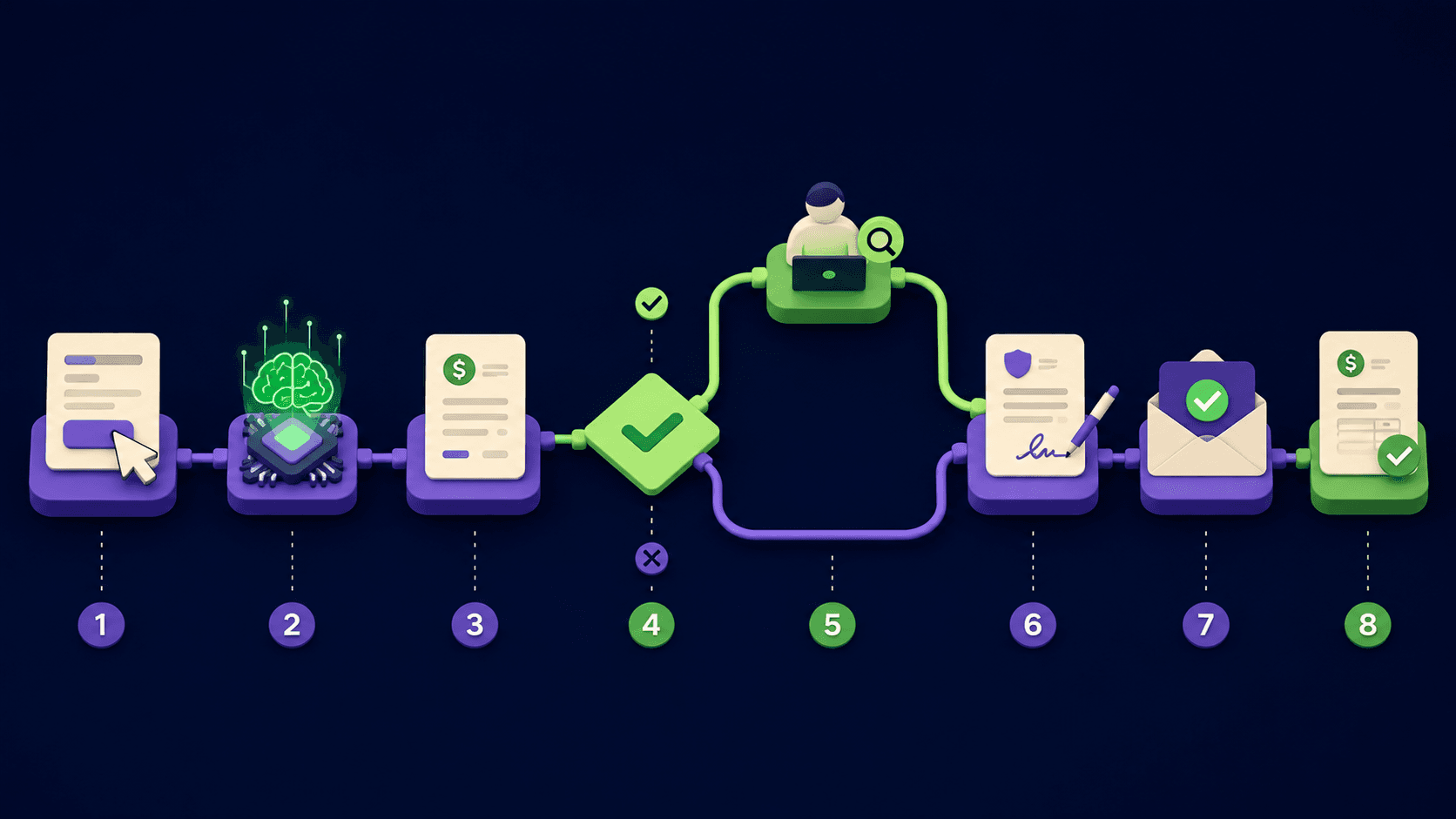
The full pipeline has 7 stages: capture, OCR extraction, validation, exception handling, approval routing, ERP posting, and reconciliation.
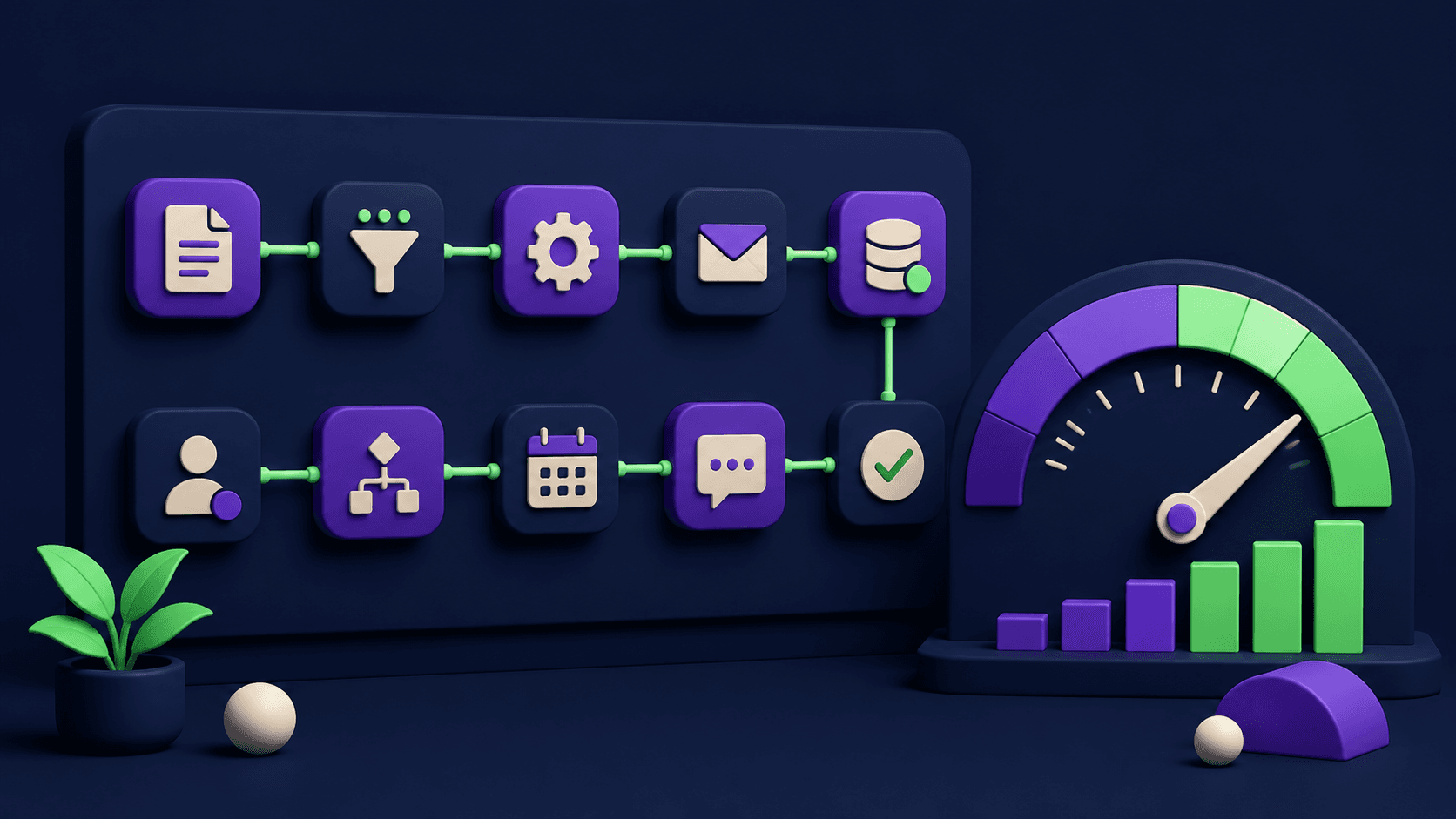
n8n ties every stage together; it connects OCR APIs, accounting systems, Slack, and your ERP in one orchestration layer.
Human-in-the-loop sits at the exception and approval stages only, not scattered across the entire workflow.
Operators report 70-85% reduction in manual AP hours and an 80-90% drop in data entry errors.
The AP automation market is valued at $6.94 billion in 2026 and growing at 12.4% CAGR, per Mordor Intelligence.
What does the full AI invoice processing pipeline look like?
The pipeline has seven discrete stages, each with a clear AI role and a defined human touchpoint. The AI handles volume and speed; humans handle judgment on exceptions and final approvals above a set threshold.
Stage | What AI does | Human role | Tools |
|---|---|---|---|
1. Capture and ingest | Monitors email inbox, shared drive, or API endpoint; normalizes PDFs, images, and EDI files into a single queue | None (fully automated) | n8n, Gmail/IMAP node, S3 trigger |
2. OCR and field extraction | Reads vendor name, invoice number, date, line items, totals, tax, and payment terms from unstructured documents | None unless confidence score is low | Nanonets, Rossum, Docsumo, Mindee |
3. Validation and matching | Compares extracted data against PO records and vendor master; flags discrepancies above a set tolerance | Resolves flagged mismatches | Airtable, ERP API |
4. Exception handling | Routes low-confidence or mismatched invoices to a human review queue with the discrepancy highlighted | Reviews, corrects, or rejects the invoice | n8n, Slack alert node |
5. Approval routing | Applies your approval matrix (amount threshold, cost center, department) and sends to the right approver | Approves or rejects in Slack or email | n8n, email/Slack |
6. ERP posting | Writes the approved invoice to QuickBooks, Xero, NetSuite, or SAP via API; attaches the original PDF | None (fully automated) | ERP API, n8n |
7. Reconciliation and audit log | Cross-checks the posted entry against the bank feed or payment confirmation; writes a timestamped audit record | Periodic spot-check | Airtable, Postgres, ERP |
How does the capture and ingest stage work?
Every invoice that enters the organization needs a single, monitored entry point. The most common sources are a dedicated AP email address, a shared drive folder, an EDI feed, or a vendor portal. The orchestration layer watches all of them and normalizes inputs into one queue.
In n8n, a workflow with an IMAP trigger checks the AP inbox every 5 minutes, downloads attachments, and deposits them in a processing bucket. A second trigger watches a Google Drive folder for scanned documents from the physical mailroom. Both triggers write to the same Airtable table so the downstream extraction step sees one consistent input format regardless of source.
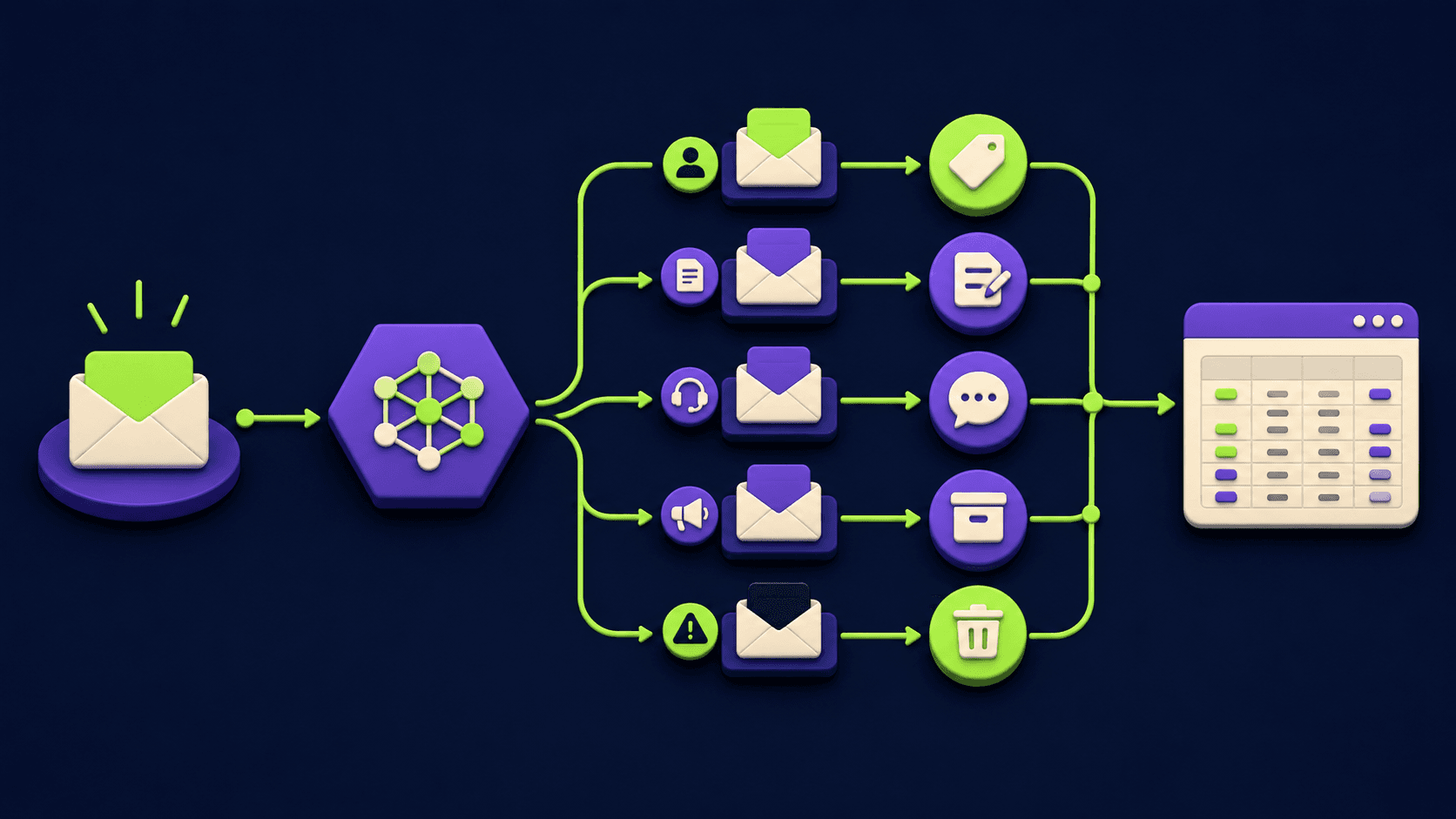
Key design decision: reject non-invoice files at ingest, not later. A simple AI classifier (a lightweight model via an API call) that scores the document as "invoice / receipt / contract / other" at the entry point prevents garbage from polluting the downstream stages. Documents classified as non-invoices route to a separate review folder rather than dropping silently.
How does AI extract fields from invoices accurately?
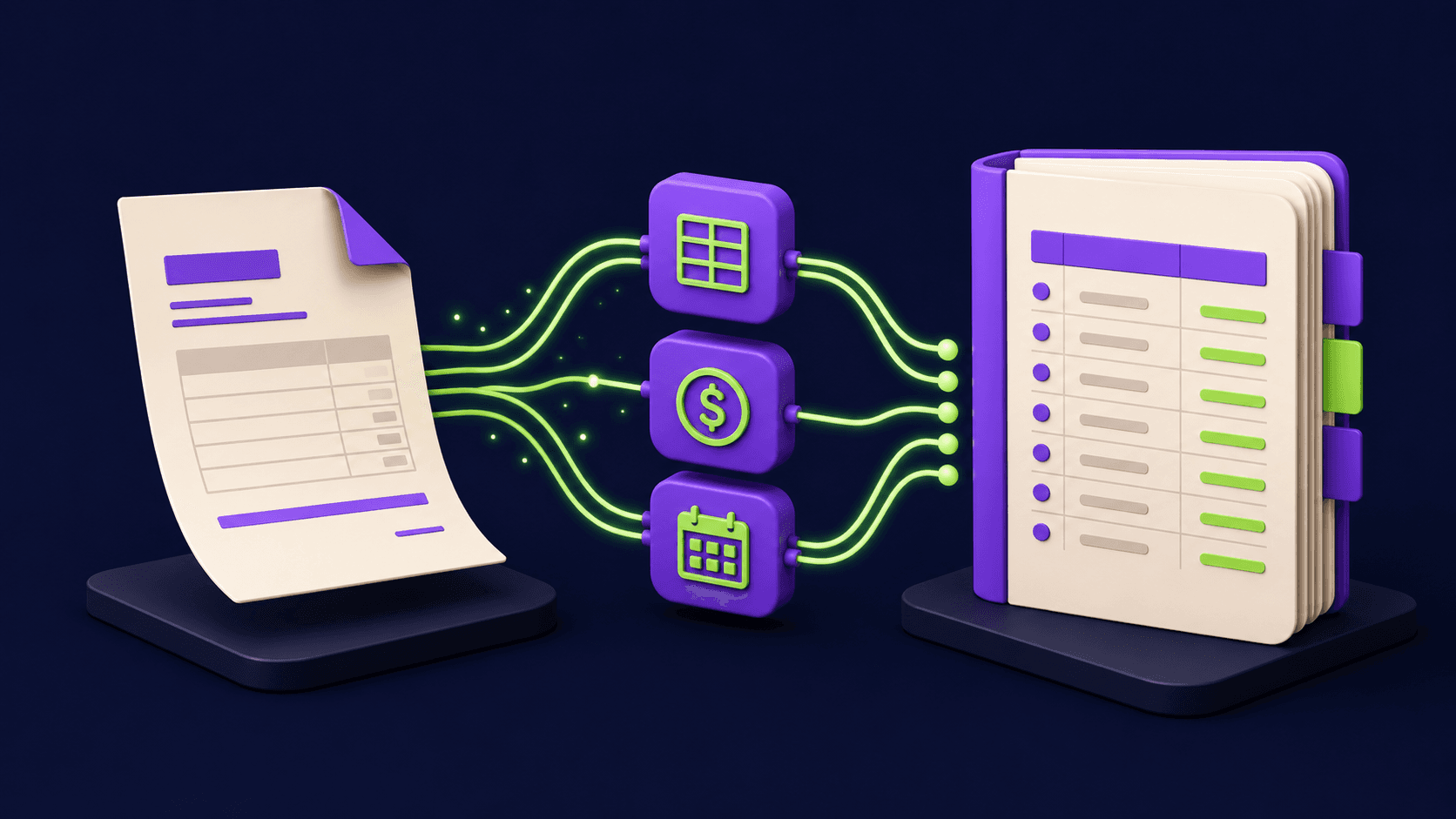
Document AI vendors like Nanonets, Rossum, Docsumo, and Mindee use models trained on millions of invoice documents to extract structured fields from unstructured PDFs and images. Modern systems achieve 95-99% field-level accuracy on standard typed invoices, according to Artsyl Technologies' 2026 OCR benchmark. Handwritten documents and non-standard layouts are lower, around 88-93%, but confidence scores flag those automatically.
The fields you need the model to extract for a typical AP workflow:
Vendor name and tax ID
Invoice number and date
Due date and payment terms
Line items: description, quantity, unit price, total
Subtotal, tax amount, and grand total
Currency and bank / remittance details
PO number (if present)
Each field comes back with a confidence score. You set a threshold, typically 0.85-0.90. Fields above threshold pass automatically. Fields below threshold route to the exception queue for a human to verify. This is the mechanism that keeps AI-extracted data reliable without requiring a human to touch every document.
The extraction call happens inside an n8n HTTP Request node pointed at your chosen vendor API. The response JSON maps to your Airtable schema in the next node. The whole extraction sub-workflow completes in under 30 seconds per document at typical vendor API response times.
What is the validation and three-way matching stage?
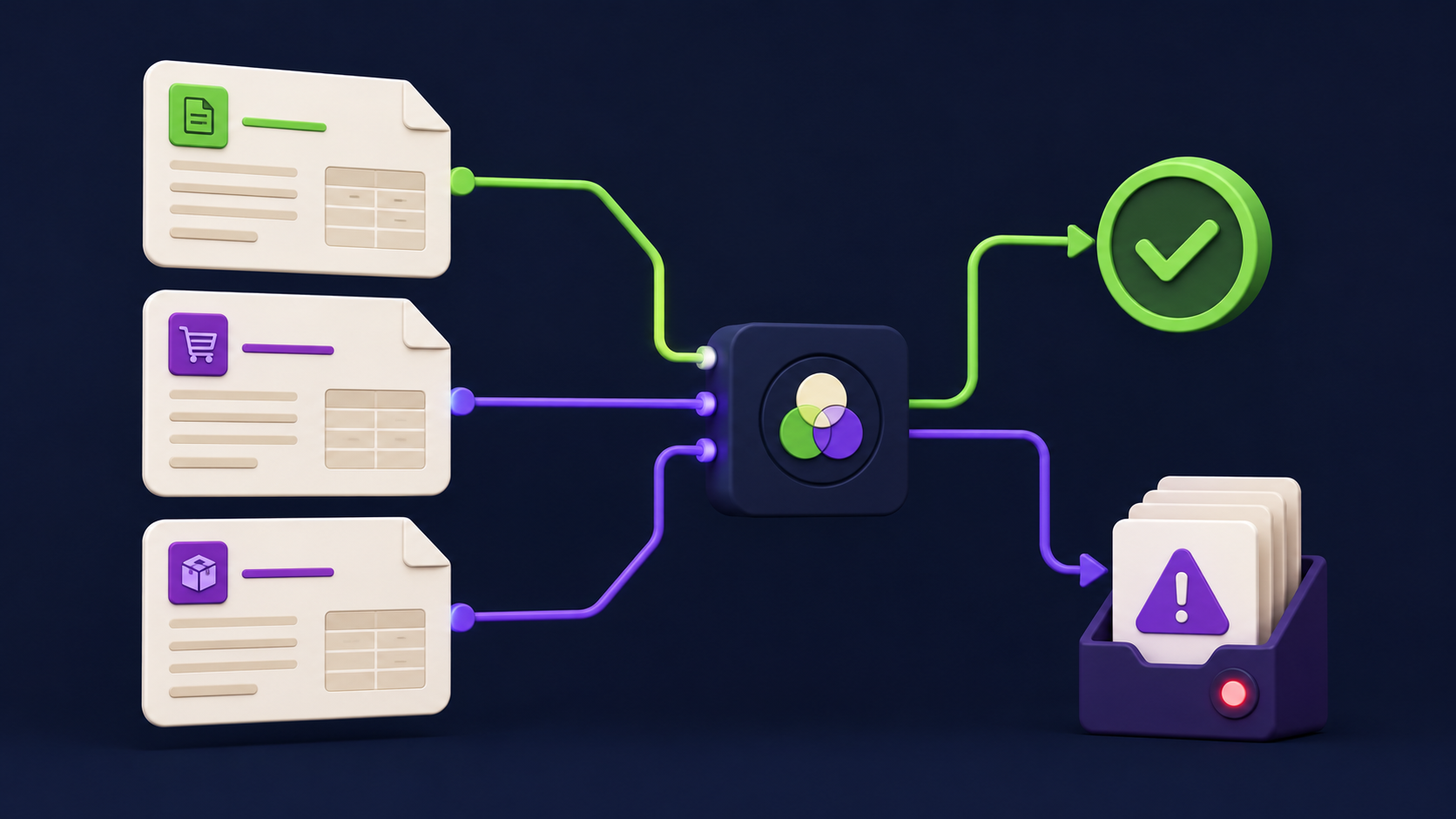
Three-way matching is the core control in any AP operation: the invoice amounts must match the purchase order and the goods receipt. Manual three-way matching is where most of the error and delay lives. AP teams report spending 30-40% of their invoice processing time on matching alone, per HighRadius 2025 AP statistics.
The automated version works as follows. After extraction, n8n queries the ERP or PO database for the PO number extracted from the invoice. It retrieves the PO line items and the goods receipt records. It then compares totals against a tolerance you define (e.g., within 2% or $50, whichever is smaller). If everything is within tolerance, the invoice advances. If not, it enters the exception queue.
Common mismatch scenarios and what the system does with each:
Invoice total exceeds PO by more than tolerance: routes to exception queue with both figures displayed side-by-side for the reviewer.
No matching PO found: checks the vendor master to see if this vendor is approved; if not, holds the invoice and notifies the procurement team.
Duplicate invoice number from same vendor: flags as possible duplicate, holds payment, alerts the AP manager.
Currency mismatch: converts at the current FX rate and flags the converted total for reviewer confirmation.
How does human-in-the-loop work for exceptions?
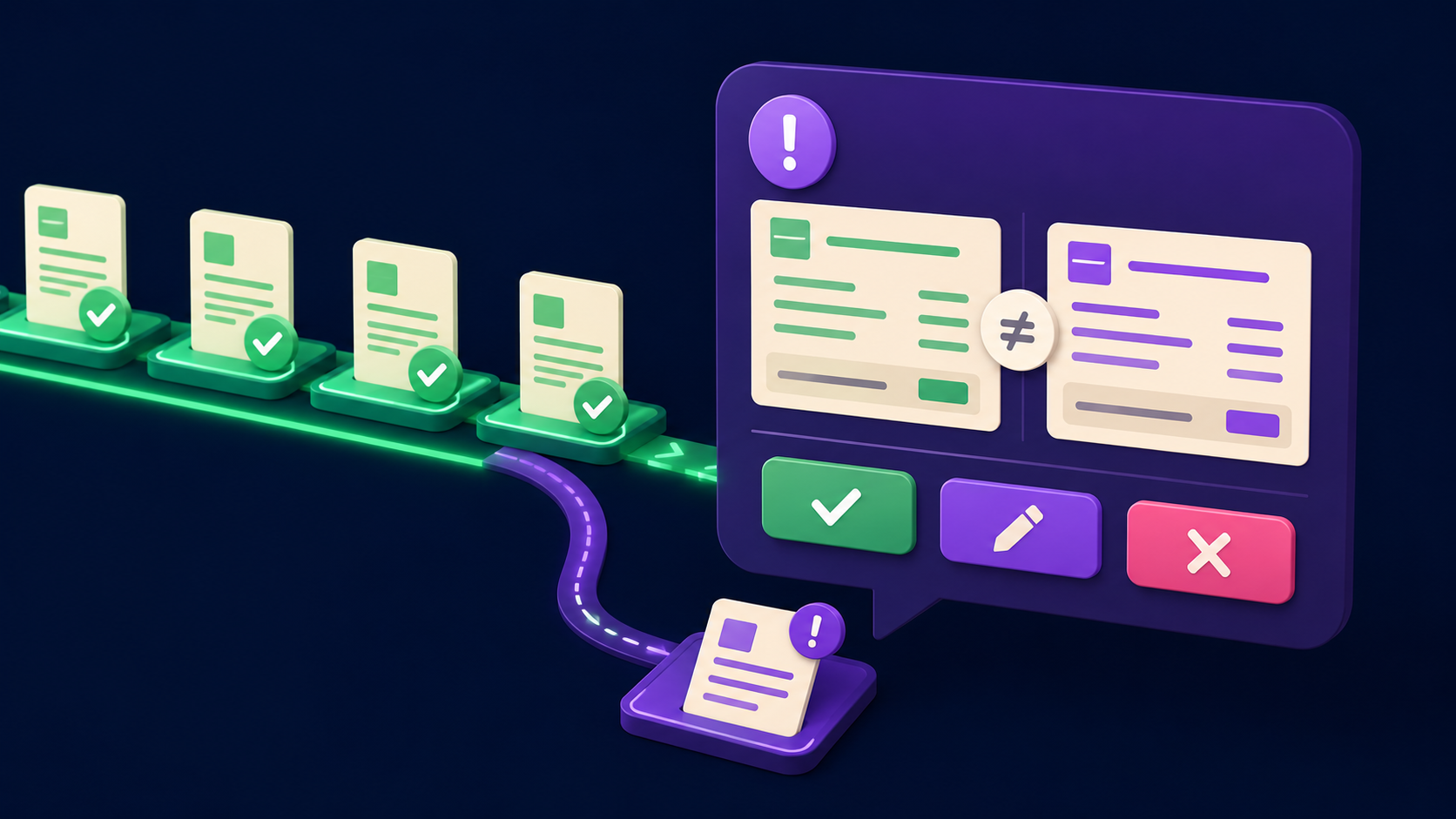
Human-in-the-loop does not mean humans review everything. It means the system is designed so that human judgment is applied precisely where the AI cannot confidently proceed, and nowhere else. On a well-tuned pipeline, exception rates typically settle at 5-15% of invoice volume. The other 85-95% flows through without any human touch.
The practical implementation: n8n sends an exception notification to a Slack channel or email with all relevant data attached: the extracted invoice image, the extracted fields, the PO record it tried to match, and the specific discrepancy highlighted. The reviewer sees exactly what needs a decision without hunting through systems. They click "Approve as-is," "Correct and approve," or "Reject" directly in the Slack message via an interactive button. That click triggers the next n8n step.
Two things make this work smoothly. First, the exception message must contain everything the reviewer needs; no system logins should be required to make the decision. Second, exceptions should have an SLA timer. If the reviewer does not respond within 24 hours, the workflow escalates to the next approver in the chain automatically. This prevents the bottleneck that manual AP is famous for.
How does approval routing get configured?
Approval routing logic is typically a matrix of two variables: invoice amount and cost center or department. A simple example: invoices under $500 from approved vendors auto-approve; $500-$5,000 require the department manager; above $5,000 require the CFO or VP of Finance. Some organizations add a vendor-type dimension: new vendors always require one additional approver regardless of amount.
In n8n, this is a Switch node evaluating the amount field against your thresholds, then routing to the appropriate Slack DM or email notification. The approver gets a message with the invoice summary and one-click approve or reject. Approved invoices proceed to ERP posting. Rejected invoices trigger a notification to the AP team with the rejection reason, and the invoice is logged as rejected in the audit table.
If your organization already uses Make rather than n8n for orchestration, the same logic applies. Make's router module handles the same conditional branching. The n8n vs Make comparison covers the cost and capability trade-offs for high-volume AP scenarios specifically.
How does the system post to the accounting system automatically?
Once an invoice is validated and approved, the ERP posting step fires without additional human input. This is the step that eliminates the data re-entry that causes most AP errors. Instead of an AP clerk copying fields from a PDF into QuickBooks, the n8n node calls the accounting API directly with the structured data already in hand.
Most major accounting systems expose REST APIs that accept invoice payloads: QuickBooks Online, Xero, NetSuite, Sage Intacct, and SAP S/4HANA all have documented AP or vendor bill endpoints. The n8n HTTP Request node or a dedicated accounting connector sends the payload, receives the confirmation including the created bill ID, and writes that ID back to the Airtable record alongside a "Posted" status and timestamp.
The original invoice PDF attaches to the created bill via the accounting API's document attachment endpoint. This means auditors can always access the source document directly from the accounting system without a separate document store lookup.
One important implementation detail: implement idempotency on the posting step. Use the invoice number and vendor ID as a composite key. Before posting, the workflow checks whether a bill with that key already exists in the accounting system. If it does, it skips posting and logs a "Duplicate skipped" event. This prevents double-posting if the workflow retries after a transient API error.
What does the reconciliation and audit log stage do?
Reconciliation runs after payment. The workflow watches for payment confirmation events from the bank feed or payment platform (Bill.com, Tipalti, or direct bank API). When a payment posts, n8n matches it to the open AP record by amount, vendor, and date within a tolerance window. Matched payments mark the bill as paid. Unmatched payments flag for manual reconciliation review.
The audit log is a separate, append-only table in Postgres or Airtable where every state change writes a timestamped row: received, extracted, validated, exception-raised, approved, posted, paid, reconciled. No rows are updated or deleted; new rows are appended. This structure means you can reconstruct the complete history of any invoice at any time, which satisfies both internal controls and external audit requirements.
For finance teams subject to SOX, ISO 27001, or similar frameworks, an immutable audit log is not optional. Building it into the workflow from day one costs almost nothing extra and avoids a painful retrofit later.
How does n8n connect all of these stages into one workflow?
The orchestration layer is what makes the pipeline coherent rather than a collection of disconnected API calls. n8n is the right tool here for three reasons: it runs on your own infrastructure (so invoice data never passes through a third-party automation vendor's servers), it has native nodes for most accounting and document APIs, and it supports error handling and retry logic at the workflow level without custom code.
The practical workflow structure for a production AP pipeline in n8n looks like this:
Trigger (IMAP / Drive / webhook)
  -> Classifier node (HTTP Request to document AI)
  -> Branch: Invoice? -> Extraction node (HTTP Request to OCR vendor)
  -> Airtable: Write extracted fields
  -> Validation sub-workflow: PO lookup + matching logic
  -> Switch node: exception? -> Exception queue (Slack alert + wait for webhook)
  -> Approval routing (Switch on amount + Slack DM + wait for webhook)
  -> ERP posting (HTTP Request to accounting API)
  -> Airtable: Update status to "Posted"
  -> Audit log: Append row to Postgres
  -> Reconciliation sub-workflow (triggered by payment webhook)
Each stage is a sub-workflow connected by a shared invoice ID. This modular structure means you can update the OCR vendor or the approval logic without rebuilding the entire pipeline. The orchestrator-worker pattern with n8n covers the multi-agent architecture that scales this to handle parallel document types beyond invoices.
For teams already running other automations, this pipeline integrates cleanly with the n8n agent stack that replaces point SaaS tools. The same n8n instance can run AP automation alongside procurement, HR, and customer support agents, sharing the same vendor master data and approval routing rules.
What does this cost to build and run?
The cost structure for a self-hosted n8n AP pipeline is materially lower than enterprise AP software. A realistic breakdown for a mid-market team processing 1,000 invoices per month:
OCR/document AI vendor: $0.02-0.10 per page depending on vendor and volume tier. At 1,000 invoices averaging 2 pages: $40-200/month.
n8n self-hosted: VPS hosting cost, typically $20-40/month for a team at this volume. n8n Cloud starts at $20/month if self-hosting is not preferred.
Airtable (data layer): $20/month per editor at the Team plan. One or two seats is sufficient for AP admin access.
Build time: 15-25 hours of setup and testing for a complete pipeline. Ongoing maintenance is minimal once stable.
Compare this to dedicated AP automation SaaS platforms that typically cost $500-2,000 per month at mid-market volumes, plus implementation fees. The trade-off is that the n8n build requires more upfront configuration and someone who understands workflow orchestration. That is exactly what a deployment partner handles. The 2026 AI automation rate card gives you a realistic view of what building and maintaining these workflows costs when outsourced.
How much time can a finance team realistically save?
The range reported across operators who have deployed AI invoice processing is 70-85% reduction in manual AP hours. The specific numbers depend on your current process maturity and invoice volume.
A finance team processing 500 invoices per month, spending an average of 15 minutes per invoice on manual keying, matching, and routing, accumulates roughly 125 hours of AP labor monthly. With the automated pipeline, the same volume at 2 minutes per invoice (handling exceptions and approvals only) drops to under 17 hours. That is more than 100 hours per month returned to the finance team for higher-value work.
Error reduction follows a similar trajectory. Manual data entry produces error rates of 1-3% of invoice fields, according to Docsumo's invoice processing accuracy report. Automated extraction with confidence scoring brings that to 0.1-0.5%. For a team processing $2M/month in payables, even a 1% error rate on invoice amounts represents $20,000 in potential mispostings per month. Closing that gap has direct financial impact beyond the labor savings.
What are the most common mistakes teams make when building this pipeline?
Most AP automation projects fail or stall not because the technology is wrong, but because the implementation skips one of these steps.
Skipping the classifier: Sending every email attachment to the OCR vendor without first classifying it wastes extraction credits and creates noise in the downstream stages. A cheap classification call at ingest costs a fraction of a full extraction.
Setting confidence thresholds too high: A threshold of 0.99 routes 30-40% of invoices to exception queues, defeating the purpose of automation. Start at 0.85 and tune based on your error rate after two weeks of production data.
No idempotency on ERP posting: Without a duplicate check, any workflow retry after an API timeout will double-post bills. This is fixable but painful to undo in production accounting systems.
Exception queue with no SLA: Exceptions that sit for days create worse delays than the manual process they replaced. Set a 24-hour escalation timer from day one.
Audit log as an afterthought: Building reconciliation and audit logging in after the pipeline is live means retrofitting the schema to capture events that have already been lost. Design the audit table before the first invoice flows.
Vendor master not connected: The validation stage is only as strong as the vendor master data it queries. If the vendor list lives in a spreadsheet that someone updates manually, the matching will fail repeatedly. Centralize it in Airtable or the ERP first.
Which document AI vendors should you evaluate?
The four vendors most commonly deployed in mid-market AP automation are Nanonets, Rossum, Docsumo, and Mindee. All four offer REST APIs, confidence scores per field, and pre-trained invoice models. The differentiation is in pricing tiers, language support, and the quality of their line-item extraction on complex multi-page invoices.
Nanonets and Rossum position themselves at the enterprise end with more customization and workflow tooling built in. Docsumo and Mindee are more developer-friendly with simpler API surfaces and lower entry-level pricing. For an n8n-orchestrated pipeline, the choice is mostly about pricing per page at your volume and the quality of extraction on your specific invoice layouts. Run a 50-100 invoice test batch through each candidate before committing.
You can review the broader set of tools for this category at the document and knowledge management AI tools hub and the finance and legal AI tools hub on Vantaige.
Can this pipeline handle document types beyond invoices?
Yes. The same architecture handles purchase orders, receipts, contracts, expense reports, and vendor statements with minor modifications. The OCR extraction step changes the target fields for each document type. The validation logic changes to match the document-specific rules. The routing and audit stages are identical.
A practical extension: deploy the same pipeline for expense report processing, where employees submit receipts via a Slack command or email. The OCR extracts merchant, amount, date, and category. Validation checks the amount against the expense policy. Approval routes to the manager. Reimbursement triggers via payroll API or bank transfer. The 15 n8n workflow blueprints post includes a ready-made expense automation sub-workflow that plugs into this architecture.
Contract processing is another common extension. Incoming vendor contracts route through an AI extraction step that pulls out key terms: payment terms, renewal date, liability cap, jurisdiction. Those fields write to a contract management table. Renewal alerts fire 90 days before expiry. This is a separate pipeline but runs on the same n8n instance with the same orchestration patterns.
Want your back office automated for you?
Vantaige audits your operations, finds the hours bleeding into manual work, and builds the AI workflows that reclaim them. Book a free process automation audit and we will show you the first three workflows worth building.
Frequently Asked Questions
How accurate is AI invoice processing compared to manual data entry?
Automated extraction with confidence scoring achieves field-level error rates of 0.1-0.5%, compared to 1-3% for manual data entry, according to Artsyl Technologies and Docsumo benchmarks from 2025-2026. The key control is the confidence threshold: fields below your set threshold route to a human reviewer rather than passing automatically. On a tuned pipeline, 85-95% of invoices clear without human touch.
Does the pipeline work with invoices from international vendors in different languages?
The main document AI vendors (Nanonets, Rossum, Docsumo, Mindee) support multi-language extraction including German, French, Spanish, Italian, Portuguese, Japanese, and Chinese. Currency handling is built in. You should test your specific language mix during the vendor evaluation phase because extraction accuracy varies by language and layout. n8n handles the FX conversion and currency normalization in the validation step using a live rate API call.
How long does it take to build and deploy this pipeline?
A production-grade AP pipeline with all seven stages typically takes 15-25 hours to build, test, and deploy for a team with no prior workflow automation. Most of that time is in vendor master cleanup and ERP API configuration, not the n8n workflow itself. Teams that engage an automation operator typically see their pipeline live in 2-3 weeks, including a parallel-run period where both manual and automated processing run simultaneously to verify accuracy before full cutover.
What happens if the OCR vendor's API goes down?
Design the pipeline with error handling at every API call: n8n's built-in retry logic catches transient failures and retries after a configurable delay (typically 5-15 minutes, up to 3 attempts). If retries are exhausted, the invoice moves to an error queue with a Slack alert so the AP team can process it manually. The idempotency check on the ERP posting step means that when the API recovers and the workflow retries, it will not double-post any invoices that were partially processed before the outage.
Is this pipeline compliant with SOX and internal audit requirements?
The architecture is designed to support those requirements. The append-only audit log records every state change with a timestamp and the user or system that triggered it. Approval routing enforces segregation of duties: the person who enters or approves an invoice cannot also post it without a second approver if you configure the matrix that way. Auditors can query the full processing history for any invoice from the audit table without accessing the orchestration system itself. Actual compliance determination requires review by your internal audit team or external auditors against your specific framework.
Can a small team with no technical staff run this pipeline after it is built?
The day-to-day operation requires no technical involvement. AP staff interact only with Slack messages and the Airtable tracking table. They click approve or reject, review exceptions when flagged, and check the reconciliation dashboard. The only ongoing technical touchpoints are: vendor API key rotation (typically annual), ERP schema updates when the accounting system changes, and adding new vendor bill templates if a vendor uses a non-standard layout. A maintenance retainer with the builder covers these at a fraction of the cost of an enterprise AP software license.
Related from Vantaige
Orchestrator-Worker n8n Template: 6 Agents, One Pipeline (2026)
2026 AI Automation Rate Card: What Operators Actually Charge
References
Mordor Intelligence: Accounts Payable Automation Market Size and Forecast 2026-2031
Parseur: AI Invoice Processing Benchmarks 2026 - Accuracy, Speed, and Cost Comparison
HighRadius: AP Automation in 2025 - Surprising Stats CFOs Can't Ignore
Docsumo: How AI Invoice Automation Simplifies Management - Accuracy and Time Savings
Artsyl Technologies: OCR for Invoice Processing (2025-2026) - AI Capture, Accuracy, and ROI
Get the best new AI tools and guides, weekly
One short email a week. The tools worth trying, the guides worth reading, nothing else.
No spam. Unsubscribe anytime.
Aymen B
Contributing writer at Vantaige, covering the AI tools ecosystem.