How Clay Actually Works: Waterfall Enrichment and Signal Prospecting Explained
How Clay Actually Works: Waterfall Enrichment and Signal Prospecting, Explained (2026)
Clay is the most-discussed outbound tool in RevOps circles right now, but most write-ups stay at the surface level. This guide goes deeper: exactly how waterfall enrichment works, what happens at each of the 7 workflow steps, what it honestly costs, and where teams get stuck. After building Clay workflows for clients across SaaS, agencies, and professional services, we put together the plainest explanation we could find. By the end you will know whether Clay fits your pipeline and what it takes to run it well.
TL;DR: Clay queries 150+ data providers in sequence, stops at the first valid result, and charges credits per attempt not per success.
The practical match rate for verified emails using a 3-source waterfall is 80% or above for most B2B lists.
Claygent, Clay's built-in AI research agent, can generate personalized hooks from job postings, LinkedIn, and company websites without manual research.
CRM integrations (HubSpot, Salesforce) and webhook push are available from the Growth plan ($495/mo after the March 2026 pricing update).
The two main failure modes: unpredictable credit burn and a 2-4 week learning curve before workflows are reliable.
What Is Waterfall Enrichment and Why Does It Beat Single-Vendor Data?
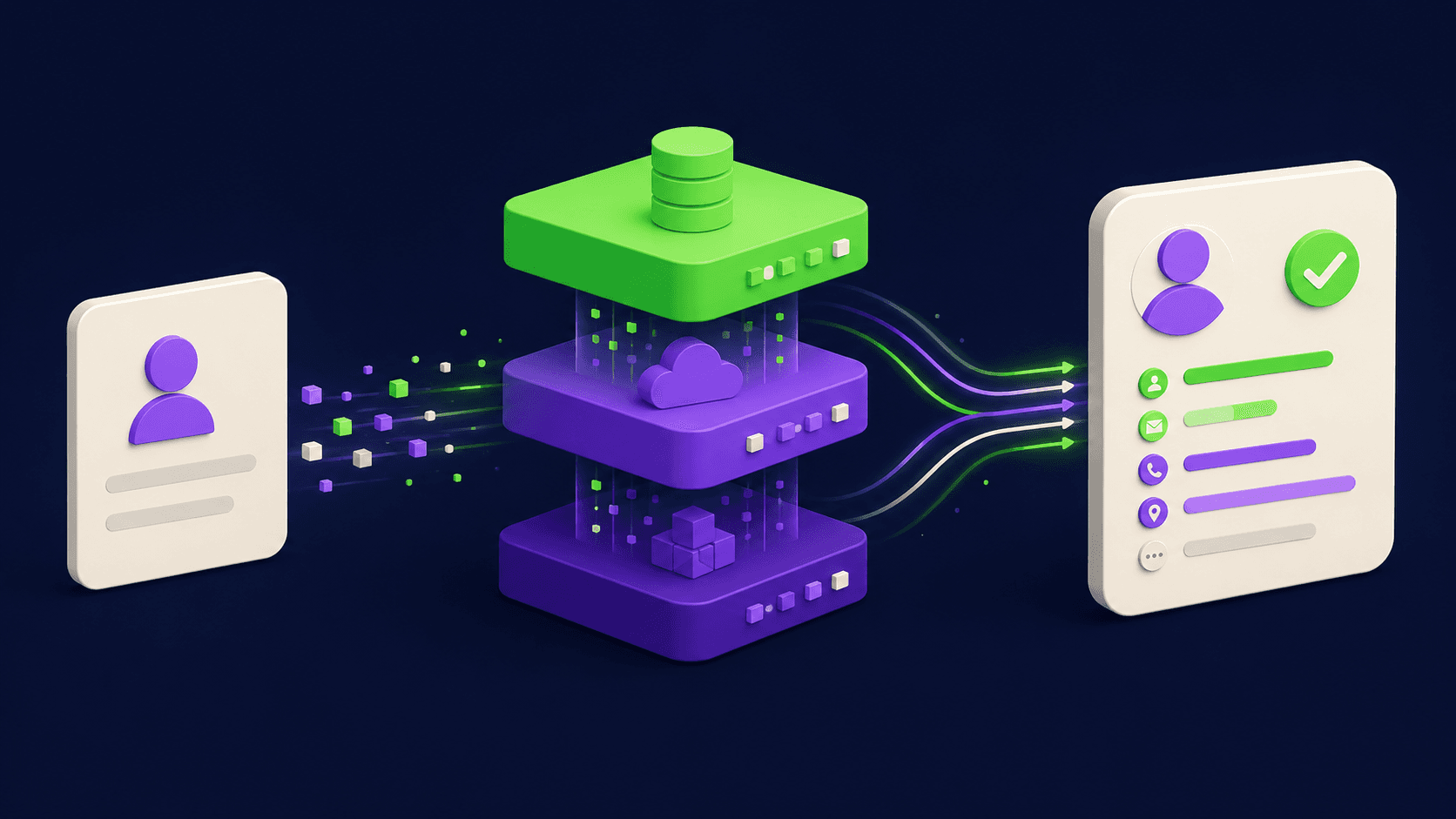
Waterfall enrichment means querying multiple data providers in a fixed sequence and stopping the moment one returns a valid result. You are not paying for all providers every time. You are paying for each attempt until success, which is why sequence order matters a great deal.
Any single data vendor has coverage gaps. ZoomInfo may have strong enterprise coverage but miss smaller companies. Hunter covers domain-pattern emails well but lacks mobile numbers. Prospeo finds emails that Hunter misses but has its own blind spots. Stack them in sequence, however, and overall match rate climbs because the gaps in one vendor are filled by another. According to Clay's own benchmark data, a properly configured waterfall across three email providers reliably discovers verified emails for 80% or more of B2B prospect lists, compared to roughly 40-60% from any single source.
The logic is the same as checking multiple inventory suppliers before saying an item is out of stock. You do not need every supplier to succeed. You need the first one to succeed.
How Does Clay's Credit Model Actually Work?
Clay charges credits per enrichment attempt, not per successful result. This is the detail that surprises most new users. If you run a three-source email waterfall and the first source fails, you spend credits on that failure before the second source even runs.
After the March 2026 pricing overhaul, plans are structured as follows: Free ($0, limited), Launch ($185/mo), Growth ($495/mo), and Enterprise (custom). Credits are bundled into each plan, and additional credits can be purchased. The cost per credit varies by provider action: a basic email lookup might cost 3 credits, a full profile enrichment 5-8 credits, and a mobile phone lookup from premium providers can run 5-25 credits depending on the provider that fills it, according to a 2026 pricing breakdown by Enrich.so.
On lists with stale data, failed enrichment attempts can consume 20-30% of a monthly credit allocation before a single valid result is returned. This is not a bug in Clay; it is how probabilistic data coverage works. But it is a cost teams need to plan for explicitly.
CRM integrations, webhook push, and HTTP APIs require the Growth plan or above. The CRM subscription itself (HubSpot, Salesforce) is separate and not included in Clay's fee.
What Is Claygent and What Can It Actually Do?
Claygent is Clay's built-in AI research agent, available on all paid plans. It accepts a natural-language prompt and performs web research on each row in your table. You give it a question. It navigates websites, scrapes job postings, reads LinkedIn activity, and returns a structured answer that populates a column in your Clay table.
Practical uses include: summarizing recent company news for a hook, identifying pain points from open job postings (a company hiring five SDRs is probably struggling with pipeline), extracting a founder's recent LinkedIn post to reference in an opening line, and spotting technology signals from a company's public job descriptions or stack pages. According to Clay's Claygent documentation, it can also connect to internal data sources like Gong call recordings or Google Docs for added context.
Claygent is not autonomous. You write the research prompt explicitly per use case. It is more like a tireless research associate than a fully autonomous agent. That distinction matters when setting expectations with clients or leadership.
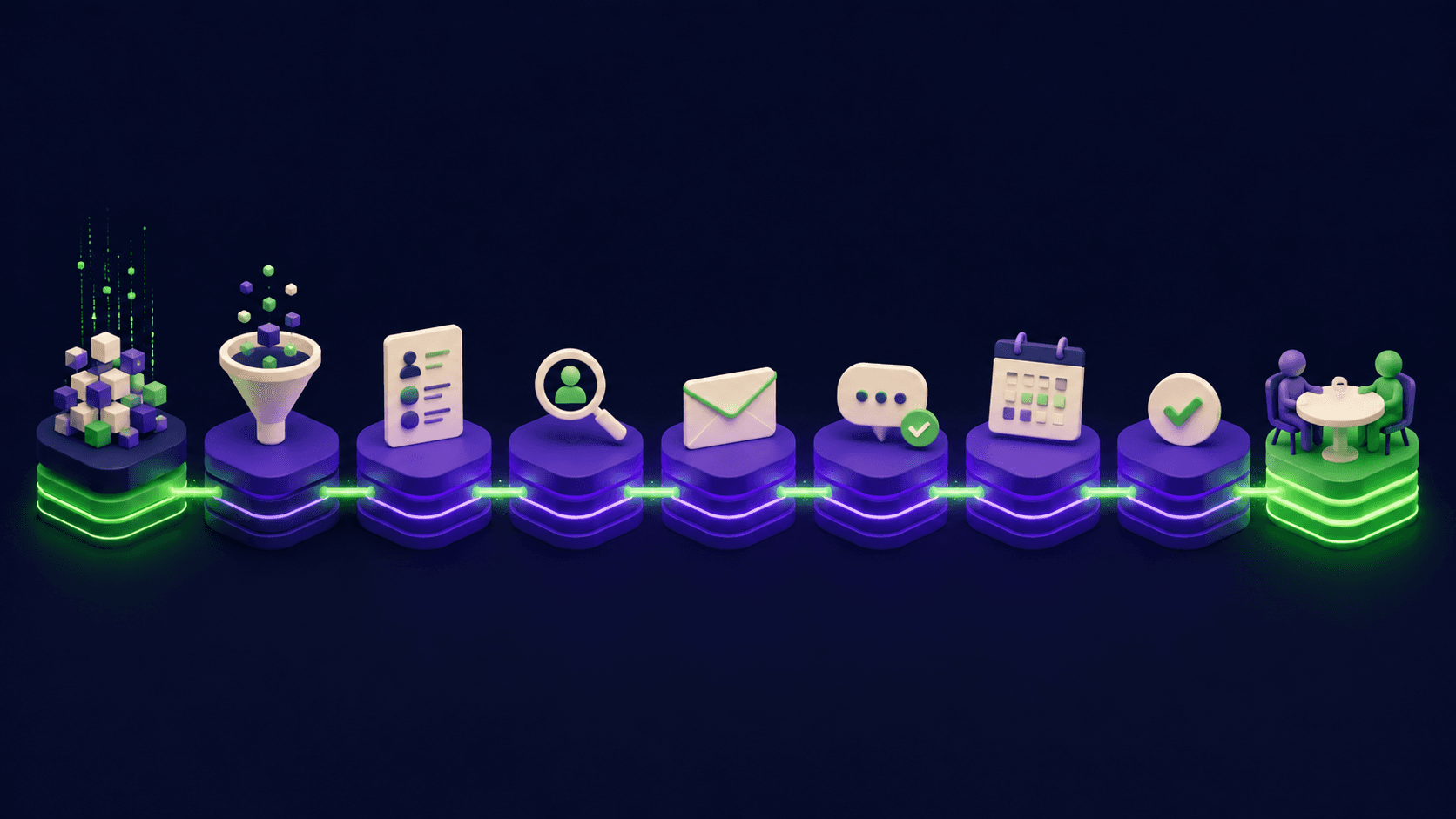
The 7-Step Clay Workflow: From ICP to Sequencer
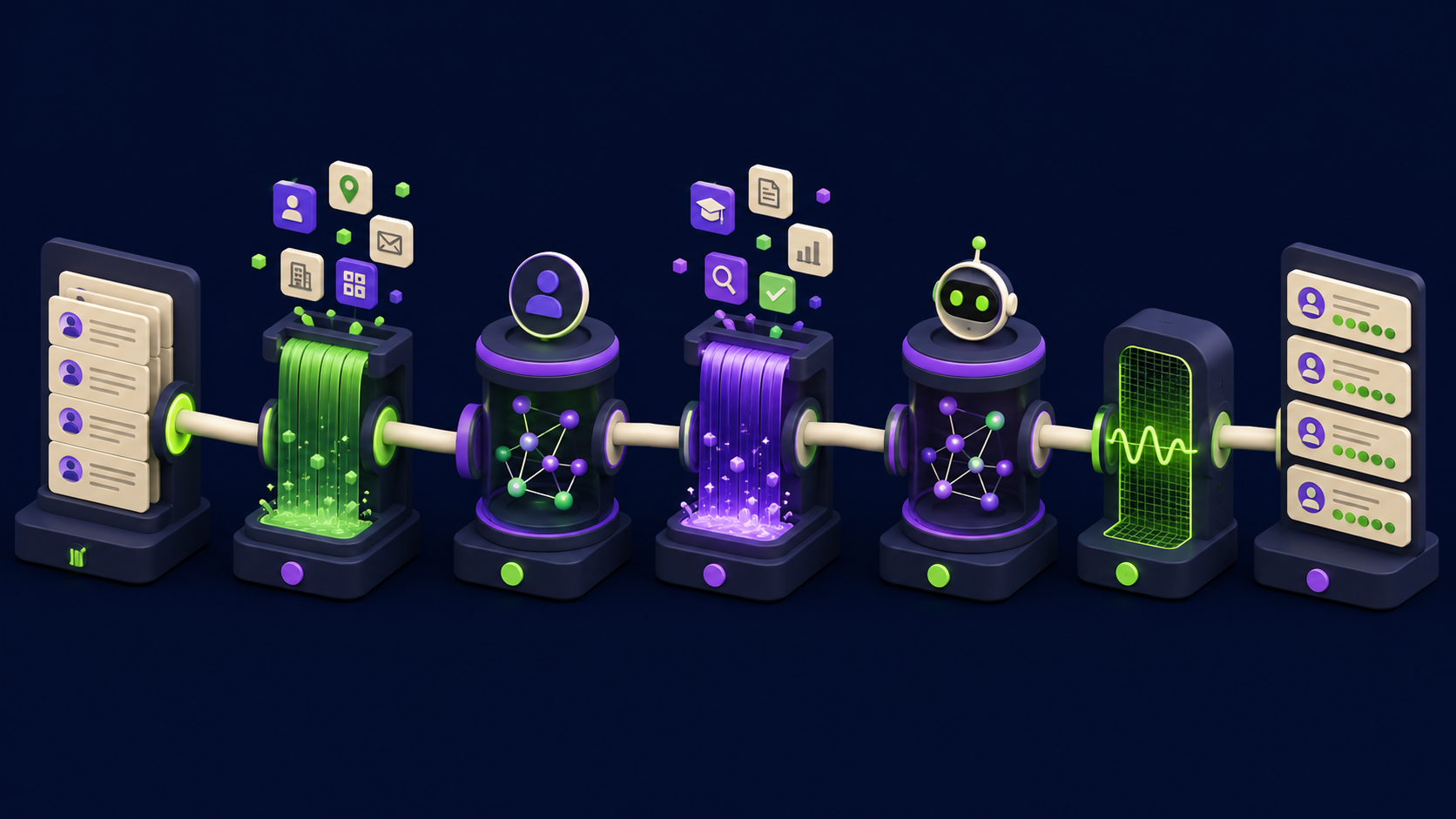
Below is the end-to-end workflow that production Clay users run. Each step has a clear input and a defined output. The table maps what happens at each stage so you can slot it into your existing stack.
Step | What happens | Output |
|---|---|---|
1. Define ICP | Lock the firmographic and persona filters: industry, headcount, revenue range, geography, job title, seniority. Write them as explicit criteria, not assumptions. Vague ICPs produce expensive junk lists. | Written ICP spec with 5-8 filter criteria |
2. Source or import | Pull companies and contacts from a source: Apollo, LinkedIn Sales Navigator CSV export, a CRM export, or Clay's native LinkedIn scraping. Clean the list to remove obvious bounces and non-ICP entries before enrichment starts. Every junk row wastes credits. | Raw contact table (name, company, title, LinkedIn URL) |
3. Waterfall enrich | Build the enrichment waterfall: sequence 2-4 email providers in order of coverage for your segment. Clay stops at the first valid, verified result. Run phone enrichment in a separate waterfall if mobile outreach is in scope. The order of providers matters. Start with the vendor that historically covers your vertical best. | Verified email, optional mobile number, enriched firmographics |
4. AI research with Claygent | Write a Claygent prompt for each research question: recent funding, open roles signaling pain, tech stack signals, or a specific event to reference. Each prompt runs per row. Budget roughly 3-5 credits per Claygent call on top of enrichment costs. | Research columns: news summary, pain signal, personalization hook |
5. Append signals | Layer intent and timing signals on top of static firmographics. Examples: job posting volume change, recent funding round (Clay connects to Crunchbase and similar sources), web visitor data from 6Sense or similar. Signals tell you WHO to contact and WHEN. | Signal columns: hiring trend, funding flag, intent score |
6. Score and prioritize | Apply a scoring formula across the enriched columns. A simple weighted score (ICP match + signal freshness + email confidence) surfaces the best 20-30% of your list. Push only scored contacts above your threshold to the sequencer. Volume without scoring wastes sender reputation and rep time. | Priority score per contact, filtered shortlist |
7. Push to sequencer or CRM | Export enriched, scored, signal-flagged contacts to your sequencer (Smartlead, Instantly, Lemlist, Salesloft, Outreach) or CRM (HubSpot, Salesforce) via Clay's native integrations or a webhook. Each contact carries the personalization data from Claygent, so your first-line opener is already written. | Contacts enrolled in sequences with personalized first lines |
How Do You Source Contacts Before Enrichment?
Clay itself is an enrichment and research layer, not a primary prospecting database. You bring contacts in from somewhere else, then enrich them inside Clay. The three most common sources in 2026 are: Apollo.io exports filtered by ICP criteria, LinkedIn Sales Navigator CSV exports (Clay can also scrape LinkedIn directly on paid plans), and CRM exports of existing prospects or cold leads that were never worked.
The quality of Step 2 determines the economics of the entire workflow. A list filtered to 1,000 tight-ICP contacts will return more booked meetings than 5,000 loose-ICP contacts, and at a fraction of the credit cost. Spend more time on list definition than most teams do. You can see how Clay compares to other outreach and enrichment tools in the Vantaige directory.
What Signals Should You Append in Clay?
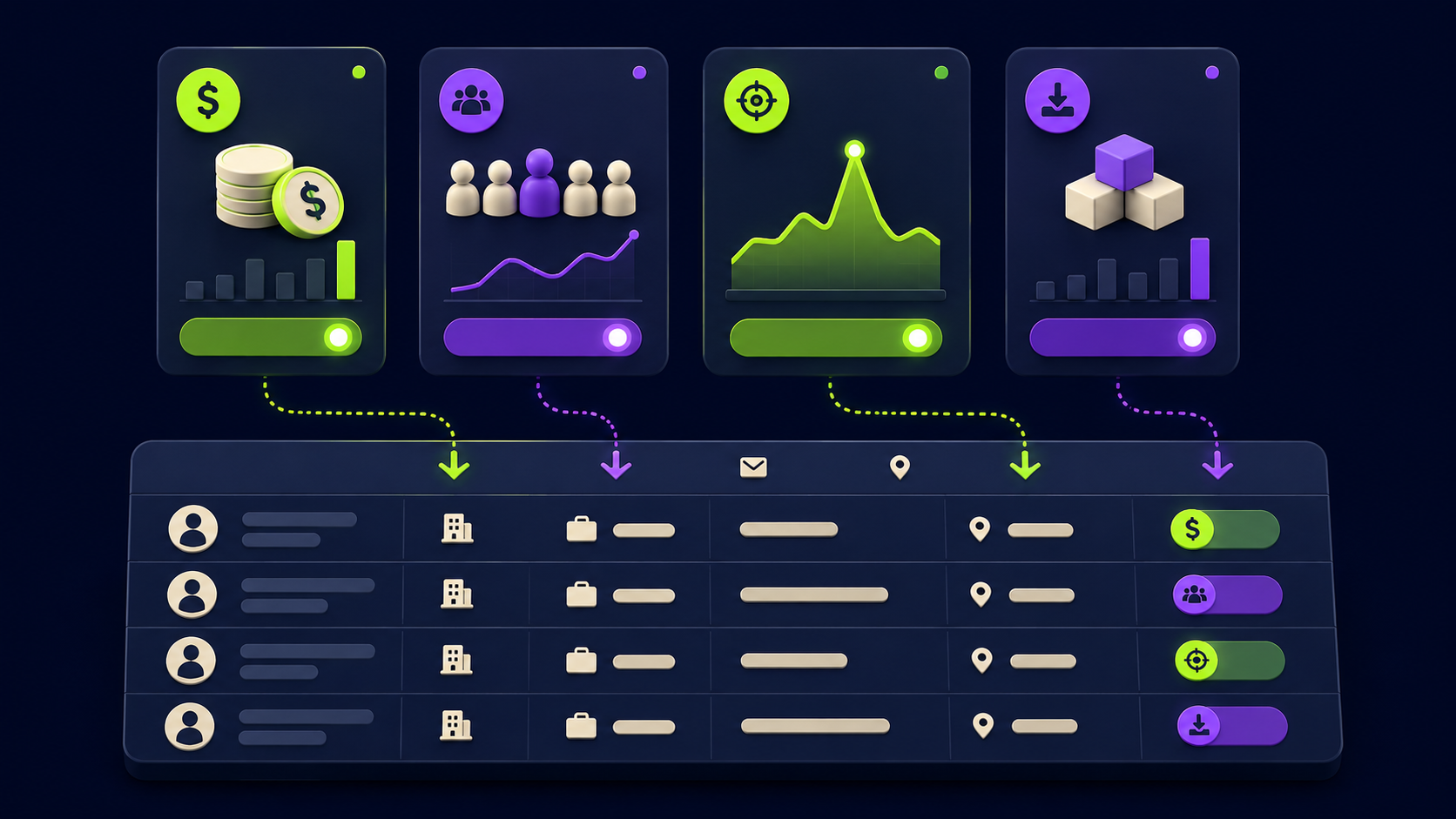
Signals tell you which contacts to prioritize right now, not just which contacts fit your ICP in theory. The most actionable signals available through Clay's integration ecosystem in 2026 are:
Hiring signals: A company posting 3+ SDR roles is likely investing in outbound, which means they have pipeline pain or budget. Claygent can pull this from job board pages.
Funding signals: A Series B company closed in the last 90 days has budget authority and urgency. Crunchbase data is available inside Clay.
Tech stack signals: If a company recently adopted a tool that your solution complements or replaces, that is a warm entry point. 6Sense and similar intent platforms integrate via Clay's webhook layer.
News and event signals: A leadership change, product launch, or press mention gives you a specific reason to reach out that does not feel generic.
Signals without verified contact data are useless. Verified contact data without signals produces generic, low-response outreach. The waterfall handles the first part. Steps 4 and 5 handle the second. Both are required for the system to work.
What Are the Most Common Clay Mistakes Teams Make?
Based on what we see in production builds and what surfaces consistently in user reviews on G2 and Reddit, these are the failure points that cost teams the most:
Running enrichment on unfiltered lists: Every row that does not match your ICP still burns credits. Filter before enrichment, not after.
Not ordering the waterfall by coverage fit: The provider that covers enterprise companies best is not the right first step for a list of 20-person startups. Research your segment's coverage before building the sequence.
Spending first-month credits on learning: Clay charges for test runs on live credits. Set up a small 50-100 row test table before running enrichment at scale. 42% of negative Clay reviews mention credit burn as the primary complaint, per user reviews analyzed by Cleanlist in 2026.
Writing Claygent prompts that are too broad: "Tell me about this company" returns unusable output. "List the top three pain points visible from this company's current open job descriptions" returns something a rep can use in an opener.
Skipping the scoring step: Pushing every enriched contact to the sequencer at once burns sender reputation and rep time. The scoring layer exists to separate the top 20-30% from the rest.
Not connecting Clay to the CRM: Enriched data that lives only inside Clay tables creates a parallel record system. Sync enriched fields back to Salesforce or HubSpot so the CRM stays the system of record.
How Does Clay Connect to Email Sequencers?
Clay has native integrations with most major outbound sequencers. Instantly, Smartlead, Lemlist, Salesloft, and Outreach all have direct Clay integrations. Once a contact clears your scoring threshold, Clay can push the full enriched record including the Claygent-generated personalization hook directly into the sequencer, enrolling the contact in the right sequence automatically.
The practical implication: your SDR or AE does not need to manually copy data from a spreadsheet into the sequencer. They receive contacts in their queue with a first-line opener already drafted from real research. Reps who use Clay-generated first lines consistently report higher reply rates than template-only sequences, because the opener references something real and specific about the prospect's situation. For a fuller picture of how this fits the outbound stack, see our guide to the full AI outbound stack.
Is Clay Worth the Cost and Learning Investment?
Clay is worth the investment for teams that have a defined ICP, send enough volume to justify the plan cost, and have someone willing to own the workflow. That last point is the honest constraint: Clay is not self-managing. It is a powerful building environment for someone who is going to treat it as a craft.
According to a 2026 review by Cleanlist, the learning curve to reliable workflow output runs 2-4 weeks for most teams. First-month credit spend often goes primarily toward learning the platform rather than production output. Teams that try to run Clay without a dedicated ops person or external help routinely under-deliver on the investment.
The ROI case is strongest when: your ICP is tight enough that enrichment hit rates stay high, you are sending 500+ enriched contacts per month (justifying the plan cost), and you have intent or signal data to separate the urgent from the merely fitting. Below that volume, the economics favor simpler tools. This decision sits alongside the broader question of AI SDR vs human SDR cost that many RevOps teams are working through right now.
The teams that extract the most from Clay are the ones that treat it as infrastructure rather than a quick fix. They build reusable table templates, document their waterfall orders, version their Claygent prompts, and refine the scoring model over time. That is the profile of a team that gets compounding returns from the investment. If you are building AI automation services, Clay workflow design is one of the reliable B2B niches that pay well in 2026 because the demand is high and the operational knowledge is scarce. See also our breakdown of how to build and sell AI automation services for the full operator picture.
FAQ: Clay Waterfall Enrichment and Workflow
What is waterfall enrichment in Clay?
Waterfall enrichment means Clay queries multiple data providers one by one in a sequence you define, stopping as soon as one returns a valid result. You do not pay for all providers on every contact. You pay for each attempt until success. The benefit is that coverage gaps in one provider get filled by the next, producing a higher overall match rate than any single vendor could deliver alone. A three-source email waterfall typically achieves 80% or higher verified email coverage on B2B lists.
How many data providers does Clay connect to?
Clay connects to 150+ data providers as of mid-2026, covering email verification, mobile numbers, firmographic enrichment, technographic data, intent signals, and financial data. Providers include both large names like ZoomInfo and smaller specialized tools. You choose which providers to include in each waterfall and in what order, based on coverage fit for your target segment.
What does Clay cost per month in 2026?
After the March 2026 pricing update, Clay's paid plans start at $185/mo (Launch), $495/mo (Growth, which includes CRM integrations), and Enterprise (custom). Credits are bundled per plan. The real cost is higher than the plan fee because enrichment attempts burn credits regardless of whether they return a valid result. Teams with stale or low-quality input lists can consume 20-30% of credits on failed lookups. Build a test table first to estimate your actual credit burn rate before committing at scale.
What is Claygent and how is it different from other AI research tools?
Claygent is Clay's native AI research agent. It runs a research prompt you write against each row in your table, pulling from websites, job boards, LinkedIn, and public sources. Unlike a separate research tool, Claygent outputs directly into columns inside your Clay table, so research results flow into the same workflow that handles enrichment and scoring. It is not autonomous; it requires explicit prompts per research task, and it costs additional credits per run.
Which sequencers does Clay integrate with natively?
Clay has native integrations with Instantly, Smartlead, Lemlist, Salesloft, and Outreach. You can also push to any sequencer via webhook or HTTP API from the Growth plan. When Clay pushes a contact, it sends the full enriched record including any Claygent-generated personalization fields, so the sequencer receives a contact that is ready to send, not just a name and email.
How long does it take to get Clay working reliably?
Most teams report a 2-4 week learning curve before their workflows run reliably and produce usable output, based on user reviews from 2026. The first month's credit spend often goes primarily to learning rather than production. The fastest path to reliability is starting with a small 50-100 row test table, running the full waterfall and scoring workflow end to end, and fixing issues before scaling up. Teams that start with 5,000-row tables on the first run routinely burn significant credits on configuration mistakes.
Does Clay replace Apollo or LinkedIn Sales Navigator?
No. Clay is an enrichment and research layer, not a prospecting database. You use Apollo or Sales Navigator to find contacts that match your ICP, then import them into Clay for enrichment, AI research, scoring, and sequencer push. Clay and Apollo are complementary: Apollo finds the contacts, Clay cleans, enriches, and prepares them for outreach. Teams that understand this division of labor get more from both tools.
Want your outbound system built for you?
Vantaige designs and builds done-for-you AI outbound: data, enrichment, personalization, sequencing, and CRM sync, wired into one system your reps actually use. Book a free outbound audit and we will find the revenue leaking from your pipeline.
Related from Vantaige
References
Get the best new AI tools and guides, weekly
One short email a week. The tools worth trying, the guides worth reading, nothing else.
No spam. Unsubscribe anytime.
Aymen B
Contributing writer at Vantaige, covering the AI tools ecosystem.
Similar articles
How to Build an AI Outbound Stack From Scratch: The Complete 2026 Playbook
The Signal-Based Outbound Playbook: Use Intent Data to Raise Reply Rates