Build an Internal Knowledge Bot (RAG) for Your Company: A No-Nonsense Guide
Build an Internal Knowledge Bot (RAG) for Your Company: A No-Nonsense Guide (2026)
Your team asks the same questions dozens of times a week: where is the refund policy, what does the SLA say, how do we onboard a new vendor. The answers exist somewhere in a Google Drive folder or a Confluence page nobody has opened in eight months. A retrieval-augmented generation (RAG) knowledge bot changes that by reading your actual documents before it answers, so it cites your knowledge instead of guessing. According to a 2026 analysis by Cmarix, RAG reduces the factual error rate of a standard LLM from 40-60 percent down to under 10 percent on enterprise document tasks. This guide walks ops and IT leaders through the full build in plain language, the six real stages, the specific gotchas at each one, and what a realistic timeline looks like.
RAG bots retrieve your real documents first, then answer, cutting hallucinations by 40 percent or more.
The build has six stages: gather sources, chunk and embed, retrieval layer, guardrails, deploy to Slack or Teams, and feedback loop.
Data cleanliness and access permissions are the two hardest parts of a real deployment.
A basic single-use-case bot can be live in four to eight weeks; a multi-source enterprise rollout runs three to five months.
Vantaige stands up internal assistants for SMB and mid-market teams without requiring an in-house AI engineer.
What Is a RAG Knowledge Bot, and Why Does It Beat a Trained Chatbot?
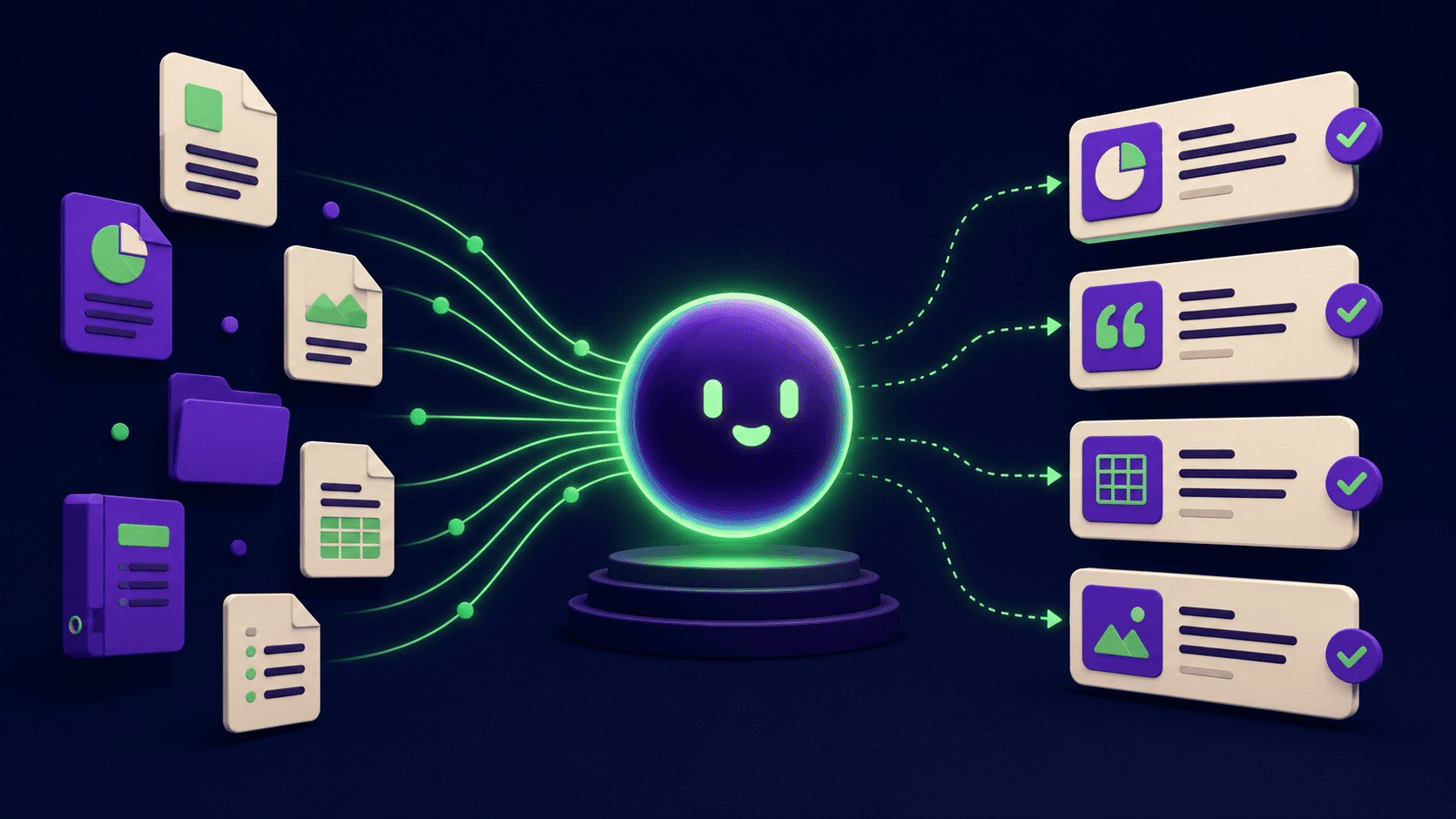
A RAG bot retrieves relevant chunks from your documents at query time and feeds them to a language model as context, so the answer is grounded in your actual content rather than the model's training memory. This is why it outperforms a fine-tuned chatbot: fine-tuning bakes knowledge into the model's weights, which go stale the moment your SOPs change. RAG reads the current version of your documents on every query, so the answer is always as fresh as your source files.
The alternative, a standard LLM without retrieval, answers from training data that cuts off months or years ago. It cannot know your internal pricing tiers, your vendor contracts, or your escalation policy. RAG solves this directly: the model only generates an answer after reading the retrieved passages, and you can require it to cite the exact source document and page.
A 2026 systematic review published in Applied Sciences (MDPI) found that RAG architectures show a 21.2 percent improvement in factual accuracy over ungrounded LLMs on enterprise document queries, with self-reflective RAG variants reducing hallucinations to 5.8 percent in tested clinical deployments. The principle holds across industries: ground the model in your documents, and accuracy climbs sharply.
For a deeper look at how agent architectures sit underneath these systems, see how AI agents work: architecture and implementation.
What Are the Six Build Stages for an Internal Knowledge Bot?
The build follows a fixed sequence: collect sources, prepare them for retrieval, build the retrieval layer, add guardrails, deploy where people work, and create a feedback loop to keep it accurate. Each stage has at least one real gotcha that trips teams the first time.
Stage | What happens | The gotcha |
|---|---|---|
1. Gather sources | Identify and export every document the bot should know: SOPs, wikis, ticketing history, contracts, onboarding guides, FAQs. | Teams discover half their "documentation" lives in chat threads, spreadsheet comments, and email chains that are not exportable as clean text. Plan two to three weeks just for this audit. |
2. Chunk and embed | Split documents into overlapping segments (typically 200 to 500 tokens each), run each chunk through an embedding model, and store the vectors in a vector database. | Chunk size and overlap settings dramatically affect retrieval quality. Too large and the retrieved chunk contains noise; too small and context is missing. This requires tuning against real queries, not a one-and-done setting. |
3. Retrieval layer | When a user asks a question, the same embedding model converts the query to a vector, the vector store returns the top-k most similar chunks, and those chunks are injected into the prompt sent to the language model. | Semantic similarity alone can fail on exact-match queries (product codes, ticket IDs, policy numbers). Hybrid retrieval, combining vector search with keyword (BM25) search, typically outperforms pure vector search on enterprise data. |
4. Guardrails | Require the model to cite the source document for every claim. Configure a clear "I do not know" response when no relevant chunk is found. Enforce access control so users only retrieve documents they are permitted to see. | Access control is almost always underestimated. If the vector store holds HR performance reviews, finance forecasts, and general onboarding docs in one index, a junior employee can inadvertently retrieve confidential content just by asking the right question. |
5. Deploy where people work | Surface the bot in Slack, Microsoft Teams, or a web interface. The orchestration layer (an n8n workflow, for example) routes the incoming message, calls the retrieval layer, calls the language model, formats the answer with citations, and posts the reply. | Users abandon bots that live in a separate portal. Slack or Teams integration is the difference between daily use and a forgotten bookmark. Plan the UI surface before you plan the backend. |
6. Feedback loop | Log every query, retrieved chunk, answer, and thumbs-up or thumbs-down rating. Use this data to identify missing documents, stale chunks, and retrieval failures. | Without a feedback loop, the bot degrades silently as your documentation grows and changes. Treat the log as a continuous improvement queue, not an audit trail. |
Stage 1: How Do You Gather and Clean Your Internal Sources?
Start by listing every knowledge surface your team actually uses to answer questions, not every surface that theoretically exists. Common sources for SMB and mid-market teams include Google Drive or SharePoint document libraries, Confluence or Notion wikis, Zendesk or Jira ticket exports, HR policy PDFs, onboarding checklists, and contract folders.
The cleaning work is where teams spend far more time than expected. Scanned PDFs need OCR conversion before they can be embedded. Documents with heavy table formatting often produce garbled text when parsed. Out-of-date files need to be archived, not fed to the bot, or the bot will confidently cite a 2019 refund policy that was replaced in 2023.
A practical first step: assign one person to tag every document as "current," "superseded," or "exclude." Only ingest "current" documents in version one. Expanding scope is easy once the pipeline is working; cleaning up a bot trained on stale data is painful.
See the document and knowledge management tools category for the platforms that handle ingestion from the most common sources.
Stage 2: What Does Chunking and Embedding Actually Mean?
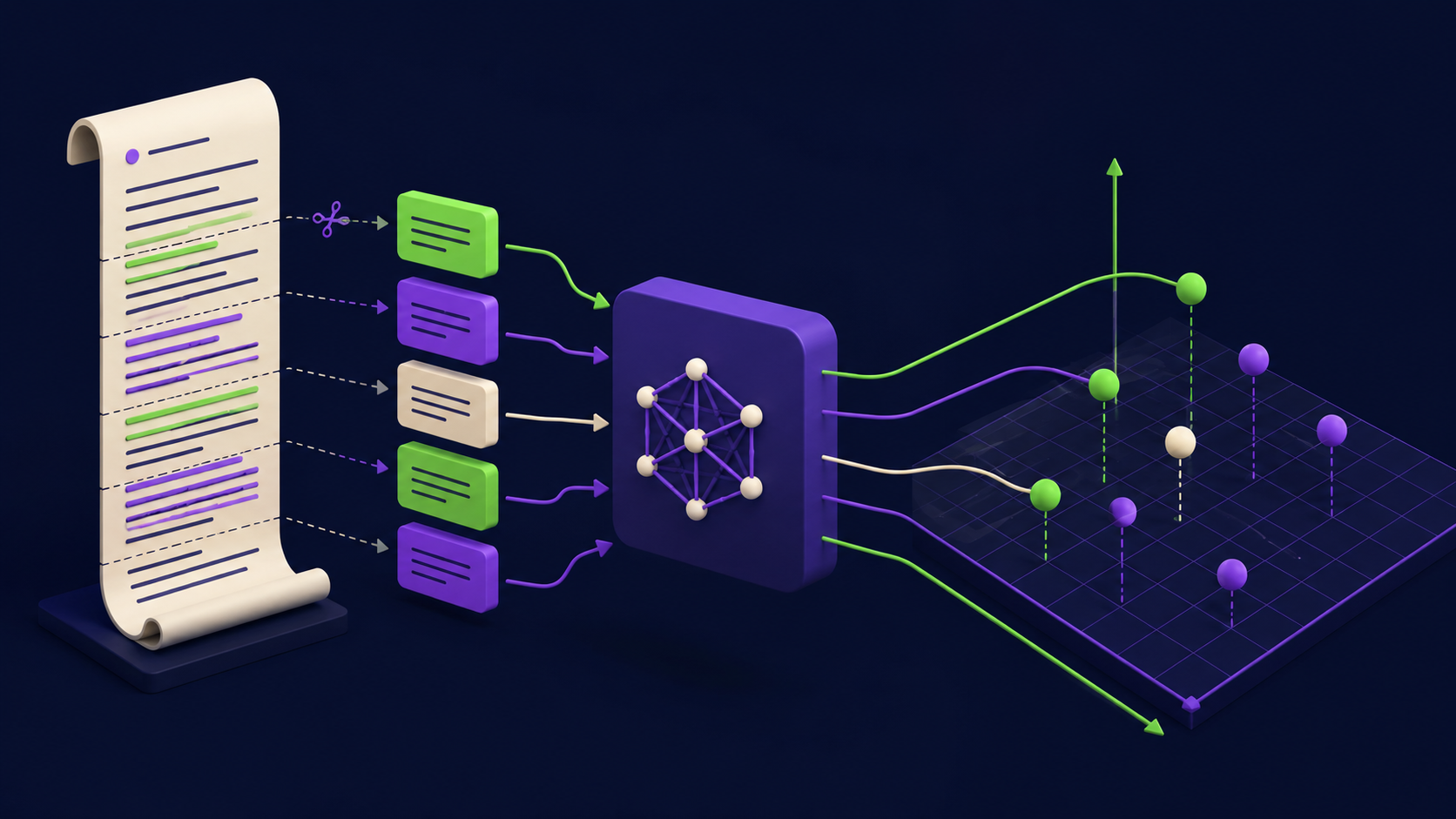
Chunking means splitting a long document into smaller overlapping passages so the retrieval system can return the specific passage that answers the question, not the entire 40-page policy document. A typical chunk is 300 to 500 tokens (roughly 200 to 350 words), with a 20 percent overlap between consecutive chunks so sentences do not get cut off at boundaries.
Embedding means running each chunk through a model that converts text to a list of numbers (a vector) that represents its meaning. Semantically similar passages produce similar vectors. These vectors are stored in a vector database.
Weaviate is a widely deployed open-source vector store that supports hybrid search (combining vector similarity with keyword matching) out of the box, which helps on the exact-match query problem noted in Stage 3. Pinecone is a managed cloud alternative with a simpler setup if you want to avoid self-hosting. Both support metadata filtering so you can restrict retrieval by department, document type, or access tier.
The embedding model you choose affects retrieval quality. OpenAI's text-embedding-3-large and Cohere's embed-v4 are strong general-purpose choices in 2026. For teams that cannot send documents to external APIs for compliance reasons, open-source models like BGE-M3 run on a local GPU and perform comparably on English-language enterprise text.
Stage 3: How Does the Retrieval Layer Actually Work?
When a user types a question in Slack, the orchestration layer does the following in under two seconds: converts the question to a vector using the same embedding model used during ingestion, queries the vector store for the top three to five most similar chunks, assembles those chunks into a prompt that says "Answer the user's question using only the passages below," and sends the assembled prompt to the language model.
The language model generates an answer based on the retrieved passages, cites the source document names, and returns the response. The orchestration layer formats it and posts it back to Slack.
n8n works well as the orchestration layer for this because each step (receive Slack message, call vector store, call LLM, post reply) is a node in a visual workflow, no code required. This is the same approach used in n8n's own published template for a Slack RAG bot with Google Drive and Claude. For teams with more complex pipeline needs, LlamaIndex provides a Python framework specifically built for RAG pipeline construction, with built-in query transformations and reranking steps that improve retrieval accuracy.
For practical n8n workflow patterns at this level, the 15 n8n AI agent workflows you can build in a weekend post covers several retrieval patterns in detail.
Stage 4: What Guardrails Does an Internal Bot Require?
Three guardrails are non-negotiable before you put an internal bot in front of employees.
Mandatory citations. The system prompt must require the model to state which document and section it drew from for each answer. This makes errors visible: if the bot cites the wrong section, an employee can check. Without citations, errors are invisible and erode trust faster than no bot at all.
Confident "I do not know" responses. When the retrieval step finds no relevant chunks above a similarity threshold, the bot must say so clearly rather than generating a plausible-sounding guess. Set a minimum similarity score threshold (typically 0.75 to 0.80 on a 0-to-1 scale) below which the bot replies "I could not find a reliable answer in our internal documents. Please check with [relevant team]." This is more useful than a hallucinated policy detail.
Access control at the chunk level. Tag every document during ingestion with the access tier (public to all staff, HR-only, finance-only, executive-only). At query time, filter the vector store retrieval to only return chunks the requesting user is authorized to see. This requires connecting the bot's identity layer to your directory service (Google Workspace, Azure AD, Okta). Skipping this step means that asking "what is the salary band for a senior engineer" can surface HR data to someone who should not see it.
73 percent of enterprises in a 2026 survey cited data security as the primary barrier to AI adoption. Access control at the chunk level is the technical answer to that concern.
Stage 5: How Do You Deploy an Internal Bot to Slack or Teams?
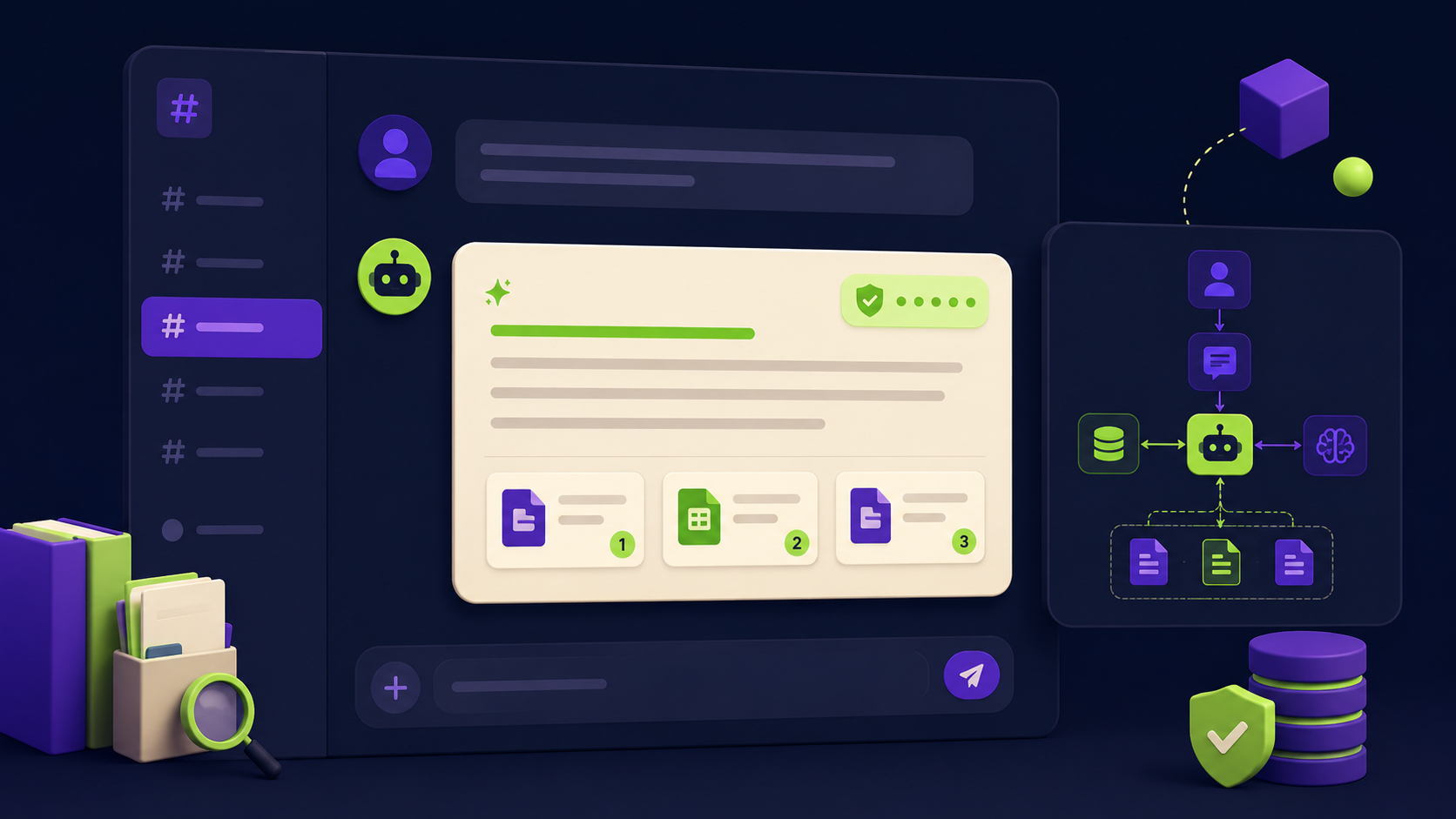
The integration itself is straightforward once the pipeline is built. For Slack, you create a Slack app with the "messages" and "app_mentions" event subscriptions, configure a webhook that fires into your n8n orchestration workflow when the bot is mentioned, and the workflow handles the rest.
For Microsoft Teams, the Bot Framework connector handles the same role. Both approaches give you a bot that employees can mention by name (@knowledge-bot what is our remote work policy) and receive a cited answer in the channel within a few seconds.
The decision that matters most at this stage is where to host the orchestration and vector store. Three options exist:
Fully managed cloud: Weaviate Cloud, Pinecone, and a hosted n8n instance. Lowest ops burden, highest monthly cost at scale, documents leave your infrastructure.
Self-hosted on your own VPS or cloud VM: Weaviate and n8n both run on Docker. Documents stay on your servers. Requires someone to handle updates and backups.
Hybrid: Orchestration in managed n8n cloud, vector store self-hosted for data residency compliance.
For teams considering full AI agent deployments beyond a single knowledge bot, AI agents for business: 12 things to automate in 2026 covers how a knowledge bot fits into a broader internal automation stack.
Stage 6: Why Is the Feedback Loop the Stage Most Teams Skip?
A knowledge bot launched without a feedback loop degrades over time as documents change, new policies are added, and retrieval edge cases accumulate. The feedback loop is the mechanism that makes the bot improve rather than drift.
The minimum viable feedback loop has three components. First, log every query, the top retrieved chunks, and the generated answer to a database or spreadsheet. Second, add a thumbs-up or thumbs-down reaction button to every bot response in Slack (Slack's Block Kit makes this a four-line addition to the workflow). Third, review the negative-feedback log weekly for the first two months. The most common findings are missing documents (a whole category of knowledge was not ingested), stale documents (the bot cited an old policy), and retrieval failures (a question phrased in casual language did not match the formal language in the policy document).
The review session should produce three outputs each week: documents to add, documents to update, and query rephrasings to add to the test set. After four to six weeks of this cycle, most bots reach a stable accuracy level that only needs monthly maintenance.
The same workflow pattern applies to other internal automation projects. The replace four SaaS subscriptions with n8n AI agents guide shows how a feedback-loop mindset applies across back-office automation.
What Are the Honest Hard Parts of Building a Knowledge Bot?
Most vendor demos show a knowledge bot trained on ten clean PDFs answering questions perfectly. Real deployments are messier. Here are the problems that routinely slow or derail builds.
Data quality is almost always worse than expected. A team of 40 people often has three to five versions of the same SOP floating across Drive folders, Dropbox, and email attachments. Ingesting all versions produces contradictory answers. The fix is a documentation owner who signs off on the canonical version of each document before ingestion. This is an organizational task, not a technical one.
Retrieval fails on ambiguous questions. "What is the process?" is unanswerable without knowing which process. A well-configured bot handles this with a clarifying question: "Which process are you asking about? Options: onboarding, vendor payment, customer refund." Building these clarification flows requires prompt engineering work that is easy to underestimate.
Keeping the index current requires a sync pipeline. If your SOPs live in Google Drive and someone updates a document, the bot does not automatically know. You need a scheduled job (an n8n workflow on a cron trigger works well here) that checks for modified files and re-embeds updated chunks. Without this, the bot drifts from reality within weeks on an active team.
User trust is hard to rebuild once broken. If the bot confidently answers incorrectly in the first two weeks, employees stop using it. Launching with a narrow, well-tested scope (onboarding questions only, for example) and expanding scope once accuracy is confirmed is far more effective than launching with full document coverage and fixing problems under live usage pressure.
For context on what realistic AI automation investment looks like at this scale, see the 2026 AI automation rate card.
Want your back office automated for you?
Vantaige audits your operations, finds the hours bleeding into manual work, and builds the AI workflows that reclaim them. Book a free process automation audit and we will show you the first three workflows worth building.
Frequently Asked Questions
How long does it take to build an internal knowledge bot?
A basic single-use-case bot, covering one department's FAQs with three to five document sources, can be live in four to eight weeks. A multi-source deployment covering several departments, with access control tiers and Slack integration, typically runs three to five months. The longest phase is almost always the document audit and cleaning in Stage 1, not the technical build.
What is the difference between RAG and fine-tuning?
Fine-tuning trains the language model's weights on your data. RAG retrieves your data at query time without changing the model. RAG is almost always the right choice for internal knowledge bots because your documentation changes frequently. Fine-tuned models go stale immediately when your documents update. RAG bots reflect the current state of your documents on every query.
Do I need an in-house AI engineer to build this?
Not for a standard SMB or mid-market deployment. Tools like n8n handle the orchestration visually. Weaviate runs on Docker with straightforward configuration. The harder requirement is a technically literate project lead who can manage the document audit, test retrieval quality, and coordinate the Slack app setup. If that person does not exist internally, an automation agency can own the full build.
How do I prevent the bot from making up answers?
Three settings control this. First, set a retrieval confidence threshold so the bot declines to answer when no highly relevant chunk is found. Second, write a system prompt that explicitly instructs the model to answer only from retrieved passages and say "I do not know" otherwise. Third, require citations in every answer. These three together reduce confident hallucinations to near zero on well-indexed document sets.
How much does it cost to run an internal knowledge bot?
Cost has three components: the vector database (Weaviate self-hosted is free, Pinecone runs $70 to $700 per month depending on index size), the embedding API (roughly $0.10 to $2 per million tokens, so pennies per document at ingestion), and the language model API for answer generation (typically $1 to $20 per million output tokens depending on the model). For a 50-person team asking 200 questions per day, total API costs typically fall under $200 per month. Infrastructure hosting adds $20 to $100 per month if self-hosted.
Can the bot handle multiple languages?
Yes, with an embedding model that supports multilingual encoding. BGE-M3 and Cohere's embed-multilingual-v3 both produce accurate vectors for mixed-language document sets. The language model layer handles multilingual generation natively in models like Claude and GPT-4o. For teams with documents in French, Spanish, or German alongside English, specify the multilingual embedding model at ingestion time and the system handles the rest without separate indexes.
Related from Vantaige
References
Cmarix. "RAG and AI Trust Statistics 2026: Beating Hallucinations." https://www.cmarix.com/blog/rag-ai-statistics/
MDPI Applied Sciences. "RAG and LLMs for Enterprise Knowledge Management: A Systematic Literature Review." https://www.mdpi.com/2076-3417/16/1/368
Squirro. "RAG in 2026: Bridging Knowledge and Generative AI." https://squirro.com/squirro-blog/state-of-rag-genai
Kellton Tech. "Custom AI chatbot development with LLMs and RAG: 2026 cost and timeline guide." https://www.kellton.com/kellton-tech-blog/custom-ai-chatbot-development-llm-rag
Get the best new AI tools and guides, weekly
One short email a week. The tools worth trying, the guides worth reading, nothing else.
No spam. Unsubscribe anytime.
Aymen B
Contributing writer at Vantaige, covering the AI tools ecosystem.
Similar articles
AI Customer Support Automation: Cut Ticket Volume 50% Without Hurting CX
The AI Automation Maturity Model: Where Is Your Business on the Curve?