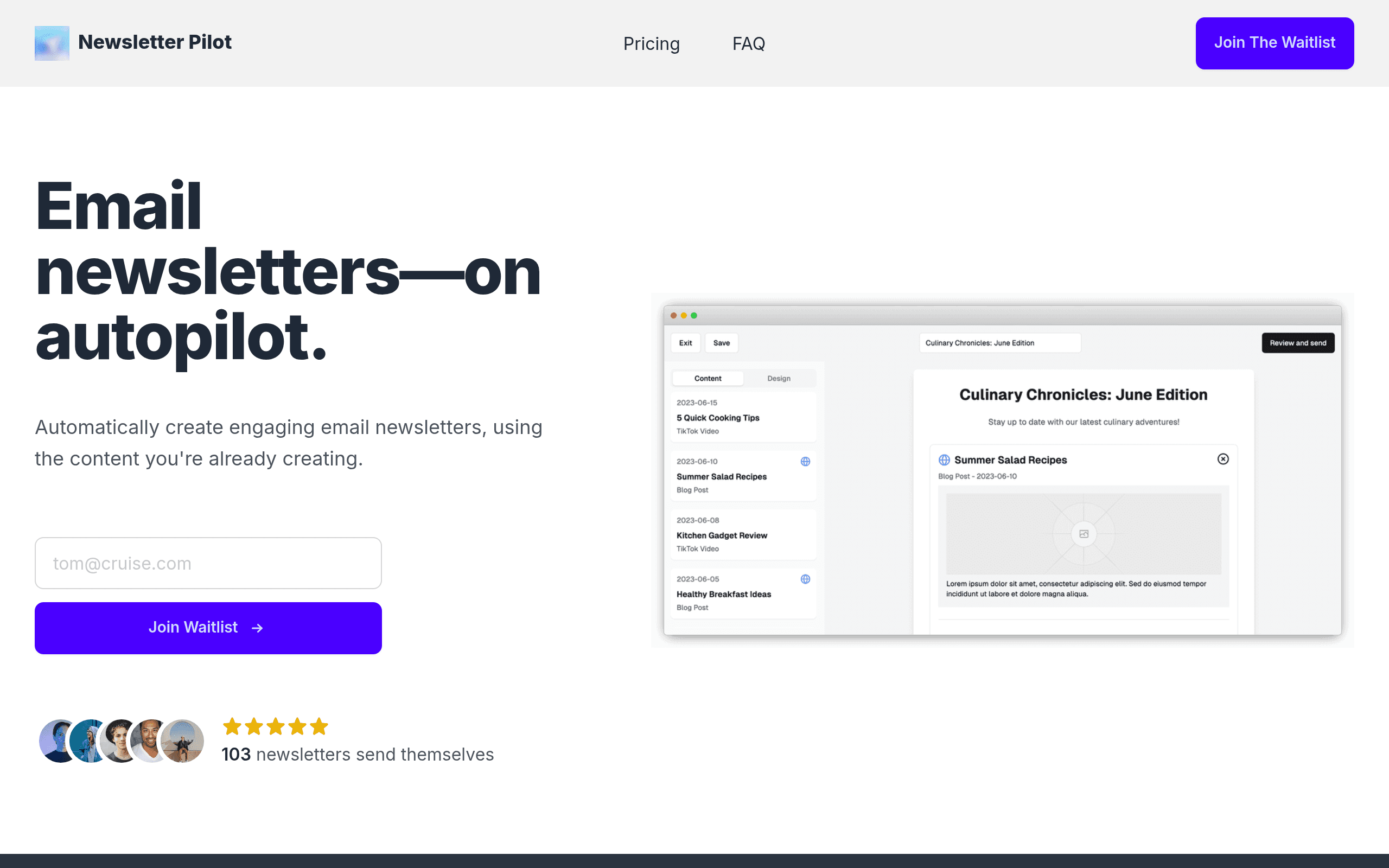

Newsletter Pilot automates email curation by extracting insights from URLs and RSS feeds to generate professional drafts. Marketers and creators use it to build weekly summaries in under 60 seconds. While it exports straight to Mailchimp, its design templates remain limited compared to dedicated email builders.
What is Newsletter Pilot?
Most email marketers spend three hours formatting links before writing a single original sentence. Newsletter Pilot cuts that manual curation process down to 60 seconds.
Developed by Newsletter Pilot, this AI-powered newsletter automation tool targets creators and business owners who publish weekly roundups. The software extracts text from URLs and RSS feeds to generate complete email drafts. You paste a link, and the AI writes the summary.
- Primary Use Case: Curating industry news from RSS feeds into automated weekly email summaries.
- Ideal For: Solo creators and small marketing teams publishing high-frequency roundups.
- Pricing: Starts at $19/month (Freemium). The free tier offers 200 actions, which fails to cover a month of testing.
Key Features and How Newsletter Pilot Works
Automated Content Curation
- URL and RSS Extraction: Pulls text from any public link or feed, limited to the 2,500 monthly actions on the Pro plan.
- YouTube Summarization: Converts video transcripts into short text segments, though complex technical videos require manual fact-checking.
Drafting and Brand Voice
- One-Click Layouts: Generates headers and body text in under a minute, restricted to a small set of basic templates.
- Custom Voice Training: Learns your writing style from past uploads, restricted to paid users.
- Multi-Language Translation: Translates generated text into 20 different languages, consuming action credits for each translation request.
Integrations and Exporting
- Direct ESP Connections: Pushes drafts straight to Mailchimp, HubSpot, Brevo, and Constant Contact without copy-pasting.
- Image Generation: Creates custom visuals via DALL-E or pulls from Unsplash, limited by your monthly action allowance.
Newsletter Pilot Pros and Cons
Pros
- Reduces the curation process from hours to 60 seconds using automated URL extraction.
- Direct integrations with Mailchimp and HubSpot prevent formatting errors during the export process.
- Summarization logic maintains the original context of source articles without hallucinating facts.
- The interface requires zero technical knowledge or design experience to operate.
Cons
- AI-generated summaries of complex technical topics require manual fact-checking.
- Design templates lack the flexibility found in specialized email builders like Canva or BeeFree.
- The 2,500 action limit on the $19 Pro plan restricts high-frequency daily publishers.
- Exporting to older versions of Microsoft Outlook causes occasional layout shifts.
Who Should Use Newsletter Pilot?
- Solo Creators: You save hours of manual reading and summarizing by feeding URLs straight into the draft generator.
- Small Marketing Teams: The Pro plan allows two build users to collaborate on weekly industry roundups.
- Global Publishers: You can translate your weekly updates into 20 languages to reach international subscribers.
- Not for Design-Heavy Brands: If your emails rely on complex visual layouts and custom HTML, this tool lacks the necessary design flexibility.
Newsletter Pilot Pricing and Plans
The Free plan costs $0 per month. It includes 200 actions, one build user, and one shared project. This functions more like a trial than a sustainable free tier.
The Pro plan costs $19 per month. It increases your limit to 2,500 actions and adds a second build user. You also get unlimited workforces and access to the interactive chat mode.
The Team plan costs $234 per month. It provides 7,000 actions, five build users, and 45 end users. This tier includes an analytics dashboard to track open rates.
The Enterprise plan uses custom pricing. It offers unlimited users, custom actions, and enterprise-grade security.
How Newsletter Pilot Compares to Alternatives
Similar to Rasa.io, Newsletter Pilot focuses on automated curation. Rasa.io personalizes the newsletter content for every individual subscriber based on their clicking habits. Newsletter Pilot generates a single static draft for your entire list. Rasa.io costs more, making Newsletter Pilot the better choice for budget-conscious creators.
Unlike Letterdrop, which operates as a complete content operations platform for B2B marketing teams, Newsletter Pilot handles only email generation. Letterdrop integrates with Webflow and LinkedIn to distribute content across multiple channels. Newsletter Pilot stays in the inbox. For basic email summaries, Letterdrop is expensive overkill.
The Verdict: Best for Solo Curators and News Aggregators
Newsletter Pilot delivers massive time savings for creators who build link-heavy weekly roundups. You paste URLs, and the software builds a readable draft. (I tested the Mailchimp export, and the formatting held up well).
The tool struggles with complex visual designs.
Brands needing intricate layouts should choose BeeFree. The $19 Pro plan offers enough capacity for a standard weekly publisher, but daily news aggregators will exhaust the 2,500 action limit in days.
Expect Newsletter Pilot to add deeper native analytics and subscriber segmentation features within the next 12 months.
User Reviews
No reviews yet. Be the first to share your experience!
Sign in to write a review.
Related articles
Guides and articles related to Newsletter Pilot.

The AI Content Automation Stack: 7 Tools That Run a Full Blog Without a Team

AI Agents for Business: What They Actually Are and 12 Things You Can Automate Today

How to Build an AI Newsletter to 10k Subscribers in 90 Days (2026)

The Personal AI Productivity Stack (2026): One Tool Per Job, Nothing Extra

AI Automation Agency From Zero: The First-Five-Clients Playbook (2026)