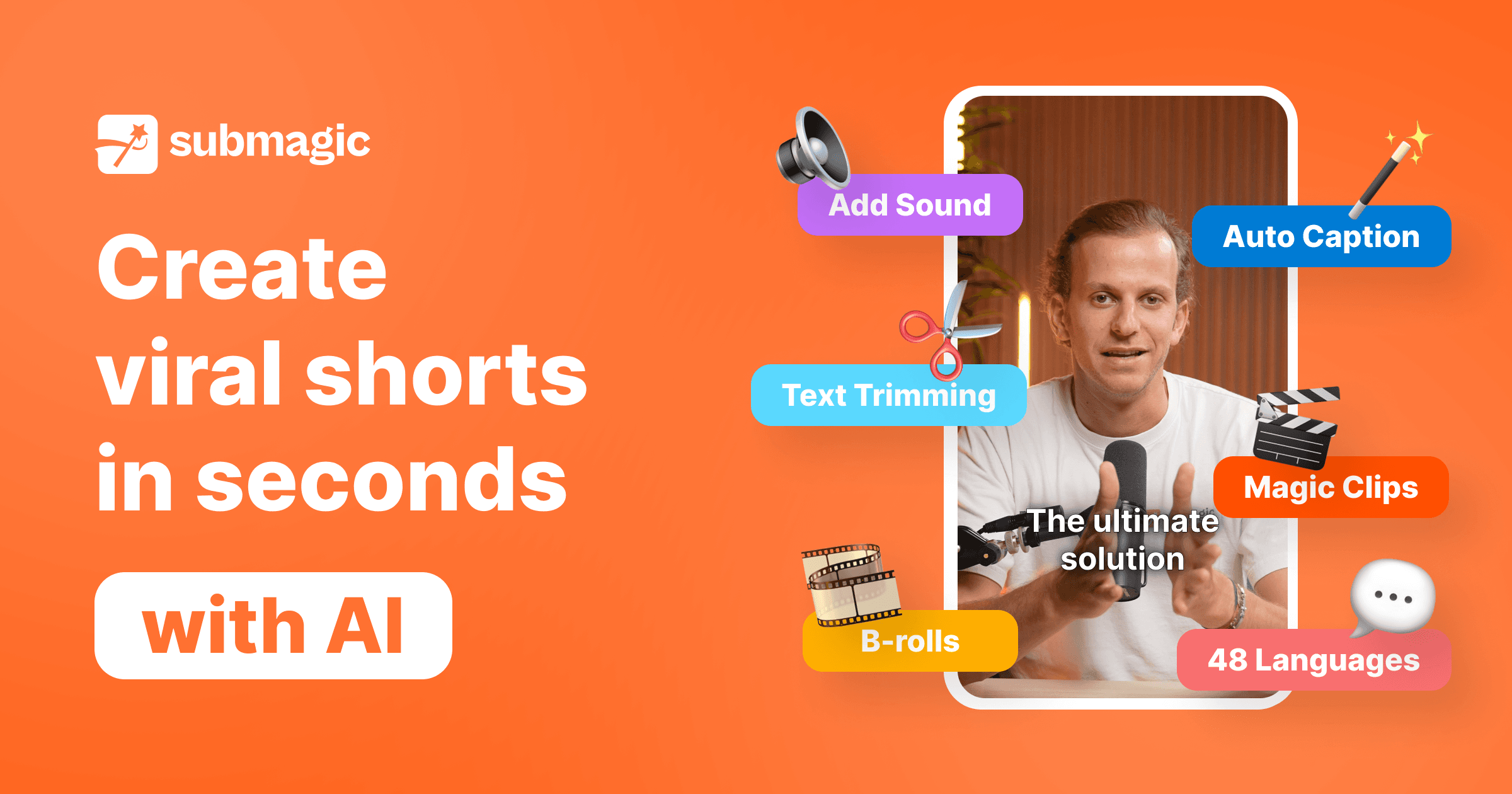

Submagic is an AI video editor built for short-form creators. It generates animated captions in 48 languages, auto-inserts contextual B-roll, removes silences, and extracts viral clips from long-form content, all in one click.
Submagic is a web-based AI video editing platform that does one thing exceptionally well: turning raw talking-head footage into polished, caption-rich short-form content for TikTok, Instagram Reels, and YouTube Shorts. Built by David Zitoun and co-founder Tsi-fei Chan and launched in May 2023, the tool reached $1M ARR in 90 days without a single dollar of outside funding, driven almost entirely by an affiliate network of TikTok creators. As of April 2026, Submagic serves 4M+ active users including teams at Shopify, Booking.com, Uber, and iHeartMedia, and runs on $8M ARR with a 15-person remote team.
The platform automates the most time-consuming parts of short-form production: AI Captions in 48+ languages with 99% accuracy, one-click AI Auto Edit that removes silences and applies strategic zoom on emotional moments, contextual B-roll insertion from the Storyblocks library based on transcript analysis, Magic Clips for extracting viral shorts from long-form uploads, AI hook title suggestions, caption translation for multilingual distribution, and a social scheduling feature for TikTok, Instagram, and YouTube Shorts. An API is available on Business plans for agency workflows and automated pipelines. The platform exports up to 4K at 60fps on higher tiers. There is no mobile app - Submagic runs entirely in the browser.
What Submagic outputs in April 2026
Submagic's core output is a styled, captioned, B-roll-enhanced short-form video clip ready to post. The AI Caption engine supports 48 languages, with word-by-word animated highlighting in dozens of templates organized into categories: Trending, Premium, Emoji, Speakers, and New. Templates cover the full range of popular short-form styles, including the bold uppercase Hormozi-style format, handwritten overlays, highlighted word reveals, and multi-speaker labeled captions. Font size, caption position, and color scheme are all adjustable post-generation.
The AI Auto Edit pipeline chains together several automated steps: silence removal trims dead air from the raw clip, Auto Zoom applies zoom effects at transcript-analyzed emotional peaks, and the B-roll system selects contextually relevant footage from Storyblocks based on keywords in the transcript, inserting it at appropriate moments without manual selection. On the Submagic 2.0 platform launched December 9, 2024, these steps are toggleable individually in the AI Boost panel, letting creators leave out any step they want manual control over.
Magic Clips, available as a $12/mo add-on, ingests videos up to 30 minutes (on Business plan) and uses AI to identify the most shareable moments, generating multiple short clips with captions already applied. The AI Actors Studio allows creation of avatar-based videos without filming, useful for faceless channels or scaling content production.
Resolution scales with plan: 1080p at 30fps on Starter, 2K at 30fps on Pro, 4K at 60fps on Business. Video length caps are 2 minutes on Starter, 5 minutes on Pro, 30 minutes on Business. Exports go directly to TikTok, Instagram Reels, and YouTube Shorts through the built-in social publishing feature, or download locally in standard formats.
"Submagic makes the editing process nine times faster." - Mads P. Rossau, Submagic reviews page, 2024
"Submagic saves me 30-60 minutes per video by automatically generating subtitles." - Anders B., Submagic reviews page, 2024
Where Submagic sits versus CapCut and Opus Clip
The short-form video editing space breaks into roughly three tool categories: broad-purpose free editors (CapCut), long-form repurposing specialists (Opus Clip), and caption-first production accelerators (Submagic). The mechanical differences matter for choosing the right tool.
CapCut (ByteDance, free) is a full multi-track video editor available on mobile and desktop. Its auto-caption feature uses a standard speech-to-text pipeline that is accurate but limited in styling. CapCut offers roughly 20-30 caption templates compared to Submagic's 50+ viral-optimized animated styles. Critically, CapCut is entirely free with no watermark on exports, making it the right choice for casual creators posting fewer than 10 videos per month or anyone unwilling to pay for a dedicated tool. CapCut's B-roll feature requires manual browsing and selection; Submagic's AI picks B-roll contextually from the transcript without any human input. CapCut's mobile apps for iOS and Android are a significant advantage Submagic cannot match.
Opus Clip ($15/mo starting) specializes in long-form-to-short-form repurposing. Its unique differentiator is the "Virality Score," a multi-modal AI that analyzes video, audio, and text simultaneously to predict engagement potential before export, assigning a percentage score to each clip candidate. Submagic's Magic Clips add-on does similar extraction but does not produce a virality prediction. Opus Clip's captions are functional but less customizable and support fewer language styles than Submagic's engine. Opus Clip includes clip extraction in its base plan pricing; Submagic charges it as an add-on. For creators whose primary use case is repurposing podcasts or webinars into social clips, Opus Clip is the sharper tool. For creators producing original short-form content and needing the best possible caption variety and B-roll automation, Submagic wins. Many teams use both.
Submagic also competes with tools like HeyGen for avatar-based video production, and with general AI video editors like Runway for more advanced generation tasks. For teams needing to repurpose existing video into multiple formats, Visla and 2short.ai address adjacent workflows, while Pika handles AI-generated video from scratch rather than editing uploaded footage.
The real cost of generating video with Submagic
The free plan is a trial, not a working tier. Three watermarked videos at 90 seconds maximum is not enough footage to properly evaluate Submagic before paying. The practical entry point is the Starter annual plan at $12/mo, which gives 15 videos per month at up to 2 minutes each, without watermarks.
For creators posting daily on TikTok (30 videos per month), the Starter plan runs out. The Pro plan at $23/mo annual ($39/mo monthly) covers 40 videos up to 5 minutes each, which fits most serious solo creators. The 41% annual discount is substantial: paying monthly costs $39 vs. $23 billed annually, a $192 annual difference.
The Magic Clips add-on is where the pricing friction lives. Long-form-to-short extraction is the feature most prominently marketed on Submagic's landing page, yet it costs an extra $12/mo annual ($19/mo monthly) on top of the base plan. A Pro user adding Magic Clips pays $35/mo annual. Competitors like Opus Clip bundle equivalent functionality into their base subscription. This is the most common pricing complaint in review threads.
API access starts at 10 min/month on Starter and Pro, which is minimal for any automation workflow. The Business plan includes 100 min/month API, and additional API minutes are sold in credit packs at $0.10-$0.15/min. Agencies running high-volume pipelines should budget API overages into their cost model.
The Business + API plan at $41/mo annual is the agency tier: 100 videos/month at up to 30 minutes each, 4K at 60fps, 10 custom templates, brand assets, unlimited users, and priority support. For a team producing 50+ branded Reels per week, this is the only plan that scales.
Where Submagic consistently breaks
The most persistent technical complaint, documented consistently on G2, Product Hunt, and Trustpilot, is processing queue delays. Videos get stuck mid-export, particularly during peak usage hours, requiring re-uploads. Some users report needing 2-3 attempts to get a video through the queue successfully. For an agency with a same-day publishing deadline, this is a real operational risk.
Caption text going off-screen is a secondary issue that appears in hands-on testing. The AI places captions based on the video frame, but unusual aspect ratios or footage with fast movement can push text partially outside the safe zone. Manual correction is needed in these cases.
The billing and refund situation has generated a pattern of negative reviews. Submagic's policy explicitly prohibits refunds, and multiple users report being charged for annual renewals without reminder emails. One Trustpilot reviewer described being charged for a full year "with no reminder, no heads-up." The resolution path, based on public review responses, often requires escalating to a Stripe chargeback dispute. This is not a product quality issue, but it is a customer experience issue that appears repeatedly and is worth flagging for creators who are cautious about auto-renewing SaaS subscriptions.
The Magic Clips add-on extracts clips but does not include a virality prediction system. Creators who rely on Opus Clip's engagement scoring before deciding which clips to post will find Submagic's extraction unscored and less selective.
There is no mobile app. David Zitoun has acknowledged this gap publicly ("The first time someone asked for an app was one week after launch. We still don't have one") as a deliberate product focus choice. For mobile-first creators who edit on their phones between shoots, this is a dealbreaker.
"They charged me for a full year of service - no reminder, no heads-up." - Peg Fitzpatrick, Product Hunt review, 2024
Best use cases versus skip-this scenarios
Submagic earns its subscription cost most clearly for creators posting 15+ short-form videos per week. At 30-60 minutes saved per video on caption styling and B-roll selection alone, a creator posting 20 videos per week saves 10-20 hours monthly. The math is simple, and multiple independent reviews document it. One agency (documented via ColdIQ review) reported saving 24 hours per week across their team after switching from manual workflows.
Social media agencies handling multiple client accounts benefit from the Business plan's unlimited-users pricing and API access. The brand asset management, custom templates, and social publishing scheduler reduce the per-video production overhead significantly at scale. Teams processing 100+ videos per month find the $41/mo annual rate exceptional value compared to per-seat alternatives.
Multilingual creators producing content for international audiences get genuine value from the 48-language caption engine and caption translation feature. The accuracy at non-English languages is repeatedly noted in reviews as better than CapCut's equivalent.
Skip Submagic when: you post fewer than 10 videos per month and CapCut's free tools are sufficient; you need to edit on mobile; you require a full non-linear video editor with multi-track timeline, color grading, or advanced audio mixing; you are building long-form YouTube content where the 5-minute cap is restrictive; or you need a virality prediction score on extracted clips before deciding what to post. Also skip if you are sensitive about no-refund subscription policies - set a calendar reminder for the annual renewal date.
The tool is genuinely best-in-class for its specific niche. If you are a short-form creator who spends meaningful time weekly on caption styling, silence trimming, and B-roll hunting, Submagic converts that time into cost. The creator community reception bears this out: 4.6/5 on Trustpilot across 766 reviews, 9.4/10 in hands-on testing by independent reviewers, and a bootstrapped growth trajectory that reached $8M ARR without paid acquisition - built almost entirely on creators recommending it to other creators.
User Reviews
No reviews yet. Be the first to share your experience!
Sign in to write a review.
Related articles
Guides and articles related to Submagic.

AI Instagram Reels Factory: 30 Reels/Day on Autopilot (2026)
Sell AI-Generated Short Films on TikTok Shop, Instagram & YouTube (2026)

How to Make Money Selling AI UGC Content for Brands (2026)
Does API Cost More Than a Subscription for Claude Opus 4.8, GPT-5.5, and Grok?