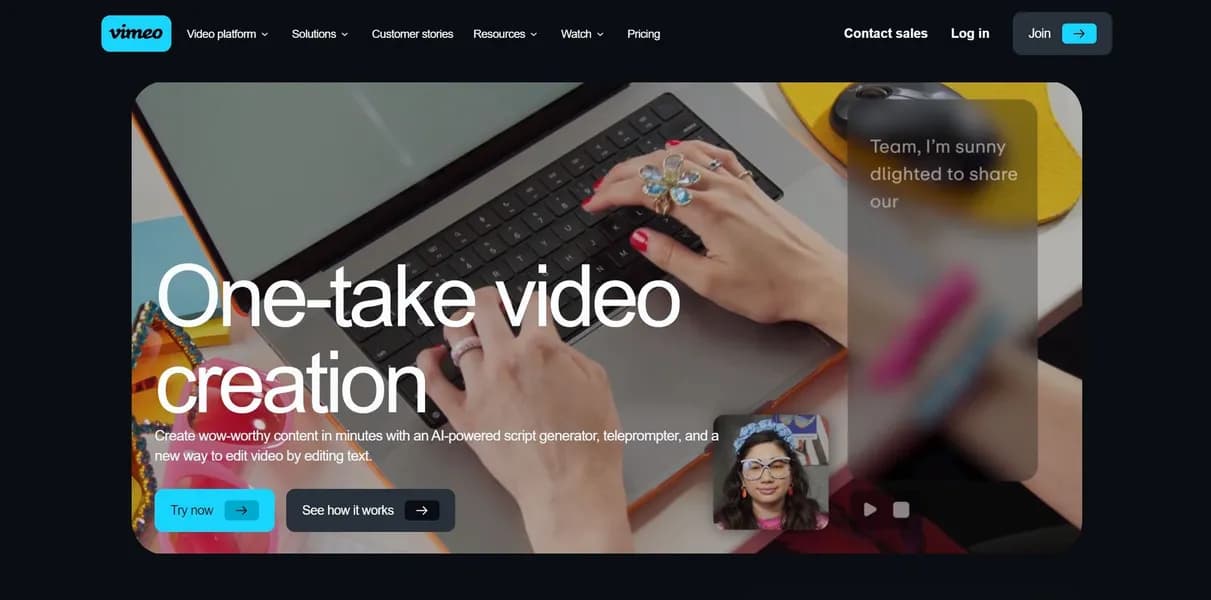

Vimeo AI provides a suite of video creation tools for professionals. Users can generate scripts, record with a teleprompter, and edit video by deleting transcript text. But advanced features require a $25 monthly subscription, and the 5GB free storage limit fills up in days.
What is Vimeo AI?
Over 300 million users host videos on Vimeo. Now, Vimeo AI adds a suite of creation tools to that hosting platform. Users generate scripts, record presentations, and edit footage by deleting text.
Vimeo Inc. built this toolset for corporate communicators and marketers. It solves the problem of slow video production. You type a prompt, read the generated script, and click a button to remove filler words.
- Primary Use Case: Text-based video editing and teleprompter recording for corporate communications.
- Ideal For: Marketing teams and internal communications professionals.
- Pricing: Starts at $12 (freemium) : The free tier limits storage to 5GB.
Key Features and How Vimeo AI Works
Script Generation and Teleprompter
- AI Script Generator: Creates video scripts based on prompts and tone. Limit: Requires manual editing for industry-specific jargon.
- AI Teleprompter: Built-in recording tool with adjustable scroll speed. Limit: Only available on Standard plans and above.
Text-Based Editing and Cleanup
- Text-based Editing: Edit video by deleting words from the transcript. Limit: Processing long videos causes browser lag (I tested this on a 10-minute video and noticed some stuttering).
- One-Click Filler Word Removal: Identifies and removes hesitation words. Limit: Struggles with heavy accents.
Hosting and Analytics
- Video Analytics: Dashboard showing play rates and viewer demographics. Limit: Advanced analytics require higher-tier plans.
- Brand Kit: Centralized storage for logos and colors. Limit: Restricted to paid subscriptions.
Vimeo AI Pros and Cons
Pros
- Users move from script generation to editing without leaving the platform.
- Text-based editing lets beginners cut video like a text document.
- The platform offers ad-free playback unlike standard social media platforms.
- The teleprompter and filler word removal reduce post-production time.
Cons
- Text-based editing is unavailable on Free and Starter plans.
- The 5GB free tier storage fills up in days with high-resolution files.
- Technical jargon causes errors in the auto-generated transcript.
Who Should Use Vimeo AI?
- Corporate Marketers: Teams needing quick social media clips benefit from the text-based editing.
- Internal Communicators: HR professionals can record updates in minutes using the built-in teleprompter.
- Solo Creators on a Budget: This is not a good fit. The $25 monthly cost for AI features prices out casual users.
Vimeo AI Pricing and Plans
The Free plan costs $0 per month. It includes one seat and 5GB of total storage. This tier acts as a trial.
The Starter plan costs $12 per month billed annually. It adds 100GB of storage and basic analytics.
The Standard plan costs $25 per month billed annually. It includes five seats and 2TB of storage. This tier unlocks the teleprompter and text-based editing.
The Advanced plan costs $75 per month billed annually. It provides 10 seats, 7TB of storage, and webinar capabilities.
Enterprise plans offer custom pricing. They include unlimited seats, custom bandwidth, and dedicated support.
How Vimeo AI Compares to Alternatives
Similar to Descript, Vimeo AI offers text-based editing and filler word removal. But Descript focuses on local and cloud editing with advanced audio tools. Vimeo AI integrates these features directly into a premium hosting platform. Descript offers more precise audio controls.
Unlike Loom, this tool provides a full teleprompter and script generator. Loom excels at quick asynchronous screen recordings. Vimeo AI targets polished presentations. Loom limits free users to five-minute videos. Vimeo restricts AI features on its free tier.
The Best User for Vimeo AI
Corporate teams get the most value from this platform.
Solo creators should look elsewhere. Descript remains a better choice for dedicated video editors needing advanced audio tools.
User Reviews
No reviews yet. Be the first to share your experience!
Sign in to write a review.
Related articles
Guides and articles related to Vimeo AI.

AI Video Generator Prompting: The Filmmaker's Real Workflow

Wix Logo Maker Review (2026): Real Costs, the Edit Catch, and AI Alternatives

Faceless YouTube AI Channel: $5,000+/Month Tutorial (2026)

Undetectable AI Review (2026): What It Does, What It Costs, and 7 Alternatives

AI User Testing in 2026: The Tools That Test Your Product While You Sleep