Make Claude Write Exactly Like You: The Voice-File Method (2026)

Make Claude Write Exactly Like You: The Voice-File Method (2026)
You think your writing voice is too personal to copy. It is mostly a short list of rules: how long your sentences run, the ten words you reach for, the three you never use, where you break a paragraph. Feed those rules to Claude as a file and the output reads like you wrote it. You believe you are too complex for a text file. You are not. This guide gives you the exact interview prompt, the compiler prompt that turns your answers into a roughly 30-line voice spec, and where to install that file so Claude Code, Claude Desktop, and the Anthropic API all condition on it. Anthropic's own system prompt guidance states that giving Claude an explicit role and style produces more consistent, on-target text than a bare request.
TL;DR
Your voice compresses into a short rule list, not a vibe.
Run one interview prompt to extract those rules from your samples.
Compile the answers into a roughly 30-line voice spec.
Install it as CLAUDE.md, a skill, or a system prompt.
Re-interview monthly so the file tracks your real voice.
· Founder, Vantaige · Published 2026-05-19 · 12 min read · Last reviewed 2026-05-19
What is the voice-file method for making Claude write like you?
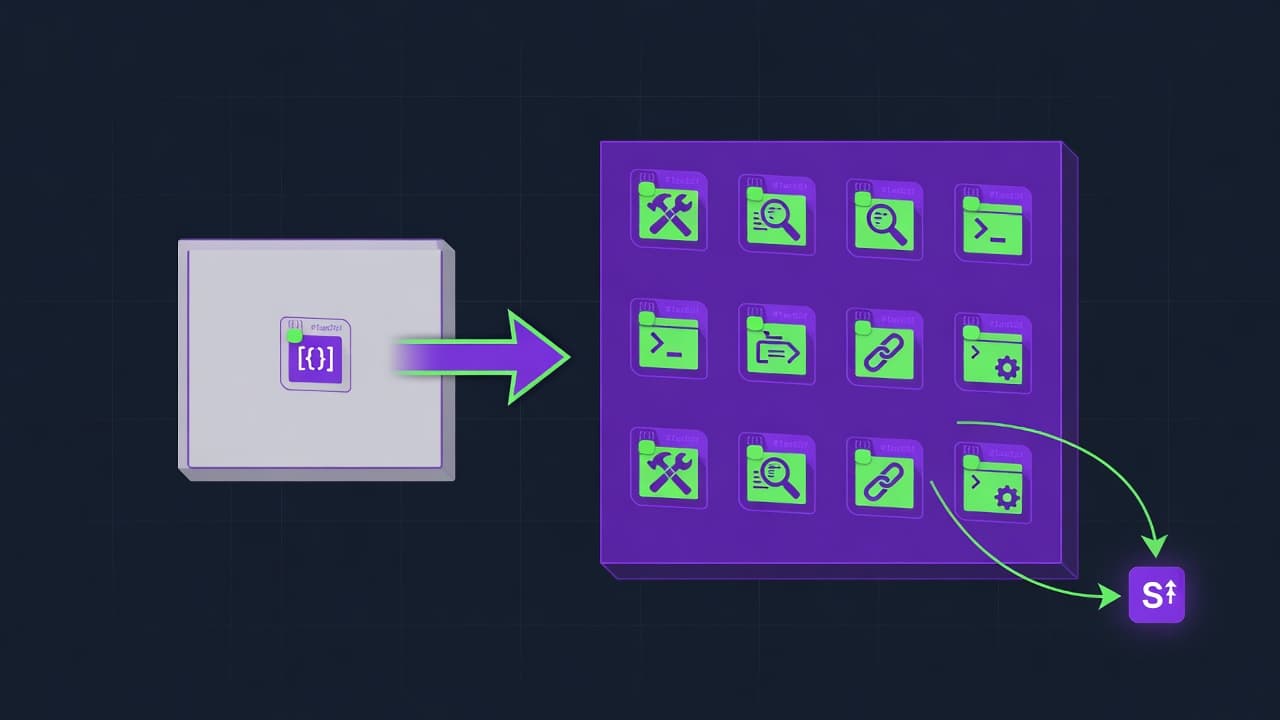
The voice-file method is writing your style as an explicit instruction file that Claude reads before it drafts anything. The file names your sentence rhythm, vocabulary, rhetorical habits, banned words, and formatting tics. Claude conditions every output on those constraints, so the text comes out in your voice instead of the default model register.
It works because a writing voice is not mystical. It is a finite set of measurable choices. Average sentence length. Whether you open with a claim or a question. The words you overuse. The words you would never type. Whether you use bullet lists or run everything in prose. Once those choices are written down, they are reproducible by anyone reading the list, including a language model.
This is the same idea behind the Claude Code memory consolidation setup: stable instructions live in a file the model reads every session, not in a chat you have to repeat. The difference here is the file describes how you sound, not what the project is.
What do you need to set up a Claude voice file?
You need three things: a Claude you can give persistent instructions to, three to five real samples of your own writing, and one markdown file. No plugin, no fine-tuning, no API key beyond what you already use. The whole setup takes about 30 minutes once and a 10-minute refresh each month.
Pick where the file will live based on how you use Claude:
Claude Code: a
CLAUDE.mdat the repo root, or a Skill at~/.claude/skills/voice/SKILL.mdfor cross-project reuse.Claude Desktop or claude.ai: a Project with the voice file pasted into the Project's custom instructions, or a saved Style.
Anthropic API: the file's text passed as the
systemparameter on every request.
For the samples, choose writing that already sounds like you at your best: a few emails, a published post, a long message you are proud of. Avoid anything ghost-edited or written to a template. The samples are the ground truth the interview reads, so garbage samples produce a garbage voice file. The Claude Code Skills surface is documented in Anthropic's Skills reference, and the API system parameter in the Messages API docs.
What is the interview prompt that extracts your writing voice?

The interview prompt is a single message that hands Claude your samples and asks it to reverse-engineer your style into named, specific attributes. It does not ask Claude to praise your writing. It asks for measurements: sentence length distribution, opening habits, recurring constructions, vocabulary you favor and avoid, and formatting patterns.
Paste your three to five samples where the prompt marks them, then run this in a fresh Claude conversation. Run it once; do not iterate on it yet.
You are a forensic style analyst. Below are 3 to 5 samples of my
writing. Do not compliment them. Reverse-engineer my voice into
specific, testable attributes I could hand to a writer who has never
read my work.

Answer these exactly, with concrete examples quoted from the samples:

1. SENTENCE RHYTHM. What is my typical sentence length in words?
   What is my shortest and longest? Do I vary it deliberately
   (short, short, long) or run uniform? Quote one example of my
   most characteristic sentence.

2. OPENINGS. How do I open a piece and a paragraph? With a claim,
   a question, a number, a scene, a contradiction? Quote two
   real openers.

3. VOCABULARY I REACH FOR. List 15 words or phrases that recur
   across samples and feel load-bearing to my voice. Exclude
   generic filler.

4. VOCABULARY I AVOID. Infer 10 common words or constructions
   that are conspicuously ABSENT given the topics. What register
   am I steering away from?

5. RHETORICAL HABITS. Do I use rhetorical questions, direct
   address, lists, analogies, concessions, repetition for
   emphasis? Name each habit and quote one instance.

6. STANCE AND DISTANCE. Am I first person, second person, or
   detached? Confident, hedged, blunt, warm? Quote evidence.

7. PUNCTUATION AND FORMATTING TICS. How do I use commas, colons,
   parentheses, line breaks, bullet lists, bold? Note anything I
   never do (for example: never uses em dashes, never uses
   exclamation marks).

8. WHAT I NEVER DO. Three patterns common in this topic's writing
   that I deliberately avoid.

9. THE TELL. If you had to identify my writing in a blind lineup
   of 10 authors, what single feature would you look for?

Output as numbered sections with the quoted evidence inline.

SAMPLES:
[PASTE 3 TO 5 OF YOUR OWN WRITING SAMPLES HERE, SEPARATED BY ---]
The output is long and includes Claude's reasoning and quoted evidence. That is intentional. You are not going to use this raw. The next step compresses it into something Claude can actually condition on without spending a thousand tokens of context every draft.
What is the compiler prompt that turns the interview into a voice spec?
The compiler prompt takes the long interview output and rewrites it as a tight, roughly 30-line instruction block written as commands, not description. Claude follows imperative constraints far more reliably than prose about your personality, so the spec reads like a style sheet, not a character study.
Run this in the same conversation, directly after the interview output:
Now compile everything above into a VOICE SPEC I will paste into
a system prompt. Rules:

- Write it as direct second-person commands to the writer
  ("Open with a claim, not a question." "Keep most sentences
  under 18 words.").
- Maximum 30 lines. Every line must be testable: a reader should
  be able to check the draft against it and say yes or no.
- Include 2 to 4 short verbatim phrases from my samples as
  calibration examples, labeled CALIBRATION.
- Include an explicit DO NOT list (the avoided vocabulary,
  the formatting I never use, the registers I steer away from).
- No adjectives about my "style" or "personality." Only
  observable instructions.
- End with one line: "When unsure, match the rhythm and
  vocabulary of the CALIBRATION lines above."

Output only the spec, fenced, ready to paste. No preamble.
The result is a block you can read in 20 seconds and so can Claude. A real spec line looks like "Open paragraphs with the conclusion; never warm up." or "Ban these words: robust, delve, utilize, in conclusion." Specific and checkable beats "writes in a confident, punchy style," which Claude cannot verify against a draft. This compression step is the same principle behind keeping context lean in Cursor 3.3: a short, dense instruction outperforms a long vague one because the model attends to all of it.
Where do you put the voice file in Claude Code, Desktop, and the API?
Put the compiled spec where Claude reads it automatically before drafting. The location differs by surface but the rule is the same: it must load without you re-pasting it. The three working placements are a CLAUDE.md file, a Claude Code Skill, or the API system parameter.
Claude Code, single project: add the spec to
CLAUDE.mdat the repo root under a heading like## Writing voice (apply to all prose). Claude Code loads CLAUDE.md into context at session start, so every drafting request inherits it.Claude Code, every project: save it as a Skill so it travels with you. Create
~/.claude/skills/voice/SKILL.mdwith frontmatter and a description such as "Apply when writing or editing any prose: emails, posts, docs, replies." The Skill loads on match, which keeps it out of context until you actually write something. Skills must live at that path or Claude will not discover them.Claude Desktop or claude.ai: create a Project, paste the spec into the Project's custom instructions, and write inside that Project. Or save it as a custom Style and select it per chat.
Anthropic API: pass the spec as the
systemparameter on everymessages.createcall. It sits outside the user turn, so it conditions the response without competing with the user's actual request, exactly as the system prompt docs describe.
A minimal Skill frontmatter looks like this:
---
name: voice
description: |
  Apply to any prose output (emails, posts, docs, replies, PR
  descriptions). Enforces the author's sentence rhythm, vocabulary,
  and formatting rules. Use proactively whenever the task is
  writing or rewriting human-readable text.
---

# Writing voice spec

[PASTE THE ~30-LINE COMPILED SPEC HERE]
If you run a content pipeline, the same file drops into an n8n or API workflow as the system prompt for the drafting node, which is how the n8n MCP Claude Code setup keeps generated drafts on-voice without a human rewriting each one.
Why does a voice file make Claude write like you?

It works for four concrete reasons, none of them magic. Claude conditions its next token on everything in context, so explicit style constraints shift the entire output distribution toward your patterns. The mechanisms compound; the file is doing four jobs at once.
Claude conditions on explicit constraints. A language model generates each token from the full prompt. An instruction like "keep sentences under 18 words" measurably shortens output because the constraint is in scope for every token, not a suggestion the model can forget. This is why a written rule beats showing one example and hoping it generalizes.
Named anti-patterns block the default register. Without instruction, Claude writes in a recognizable assistant register: hedged, list-heavy, fond of words like "robust" and "delve." Explicitly banning those words and constructions removes the default voice's strongest tells. You are not just adding your style; you are subtracting the model's.
Examples beat adjectives. "Write confidently" is unmeasurable, so the model picks an arbitrary point in a huge space. Two verbatim sentences from your own writing as calibration anchors give it a concrete target to match in rhythm and word choice. Anthropic's multishot prompting guidance shows examples raise consistency more than descriptive instructions alone.
Imperative format raises compliance. A spec written as testable commands ("Open with the conclusion.") is easier for the model to satisfy and for you to audit than a paragraph describing your personality. Each line is a pass or fail check, which is also how you debug the file when a draft drifts.
The combined effect is that the output is pulled toward your distribution and pushed away from the model's defaults at the same time. Most people only do the first half, which is why their results still smell faintly of a language model.
How do you keep the voice file accurate as your writing changes?
A voice file decays because your voice moves and the file does not. The fix is treating it like a living document with a scheduled refresh, not a one-time artifact. Without maintenance, the file slowly describes a past version of you and the output starts to feel slightly off without you knowing why.
Two maintenance loops, run together:
The capture loop. Keep a running note (Obsidian, a plain markdown file, Apple Notes) called something like
voice-evidence.md. Whenever you write something that sounds exactly like you, paste a few lines in. This costs ten seconds and removes the hardest part of re-interviewing: hunting for fresh samples.The re-interview loop. Once a month, take the newest items from that note, run the interview prompt again, then the compiler prompt, and diff the new spec against the installed one. Update only the lines that changed. Your vocabulary and structural habits shift faster than you expect, especially if you write daily.
One failure to watch: the model's output starts feeding back into your samples. If you paste Claude-assisted writing into the evidence note, the next interview learns a blend of you and the model and the file drifts toward the average. Only capture writing that was substantially yours. A monthly diff makes this visible; if the new spec suddenly reads more generic, your sample pool got contaminated. The same discipline shows up in the Claude Microsoft Office setup, where templates are re-derived from real recent documents rather than frozen once.
Common mistakes when making Claude write like you
Most voice files fail for predictable reasons. Each one has a direct fix you can apply in minutes.
Describing instead of constraining. "I write in a warm, conversational tone" gives the model nothing to verify. Fix: convert every line into a testable command with a number or a named pattern.
No DO NOT list. Adding your style without subtracting the model's default leaves the assistant register intact. Fix: list the exact words and constructions to ban, drawn from the interview's "vocabulary I avoid" section.
Skipping calibration examples. A spec with zero verbatim samples forces the model to guess your rhythm. Fix: keep two to four short real phrases labeled CALIBRATION at the bottom of the spec.
Bad source samples. Interviewing on ghost-edited or templated writing extracts a voice that is not yours. Fix: only feed samples that already sound like you at your best.
Letting the file go stale. A spec written once in January describes January you. Fix: the monthly capture-and-re-interview loop above.
Burying the spec in a long file. A 30-line spec inside a 600-line CLAUDE.md competes with everything else for attention. Fix: keep it as its own clearly headed section or a dedicated Skill.
Contaminating samples with model output. Feeding Claude-assisted drafts back into the interview averages your voice toward the model. Fix: only capture writing that was substantially your own.
Frequently asked questions
How is a voice file different from fine-tuning Claude?
A voice file is a prompt-time instruction; fine-tuning changes model weights. The voice file is free, edits in seconds, works on every Claude surface today, and never requires a training dataset. Fine-tuning needs hundreds of examples, a training run, and a hosted custom model. For matching one person's writing voice, the voice file reaches most of the result at none of the cost and updates the moment your style changes.
How many writing samples do I need for the interview?
Three to five strong samples is the working range. Fewer than three and the interview cannot separate your stable habits from one-off choices in a single piece. More than five rarely improves the spec and makes the interview slower to read. Quality matters more than count: five pieces that genuinely sound like you beat fifteen that were edited by someone else or written to a corporate template.
Will the voice file work in Claude Code, Desktop, and the API the same way?
Yes, because all three condition the response on instructions you supply before the draft. The only difference is delivery: CLAUDE.md or a Skill in Claude Code, Project instructions or a Style in Desktop, the system parameter in the API. The spec text itself is identical across all three. Write it once, install it in whichever surface you draft in, and the output behavior is consistent.
Can other people tell the writing was Claude-assisted?
The detectable signal is the model's default register: hedged phrasing, list-heavy structure, words like "delve" and "robust," uniform sentence length. A voice file with an explicit DO NOT list removes those tells and the calibration anchors pull rhythm toward yours. It is not a guarantee, but the common giveaways come from the default voice you are explicitly suppressing, not from the model being incapable of your style.
Should the voice file go in CLAUDE.md or a Skill?
Use CLAUDE.md when one repo or project needs the voice and you want it always loaded. Use a Skill when you write across many projects and want it to load only when the task is actually writing, which keeps it out of context the rest of the time. A Skill also moves with your user config, so a new machine inherits your voice once you symlink the skills folder.
How often should I re-run the interview?
Monthly is the practical cadence for anyone writing regularly. If you write rarely, quarterly is enough. The trigger is not the calendar but drift: when a draft comes back feeling slightly not-you despite the file, that is the signal to re-interview from fresh samples and diff the new spec against the old one.
Does this work for non-English writing?
Yes. The interview prompt extracts rhythm, vocabulary, and formatting habits, which exist in every language. Run the interview with samples in the target language and write the spec's commands in that language too, so the calibration anchors and the instructions share the register you actually want produced.
What if my voice changes by context, like email versus posts?
Keep one spec per register. Run the interview separately on email samples and on post samples; you get two compiled specs. Install them as two Skills with distinct descriptions ("apply to email" versus "apply to long-form posts") so Claude loads the right one based on the task instead of averaging both into a muddy middle.
Related from Vantaige
References
Get the best new AI tools and guides, weekly
One short email a week. The tools worth trying, the guides worth reading, nothing else.
No spam. Unsubscribe anytime.
Aymen B
Contributing writer at Vantaige, covering the AI tools ecosystem.