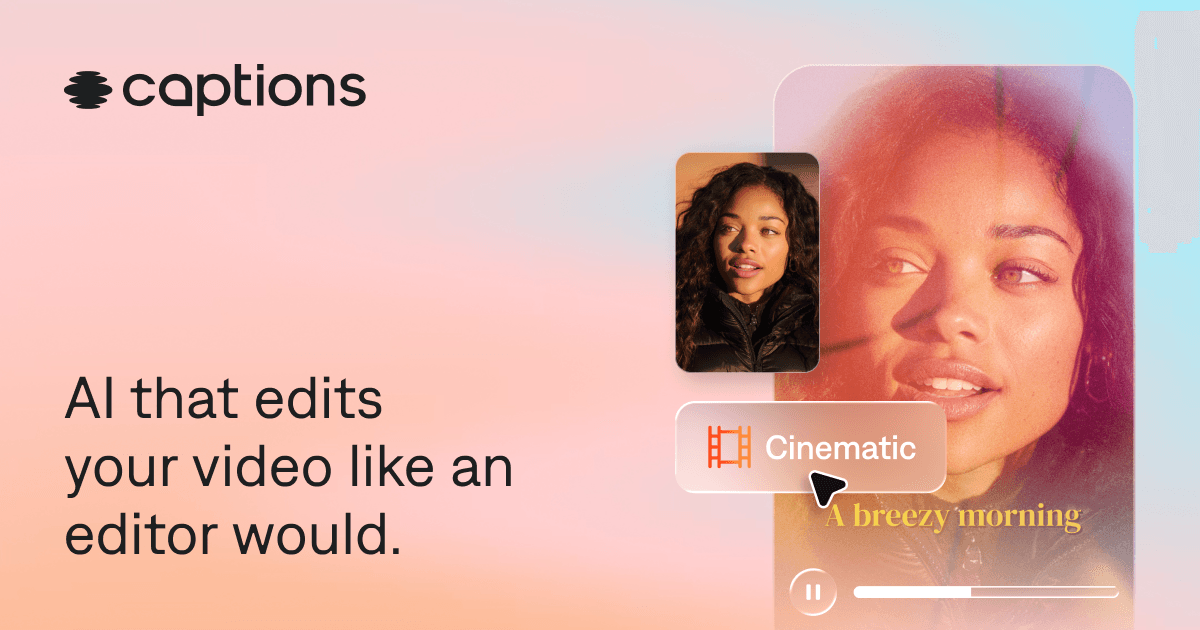

Captions is a mobile-first AI video tool that automates captioning, eye contact correction, filler word removal, dubbing in 28 languages, and UGC ad generation. Built by Mirage (formerly Captions, Inc.), backed by $175M+ in funding, and used by over 10 million creators worldwide.
Captions is an AI-powered video creation and editing app developed by Mirage, the New York City company founded in 2021 by Gaurav Misra and Dwight Churchill. The app is designed to automate the most time-consuming parts of short-form video production: adding animated captions, correcting eye contact, removing filler words, dubbing footage into other languages, and generating avatar-based ads without filming. By July 2024, when the company closed a $60M Series C at a $500M valuation led by Index Ventures, it had 10 million registered creators producing 3.5 million videos monthly on the platform. In March 2026 the parent entity rebranded to Mirage and raised an additional $75M from General Catalyst, reporting 200 million total videos created and $28.4M in in-app revenue.
The core feature set covers the full production loop from a single device: a teleprompter-assisted recording mode, AI Edit (one-tap style application), AI Eye Contact correction (which realigns gaze to camera in post), AI Filler Word Removal (strips "um," "uh," and similar hesitations from the audio track), AI Dubbing (voice-cloned translation across 28 languages with synchronized lip movement), AI Twins (a digital avatar built from the user's likeness), AI Ads (generates multiple UGC-style ad variants from a product URL), and AI Shorts (auto-extracts the most engaging clips from longer footage). Caption styling covers 100+ animated formats with karaoke-style word-level highlighting. The Scale tier and Enterprise plans include API access for programmatic video generation.
What Captions outputs in May 2026
Captions is built around short-form video, primarily vertical clips for TikTok, Instagram Reels, and YouTube Shorts, though horizontal 16:9 exports for YouTube were added in late 2024. The AI Edit pipeline accepts raw talking-head footage and applies automated scene cuts, B-roll insertion, zoom effects, caption overlays, and audio cleanup in a single pass. Caption accuracy is reported at 93-99% across the 28+ supported languages, with the accuracy ceiling applying to clear, accent-neutral English and dropping for regional dialects and non-standard speech.
AI Creator allows users to generate entirely new talking-head videos from a text script using a 3D avatar, without filming. AI Twin personalizes this with a user-built digital avatar trained on a short upload of real footage. The AI Ad Generator takes a product link and a selected script tone, then generates multiple complete ad variants combining avatar delivery, captioning, and branding, designed for Meta and TikTok direct-response placements. In March 2026, Mirage released a new audio model that preserves accent characteristics in generated and dubbed video, addressing a gap flagged by international creators whose dubbed output had previously sounded neutralized.
"The eye contact feature is a game changer. I can read notes without looking like I'm reading from a script." -- iOS App Store reviewer, 2025
Mirage Edit, released in April 2025, combined AI Twin footage with live recorded clips to assemble a finished short-form video automatically, handling cuts, captions, and motion as a single action. A Co-Editor mode (added August 2025) allows real-time collaborative editing on shared projects. Transcription now supports files up to 30 minutes, and SRT export is available on all paid tiers for creators who need subtitle files for platform upload.
Where Captions sits versus Submagic and Opus Clip
Submagic and Captions overlap significantly on the caption layer but diverge in architecture, surface, and scope. Submagic is a web-based tool: users upload a pre-recorded clip, Submagic applies animated captions, and the result is exported. That is largely the complete workflow. Captions is a native mobile app that covers recording, editing, captioning, dubbing, and avatar generation in sequence. A creator who wants to record from scratch, apply AI editing passes, add captions, and export without touching a desktop is describing the Captions use case, not Submagic's. Submagic's Magic Clips add-on ($12/month on top of the base plan) extracts viral moments from long-form content up to 30 minutes; Captions' equivalent (AI Shorts) is credit-gated behind the Max tier at $24.99/month. On caption variety, Submagic offers 35+ animated styles with emotion-responsive word effects; Captions offers 100+ styles. Submagic does not include eye contact correction, digital avatars, or voice dubbing. Pricing is also structurally different: Submagic charges by video count (20 videos/month on Starter at roughly $20/month), while Captions charges by credits consumed per AI action, which creates unpredictability at the Pro tier.
Opus Clip is a different category of tool. Its function is long-to-short repurposing: a user uploads a 30-180 minute podcast, webinar, or YouTube video, and Opus Clip's Virality Score algorithm analyzes speech energy, topic transitions, and cross-references trending social data to rank moments by predicted engagement, then auto-generates 5-10 captioned clips with scores attached. Captions does not have a virality scoring model that cross-references trending data. Opus Clip does not offer recording, avatar generation, eye contact correction, or dubbing. The practical split is: Opus Clip is the right tool for a podcaster or YouTuber with existing long-form content to repurpose; Captions is the right tool for a creator generating original short-form content from scratch on mobile. Opus Clip's Starter plan runs around $9/month with 150 processing minutes. The two tools are more complementary than competitive for creators who do both formats. For more context on long-form repurposing workflows, see also 2short.ai and Opus Clip.
For creators who need a desktop-first caption workflow with fine-grained audio editing, Descript offers a text-based edit model where the transcript drives the cut, which is mechanically different from Captions' one-tap AI pass approach. Vizard sits between these, offering web-based long-to-short clipping with caption styling closer to Submagic's range. For avatar-based video at enterprise scale, HeyGen offers more avatar customization options and team licensing suited to corporate training and marketing at volume, while Captions' AI Twin is aimed at individual creators building a personal brand presence.
"Captions has completely changed my workflow. What used to take an hour of manual subtitling now takes five minutes with AI Trim and auto-styles." -- creator review, fahimai.com, 2026
The real cost of generating video with Captions
The Free tier is a functional entry point for basic editing but excludes all AI generative features. The Pro plan at $9.99/month removes watermarks and unlocks AI Eye Contact, AI Filler Word Removal, and the full caption style library, with 200 credits per month. Credits are consumed per AI action, and the conversion rate between credits and output minutes is not displayed upfront during the editing workflow, only after a feature is used. This is the most common pricing complaint from Pro users: a session that looked straightforward can burn through credits faster than expected when combining AI Edit passes with eye contact correction and audio cleanup on the same clip.
The Max plan at $24.99/month adds AI Creator, AI Twins, AI Ads, AI Shorts, and dubbing, with 500 credits. For a creator regularly producing avatar-based ads or dubbed content, this is effectively the functional minimum. The Scale plan at $69.99/month provides 1,400 credits, priority support, API access, and early feature access, suited for agencies or brands generating video at volume. The API on Scale enables programmatic batch generation, which is where the tool starts to make economic sense for ad testing workflows that need 20-50 variants per week.
Annual billing reduces the monthly cost, though the exact rate is not publicly disclosed on the pricing page. Credits do not roll over; unused credits expire at each billing cycle reset. Compare with Submagic, whose video-count-based model is more predictable for creators who know their output volume in advance.
Where Captions consistently breaks
Export reliability is the platform's most persistent and widely reported problem. Across Trustpilot, Capterra, Reddit, and independent review sites, the pattern is consistent: a user applies AI edits, the preview looks correct, the export runs, and the output has audio shifted out of sync with the video. This is most frequent on clips where multiple AI passes are stacked (AI Edit plus eye contact plus filler word removal on the same clip) and has appeared in reviews from 2023 through 2026, suggesting a structural render challenge rather than a transient bug.
Processing speed is the second major friction point. Video generation and AI edit rendering can take several minutes on clips that a comparable desktop editor would process in under 30 seconds. On the mobile app, this locks the interface during rendering, forcing the creator to wait before continuing. Users with time-sensitive posting schedules describe this as a genuine workflow blocker.
The Android experience is materially worse than iOS. New features ship to iOS first, sometimes exclusively for weeks or months. Android users report higher crash rates, more frequent export failures, and missing AI features that have been available on iOS. This is a platform-level business decision (iOS generates higher in-app revenue per user in the creator demographic), but it creates a real split in product quality that Android-primary creators should factor in.
Cross-device sync between mobile and the web editor is inconsistent. Projects started on the mobile app may not appear correctly in the web interface, and edits made on web may not propagate back to mobile sessions. The real-time sync feature introduced in 2025 improved this but has not fully resolved it per ongoing user reports.
Best use cases versus skip-this scenarios
Captions earns its place most clearly for solo creators doing high-volume talking-head content on iPhone. A creator publishing 5-10 short videos per week, recording on mobile, and needing consistent caption styling and audio polish without hiring an editor will see a genuine time reduction per video. Reported estimates from users run from 30 minutes saved to 90 minutes saved per video depending on prior workflow. At $9.99/month on Pro, the math is favorable against any freelance editing cost or manual caption workflow.
The Max tier makes sense for creators who need international reach. A creator who records in one language and wants to publish dubbed versions in 3-5 others, with voice-preserved lip sync, would otherwise need a dubbing studio or a complex multi-tool pipeline. At $24.99/month, the Max plan consolidates that into a single workflow. The AI Ads feature at Max is directly useful for DTC brands and solo entrepreneurs running paid social who want to test multiple ad creative variants without a production budget.
Skip Captions when your primary editing surface is a desktop and you need guaranteed export reliability with a production deadline. The export failure rate is too high for professional workflows where a missed delivery has real cost. Skip it when your content is primarily long-form: podcast clips, YouTube essays, documentary-style video. The tool is not designed for that format and the timeline interface becomes awkward above 5-10 minutes of source footage. Skip it if you are primarily an Android user and feature parity matters to your workflow -- the iOS advantage is meaningful enough that Android-first creators will consistently hit limitations that iOS users do not encounter. For desktop-first workflows, Descript offers a text-driven editing model that is more stable under professional conditions.
User Reviews
No reviews yet. Be the first to share your experience!
Sign in to write a review.
Related articles
Guides and articles related to Captions.
Sell AI-Generated Short Films on TikTok Shop, Instagram & YouTube (2026)

How to Make Money Selling AI UGC Content for Brands (2026)

AI Instagram Reels Factory: 30 Reels/Day on Autopilot (2026)
Build a 70-Language Live Voice Agent With GPT-Realtime-Translate (2026)
Faceless YouTube AI Channel: $5,000+/Month Tutorial (2026)