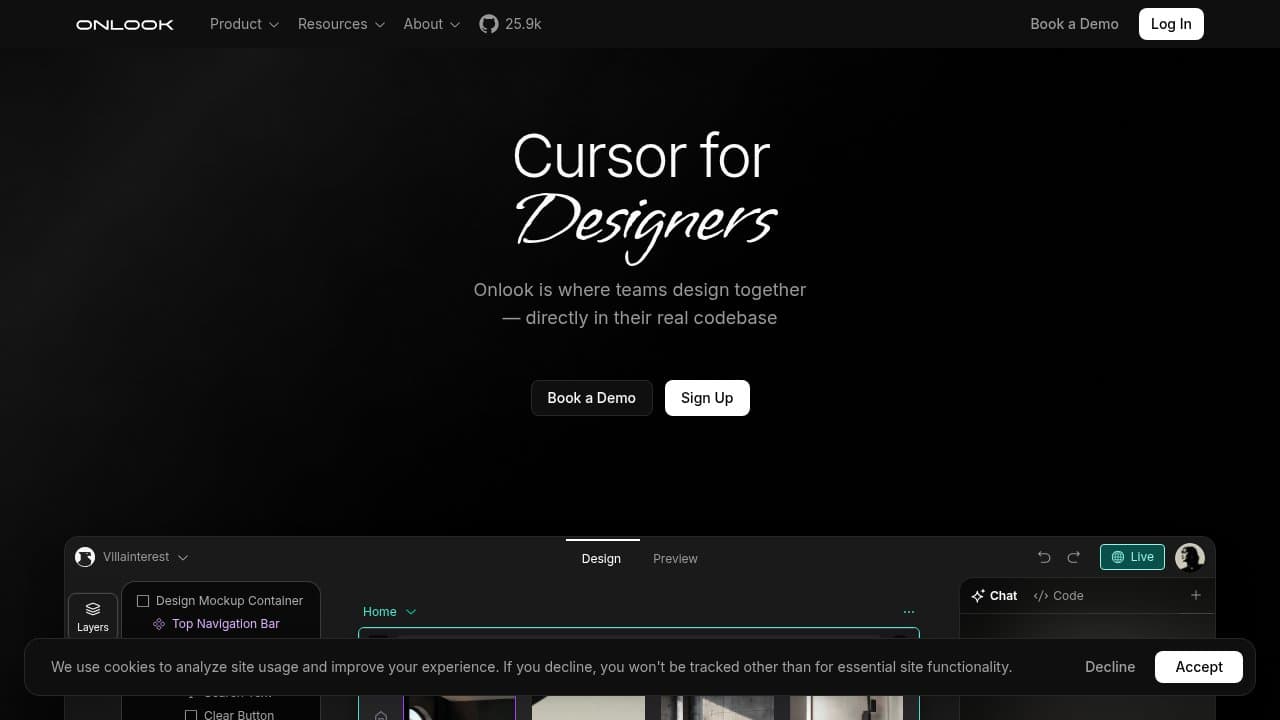
Onlook is an open-source visual editor for React apps, backed by Y Combinator (W25), that lets designers point-and-click edit live Next.js and Tailwind projects while changes write directly back to the codebase with no handoff required.
Onlook is an open-source, AI-first visual editor built for React applications. Founded in 2024 by designer Daniel Farrell and engineer Kiet Ho (ex-Amazon, ex-ServiceNow), the San Francisco team entered Y Combinator's Winter 2025 batch with a clear problem to solve: the painful handoff gap between Figma mockups and production React code. Instead of a design tool that exports assets, or a code generator that outputs files you paste in by hand, Onlook lets designers manipulate a running Next.js app in a visual canvas while the edits write back to the actual JSX files on disk, in real time.
The tool runs on any Next.js and TailwindCSS project. Core capabilities include a Figma-style drag-and-drop layer panel, an AI chat interface that understands your existing component tree, branch-and-version control for design experimentation, multi-user commenting, and MCP (Model Context Protocol) integration for toolchain extension. The desktop app and web sandbox both run the same open-source core, licensed Apache 2.0, so self-hosted teams get the full feature set with no vendor lock-in. The GitHub repository crossed 25,900 stars by mid-2026, with over 2,000 forks and 1,637 commits from a growing contributor community.
What Onlook actually does in June 2026
Onlook's technical mechanism is worth understanding because it is what separates it from every other visual editor on the market. At build time, Onlook injects data-oid attributes into your JSX, creating a persistent map between every DOM node in your running app and the exact line of source code that produced it. When a designer moves a component, changes a color, or resizes a container in the visual canvas, the tool uses diff-match-patch streaming combined with HMR (hot module replacement) to apply that change to the file on disk. There is no export step. There is no copy-paste. The codebase reflects the visual edit within seconds.
The AI chat layer runs via OpenRouter, which means Onlook can route to GPT-4o, Claude 3.5 Sonnet, or other models depending on the task. Unlike a generic chatbot integration, the AI has context about your actual component tree and can make targeted edits to specific files. You can ask "make the hero section more minimal" or "reduce padding on mobile" and the AI edits the right JSX, not a hallucinated approximation of it.
Current feature highlights in the v0.2 release series: a layer panel for navigating component hierarchy, drag-and-drop for layout changes, CSS property editing via visual controls (color picker, spacing, typography), branching for design experiments without touching the main branch, multi-user collaboration with inline comments, and MCP tool call support for teams extending the editor with custom integrations. The free hosted tier allows 200 MCP calls per day with unlimited projects and AI chat.
"Absolutely amazing AI design tool!! I've used Onlook for a few months now on the desktop version" - Michael Thiel, Product Hunt, August 2025
Where Onlook sits versus v0 by Vercel and Bolt.new
These three tools are mentioned in the same breath often, but they solve different problems at the architecture level. Understanding the distinction prevents frustration.
v0 by Vercel generates UI components from a text prompt or screenshot. You describe what you want, v0 produces clean React and Shadcn code, and you paste it into your project. There is no visual canvas. There is no connection to your existing codebase. Every v0 generation starts from a blank slate. v0 is optimized for component creation from scratch, not for iterating on a live app you already have running. It outputs code you integrate; Onlook edits code that already exists.
Bolt.new by StackBlitz scaffolds entire full-stack applications from a prompt, running in a WebContainer in the browser with a built-in code editor pane. Bolt handles frontend plus backend plus database schema in one shot, which makes it fast for prototyping greenfield ideas. Like v0, it does not connect to an existing project, and it does not offer a Figma-style visual canvas for point-and-click editing. Bolt.new is a full-stack generator; Onlook is a visual design layer for an existing codebase.
The mechanical difference: v0 and Bolt.new generate new code from prompts. Onlook edits existing code through a visual canvas that stays in sync with the live app. That is a fundamentally different workflow, suited to a different moment in the product lifecycle: after the app is scaffolded and the team needs to iterate on visuals without constant developer involvement.
Cursor is the most frequently mentioned comparison by developers. Cursor is a VS Code fork with AI inline suggestions and chat, built for coding workflows where the developer writes and reviews code. Onlook targets designers who never open a code editor at all. The two can coexist in the same project: developers use Cursor for logic, designers use Onlook for visual layout.
What the visual editing workflow reality looks like
The practical day-to-day experience depends heavily on which version you use. The web sandbox runs the project in a cloud container via CodeSandbox SDK and Bun, which means no local setup, but also no offline mode and a dependency on Onlook's infrastructure. The desktop app (available for Mac and Windows) connects to a local dev server, which is faster and works offline but requires running npm or bun locally first.
For a typical landing page iteration session: a designer opens the project in the Onlook web app, sees the live Next.js render in a canvas with a layer panel on the left, clicks on a section, drags it to a new position, then uses the color picker to adjust the primary CTA button. Every click produces a visible diff in the underlying JSX file. The AI chat handles the heavier lifts: "add a three-column features grid below the hero" produces new JSX components in context, not a generic snippet to copy in elsewhere.
"Onlook is a great tool to build code..gives you a lot of versatility to work the way you are most comfortable" - Diana Fusther, Product Hunt, August 2025
The branching feature lets designers experiment without committing to the main working tree, similar to Git branches but surfaced as a one-click action in the UI. This matters for design reviews: a designer can send a branch link to a developer, the developer sees the visual change alongside the diff, and merges or rejects it like a standard PR. The collaboration model removes the design-to-ticket-to-PR loop that slows many frontend teams.
Where friction shows up: the tool is in alpha, and that is not a polite disclaimer. File renames can desynchronize the data-oid map, breaking the visual layer's awareness of that component until you re-run the build step. Component libraries outside the standard Tailwind utility class system behave unpredictably. Teams on frameworks other than Next.js cannot use the product at all yet.
Who Onlook is built for
The primary user is a designer who can use Figma fluently but does not want to learn JSX. They need to make visual changes to a running React app, either for a client review, a quick iteration, or a shipping deadline, without filing a ticket and waiting for a developer. Onlook is purpose-built for this person.
The secondary user is a frontend developer who wants to reduce the number of times a designer pings them for padding changes and color tweaks. By giving designers direct access to the visual layer, the developer stays focused on component logic and data while the designer handles the CSS and layout.
The third use case is the solo builder on a Next.js project: a non-engineer founder building their own SaaS landing page, iterating visually without switching between a code editor and a browser refresh loop. The AI chat covers the heavier code generation; the canvas handles the fine-tuning.
Open-source teams and enterprises with compliance requirements benefit from the Apache 2.0 self-hosted option. Running Onlook on your own infrastructure means your codebase never leaves your network, which matters for regulated industries. Figma AI and Lovable do not offer comparable self-hosted options.
What Onlook is not
Onlook does not support Vue, Svelte, Angular, or plain React projects without TailwindCSS. If your stack does not include Next.js and Tailwind, Onlook will not connect to your project. This is the most common source of disappointed expectations and a real limitation for teams on other frameworks.
Onlook is not a full-stack scaffolding tool. It will not generate a backend, configure a database, or wire up authentication flows. For that, use Bolt.new or Replit. Onlook starts after the app architecture is in place and handles the visual design layer from there.
Onlook is not production-stable in the same way that Cursor or GitHub Copilot are. The alpha stage is real. Teams shipping client work on tight deadlines should test Onlook's stability on their specific codebase before depending on it for a release cycle. The data-oid injection mechanism works reliably for most projects, but edge cases around monorepos, custom webpack configs, and component library overrides remain documented open issues.
It is also not a prototyping-from-scratch tool. If you have no codebase and want to generate a working UI from a description, v0 or Bolt.new will get you further faster. Onlook's strength is editing and iterating on something that already runs.
"It was really impressed by how intuitive it is to use coming from using a lot of other popular ones" - May Zhou, Product Hunt, August 2025
User Reviews
No reviews yet. Be the first to share your experience!
Sign in to write a review.
Featured in collections
Curated lists that include Onlook.
Related articles
Guides and articles related to Onlook.
AI User Testing in 2026: The Tools That Test Your Product While You Sleep

Google Vision AI Explained (2026): Pricing Per 1,000 Units, Free Tier, and Alternatives

Wix Logo Maker Review (2026): Real Costs, the Edit Catch, and AI Alternatives

Replit Pricing Explained (2026): Core vs Pro and Effort-Based Agent Billing

The Personal AI Productivity Stack (2026): One Tool Per Job, Nothing Extra