
One Product Photo, Full Fashion Campaign: AI Images and Video That Sell (2026)
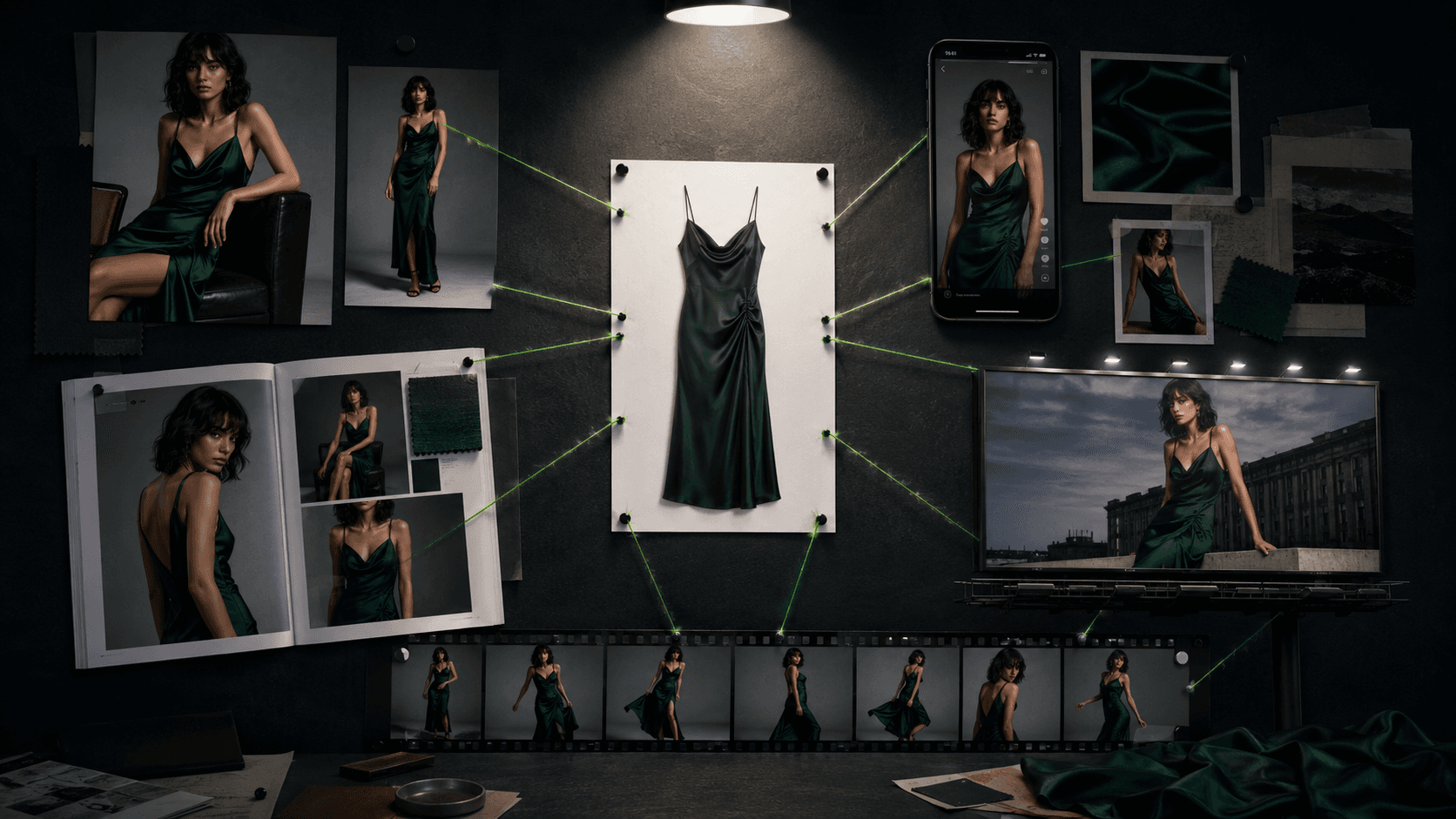
A fashion campaign used to mean a location, a crew, a model contract and a five-figure invoice before a single ad ran. The 2026 version starts with one clean product photo and ends with a lookbook, a set of ad creatives, a batch of UGC-style social shots and a short video, all generated, all on brand. This article walks the whole stack in order, with the working techniques for each layer and an honest section on what still needs a human before you publish.
One note before the workflow: some links in this article are affiliate links, covered in our affiliate disclosure.
The campaign stack: four layers from one photo
Everything below builds from a single well-shot product image: a clean flat-lay or a ghost-mannequin shot of the garment on a plain background. That one photo becomes your reference input for every layer.
On-model catalog and lookbook images: the garment on a consistent AI model, across poses and settings.
Ad creative: the hero shots with stronger art direction: campaign moods, seasonal settings, editorial lighting.
UGC-style content: deliberately imperfect, phone-shot-looking images for social feeds and creator-style ads.
Short video: garment reveals, walk cycles and motion loops for Reels, TikTok and product pages.
The order matters because each layer reuses decisions from the one before it: the same model persona, the same garment reference, the same color grade. That reuse is what makes the output read as one campaign instead of four disconnected experiments.
What real brands are already doing
This is not a fringe workflow. Business of Fashion's marketing case-study coverage and Stylitics' industry roundup document dozens of major fashion brands, including names like Mango, Zalando, Gucci and Moncler, using generative AI across campaign imagery, styling and marketing production. The published pattern across these cases is consistent: AI handles volume and iteration (more looks, more variants, more localized versions of a campaign) while human teams keep final art direction and brand sign-off. The specifics vary by brand, and the sources are linked in the references if you want the case-by-case detail.
The practical takeaway for a small brand is that the technique has been de-risked at the top of the market. What the big players buy with production teams, you can now approximate with a reference photo, a consistent persona and a tested prompt library.
Layer 1 and 2: lookbook and ad creative
The foundation is a locked model persona and a garment reference image, so the same "person" wears your product in every frame. The technique (persona blocks, reference-image workflows per model, fabric fidelity language) is its own craft, and we cover it end to end in AI Fashion Prompts That Stay Consistent. For campaign purposes, the working method is:
Lock the persona once. Write one detailed model description and reuse it verbatim, or use your model's reference-image system. Consistency is the difference between a lookbook and a pile of unrelated images.
Shoot the catalog layer first. Clean studio settings, even lighting, true-to-fabric color. These are your product-page workhorses.
Then art-direct the hero layer. Same persona, same garment, stronger scene: golden-hour coastline, brutalist architecture at dusk, a wet city street at night. Two or three hero frames are enough to anchor a campaign.
Keep one color grade across both. Naming the same grade in every prompt ("warm cinematic grade" or "muted editorial tones") is a one-line instruction that makes the set cohere.
If you would rather not manage personas and references by hand, dedicated on-model tools do this as a product: Uwear and WearView both build reusable model identities and garment handling into their workflow, and Botika and FASHN cover similar ground at catalog scale. Our comparison of AI fashion model generators ranks the field.
Layer 3: UGC-style content that actually converts
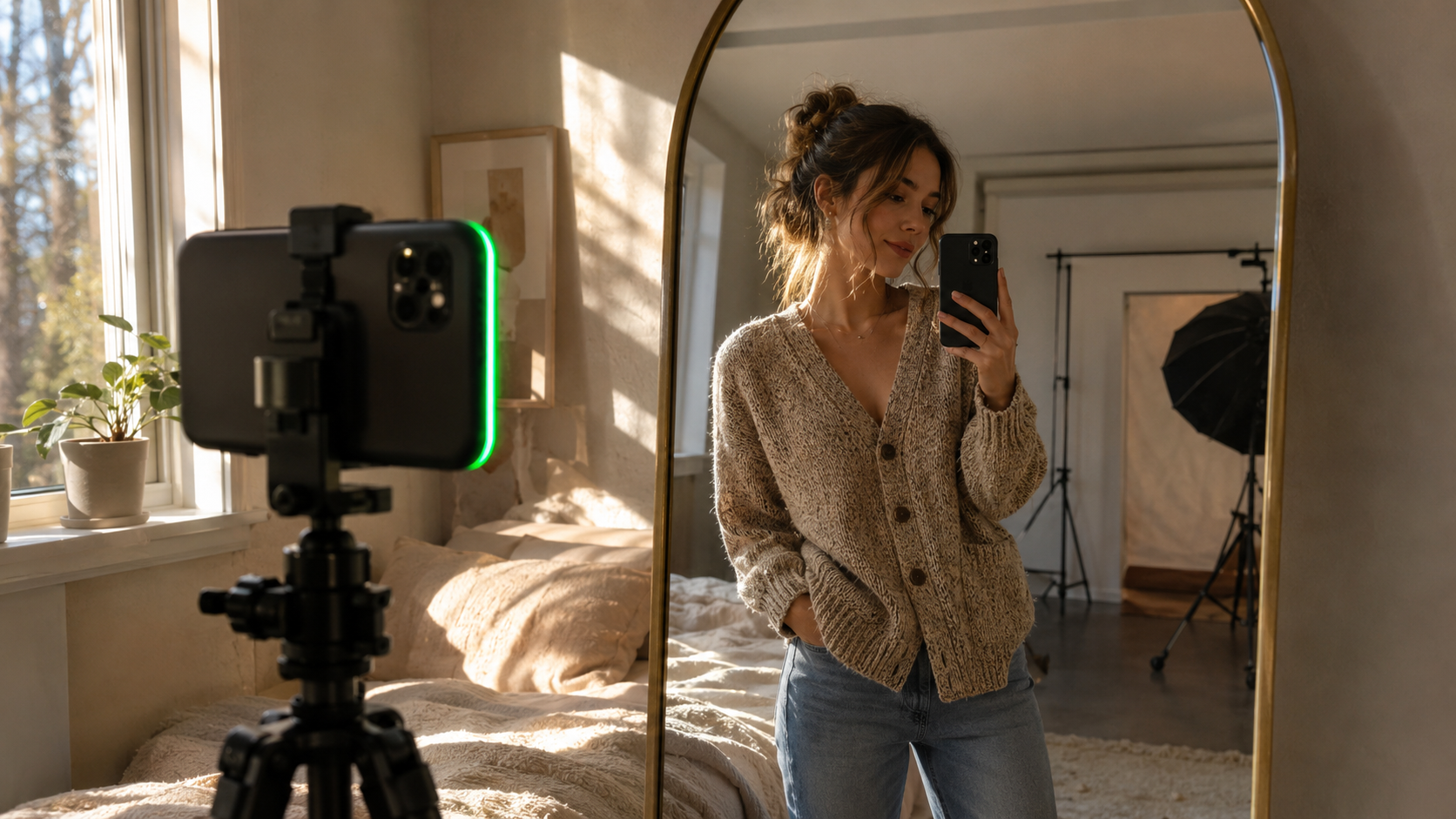
The counterintuitive layer: after paying for polish everywhere else, you now want images that look like a customer took them. Feed-native, creator-style content earns trust precisely because it does not look like an ad, and the prompting trick is to ask for imperfection on purpose:
Name the device and the framing: "shot as if on a modern smartphone, slightly wide field of view, natural handheld framing with minor tilt."
Name a lived-in setting: a sunlit bedroom mirror, a fitting-room selfie, a coffee-shop table, with the background softly out of focus.
Ban the studio tells: "unedited phone-photo color rendering, no over-sharpened skin, no studio-perfect symmetry."
Keep the same persona as your catalog layer. A "customer" who happens to be your lookbook model reads as a brand universe, not a bait-and-switch, and keeps you honest about what is generated.
A full worked UGC prompt, with the persona block included, is in the six-prompt set inside the prompts article, and the AI Models & Fashion Pack ($27) carries the tested library across all of these shot types.
Layer 4: short video for Reels, TikTok and product pages
Video models in the Runway, Kling and Veo class respond to the same discipline as image models, plus one extra rule: give the motion a timed structure instead of a single action verb. The working template for a garment reveal:
Structure the clip in seconds. "Slow, deliberate motion: she unties the belt and opens the coat in one continuous 4-second reveal to show the dress underneath, then holds a still pose for the final 2 seconds." A model given a timeline follows it; a model given "she shows the dress" improvises, usually badly.
Name the fabric physics. "Pleats hold sharp structure but sway naturally with her arm movement, no warping or melting at the fold lines." Fabric that morphs between frames is the most common tell in AI fashion video, and naming the constraint measurably reduces it.
Lock the camera. "24fps, locked camera at 85mm equivalent, shallow depth of field, consistent color temperature, no flicker." Camera drift plus lighting flicker is the second most common tell.
Three clip types cover most campaign needs: the garment reveal (above), a simple walk cycle toward camera for silhouette and drape, and a slow orbit around a still pose for detail. Keep clips in the 6 to 8 second range and cut them together rather than asking one generation for a long sequence.
The agentic alternative. If you would rather not pick a model per shot, Invideo Agent routes each shot to the strongest option from a 200-plus model library (Veo 3.1, Sora 2, Kling 3.0, Seedance 2.0) and assembles the finished 6-to-8-second reveal, walk, or orbit clip with the same discipline you would apply manually. Useful when you need many variations fast for A/B testing on a product page.
Sketch to product: the pre-production layer
One more layer sits before the product photo exists at all: generating a product visual from a design sketch. Purpose-built tools in this space (Style3D and The Fabricant class platforms) serve professional designers and 3D workflows more than ecommerce sellers, and the buyer profile is genuinely different. But for a quick concept test, the same reference-image technique works in general models: feed the sketch as a reference, describe the target fabric and construction in the same material-first language as any other fashion prompt, and generate the garment on your locked persona. Treat the output as a concept visual for validating interest, not a production spec.
What still needs a human
An honest campaign workflow keeps four checkpoints manual:
Garment truth. Every image that shows construction detail gets checked against the real product: hem length, button count, print placement. AI will confidently render a garment that does not quite exist, and that gap is a returns problem.
Hands and edges. Anatomy artifacts are still probabilistic. Someone looks at every frame before it ships.
Brand judgment. Which three of the forty generated frames are actually your brand? That call has no prompt.
Disclosure decisions. Platforms and jurisdictions are tightening rules on labeling AI-generated marketing. Decide your disclosure position deliberately rather than by default.
FAQ
Can AI really generate a whole fashion campaign?
Yes, and documented major brands already run parts of their campaign production this way. The realistic scope for a small brand is a lookbook, ad creative, UGC-style social content and short video clips, all built from one product photo and a consistent AI model persona, with a human keeping final selection and quality control.
What do I need to start an AI fashion campaign?
One clean product photo (flat-lay or ghost mannequin), access to a current image model or a dedicated on-model tool, and a locked model persona you reuse across every frame. The persona-locking technique is covered in our consistency guide, and dedicated tools like Uwear and WearView handle it automatically.
How do brands make AI images look like real customer photos?
By prompting for imperfection: naming a phone camera, handheld framing with slight tilt, natural window light, an everyday setting, and explicitly excluding studio polish like perfect symmetry and over-sharpened skin. It reads as authentic because the technical flaws real phone photos have are present on purpose.
Which AI video model is best for fashion clips?
The Runway, Kling and Veo class all handle short garment clips when the prompt supplies a timed motion structure, named fabric physics and a locked camera. Differences between them shift month to month; prompt discipline transfers across all of them.
Can I turn a clothing sketch into a product photo with AI?
For concept visuals, yes: feed the sketch as a reference image and describe fabric and construction in material-first language. For production-grade design work, purpose-built fashion design platforms serve that workflow better, and they target professional designers rather than sellers.
Do AI-generated fashion ads have to be labeled?
Rules vary by platform and jurisdiction and are actively evolving. Treat disclosure as a deliberate brand decision made with current platform policies in front of you, not something to leave to default.
References
Get the best new AI tools and guides, weekly
One short email a week. The tools worth trying, the guides worth reading, nothing else.
No spam. Unsubscribe anytime.
Aymen B
Contributing writer at Vantaige, covering the AI tools ecosystem.


