Use an AI Fashion Prompt Pack for an E-commerce Shoot
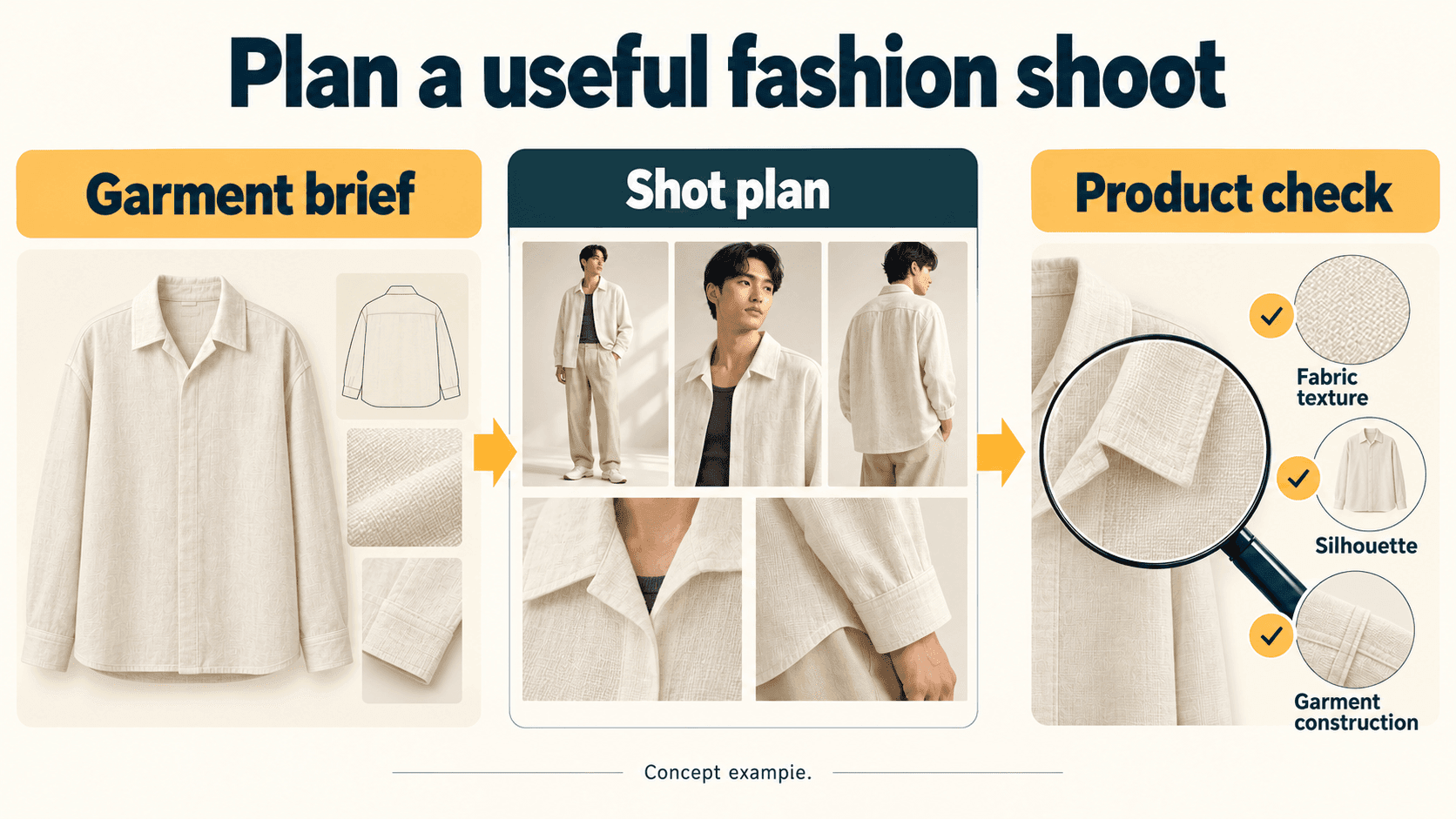
Use a fashion prompt pack to turn a garment brief into a repeatable shot list. Start with photographs of your actual product, keep the collection’s visual direction consistent, and review each generated image against those references. The prompt supplies art direction; it cannot establish how a physical garment fits, feels or is constructed.
This guide builds a five-shot plan for a fictional ivory linen overshirt. You’ll get three original sample prompts, controlled variations and a practical quality checklist to adapt with your own reference images and image generator.
Vantaige sells the AI Fashion Pack discussed below. You can use the free examples here before deciding whether a larger library fits your workflow.
Choose the images you actually need
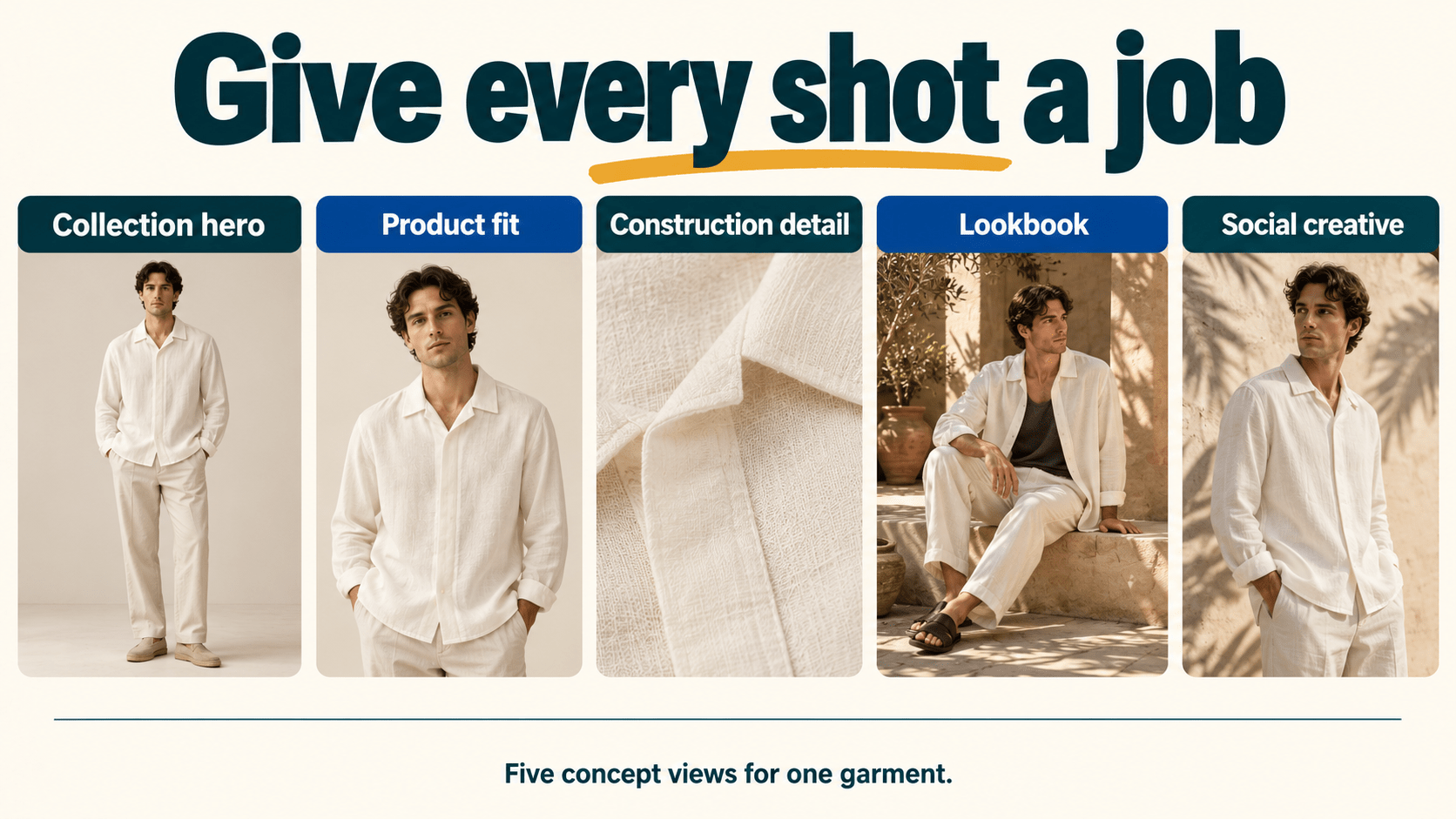
A boutique launching one shirt needs different images for a product page and a campaign. Decide the job of each image before choosing a prompt.
| Shot | Reader or shopper’s question | Suggested starting frame | Evidence to preserve |
|---|---|---|---|
| Collection hero | What is the overall silhouette? | Full-length, neutral studio, 4:5 | Real garment outline and proportions |
| Product fit view | Where do sleeves and hem fall? | Frontal or three-quarter view, 4:5 | Compare with real on-model photos; generated fit is illustrative |
| Construction detail | What do the fabric and closures look like? | Close-up, 1:1 | Use actual product photography for material and construction proof |
| Lookbook | How could I style it? | Environmental full-body, 4:5 | Styling context without changing product details |
| Social creative | Does the concept work in a mobile crop? | 9:16 with copy space | Approved garment appearance and readable crop |
These ratios are proposed starting points, not platform requirements. Check the actual destination’s specifications. A compelling concept image may work for a mood board while failing the accuracy standard for a product page.
What established workflows show
Mango’s 10 July 2024 announcement describes its Mango Teen Sunset Dream campaign beginning with photographs of real garments. It also identifies human teams involved in selection, retouching, editing and finishing. That is a useful production pattern: product references and human finishing surround generation. The announcement does not establish that a text prompt alone can reproduce a garment. Mango’s campaign announcement.
FASHN’s documented virtual try-on workflow takes a model image and a product image. Its guidance discusses input quality and choosing product references. This demonstrates a second pattern: use a tool designed to condition on the garment, rather than asking a text-only prompt to invent it. Vendor examples illustrate the method; inspect your own results rather than treating fidelity as guaranteed. FASHN try-on guide.
For upscaling and cleanup, Magnific and Claid.ai are two options with Vantaige listings (Magnific, Claid.ai). Neither replaces a clear garment brief.
Prepare a garment brief and five-shot plan
Describe the product before describing the scene
For a real shoot, record what you can verify from the garment, supplier specifications and reference photographs:
- Silhouette, sleeve shape, hem position and intended fit.
- Material composition and weight, if those are known from product records.
- Collar, seams, pocket positions, closures and distinctive details.
- Front, back and detail references, using images you have permission to use.
- Styling choices and the images’ intended commercial use.
Our synthetic example: an ivory linen overshirt with a relaxed boxy body, dropped shoulders, camp collar and concealed front placket. The example brief specifies 185 gsm linen and four-hole shell buttons to demonstrate specificity. Those are fictional product specifications, not facts an image generator can verify.
A color name or hex code is an art-direction cue. It is not a calibrated fabric sample, and it cannot guarantee color matching across screens or generated lighting.
Map every shot to a purpose
Plan the collection hero, fit view, real construction close-up, lookbook scene and social crop before generating. Reuse the same reference set and identify the one variable each shot changes.
Download the garment brief and five-shot worksheet. Replace the fictional specifications with your own verified details. Keep real product photographs in the plan where shoppers need evidence of construction or fit.
Keep the collection consistent with a reusable brief
A “collection lock” is simply a reusable set of instructions. It reduces accidental changes in your own direction; it does not lock a model’s identity or force exact rendering.
COLLECTION BRIEF — original illustrative example
Product: use the attached front, back and detail references of the same ivory overshirt.
Person: use the same approved adult model reference where the tool supports it.
Studio: warm-neutral backdrop, soft camera-left light, gentle fill, natural skin texture.
Styling: ecru trousers; no added jewelry or accessories unless the shot requests them.
Product priorities: preserve collar shape, placket, button count, sleeve and hem proportions.
Color: compare with the approved product photo; do not invent a new colorway.
Output: no added text or watermarks; leave room for the intended crop.
Change only the named shot variable. Flag uncertainty rather than inventing hidden details.
Keep the actual model and product references alongside the prompt card. Reference and identity controls differ by tool and model version. Check the selected tool’s current documentation rather than transferring flags from an unrelated generator.
Useful habit: Save the input references, prompt, tool/model identifier, settings and review decision together. If a later image drifts, you can compare what changed.
Get the collection brief and quality checklist.
Try three complete original prompts
These prompts describe a fictional garment and are not paid-pack extracts. They are starting instructions, not tested output guarantees. Attach the relevant product and model references in a tool that supports them; adapt the input method to its documentation.
1. Studio collection hero
Create an illustrative studio fashion image for a boutique collection concept.
Use the attached reference photographs of the ivory linen overshirt and the approved
adult model. Preserve the visible camp collar, relaxed boxy body, dropped shoulders,
concealed placket and sleeve/hem proportions. Do not add pockets, logos or hardware.
Style with simple ecru trousers. Use a warm-neutral seamless backdrop, a broad soft
light from camera left and gentle fill. Keep fabric texture visible without glossy
smoothing. Full-length upright stance, hands clear of the garment, natural expression,
portrait 4:5 composition with space around head and feet. Aim for a calm, precise
catalog aesthetic with tactile linen texture. Compare the result with the product
references; do not invent details that are not visible.
Controlled variant: Keep everything else fixed and request a gentle three-quarter body turn. Compare collar, button placement and hem with the baseline; reject a changed garment even if the pose looks better.
2. Detail composition study
Create a close-up composition study for the same fictional ivory overshirt, using
the attached real-reference detail photograph as the visual source. Frame the collar
edge and upper placket in a square crop. Preserve the reference's seam path, visible
button count and fastening arrangement. Use soft directional side light to show
texture, a quiet neutral background and no added text. Keep the garment still and
avoid hands covering construction. This is an illustrative layout study, not evidence
of fiber composition, fabric weight or manufacturing quality. Do not invent stitching
or hardware hidden from the reference. Leave room for the final crop.
Controlled variant: Change only the crop to the sleeve cuff, supplying a cuff reference. For a product page’s construction proof, use the actual approved photograph instead of relying on generated stitching.
3. Lookbook scene
Create an editorial lookbook concept using the same approved adult model and ivory
overshirt references. Preserve the garment's visible construction and proportions.
Style the open overshirt over a charcoal tank with ecru trousers. Place the person in
a quiet limestone colonnade, with warm daylight, soft wall bounce and natural skin
texture. Use a relaxed standing pose, hands clear of closures, full-length portrait
4:5 framing and restrained earth tones. Creative direction: tactile natural linen
against clean architectural lines. Add no jewelry, branding, crowds or fantasy details.
Keep the product recognizable; do not reinterpret the shirt as a different design.
Controlled variant: Keep person, garment, styling and pose fixed; change only the background to a shaded courtyard. Check for unwanted color casts on the ivory fabric.
Download all three prompts and their variations.
Iterate without losing track of the product
Change one meaningful variable per comparison: crop, pose, environment or light. Keep the source references and garment brief fixed. This makes the comparison easier to interpret, although stochastic generation can still introduce unrelated changes.
- Generate a small first set appropriate to your tool and budget.
- Compare every candidate with the same product references.
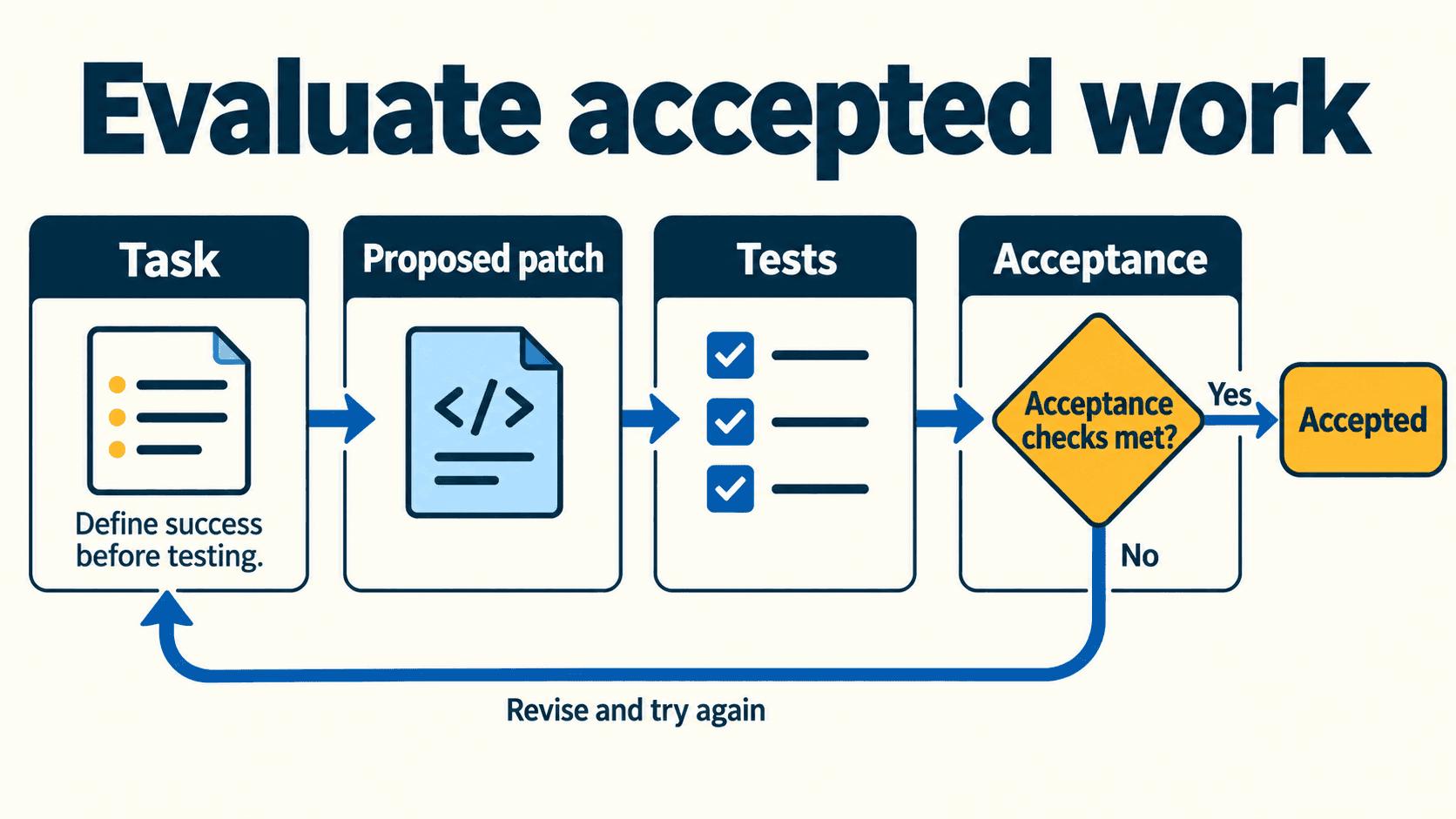
- Record the exact mismatch, such as “extra button” or “hem too short.”
- Decide whether to retry, use a supported edit workflow, or use the real photograph.
- Review the edited result again; a correction can introduce a different error.
Avoid requesting a back view from a front-only reference when the back construction matters. Supply a back photograph. No amount of descriptive confidence replaces missing product information.
Review every image before using it commercially
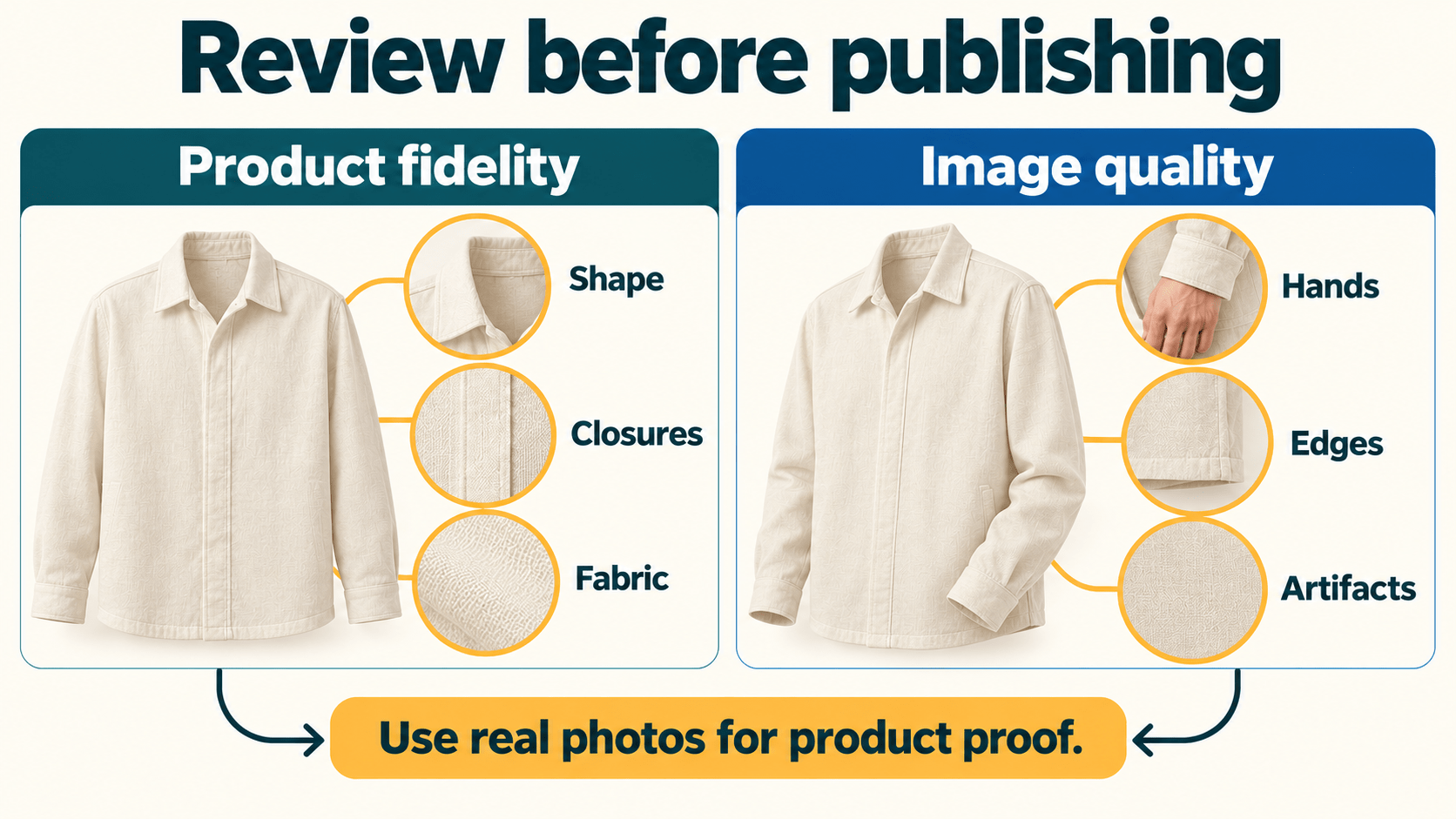
| Check | What to compare | If it fails |
|---|---|---|
| Silhouette and fit | Actual front/back and on-model references | Reject misleading proportions; use real fit imagery |
| Surface and color | Approved reference photos and product records | Correct carefully or use the original photo; a hex code proves nothing |
| Seams and closures | Reference stitch paths, pockets and button count | Reject invented construction; use real detail photography |
| Anatomy and occlusion | Hands, limbs and intersections with clothing | Retry or edit, then recheck the whole image |
| Collection continuity | Approved person/reference set, light and styling | Revisit changed inputs; do not rely on text alone |
| Crop and context | Actual page/ad placement requirements | Reframe without losing garment information |
An attractive image is not automatically accurate. Do not use a generated macro image to substantiate a composition, fabric-weight or craftsmanship claim. Keep an explicit approval decision for each intended placement, including any labeling your brand or distribution channel requires.
Decide whether the Vantaige AI Fashion Pack fits
The live Gumroad listing, checked 28 October 2026, lists USD 29 as a one-time price. It describes access to a searchable online Prompt Vault, ongoing updates, lifetime access and a 24-hour refund policy. These are the seller’s published terms; checkout is authoritative for your purchase.
The listing advertises 9,000+ tested fashion prompts across apparel, lookbooks, flat-lay workflows and accessories. That is the seller’s description, not an independent inventory or testing audit. The three examples above were authored separately and do not demonstrate the paid library’s contents.
| Your need | Sensible next step |
|---|---|
| One concept or first experiment | Start with the free prompts and your own references |
| Repeated briefs across collections or clients | Review the pack’s current offer and whether its library matches your work |
| Exact garment, fit or construction evidence | Plan actual product photography and verification alongside any AI workflow |
Budget separately for the image tool you choose, generations, review and finishing. Compare your own accepted-image cost rather than assuming a universal saving over a conventional shoot. No generator credit allowance is established by the prompt-library listing.
Vantaige publishes this pack. If a reusable fashion-prompt library fits your work, review the AI Fashion Pack and current purchase terms.
Turn the brief into your next shoot
Use the worksheet to specify one real garment, choose five purposeful shots and decide which require real photography. Then test one prompt with your references and review its actual output before expanding the collection.
For more guidance, read the fashion prompt consistency method and the campaign-image and video workflow. Older tutorial prices may differ; check the current seller listing before buying.
Get the best new AI tools and guides, weekly
One short email a week. The tools worth trying, the guides worth reading, nothing else.
No spam. Unsubscribe anytime.
Aymen B
Contributing writer at Vantaige, covering the AI tools ecosystem.