Run a Company With AI Agents: The Open-Source Orchestration Setup (2026)
Run a Company With AI Agents: The Open-Source Orchestration Setup (2026)
If you use Claude Code, OpenClaw, Codex, Cursor, or any AI coding agent, this pattern was built for you. The problem with running multiple agents is not the model. It is that you gave them no company to work in: no manager, no goals, no schedule, no budget, no record of what they did. This guide shows the open-source orchestration pattern that adds those eight things, so a set of agents behaves like an org instead of a pile of scripts. Setup is conceptual and tool-agnostic, roughly five minutes once you have an agent CLI installed.
What does it mean to run a company with AI agents?
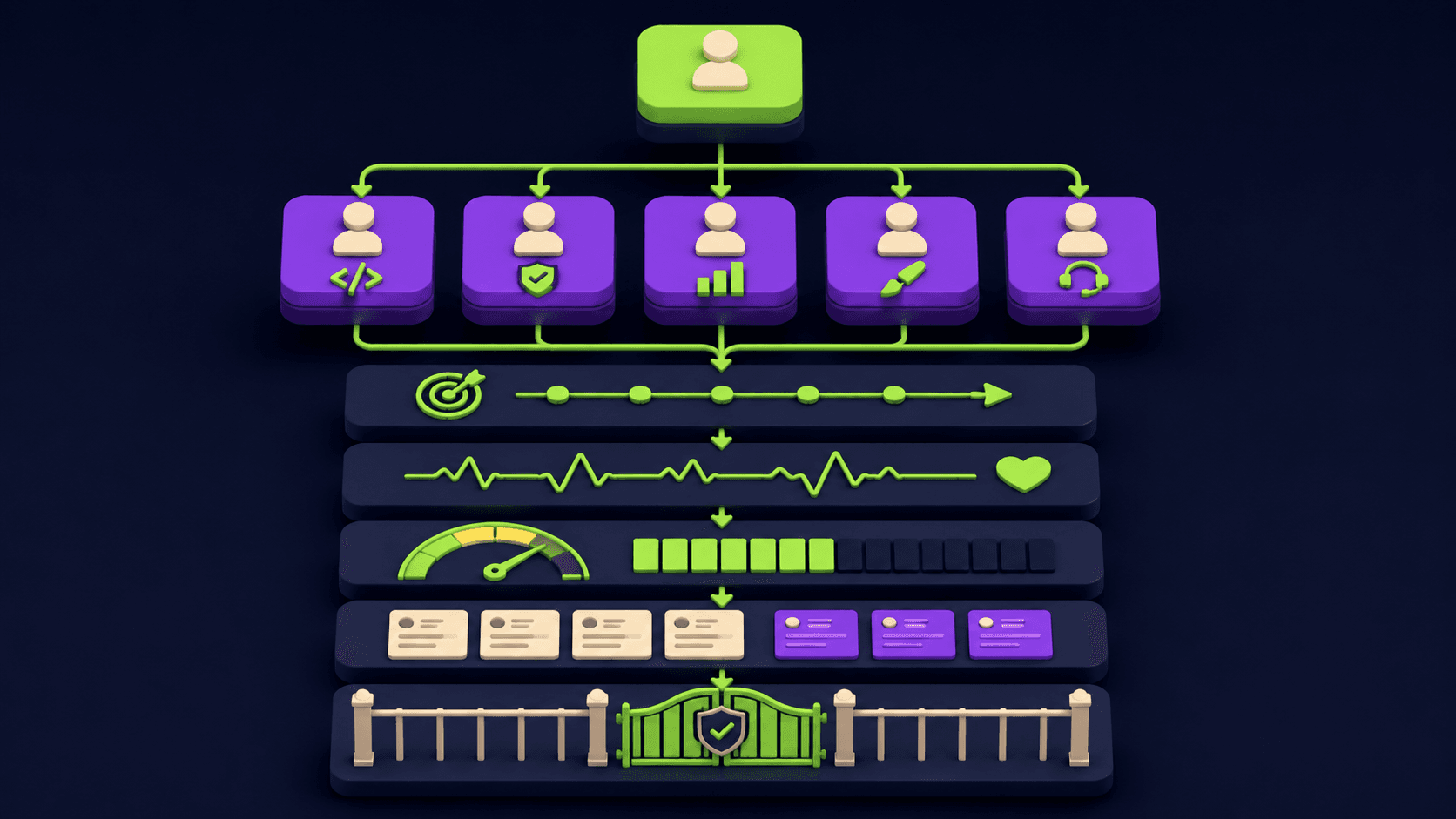
Running a company with AI agents means wrapping one or more coding agents in an organizational layer: a manager agent that delegates, cascading goals so workers do not drift, a scheduler so they run without you, per-agent budgets, an audit log of every action, and human approval on irreversible steps. The agents stay the same. The structure around them is what turns them into a working org.
Opening a single agent and typing tasks works for one job. It breaks the moment you want three agents on three tracks running overnight against a shared objective. The missing piece is not a smarter model. It is the scaffolding any human team needs: who reports to whom, what we are trying to achieve, when we work, what we can spend, and what we did. Microsoft framed the same gap when it open-sourced Conductor on May 14, 2026: agents have to coordinate in sequence, in parallel, and in cycles, and doing that ad hoc is where cost, latency, and unpredictability come from.
TL;DR
Agents fail as a team because they lack org structure, not intelligence.
Add eight primitives: org chart, goals, scheduling, budgets, tickets, provider-agnostic, multi-company, governance.
A manager agent delegates to specialist agents against one cascading objective.
Per-agent token ceilings and human approval gates stop runaway cost and damage.
Open-source orchestrators give a one-command bootstrap or a manual clone path.
Published 2026-05-19 by the Vantaige team. Last reviewed 2026-05-19. About 13 min read.
Why do multiple AI agents fail without an org structure?
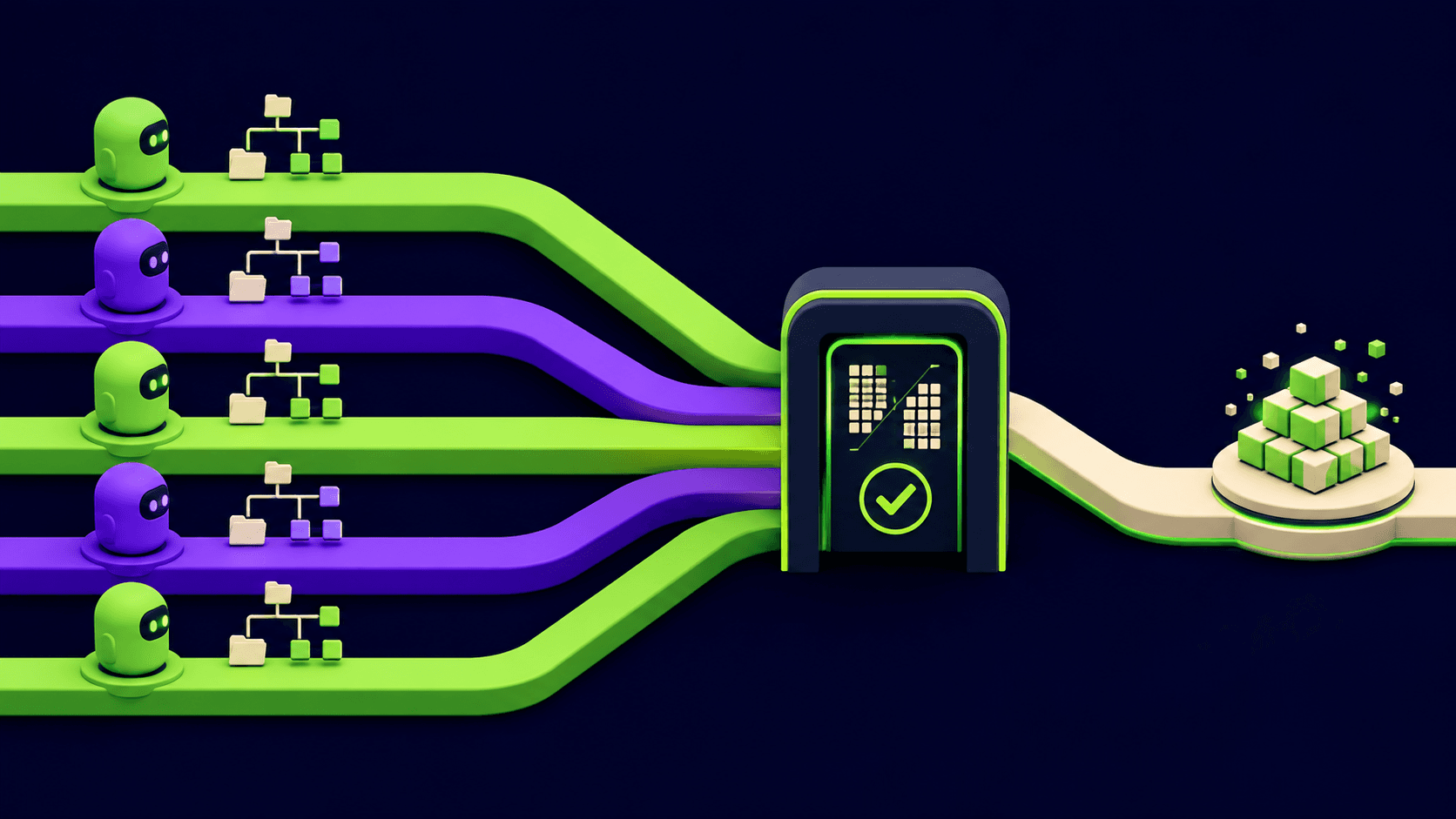
Multiple agents fail without structure because each one optimizes locally with no shared goal, no spending limit, and no record. One agent refactors a file another agent is editing. A loop runs all night and burns the month's API budget. Nothing logs what changed. The cause is missing coordination, which is an organizational problem, not a model problem.
The cost side is measured. A 2026 review summarized by LeanOps found agentic workloads burn far more tokens than chat use because each agent step re-reads context and calls tools in a loop. Without a ceiling, an unattended agent can run for hours before anyone notices the bill.
The coordination side has the same root. Google's experimental testbed Scion isolates each agent in its own container, git worktree, and credentials so parallel agents do not collide. That isolation is org design expressed in infrastructure. If you have already split work across agents, see Claude Code subagents and the three context-saving patterns for the single-agent version of this problem.
What are the eight primitives of an AI agent company?
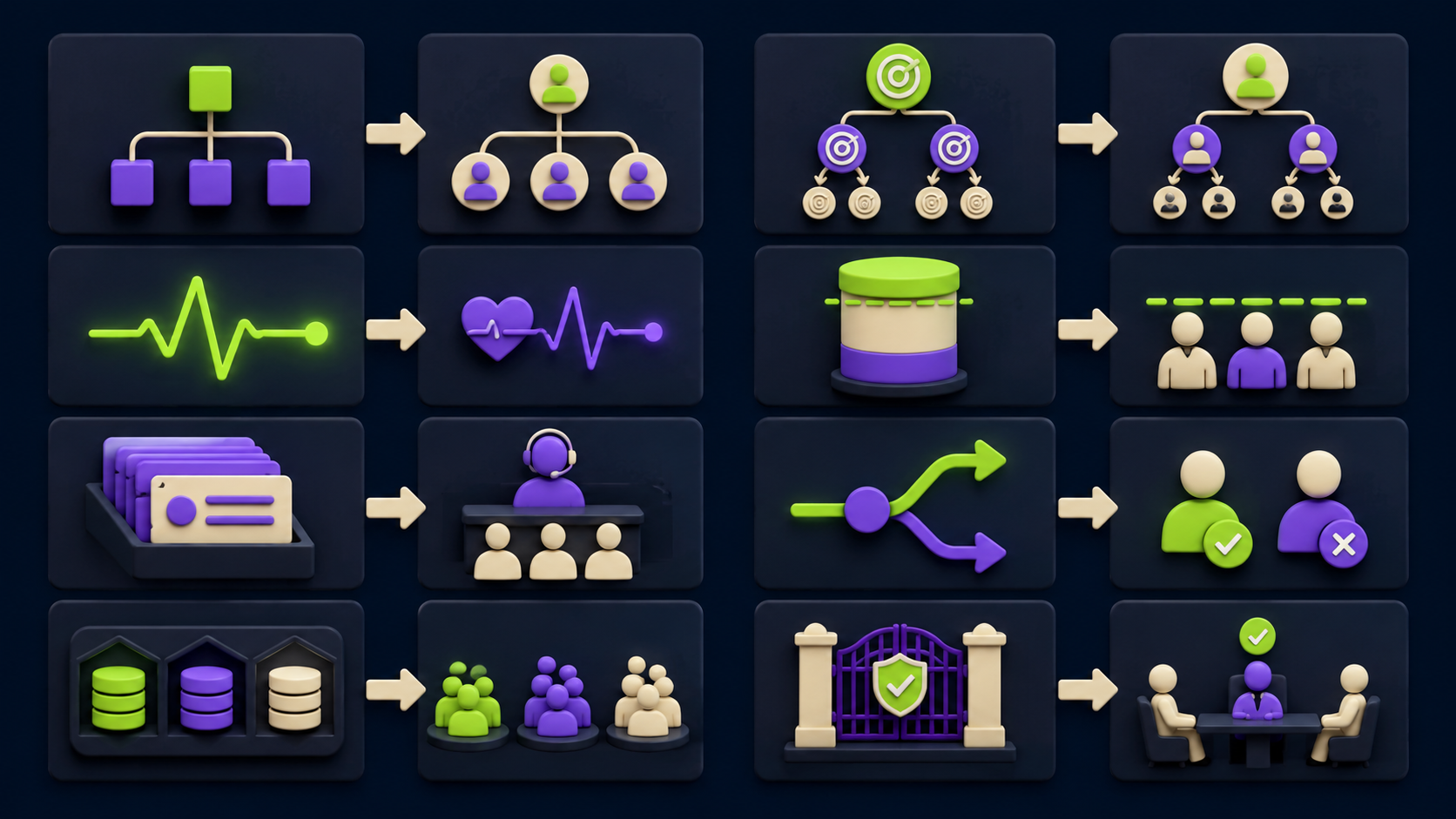
An AI agent company needs eight primitives: an org chart, goal alignment, heartbeats, budget controls, a ticket system, provider-agnostic execution, multi-company support, and governance. Each maps to one thing a human company already has. The table below states what each does and why it matters before the mechanics.
Primitive | What it does | Why it matters |
|---|---|---|
Org chart | A manager agent receives the objective and delegates scoped subtasks to specialist agents. | One brain holds the plan; workers stay narrow and do not duplicate or collide. |
Goal alignment | A top-level objective cascades into sub-goals each agent inherits and checks against. | Sub-agents stop drifting into work nobody asked for. |
Heartbeats | A scheduler wakes agents on a cron-style interval and re-injects fresh context. | The org runs overnight and on weekends without you starting it. |
Budget controls | Each agent has a token or cost ceiling that halts it when crossed. | One looping agent cannot burn the whole month's spend. |
Ticket system | Every delegated task and action is written as a ticket with status and output. | You get an audit trail: who did what, when, and why. |
Provider-agnostic | The orchestrator drives whatever agent CLI you already run, not one vendor. | You keep your existing tools and can mix models per task. |
Multi-company | Separate, isolated agent orgs per client or project. | Client A's agents never touch client B's repos, budgets, or logs. |
Governance | Human approval gates on irreversible actions before they execute. | No deploy, delete, payment, or permission change happens unreviewed. |
How does a manager agent delegate to specialist agents?
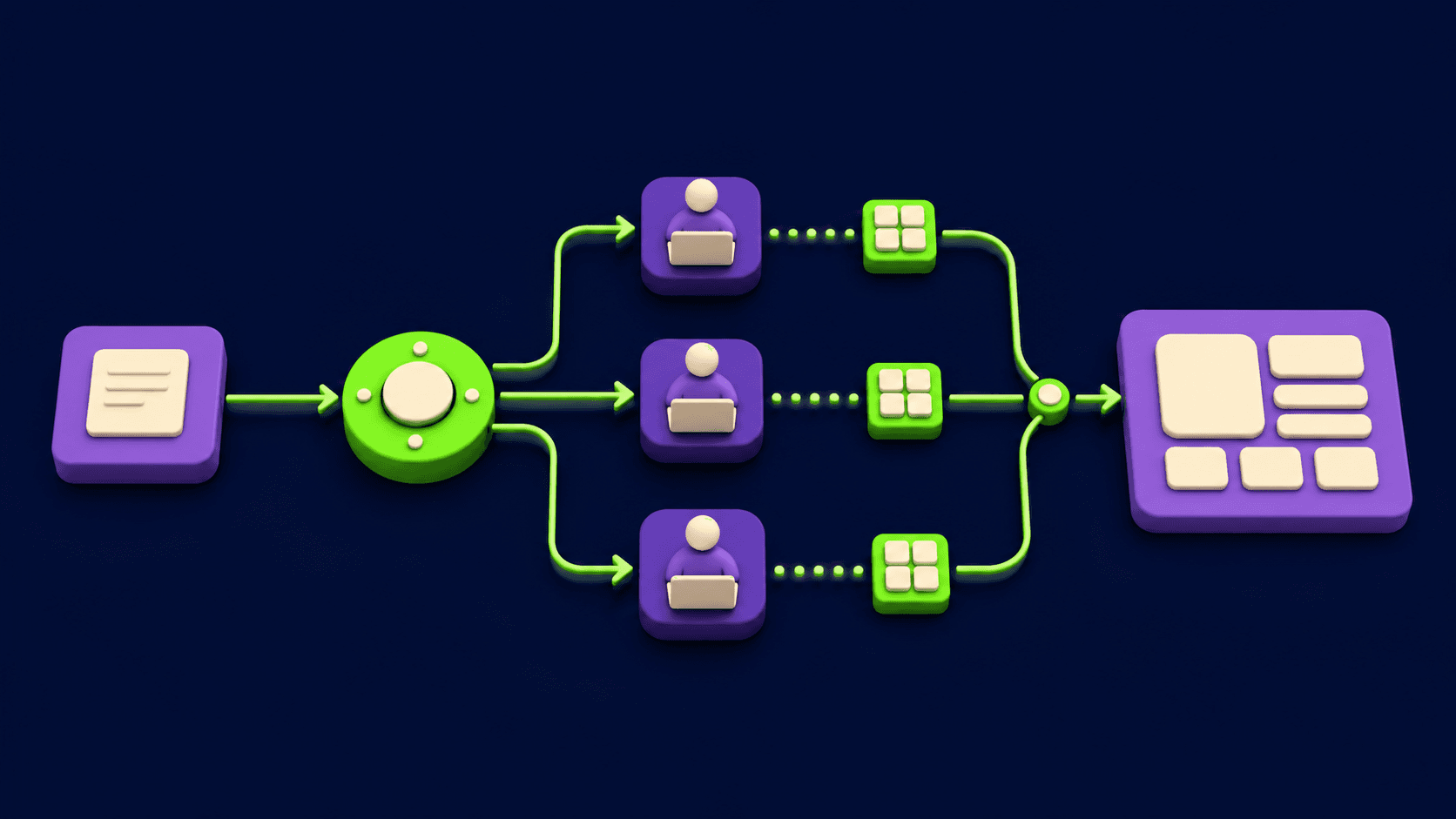
A manager agent delegates by receiving the objective, breaking it into scoped subtasks, and assigning each to a specialist agent with a narrow brief and its own context window. The manager does not write the code. It plans, dispatches, collects results, and decides the next step. This mirrors a team lead who assigns work rather than doing all of it.
This is the pattern behind frameworks like CrewAI, where a crew of agents and tasks runs under an optional manager agent and a planning step. The benefit is concrete: each specialist gets a clean, small context instead of one agent juggling the entire project, which is the same reason subagents reduce token waste.
A minimal org file describes the structure in plain terms:
org:
  manager: planner
  specialists:
    - name: backend
      brief: "API routes, database, server logic only"
    - name: frontend
      brief: "UI components and styling only"
    - name: tests
      brief: "write and run the test suite, report failures"
  rule: "Manager assigns one ticket per specialist at a time."
The manager reads the objective, emits one ticket per specialist, waits for results, then re-plans. No specialist sees another's full context, which is what stops two agents editing the same file blind.
How do you stop sub-agents from drifting off the goal?
You stop drift by cascading one top-level objective into sub-goals that every agent inherits and re-checks before each action. The manager owns the parent goal. Each specialist gets a child goal derived from it, plus an instruction to refuse or escalate any task that does not trace back to the parent. Alignment is enforced at dispatch, not hoped for.
Drift happens when an agent invents adjacent work because nothing told it where the boundary is. A cascading goal file makes the boundary explicit:
objective: "Ship the v2 checkout flow by Friday."
cascade:
  backend:  "Build only the v2 checkout API. No unrelated refactors."
  frontend: "Build only the v2 checkout screens. No design-system rewrites."
  tests:    "Cover only the v2 checkout paths."
guard: "If a task does not serve the objective, open a question ticket. Do not act."
The guard line is the load-bearing part. Operators report that the failure mode is not agents being too literal, it is agents being too eager. An explicit refuse-and-escalate rule turns eagerness into a question instead of unrequested commits.
How do you schedule AI agents to run without you?
You schedule agents with a heartbeat: a cron-style timer that wakes the orchestrator at set intervals, re-injects current context, checks for due work, and lets agents act without any human trigger. Between heartbeats the agents are idle. On each beat the manager reviews status, dispatches what is due, and self-heals anything that failed its window.
This is the documented heartbeat pattern. As MindStudio's writeup describes it, the heartbeat wakes the agent, injects fresh context, checks if any cron results need review or alerts fired, and resumes work with no human in the loop. If a job missed its window, the next beat catches and re-runs it.
A schedule file is ordinary cron:
schedule:
  - cron: "0 * * * *"        # hourly: manager re-plans open tickets
    run:  manager.replan
  - cron: "0 6 * * 1-5"      # 6am weekdays: kick off the daily objective
    run:  manager.start_day
  - cron: "*/15 * * * *"     # every 15 min: health check, self-heal
    run:  orchestrator.heartbeat
Pair every proactive schedule with explicit approval boundaries. The more clearly you define what needs permission, the more autonomy you can safely grant for everything else. That is the bridge to the governance primitive below. For the single-agent scheduling case, see the Claude Code dreaming and memory-consolidation setup, which runs an agent on a timer to consolidate memory.
How do you cap token spend per AI agent?
You cap spend by giving each agent a hard token or dollar ceiling that terminates the run when crossed, plus a soft threshold that alerts first. The ceiling is per agent and per period, not global, so one looping worker cannot consume the whole budget. The orchestrator checks the running total before each expensive step and stops the agent, not the company.
This is standard practice in 2026. Guidance compiled by MindStudio describes tiered controls: a soft daily cap with an alert, a hard daily cutoff that forces a cheaper model, and a monthly ceiling that needs manager approval to lift. Claude Code itself layers hard internal limits, automatic context compaction, and a pre-execution budget check.
A budget file:
budgets:
  backend:  { daily_usd: 8,  monthly_usd: 120, on_breach: stop }
  frontend: { daily_usd: 6,  monthly_usd: 90,  on_breach: stop }
  tests:    { daily_usd: 3,  monthly_usd: 45,  on_breach: downgrade_model }
alert_at: 0.8   # warn at 80% of any ceiling before the hard stop
Set ceilings deliberately. A 2026 audit of 30 engineering teams summarized by LeanOps found unbounded agents are where the surprise bills come from, because nothing halts a loop that re-reads context every step. Cost discipline at the fleet level is the same discipline covered for a single tool in the Agent 365 vs Claude managed agents cost comparison.
What is the ticket system in an AI agent company?
The ticket system is the audit trail. Every task the manager delegates and every action an agent takes is written as a ticket with an ID, the agent, the input context, the output, a status, and a timestamp. Nothing happens off the record. When you return in the morning, the ticket log is the complete account of what the org did and why.
This matters beyond curiosity. Current human-in-the-loop guidance, including Strata's 2026 oversight guide, treats the event log as the evidence record that makes the whole governance model defensible: every request, approval, rejection, and escalation logged with context, response, and time. Without it, you cannot prove what an agent did or undo a bad chain confidently.
A ticket is just an append-only record:
ticket: T-0142
agent: backend
parent: T-0140 (manager)
input: "Add POST /v2/checkout, validate cart, return order id"
status: done
output: "3 files changed, 1 migration, tests passing locally"
ts: 2026-05-19T02:14:07Z
approved_by: null   # read/write code, no gate required
Keep tickets append-only. An audit trail you can edit is not an audit trail. This is the agent-org version of the discipline in the n8n MCP Claude Code setup guide, where every workflow run leaves an inspectable record.
Can the orchestration layer work with any AI coding agent?
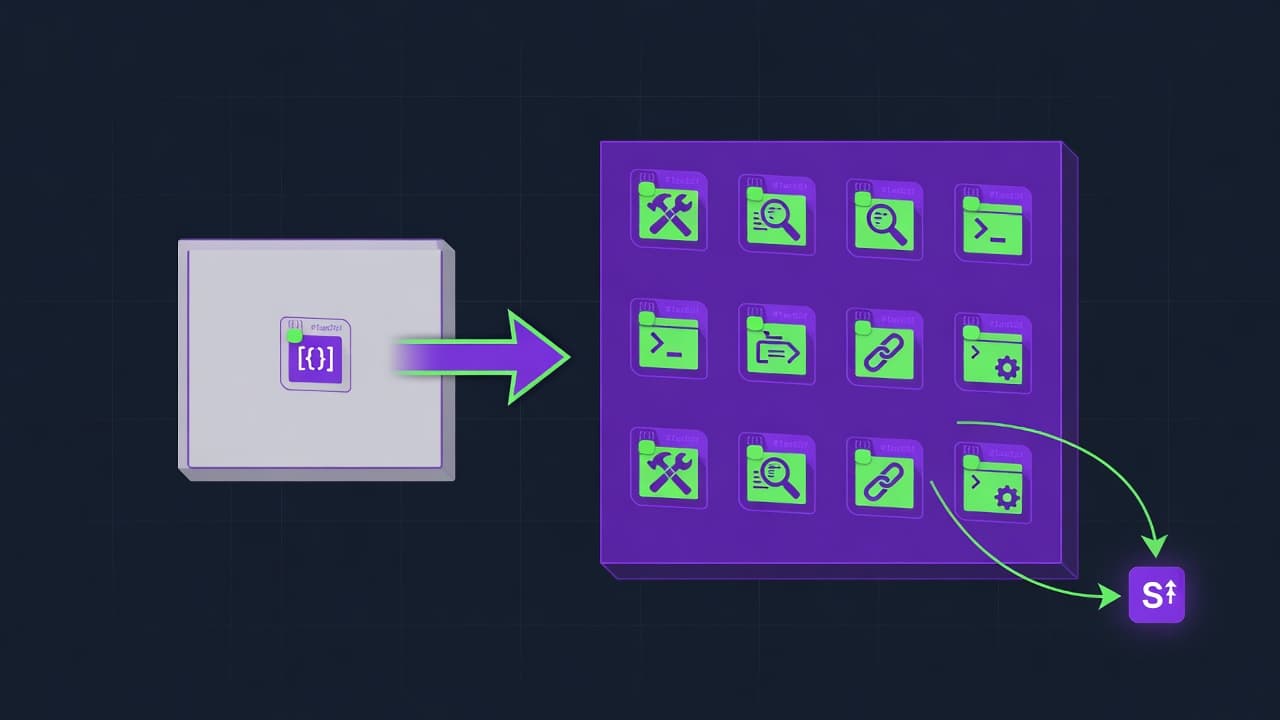
Yes. A well-designed orchestrator is provider-agnostic: it shells out to whatever agent CLI you already run, so the same org, goals, schedule, and budgets work with Claude Code, OpenClaw, Codex, Cursor's agent mode, or a self-hosted model. The orchestrator owns coordination. The underlying agent stays your choice, and you can assign different models to different specialists.
The framework space in 2026 is broad and converging on this idea. A roundup at Augment Code lists nine open-source agent orchestrators for coding, and most treat the agent as a pluggable runner rather than a fixed dependency. That means you are not locked in, and a model regression in one provider does not strand your org.
An agents file maps each specialist to a runner:
runners:
  backend:  { cmd: "claude -p",        model: "opus" }
  frontend: { cmd: "cursor-agent run", model: "default" }
  tests:    { cmd: "ollama-agent",     model: "qwen-local" }
Mixing a self-hosted model for cheap, high-volume work and a hosted model for hard reasoning is a common cost move. The self-hosted side is covered in the Nous Hermes 4 self-hosted setup vs closed agents comparison.
How do you run separate agent companies per client?
You run separate companies by isolating each org into its own workspace: its own repo scope, credentials, budget file, ticket log, and schedule. Client A's manager cannot see, spend, or touch anything in Client B's company. Isolation is at the directory and credential level, so a mistake or a prompt injection in one org cannot reach another.
This is the same containment principle behind Google's Scion testbed, where each agent gets its own container, git worktree, and credentials. At the company level you apply it per client instead of per agent. The practical layout is one directory tree per company:
companies/
  acme/
    org.yaml  goals.yaml  budgets.yaml  schedule.yaml
    tickets/  .env        repo -> /work/acme
  globex/
    org.yaml  goals.yaml  budgets.yaml  schedule.yaml
    tickets/  .env        repo -> /work/globex
Each company gets its own .env with scoped tokens. The orchestrator refuses any cross-company path, so a runaway agent stays inside its own walls. This containment thinking applies to single agents too, as in the Cursor CVE-2026-26268 git-hook RCE patch check.
How do human approval gates work for irreversible agent actions?
Approval gates pause the agent before any irreversible action and require a named human to approve or reject in the ticket before execution. Reversible work (reading, writing code in a branch) runs free. Irreversible work (deploy, delete, payment, permission change, force push) blocks. The gate lives in the orchestrator, not in agent prompts, so it holds even for actions the agent author did not anticipate.
This matches 2026 governance consensus. The model recommended in a widely shared April 2026 human-in-the-loop guide is calibrated oversight: low-stakes reversible actions autonomous, high-stakes or irreversible actions confirmed by a human first, out-of-scope actions escalated to a named reviewer. It also warns that the gate must sit in the governance layer, because hardcoding if action == payment inside agent code breaks for cases nobody coded for.
A policy file states what blocks:
governance:
  auto_ok:    ["read", "write_branch", "run_tests", "open_pr"]
  needs_human: ["deploy", "delete", "force_push", "payment", "rotate_secret", "prod_db_write"]
  reviewer:   "[email protected]"
  on_unknown_action: escalate   # never auto-run an action not on either list
Two cautions from the same body of work. Avoid approval theater: a reviewer who clicks yes without context is oversight in name only, so the ticket must show the diff and the reason. And avoid alert fatigue: if everything needs approval, people auto-approve everything, which is why only genuinely irreversible actions belong on the list. The EU AI Act Article 14, enforceable from August 2, 2026, makes meaningful human oversight a legal requirement for high-risk systems, not just good practice.
How do you set up an AI agent company (one-command and manual)?
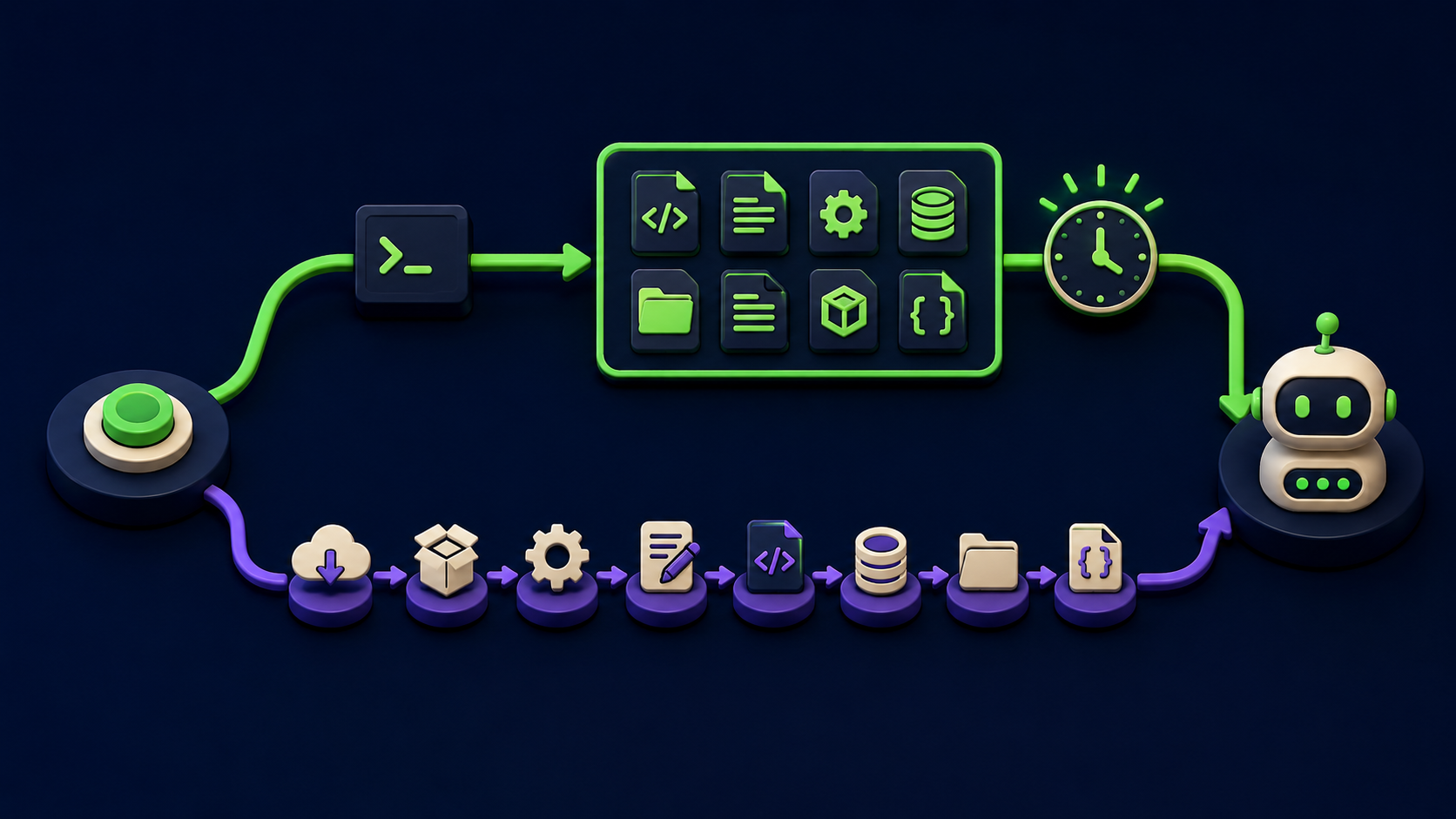
You set it up two ways: a one-command bootstrap that scaffolds the eight files and starts the scheduler, or a manual path where you clone an open-source orchestrator, install it, write the org, goals, and budget files, and run it. Both produce the same result: a manager agent, scoped specialists, a schedule, budgets, a ticket log, and governance gates. Plan about five minutes for the bootstrap.
The commands below are the orchestration pattern, illustrative and tool-agnostic. Substitute the real CLI of whichever open-source orchestrator you pick (CrewAI, Conductor, or one of the runners in the Augment Code list). Do not treat any single command as a fixed product.
Path A: conceptual one-command bootstrap
# 1. Scaffold an agent company in the current directory.
#    This generates org.yaml, goals.yaml, schedule.yaml,
#    budgets.yaml, agents.yaml, governance.yaml, and tickets/.
npx <your-orchestrator> init --company acme

# 2. Point it at the agent CLI you already use.
npx <your-orchestrator> runner set --cmd "claude -p"

# 3. Start the scheduler. Heartbeats now run the org.
npx <your-orchestrator> start
Success looks like: the seven files exist, the first heartbeat logs a ticket, and the manager has opened scoped tickets for each specialist. If no tickets appear within one heartbeat interval, the schedule cron or the runner command is wrong.
Path B: manual setup
Step 1. Clone an open-source orchestrator and install it.
git clone https://github.com/<org>/<orchestrator>.git
cd <orchestrator>
npm install        # or: pip install -e .  /  uv sync
Step 2. Write the org chart. Define one manager and the specialists, each with a one-line brief that names what it owns and excludes everything else.
Step 3. Write the cascading goal file. One objective at the top, one derived sub-goal per specialist, and the refuse-and-escalate guard line so nothing acts off-goal.
Step 4. Write the budget file. Per-agent daily and monthly ceilings, an alert threshold around 80 percent, and the on-breach action (stop or downgrade the model).
Step 5. Write the governance file. List auto-OK reversible actions, the irreversible actions that need a human, the reviewer, and escalate-on-unknown.
Step 6. Set the runner and the schedule, then start it.
# map specialists to your agent CLI in agents.yaml, then:
<orchestrator> runner set --cmd "claude -p"
<orchestrator> schedule load schedule.yaml
<orchestrator> start --company acme
Success after step 6: the scheduler logs a heartbeat, the manager opens tickets, specialists run inside their briefs and budgets, and any irreversible action sits in tickets/ waiting for your approval instead of executing. Verify by checking the ticket log shows scoped tickets and zero unapproved irreversible actions.
What are the common mistakes running an AI agent company?
The common mistakes are giving every agent the full context, setting one global budget instead of per-agent ceilings, gating everything for approval, hardcoding the gate in prompts, and treating the audit log as optional. Each one reintroduces the exact failure the structure was meant to prevent. The fixes are direct.
One shared context for all agents. Fix: give each specialist a narrow brief and its own window. Shared context is how two agents edit the same file blind.
A single global budget. Fix: per-agent, per-period ceilings. A global cap still lets one looping agent drain everything before it trips.
Gating every action. Fix: only irreversible actions need a human. Gate everything and people auto-approve everything, which is approval theater.
Approval logic inside agent prompts. Fix: enforce gates in the orchestrator. Prompt-level rules miss actions nobody anticipated, the failure mode named in the 2026 governance guidance above.
No ticket log, or an editable one. Fix: append-only tickets. Without an immutable record you cannot prove or safely undo what the org did.
No isolation between clients. Fix: one workspace, credential set, and budget per company. Shared state lets a mistake in one org reach another.
Frequently asked questions
Do I need a special model to run an AI agent company?
No. The orchestration layer is model-agnostic. It coordinates whatever agent CLI you already run, including Claude Code, Codex, Cursor's agent mode, or a self-hosted model. You can assign a strong hosted model to the manager and a cheaper or local model to high-volume specialists. The company structure (org, goals, schedule, budgets, tickets, governance) is independent of which model executes the work.
Is this the same as a multi-agent framework like CrewAI or LangGraph?
Partly. Frameworks like CrewAI, LangGraph, and Microsoft's Conductor give you the agent-coordination engine. The company pattern adds the operational layer on top: scheduling so it runs without you, per-agent budget ceilings, an append-only audit trail, multi-client isolation, and human approval gates. You can build the company pattern using one of those frameworks as the underlying orchestrator.
How much does running an agent company cost?
The orchestration software described here is open source, so the layer itself is free. Your cost is model API usage, which is exactly why per-agent budget ceilings exist. Operators report that without ceilings, unattended agents are where surprise bills come from, since each step re-reads context. With per-agent daily and monthly caps and an 80 percent alert, spend stays bounded and predictable.
Can the agents run while my computer is off?
Yes, if the orchestrator and scheduler run on a server or VPS rather than your laptop. The heartbeat is a cron-style timer on that host, so the org keeps working overnight and on weekends regardless of your local machine. If you run it locally, the agents only run while that machine is on and the scheduler process is alive.
What stops an agent from deleting something or deploying broken code?
The governance layer. Irreversible actions (deploy, delete, force push, payment, secret rotation, production database writes) are on a needs-human list. The orchestrator pauses the agent and writes an approval ticket showing the diff and reason before the action runs. Reversible work continues freely. Unknown actions escalate rather than auto-run, so an action nobody anticipated never executes silently.
How is this different from just opening one agent and giving it tasks?
One agent with tasks has no manager, no schedule, no budget, and no record. It works for a single job you supervise. The company pattern is for several agents running on a shared objective, on a schedule, unattended, with cost limits and an audit trail. The difference is the same as one person doing a task versus a team running a project.
Is human-in-the-loop legally required for agent companies?
For high-risk systems in the EU, meaningful human oversight is required under EU AI Act Article 14, enforceable from August 2, 2026, and some US states add their own rules in 2026. Even where it is not legally required, the calibrated-oversight model (autonomous for reversible work, human approval for irreversible work, escalation for out-of-scope) is the documented 2026 best practice and protects you from runaway changes.
Related from Vantaige
References
Google Open Sources Experimental Multi-Agent Orchestration Testbed Scion, InfoQ, April 2026
9 Open-Source Agent Orchestrators for AI Coding (2026), Augment Code
Heartbeat Pattern Explained: Keeping Stateless AI Agents Working, MindStudio
AI Agent Token Budget Management: How Claude Code Prevents Runaway API Costs, MindStudio
Human-in-the-Loop AI Agents: Approvals, Escalation, and Safe Autonomy in Production, April 2026
Get the best new AI tools and guides, weekly
One short email a week. The tools worth trying, the guides worth reading, nothing else.
No spam. Unsubscribe anytime.
Aymen B
Contributing writer at Vantaige, covering the AI tools ecosystem.