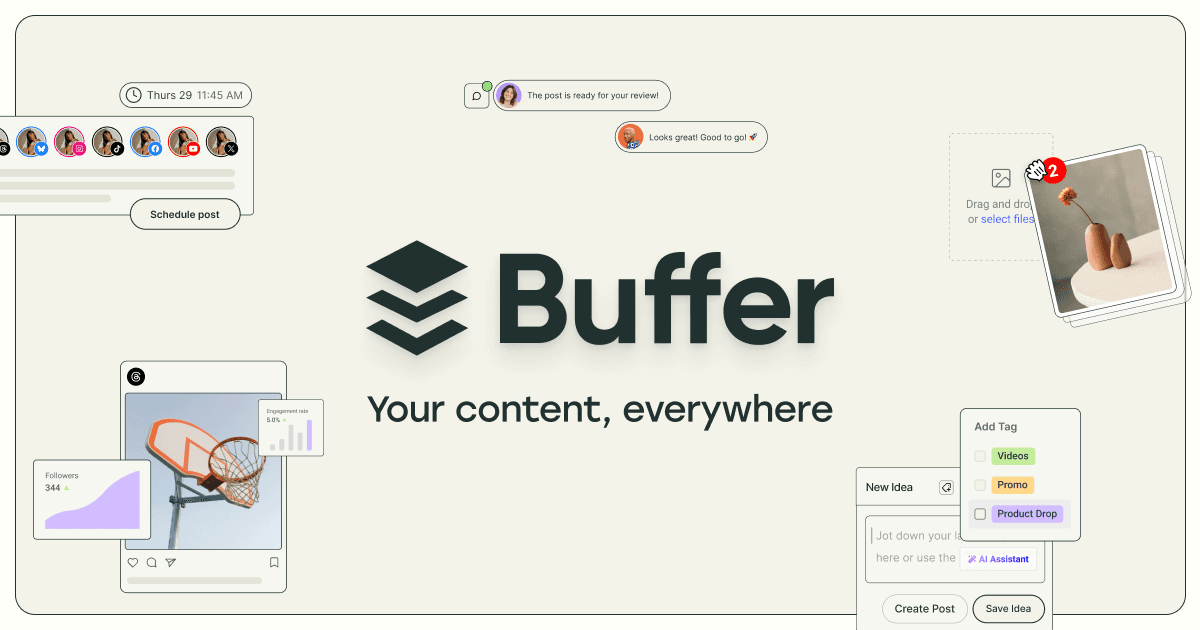

Buffer is a social media scheduling platform with a built-in AI Assistant, supporting 12 networks including Threads, Bluesky, and TikTok. Free plan covers 3 channels. Paid plans start at $6 per channel per month with unlimited AI usage on every tier.
Buffer is a social media scheduling and management platform founded in 2010 by Joel Gascoigne and Leo Widrich. The company is bootstrapped, profitable, and publicly transparent about its finances: as of July 2025, Buffer reported $23.14M in annual recurring revenue, 70,055 paying customers, and 191,500 monthly active users, all with a team of 69 people. The core product solves a straightforward problem: plan and schedule posts across multiple social networks in advance, without juggling each platform's native app.
Buffer supports 12 platforms as of 2026, including Facebook, Instagram, TikTok, LinkedIn, X (Twitter), Threads, Bluesky, YouTube Shorts, Pinterest, Google Business, Mastodon, and more. The built-in AI Assistant, available free and unlimited on every plan, can repurpose a blog post into platform-specific captions, rewrite content in different tones, generate fresh post ideas, expand or shorten text, and translate across languages. Bulk upload via CSV (up to 100 posts at once) was added in August 2025. A Community inbox launched in late 2025 consolidates comment and reply management across Threads, Bluesky, LinkedIn, Instagram, and Facebook in one place.
What Buffer actually is in May 2026
Buffer occupies a clear position in the social media tool stack: it is a scheduling-first platform that deliberately stays out of the social listening and enterprise analytics space. The product has a drag-and-drop calendar, a queue system that spaces posts according to your defined schedule, per-platform post customization (different copy for LinkedIn versus Instagram versus Threads in a single workflow), and Best Time to Post recommendations based on platform-level data.
The AI Assistant, originally launched February 2023, received a significant upgrade on October 17, 2023. The redesigned version removed the previous credit system entirely, moving to unlimited usage for all users including free. More importantly, the AI became platform-aware: it now knows which social network you are composing for, tailors character counts and tone accordingly, and lets you describe your target audience so it can adjust suggestions. Buffer had interviewed dozens of users during the redesign process, identifying three core goals people wanted the AI to serve: boosting engagement, growing followers, and saving time.
In July 2025, Buffer became an official launch partner for LinkedIn's new Analytics API, enabling personal profile metrics (impressions, engagement rate, reactions, video views) for creators and freelancers, not just company pages. This filled a gap that had frustrated LinkedIn-heavy users for years.
A specific milestone that reflects how product development works at Buffer: when Meta released its Threads API in mid-2024, Buffer shipped Threads scheduling on June 25, 2024. It had been the company's top-voted feature request by a significant margin. Within one month, 4,340 Threads channels were connected, 51,000 posts created, and 323 users upgraded to paid plans specifically because of the launch. The company cited the Threads integration as a meaningful contributor to Q2 2024 profitability.
"Buffer makes it easy to schedule out a month of posts on the major socials, and the AI tool can repurpose specifically for individual channels, as opposed to just cross posting." - Chris L., Operations, Capterra, March 2026
Where Buffer sits versus Hootsuite and Publer
These three tools serve overlapping audiences but make different architectural and pricing decisions that matter depending on what you need.
Buffer vs. Hootsuite: Hootsuite was founded in 2008 and has always aimed at enterprise and agency-scale social media management. The mechanical differences are significant. Hootsuite includes social listening (monitoring brand mentions, trending topics, competitor activity), paid social analytics (Facebook Ads, Instagram Ads data integrated into dashboards), content governance workflows for regulated industries, and SSO for enterprise environments. Buffer has none of these. On the flip side, Hootsuite eliminated its free plan entirely and raised prices by over 40% in recent years. Its Professional plan starts at $99-199/month for one user and 10 social accounts. A solopreneur managing 3 channels pays $0 (free) or $15/month on Buffer Essentials versus $99/month minimum on Hootsuite Professional. For a team managing 10 channels, Buffer Team costs $100/month while Hootsuite's entry tier costs $199/month and its Business plan starts around $739/month. The feature gap is real in both directions: Hootsuite offers depth Buffer does not, but Buffer is materially cheaper and significantly easier to learn.
Buffer vs. Publer: Publer is a newer competitor with a different AI philosophy. Publer's AI Assist is gated behind paid tiers; Buffer's AI Assistant is free and unlimited for everyone. Where Publer pulls ahead: automatic image watermarking (useful for branded content), post recycling and resharing loops (natively scheduled content reruns), and a free plan that allows 5 social accounts versus Buffer's 3. Publer's pricing is per-workspace rather than per-channel, which can work out cheaper for users managing multiple brands under one umbrella. The tradeoff is complexity: Publer has more configuration options, which means more surface area to learn. Buffer's competitive advantage is simplicity and the no-friction AI access on every plan.
How AI actually works inside Buffer
The AI Assistant lives inside the post composer, not as a separate tool you open in another tab. When you start drafting a post, the assistant is available inline. You can paste a URL or long-form text and ask it to generate platform-specific captions. You can set tone (casual, formal, professional) and describe your audience (e.g., "B2B SaaS founders" or "lifestyle fitness followers") so suggestions match your actual voice and context.
Specific tasks the AI handles well: turning a long blog post into a LinkedIn article summary plus an Instagram caption plus an X thread, all in one workflow without copy-pasting between tools. Translating content into other languages for multilingual accounts. Expanding a short idea into a full post, or compressing a verbose draft into something that fits character limits. Generating a batch of post ideas from a content brief.
What it does not do: schedule posts autonomously without human review, monitor mentions or comments for AI-powered replies (though the Community inbox helps with manual management), or generate images natively. Buffer has a Canva integration for image creation, which bridges part of that gap. The AI also does not provide predictive analytics or suggest specific posting times based on your account history in real time, though it does surface general Best Time to Post recommendations per platform.
Since the February 2023 launch through the data available in Buffer's public reporting, the AI Assistant had generated 2.5 million AI-assisted words for 8,100 users. Buffer's product team described it as "one of the most popular features we've ever launched."
The friction users keep raising
Buffer has a consistent set of complaints that appear across review platforms and have persisted through 2024-2026. These are not deal-breakers for most users, but they are genuine recurring issues worth knowing before committing.
Account disconnections: Social media platforms periodically expire API tokens, and Buffer's reconnection process requires manual intervention. Multiple reviewers describe checking their Buffer account to find channels have gone dark, sometimes causing posts to silently fail to publish. Instagram and TikTok are most frequently cited. The problem is partly platform-side (Meta and TikTok change API policies), but Buffer's handling of disconnection notifications has been criticized.
"You will also need to monitor your scheduled posts to ensure that they actually post because every few months, social media accounts will disconnect from your Buffer account." - Heejin H., Social Media Content, GetApp
Post failures: Related but distinct from disconnections. Some users report posts that appear scheduled but do not publish, requiring active monitoring to catch. Kelly M., a content creator reviewing Buffer on Capterra in April 2026, noted: "The problems with posts going through have been happening every week." Instagram Reels and TikTok posts are most vulnerable here.
Per-channel pricing at scale: The per-channel model is fair for 3-8 channels but becomes a common complaint for users managing 15+ accounts. An agency with 20 client channels on Essentials pays $100/month before any team members are added (which requires upgrading to Team at $10/channel, doubling the bill). Flat-rate tools become more attractive at that scale.
Analytics depth: Advanced analytics are available on Essentials and above, but "advanced" is relative. Buffer provides engagement metrics, reach data, and posting performance. It does not offer competitor benchmarking, share of voice, paid social integration, or the kind of reporting that justifies social media spend to a CFO. Users who need to prove ROI at scale consistently move to Sprout Social or Hootsuite.
Single user on Essentials: The most popular paid tier is single-user only. Any collaboration requires the Team plan, which costs $10/channel/month versus $5/channel/month, a 100% price increase just for adding team members.
Who Buffer is for
Buffer is a strong fit for solo creators, freelancers, and small businesses managing between 3 and 10 social channels. The free plan with unlimited AI is genuinely useful as a starting point, and the Essentials plan at $5-6/channel/month is one of the more honest pricing models in this category. If you want to post consistently across Instagram, LinkedIn, Threads, and Bluesky without spending time manually crafting platform-specific variations, Buffer removes most of the friction.
The Threads and Bluesky support matters specifically for users expanding beyond legacy platforms. Buffer was among the first tools to add Threads scheduling when Meta's API opened up, and it supports Mastodon and Bluesky for users moving toward decentralized networks. Tools like Later and Simplified cover some of the same scheduling ground but with different AI feature sets and platform mixes.
Skip Buffer when your use case involves social listening (monitoring what people say about your brand without tagging you), paid social analytics alongside organic, managing more than 20 client accounts economically, or requiring enterprise security features like SSO and compliance workflows. For those scenarios, Hootsuite or Sprout Social are better architectural fits despite the significantly higher cost.
Buffer's transparent company culture, public financial reporting, and consistent product development cadence suggest it is unlikely to be acquired or pivoted into irrelevance in the near term. The $23M ARR, profitability, and 15-year track record as an independent company are notable in a landscape where many scheduling tools have been acquired, deprecated, or repriced aggressively after investor pressure.
User Reviews
No reviews yet. Be the first to share your experience!
Sign in to write a review.
Related articles
Guides and articles related to Buffer.

How to Repurpose One Blog Post Into 30 Pieces With AI (The Step-by-Step System)

Replace 6 SaaS Subscriptions With 4 n8n AI Agents (2026)
AI Agents for Business: What They Actually Are and 12 Things You Can Automate Today

15 AI Agent n8n Workflows You Can Build This Weekend (2026)
Auto-Build Weekly Client Status Reports From Slack, Asana, GitHub & Stripe (2026)